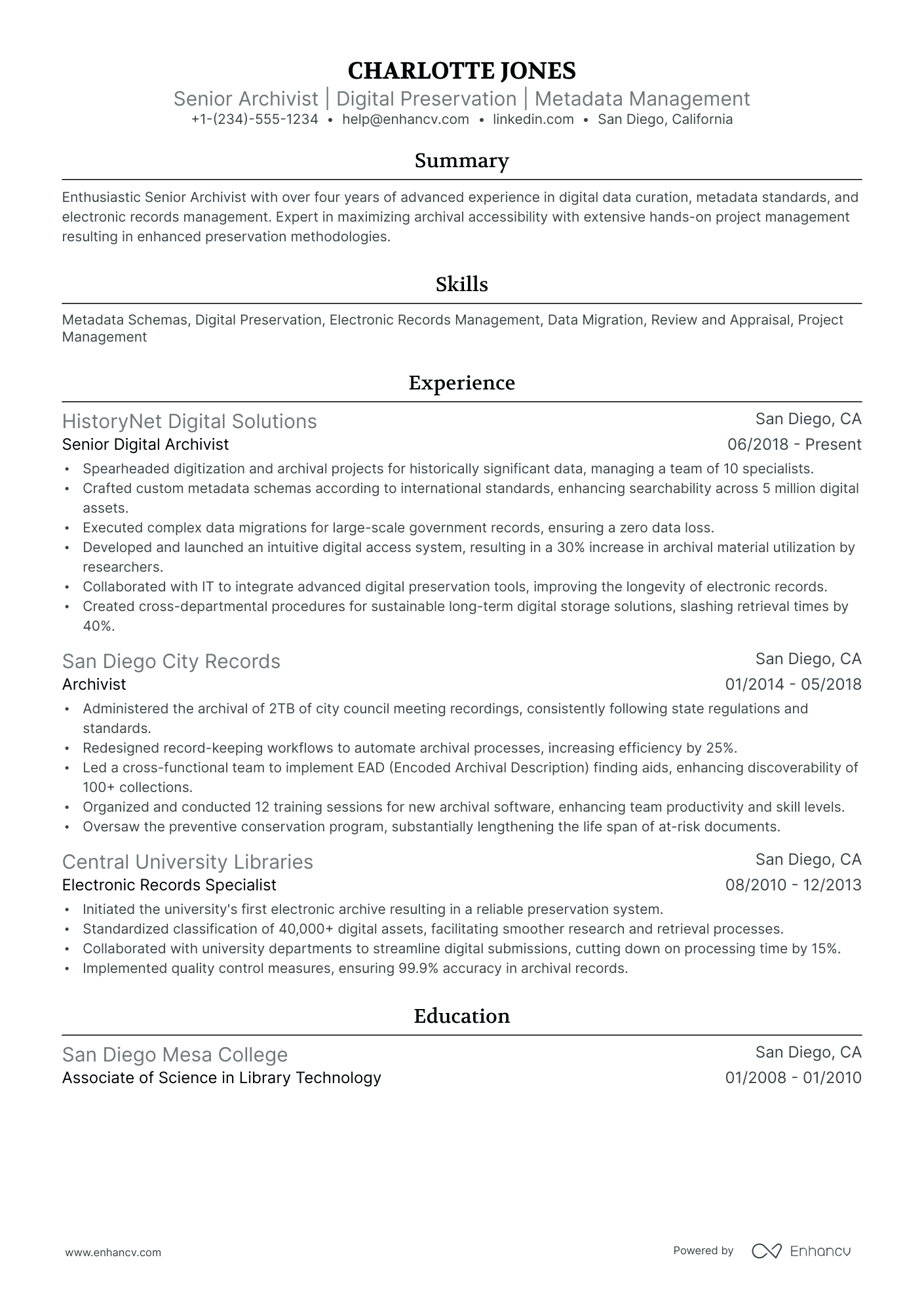
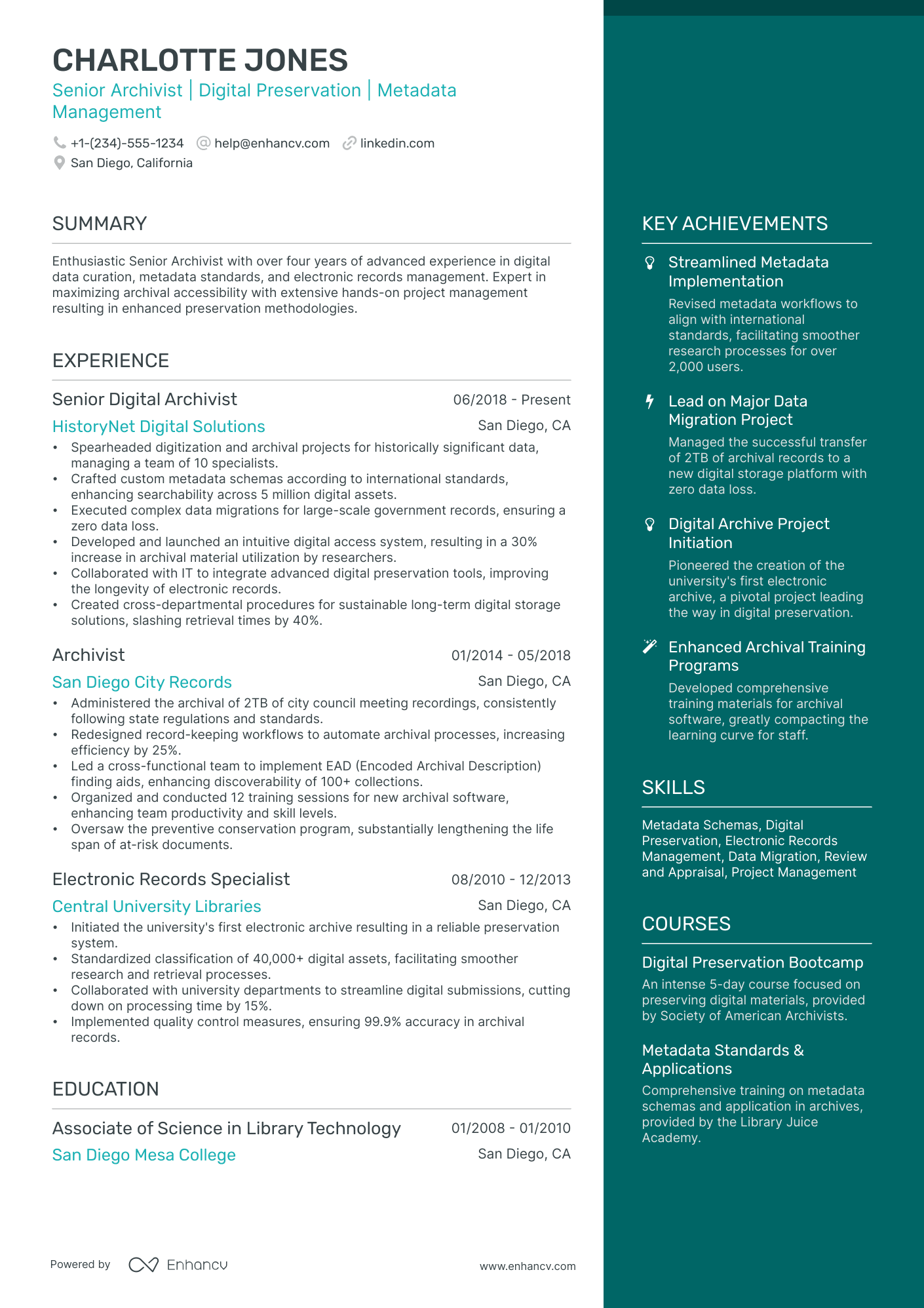
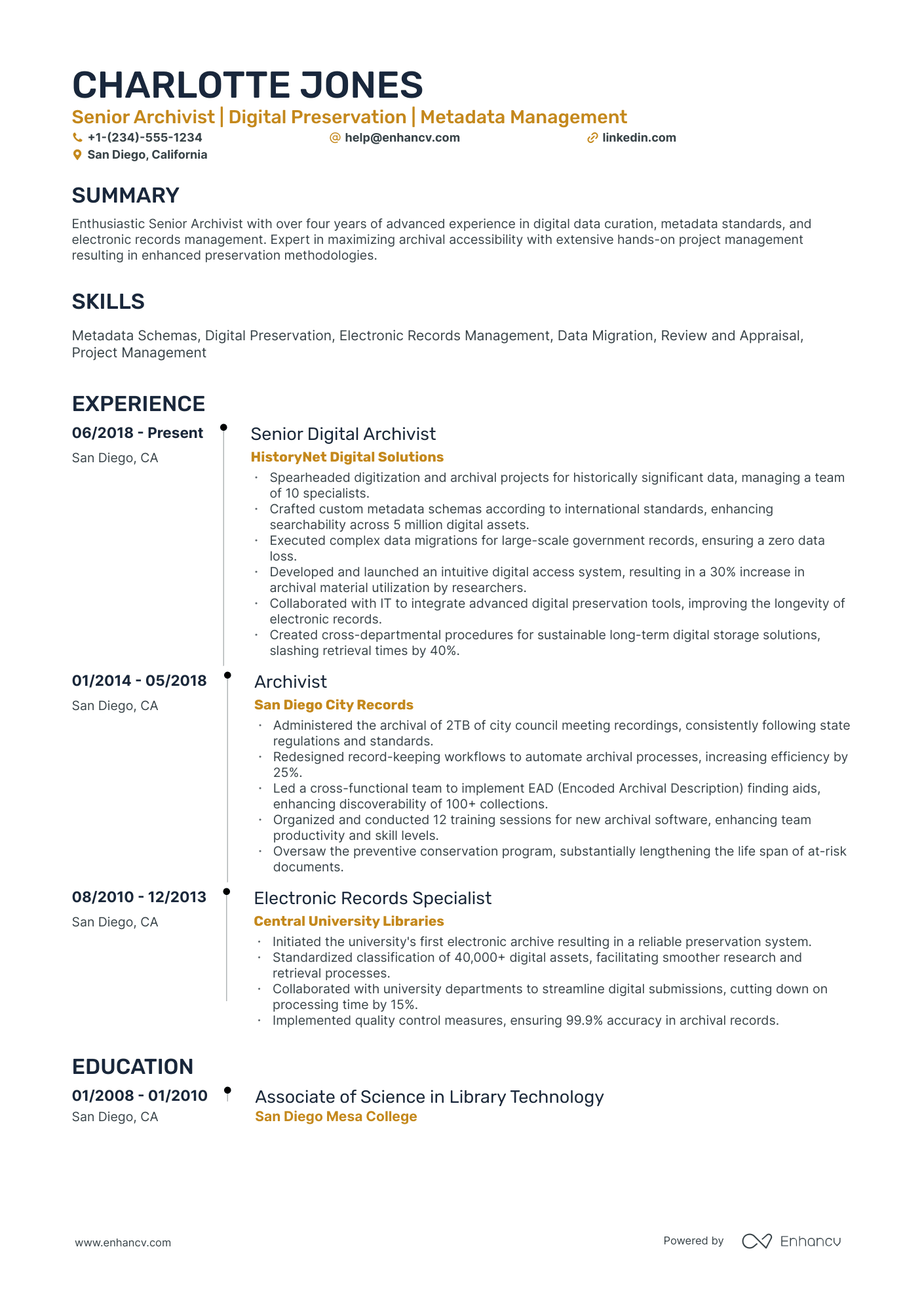
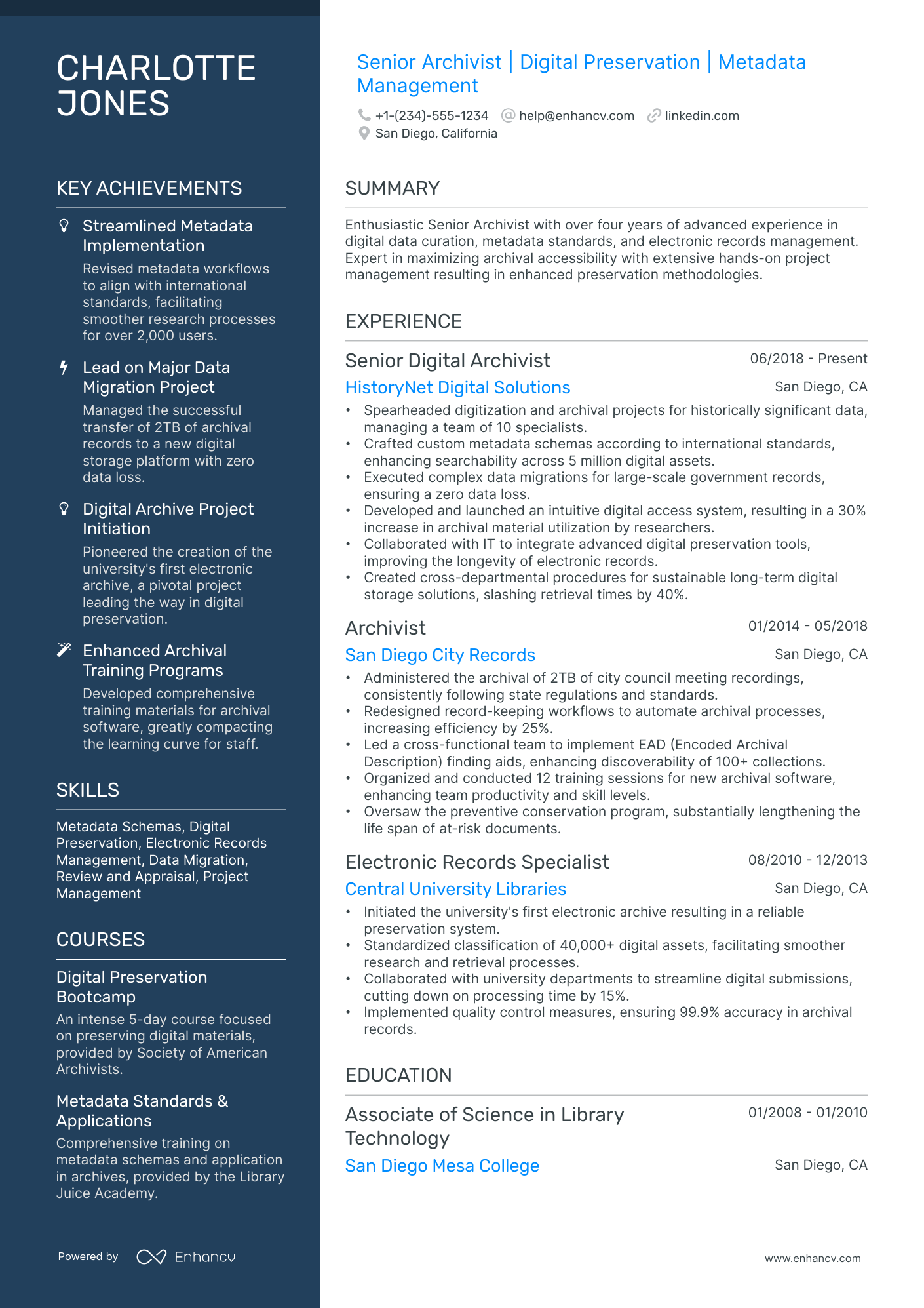
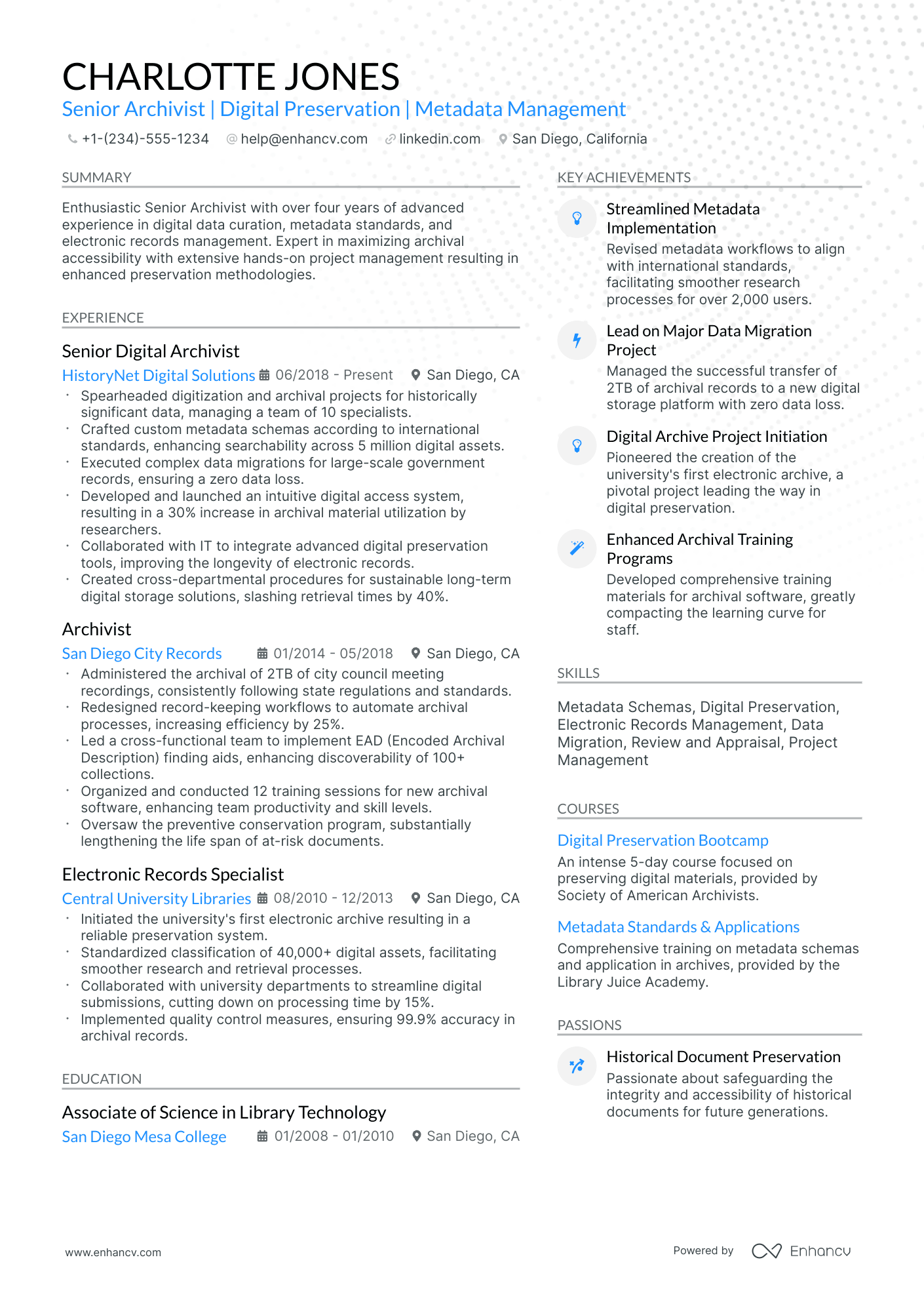
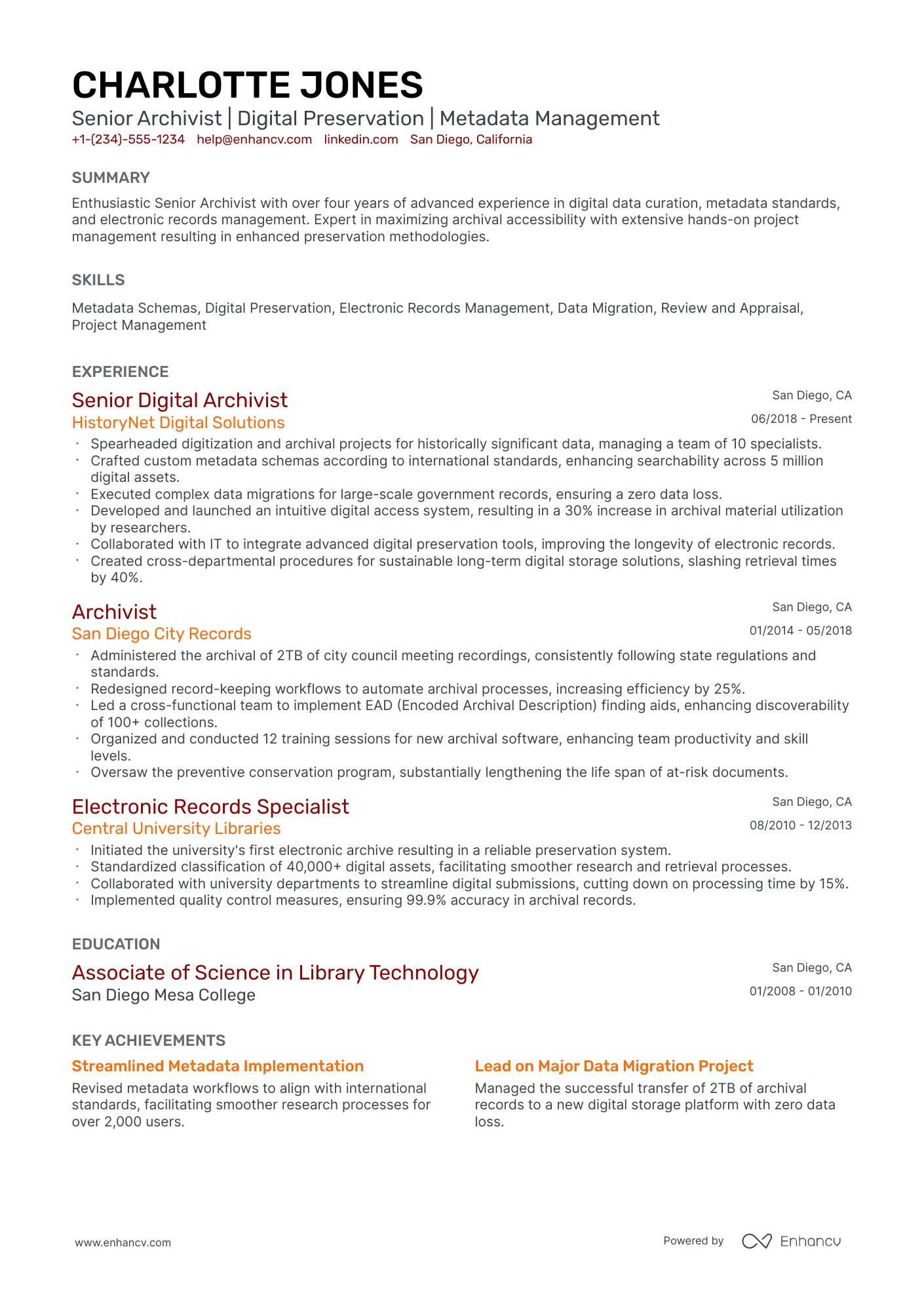
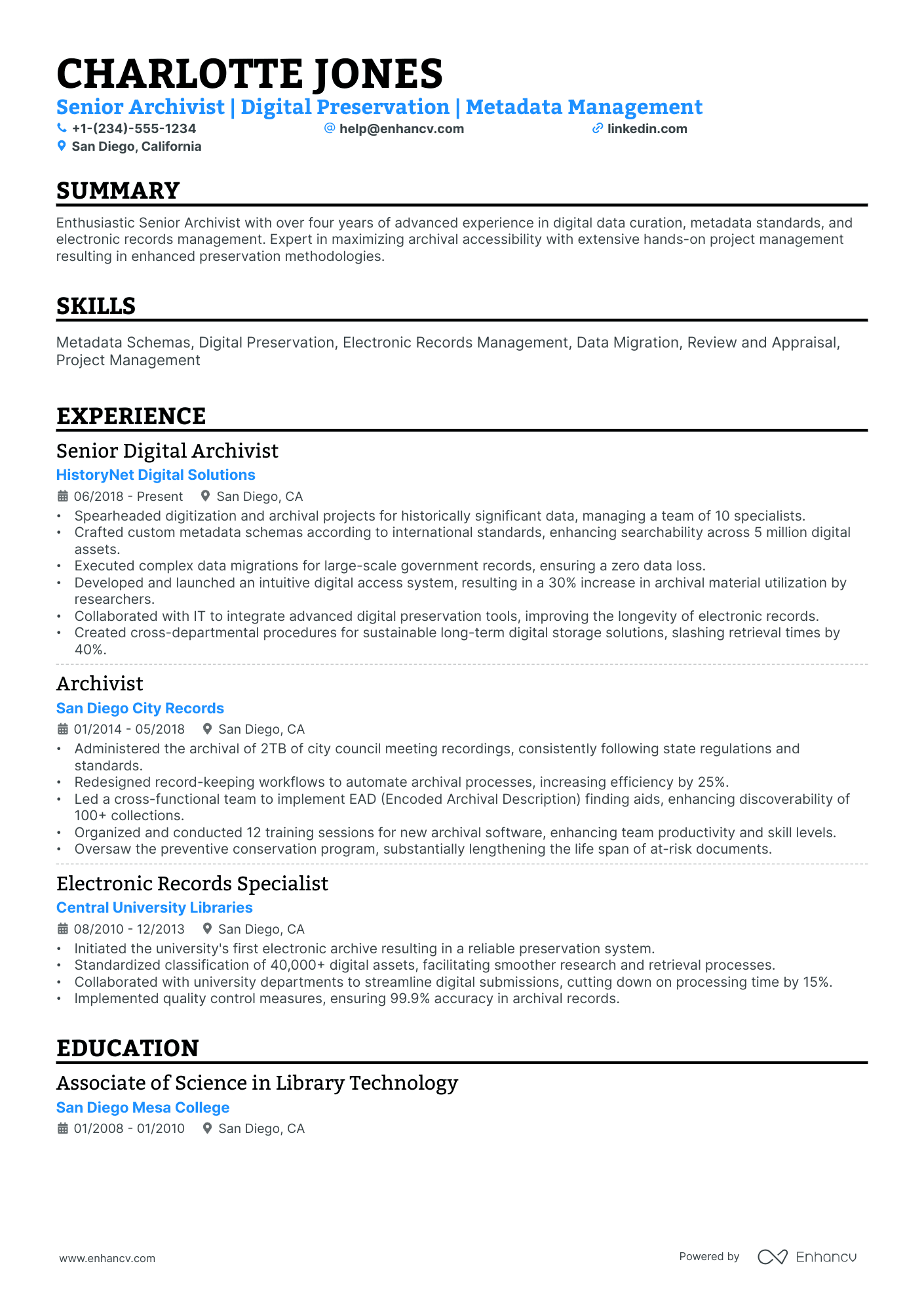
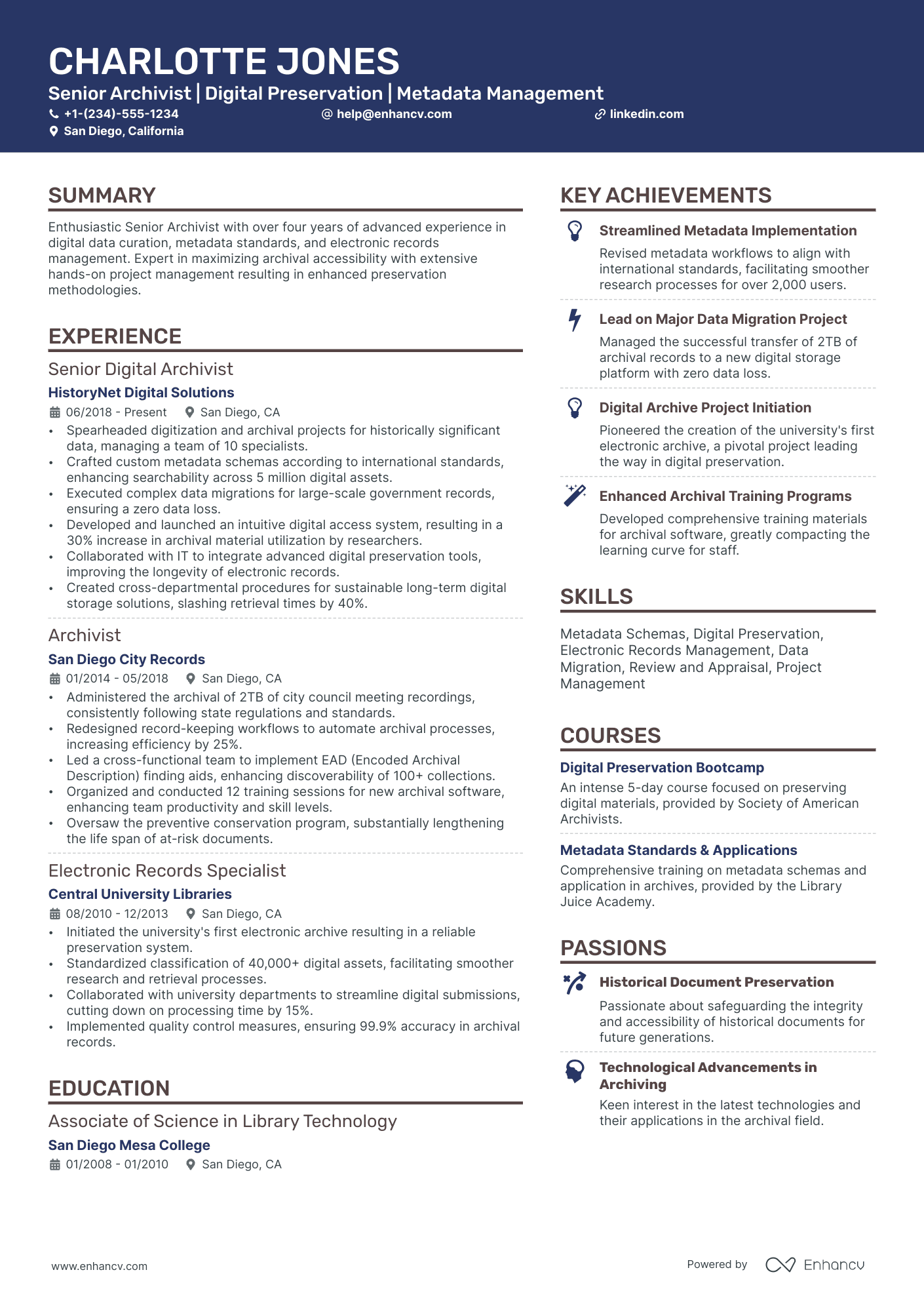
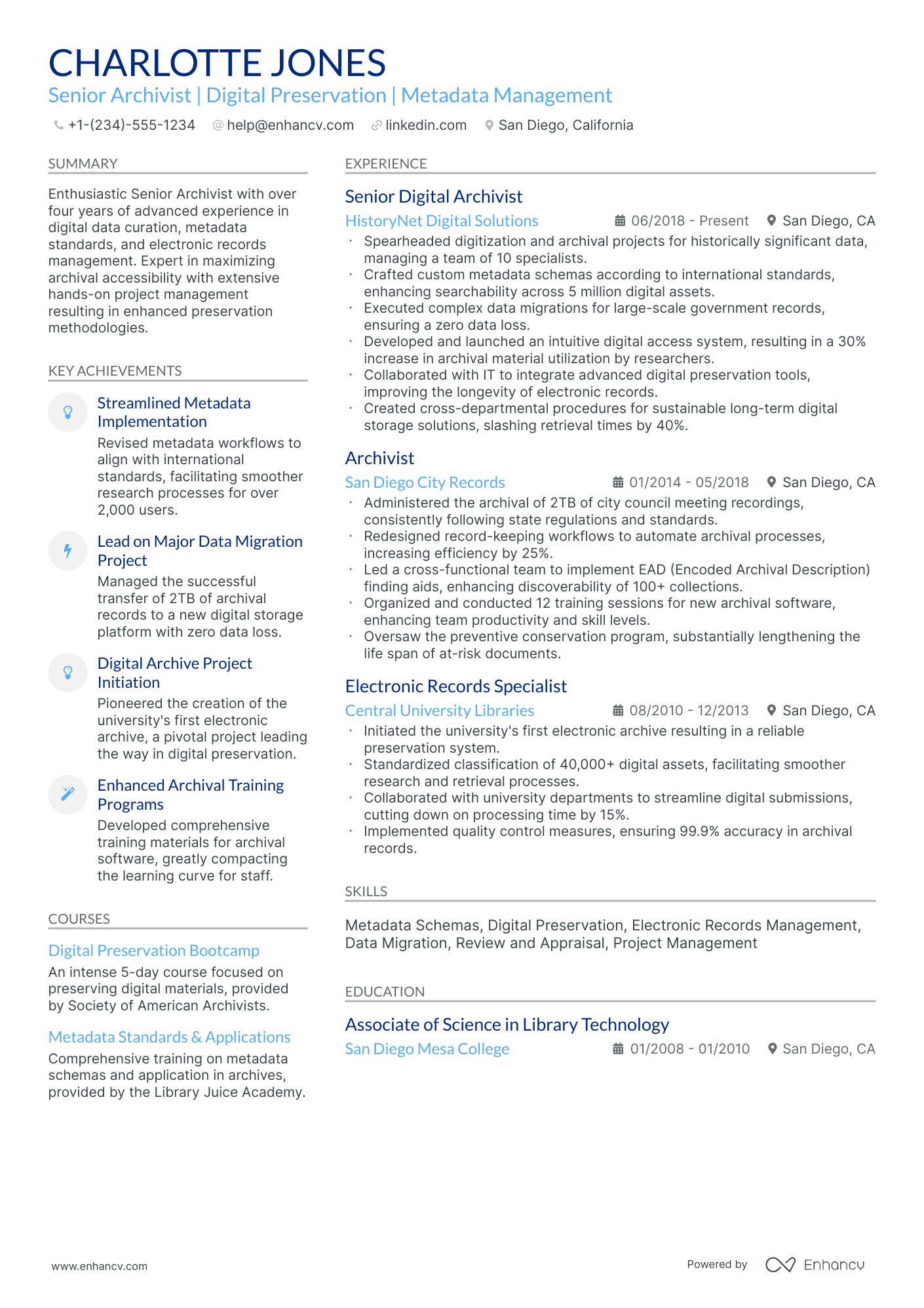
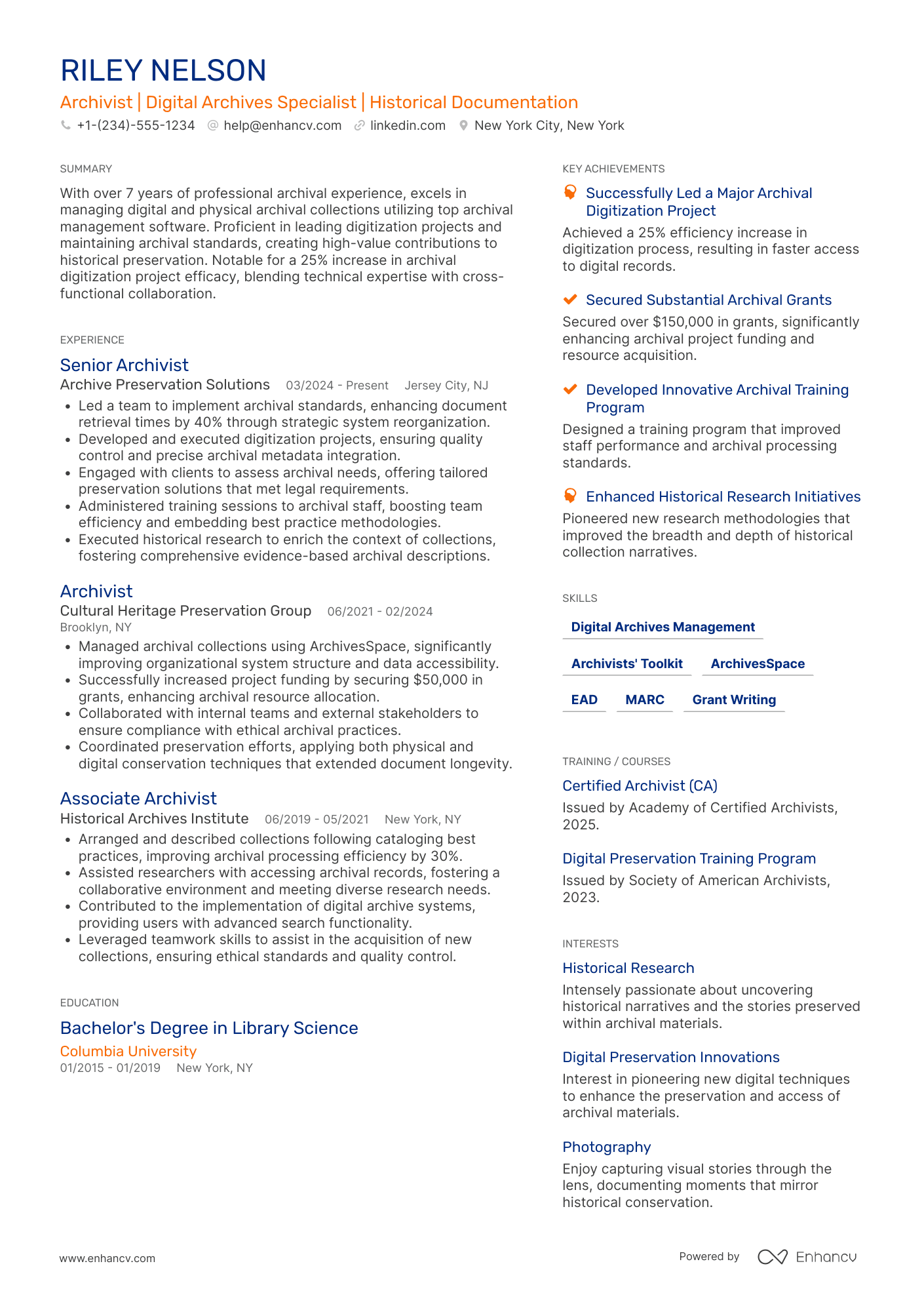
Many archivist resume submissions fail because they read like a task log and hide collection impact behind vague descriptions. That hurts during ATS filtering and fast recruiter scans, where precise keywords, scope, and measurable results decide who advances.
Once the collection-impact numbers are sharp on the page, the archivist cover letter guide shows how to turn one digitization project or accessioning win into the narrative a head of special collections actually reads.
A strong resume shows what improved because of your work, not just what you used. If you're unsure where to begin, learning how to write a resume with clear structure and purpose is a critical first step. You should highlight access gains, processing throughput, reduced retrieval time, digitization volume and accuracy, audit-ready compliance, and reference service satisfaction.

Key takeaways
- Quantify archival impact with processing volume, retrieval time, and digitization accuracy instead of listing duties.
- Use reverse-chronological format for experienced archivists and hybrid format for career changers or juniors.
- Mirror the job posting's exact tools, standards, and terminology to pass ATS and recruiter scans.
- Tie every listed skill to a measurable outcome in your experience or summary section.
- Place certifications above education when they're recent, role-specific, or required by the posting.
- Use AI prompts to sharpen bullet points but stop before the resume overstates your actual experience.
- Enhancv's Bullet Point Generator can help turn vague duties into recruiter-ready, results-driven bullets.
How to format a archivist resume
Recruiters evaluating archivist resumes prioritize evidence of records management expertise, proficiency with archival standards and digital preservation tools, and the ability to organize and provide access to collections. A clean, well-structured resume format ensures these signals surface quickly during both human review and applicant tracking system (ATS) scans.

I have significant experience as an archivist—which format should I use?
Use a reverse-chronological format to present your deepest and most relevant archival experience first. Do:
- Lead each role with your scope of responsibility, such as the size of collections managed, number of repositories overseen, or breadth of stakeholder access programs.
- Highlight proficiency with role-specific tools and standards, including ArchivesSpace, EAD/XML encoding, DACS, Dublin Core, and digital preservation platforms like Preservica or Archivematica.
- Quantify outcomes that demonstrate the impact of your work on accessibility, efficiency, or preservation goals.
I'm junior or switching into an archivist role—what format works best?
A hybrid format works best because it lets you lead with relevant archival skills and training while still showing your work history in chronological order. Do:
- Place a skills section near the top of your resume featuring archival competencies such as metadata creation, finding aid development, digital asset management, and familiarity with MPLP (More Product, Less Process) methodology.
- Include academic projects, internships, volunteer digitization efforts, or library positions that demonstrate hands-on experience with archival workflows.
- Connect each action to a clear result so recruiters can see how your skills translate into practical archival outcomes.
Why not use a functional resume?
A functional format strips away the timeline context that recruiters need to evaluate how your archival skills developed and where they were applied, making it harder to verify hands-on experience with collections, standards, or preservation tools. A functional resume may be acceptable if you're transitioning from a closely related field like library science or records management, have gaps in employment, or lack formal archival work history—but only if every listed skill is tied to a specific project, coursework, or volunteer outcome rather than presented in isolation.
Once your resume's structure and layout are set, the next step is filling it with the right sections to showcase your qualifications effectively.
What sections should go on a archivist resume
Recruiters expect to quickly see your archival focus, the collections you've worked with, and the outcomes you delivered. Knowing what to put on a resume helps you prioritize the sections that matter most for archivist roles.
Use this structure for maximum clarity:
- Header
- Summary
- Experience
- Skills
- Projects
- Education
- Certifications
- Optional sections: Publications, Research, Volunteering
Strong experience bullets should emphasize collection scope, processing volume, access improvements, preservation outcomes, and measurable results for users and stakeholders.
Is your resume good enough?
Drop your resume here or choose a file. PDF & DOCX only. Max 2MB file size.
Once you’ve organized your resume with the right components in place, the next step is to write your archivist resume experience so it fits that structure and shows your impact clearly.
How to write your archivist resume experience
The experience section is where you prove you've done the work—not just held the title. Hiring managers scanning archivist resumes prioritize demonstrated impact, such as collections you've processed, preservation systems you've implemented, and measurable improvements to access or discoverability, over generic task lists. Building a targeted resume that reflects the specific role's priorities makes this section even more effective.
Each entry should include:
- Job title
- Company and location (or remote)
- Dates of employment (month and year)
Three to five concise bullet points showing what you owned, how you executed, and what outcomes you delivered:
- Ownership scope: the collections, record groups, digital repositories, or archival programs you were directly accountable for managing, preserving, or developing.
- Execution approach: the archival standards, descriptive frameworks, preservation technologies, or cataloging systems you used to appraise, arrange, describe, and provide access to materials.
- Value improved: the changes you drove in collection accessibility, finding aid quality, preservation reliability, processing efficiency, or compliance with retention and privacy requirements.
- Collaboration context: how you partnered with donors, researchers, institutional stakeholders, IT teams, or cultural heritage organizations to advance archival goals and broaden access.
- Impact delivered: the concrete outcomes of your work expressed through scale of collections processed, research usage growth, digitization reach, or institutional knowledge preserved—framed as results rather than activities.
Experience bullet formula
A archivist experience example
✅ Right example - modern, quantified, specific.
Digital Archivist
Harbor City Historical Society | Baltimore, MD
2021–Present
Community-focused museum and research archive stewarding one million-plus digital and physical assets for public access and scholarly use.
- Implemented ArchivesSpace and Archivematica workflows, reducing accession-to-access turnaround time by 35% and standardizing description across 12 collections using Describing Archives: A Content Standard (DACS) and Encoded Archival Description (EAD).
- Led digitization and quality control for 85,000 pages and 6,200 photographs using Capture One and ABBYY FineReader, improving optical character recognition accuracy from 82% to 94% and cutting rework by 28%.
- Built a preservation pipeline with BagIt, checksums (SHA-256), and Amazon Simple Storage Service (Amazon S3) Glacier, lowering fixity exceptions by 60% and meeting National Institute of Standards and Technology (NIST)-aligned retention requirements.
- Partnered with curators, legal counsel, and donors to clear rights and apply rights statements, enabling online publication of 3,400 items and increasing monthly digital collections traffic by 22%.
- Created controlled vocabularies and authority records in OpenRefine and Library of Congress Name Authority File (LCNAF) lookups, boosting search success rate by 18% and reducing duplicate subject terms by 40%.
Now that you've seen how a strong experience section comes together, let's look at how to adjust those details to match the specific job you're applying for.
How to tailor your archivist resume experience
Recruiters evaluate your archivist resume through both applicant tracking systems and manual review. Tailoring your resume to the job description by mirroring the posting's language and priorities helps you clear both checkpoints.
Ways to tailor your archivist experience:
- Match specific archival management systems or databases named in the posting.
- Use the exact terminology for preservation standards or descriptive frameworks listed.
- Mirror any digitization platforms or metadata schemas the employer references.
- Highlight compliance with recordkeeping regulations or institutional policies if mentioned.
- Emphasize relevant domain experience such as government or university archives.
- Reflect accessibility or public service goals stated in the job description.
- Align your processing methods with workflows or arrangement practices they describe.
- Include collaboration models with departments or stakeholders the role specifies.
Tailoring means aligning your real accomplishments with what the employer asks for, not forcing keywords where they don't belong.
Resume tailoring examples for archivist
| Job description excerpt | Untailored | Tailored |
|---|---|---|
| Process and arrange archival collections according to DACS standards, create EAD-encoded finding aids, and enter descriptions into ArchivesSpace. | Organized and cataloged various documents and records for the department. | Processed 45 linear feet of archival collections following DACS standards, created EAD-encoded finding aids, and maintained descriptive records in ArchivesSpace for a university special collections department. |
| Perform digitization of fragile materials using flatbed and overhead scanners, apply Dublin Core metadata, and upload assets to CONTENTdm digital repository. | Scanned documents and uploaded them to the system. | Digitized over 3,000 fragile photographs and manuscripts using Epson overhead scanners, assigned Dublin Core metadata to each asset, and published collections to CONTENTdm, increasing digital access by 40%. |
| Manage born-digital records acquisition and preservation using BitCurator and Archivematica, ensuring chain of custody documentation and compliance with OAIS reference model. | Helped preserve digital files and maintained proper storage procedures. | Led born-digital acquisition workflows for 12 TB of institutional records using BitCurator for disk imaging and Archivematica for long-term preservation, maintaining full chain of custody documentation in compliance with the OAIS reference model. |
Once you’ve aligned your experience with the role’s priorities, the next step is to quantify your archivist achievements so hiring managers can quickly see the impact of your work.
How to quantify your archivist achievements
Quantifying your achievements proves your archives improve access, accuracy, and compliance. Focus on volume processed, turnaround time, metadata error rates, digitization quality, preservation risk reduction, and researcher service outcomes.
Quantifying examples for archivist
| Metric | Example |
|---|---|
| Processing volume | "Processed 1,250 linear feet across three collections in nine months using ArchivesSpace, reducing backlog by 18%." |
| Turnaround time | "Cut reference request turnaround from five days to two days by standardizing intake forms and triage in LibAnswers." |
| Metadata accuracy | "Reduced subject-heading and date-field errors from 7% to 2% by running quarterly audits and controlled-vocabulary checks." |
| Digitization quality | "Digitized 8,400 pages at 300–600 dpi with a 99.3% pass rate after quality control sampling in Adobe Acrobat and Capture One." |
| Compliance risk | "Closed 100% of identified access-restriction gaps for 620 records by applying rights statements and redaction workflows aligned to policy." |
Turn vague job duties into measurable, recruiter-ready resume bullets in seconds with Enhancv's Bullet Point Generator.
Once you've crafted strong bullet points for your experience section, the next step is ensuring your resume also highlights the right hard and soft skills archivists need.
How to list your hard and soft skills on a archivist resume
A well-built skills section shows you can preserve, describe, and provide access to collections, and recruiters and ATS scan this section for role-matched keywords; aim for a balance of mostly hard skills with a smaller set of job-specific soft skills. archivist roles require a blend of:
- Product strategy and discovery skills.
- Data, analytics, and experimentation skills.
- Delivery, execution, and go-to-market discipline.
- Soft skills.
Your skills section should be:
- Scannable (bullet-style grouping).
- Relevant to the job post.
- Backed by proof in experience bullets.
- Updated with current tools.
Place your skills section:
- Above experience if you're junior or switching careers.
- Below experience if you're mid/senior with strong achievements.

Hard skills
- Archival arrangement and description
- DACS, EAD, MARC
- Collection processing workflows
- Accessioning and deaccessioning
- Digital preservation workflows
- PREMIS, METS, Dublin Core
- ArchivesSpace, AtoM, Alma
- DAMS administration (Preservica)
- Digitization QA, OCR
- Rights management and permissions
- Environmental monitoring for collections
- Finding aids and cataloging
Soft skills
- Prioritize processing backlogs
- Write clear finding aids
- Explain access restrictions
- Coordinate with donors and curators
- Make defensible appraisal decisions
- Communicate with researchers
- Document workflows and standards
- Manage vendor and lab timelines
- Train staff and volunteers
- Resolve metadata inconsistencies
- Safeguard sensitive information
- Lead cross-team intake reviews
How to show your archivist skills in context
Skills shouldn't live only in a dedicated skills list. You can explore common resume skills by role to see how archivists and related professionals present their competencies.
They should be demonstrated in:
- Your summary (high-level professional identity)
- Your experience (proof through outcomes)
Here's what that looks like in practice.
Summary example
Senior archivist with 12 years in academic special collections. Skilled in ArchivesSpace, EAD encoding, and DACS-compliant description. Led a digitization initiative preserving 45,000 items while reducing retrieval times by 30%. Committed to equitable access and collaborative stewardship.
- Reflects senior-level expertise clearly
- Names industry-standard tools and frameworks
- Includes a concrete, measurable outcome
- Highlights collaboration and professional values
Experience example
Senior Archivist
Whitfield University Libraries | Portland, OR
June 2018–Present
- Migrated 120,000 finding aids into ArchivesSpace, cutting catalog search errors by 40% within one year.
- Partnered with IT and digital humanities faculty to launch a IIIF-compliant image repository serving 25,000 unique visitors annually.
- Trained six junior staff on MPLP processing techniques, increasing accessioning throughput by 35% across two fiscal years.
- Every bullet ties skills to measurable results.
- Tools and collaboration appear naturally in context.
Once you’ve tied your archivist abilities to real tasks and outcomes, the next step is learning how to write an archivist resume with no experience so you can present those examples credibly without a formal job history.
How do I write a archivist resume with no experience
Even without full-time experience, you can demonstrate readiness through relevant projects and hands-on work. Our guide on writing a resume without work experience covers strategies that apply directly to early-career archivists:
- Archival practicum or course project
- Library or museum volunteer processing
- Digitization and metadata entry work
- Special collections student assistant role
- Oral history transcription project
- Community archive collection support
- Records inventory for student group
- Digital exhibit using Omeka
Focus on:
- Processing results and volume handled
- Metadata standards and controlled vocabularies
- Digitization workflows and file naming
- Documentation, finding aids, and inventories
Resume format tip for entry-level archivist
Use a combination resume format to foreground projects, coursework, and tools, while still showing steady work history and transferable tasks. Do:
- Add an "Archival Projects" section.
- Name standards used: DACS, EAD, Dublin Core.
- List tools: ArchivesSpace, Omeka, Excel.
- Quantify outputs: items, boxes, hours.
- Link a portfolio or digital exhibit.
- Built an Omeka digital exhibit for a course archive, applying Dublin Core metadata to 120 items and reducing duplicate records by 18%.
Since your education often serves as the foundation of your candidacy when you lack professional experience, presenting it effectively on your resume deserves careful attention.
How to list your education on a archivist resume
Your education section helps hiring teams confirm you have the foundational knowledge archivists need. It validates your training in records management, preservation, and information science.
Include:
- Degree name
- Institution
- Location
- Graduation year
- Relevant coursework (for juniors or entry-level candidates)
- Honors & GPA (if 3.5 or higher)
Skip month and day details—list the graduation year only.
Here's a strong education entry tailored for an archivist resume.
Example education entry
Master of Library and Information Science
University of Michigan, Ann Arbor, MI
Graduated 2021
GPA: 3.8/4.0
- Relevant Coursework: Archival Theory and Practice, Digital Preservation, Records Management, Metadata Standards
- Honors: Dean's List, Beta Phi Mu International Library and Information Studies Honor Society
How to list your certifications on a archivist resume
Certifications on a resume show an archivist's commitment to learning, proficiency with essential tools, and alignment with current standards in records, preservation, and access. They also help validate specialized knowledge beyond formal education.
Include:
- Certificate name
- Issuing organization
- Year
- Optional: credential ID or URL
- Place certifications below education when they are older, general, or less relevant than your degree and core archivist training.
- Place certifications above education when they are recent, role-specific, or required for the archivist job you're targeting.
Best certifications for your archivist resume
- Certified Archivist (Academy of Certified Archivists)
- Digital Archives Specialist (Society of American Archivists)
- Certified Records Manager (Institute of Certified Records Managers)
- Certified Information Professional (AIIM)
- Certified Data Management Professional (Data Management Association International)
- Certified Preservation Professional (Association for Library Collections and Technical Services)
Once you’ve presented your credentials in a clear, scannable way, you can write your archivist resume summary to highlight them upfront and show how they support your fit for the role.
How to write your archivist resume summary
Your resume summary is the first thing a recruiter reads, so it needs to earn their attention fast. A strong opening frames your archival expertise and signals you're worth a closer look.
Keep it to three to four lines, with:
- Your title and total years of experience in archival or records management roles.
- The domain you work in, such as academic, government, corporate, or museum archives.
- Core tools and skills like ArchivesSpace, EAD encoding, metadata standards, or digital preservation.
- One or two measurable achievements, such as collections processed or finding aids created.
- Soft skills tied to real outcomes, like collaboration that improved cross-departmental access to records.

PRO TIP
At the entry or mid-level, focus on relevant skills, tools you've used, and early wins that show initiative. Avoid vague descriptors like "passionate" or "detail-oriented" without proof. Lead with what you've done, not what you hope to do.
Example summary for a archivist
Archivist with three years of experience processing academic manuscript collections using ArchivesSpace. Created 120+ EAD-encoded finding aids, reducing patron retrieval time by 35% across two university libraries.
Optimize your resume summary and objective for ATS
Drop your resume here or choose a file.
PDF & DOCX only. Max 2MB file size.
Now that your summary captures your archival expertise at a glance, make sure your header provides the essential contact details recruiters need to reach you.
What to include in a archivist resume header
A resume header lists your key contact details and role focus, which boosts visibility, builds credibility, and speeds recruiter screening for a archivist.
Essential resume header elements
- Full name
- Tailored job title and headline
- Location
- Phone number
- Professional email
- GitHub link
- Portfolio link
A LinkedIn link lets recruiters confirm your work history fast and supports quick screening.
Do not include photos on a archivist resume unless the role is explicitly front-facing or appearance-dependent.
Match your header title to the job posting and include archival specialties like digital preservation, metadata, or records management in your headline.
Archivist resume header
Jordan Taylor
Archivist | Digital Preservation, Metadata Standards, Records Management
Chicago, IL
(312) 555-01XX
your.name@enhancv.com
github.com/yourname
yourwebsite.com
linkedin.com/in/yourname
Once your contact details and role identifiers are clear and consistent at the top of your resume, you can strengthen the rest of the document with additional sections that add context and support your candidacy.
Additional sections for archivist resumes
When your core qualifications match other candidates, additional sections help you stand out by showcasing unique expertise and professional depth.
- Languages
- Publications
- Professional affiliations
- Certifications and continuing education
- Conference presentations
- Volunteer work in cultural heritage
- Digital preservation projects
Once you've rounded out your resume with the right supplementary sections, it's time to pair it with a strong cover letter that reinforces your qualifications.
Do archivist resumes need a cover letter
An archivist cover letter usually isn't required, but it often helps. If you're wondering what a cover letter is and when it matters, it can make a difference for competitive roles, public institutions, or teams with strict hiring expectations. Skip it only when the posting says not to include one.
Use a cover letter to add context your archivist resume can't show:
- Explain archivist fit by matching your approach to the team's collections, workflows, and priorities, such as access, preservation, or community engagement.
- Highlight one or two archivist projects with outcomes, such as improved finding aids, faster reference turnaround, or measurable digitization throughput.
- Show you understand the product, users, or business context by naming key audiences, access needs, and constraints like rights, privacy, or retention policies.
- Address career transitions or non-obvious experience by connecting adjacent work to archivist tasks, tools, and standards used in the role.
Drop your resume here or choose a file.
PDF & DOCX only. Max 2MB file size.
Once you’ve decided whether to include a cover letter to add context beyond your resume, the next step is using AI to improve your archivist resume so it presents your experience more clearly and consistently.
Using AI to improve your archivist resume
AI can sharpen your resume's clarity, structure, and impact. It helps refine wording and highlight relevant achievements. But overuse strips away authenticity. Once your content feels clear and role-aligned, step away from AI tools. If you're curious about which AI is best for writing resumes, compare tools before committing to one workflow.
Here are 10 practical prompts to strengthen specific sections of your archivist resume:
Strengthen your summary
Quantify experience bullets
Tailor skills to postings
Sharpen action verbs
Refine project descriptions
Align education details
Highlight certifications clearly
Remove redundant phrasing
Improve technical specificity
Tighten bullet consistency
Conclusion
A strong archivist resume highlights measurable outcomes, role-specific skills, and a clear structure. Show what you processed, described, preserved, and made accessible, with numbers when possible. Use consistent headings, clean formatting, and focused bullet points.
This approach shows hiring teams you can manage collections, maintain standards, and support discovery and access. It also signals you can adapt to today’s tools and expectations while staying ready for near-future changes.