

Most resume format advice hedges. It lists three options, calls them equally valid, and leaves you guessing. That guess matters, just not for the reason most guides give. In a 25-recruiter study Enhancv ran across Workday, Greenhouse, iCIMS, and other major ATS platforms, 92% of recruiters said their systems don't auto-reject resumes. A human reads every one. So the real stakes were never about beating a bot. A busy recruiter either finds what they need fast or gives up and moves to the next file, and your format decides which.
This guide skips the neutral overview. You'll get a direct verdict on which resume format wins in 2026, when the alternatives are actually justified, and which format fits your exact situation. Whether you're showing linear growth, navigating a career pivot, or explaining a gap, there's a clear answer for you.
The resume format you choose should reflect your personality and speak to the specific job to which you're applying.
Richard Nelson Bolles
What are the three main resume formats?
The three resume formats differ primarily in what they lead with: your timeline, your skills, or a hybrid of both. Everything else (fonts, columns, color) flows from your template choice, which is a separate decision entirely.
Here's how each one is structured:
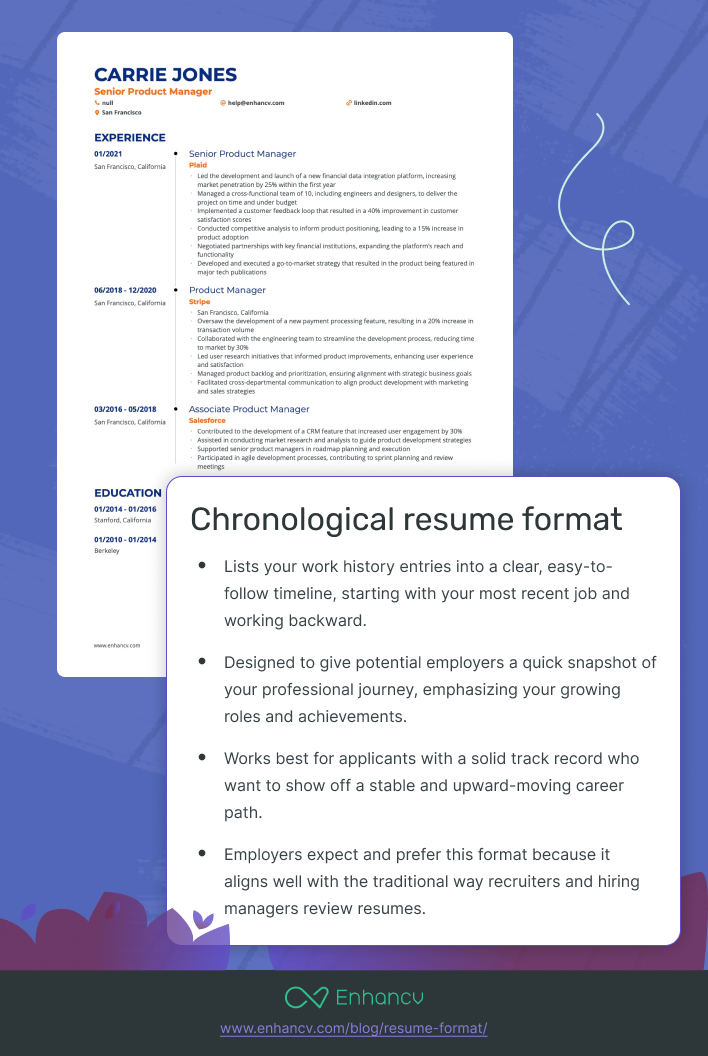
Reverse-chronological lists your work experience in reverse time order, most recent role first. It's the global default. Most recruiters expect it, and most Applicant Tracking Systems (ATS) are built to parse it. Contact information sits at the top, followed by a summary, then experience, education, and skills.
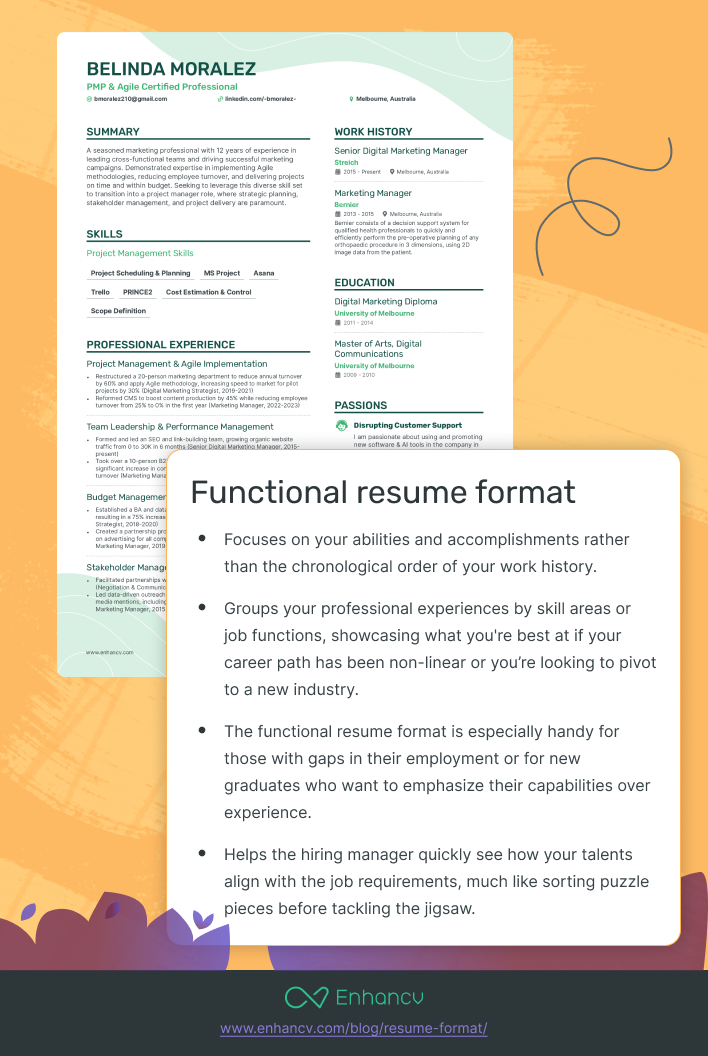
Functional (skills-based) leads with a grouped skills summary and pushes job titles and dates toward the bottom, sometimes omitting them almost entirely. The idea is to spotlight what you can do rather than when you did it. In practice, this structure tends to raise flags with recruiters, who often read it as a signal that something in the timeline is being hidden.
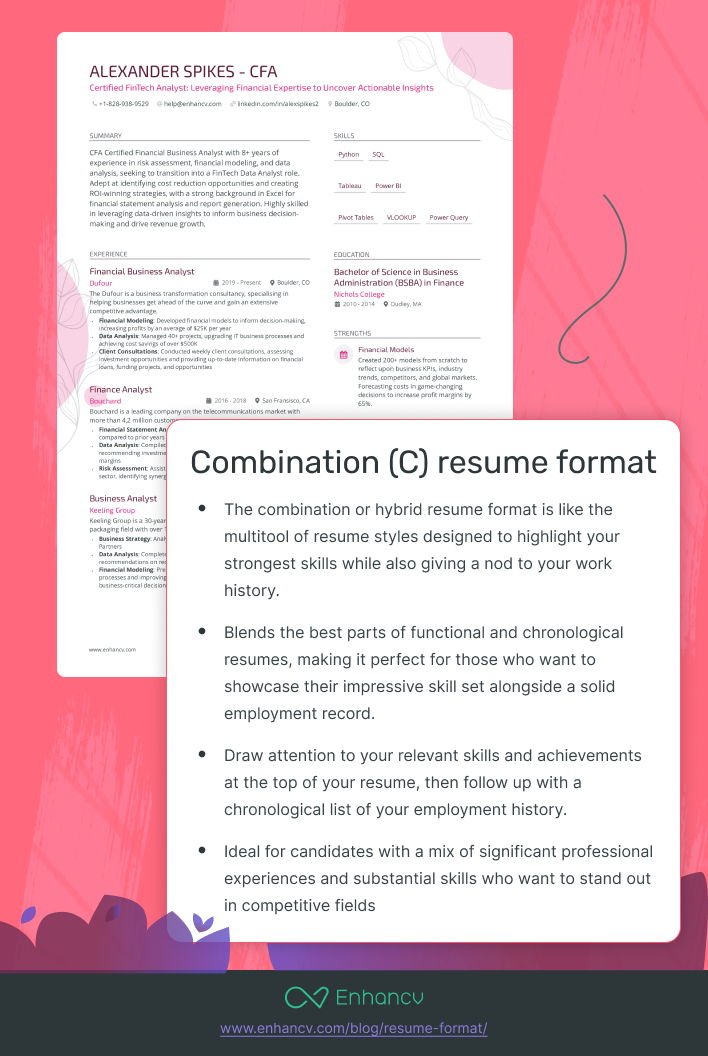
Combination (hybrid) opens with a skills or summary section, then follows with a full reverse-chronological work history. It tries to capture the strengths of both formats, and when it works, it genuinely does.
Is 'resume format' the same as 'resume template'?
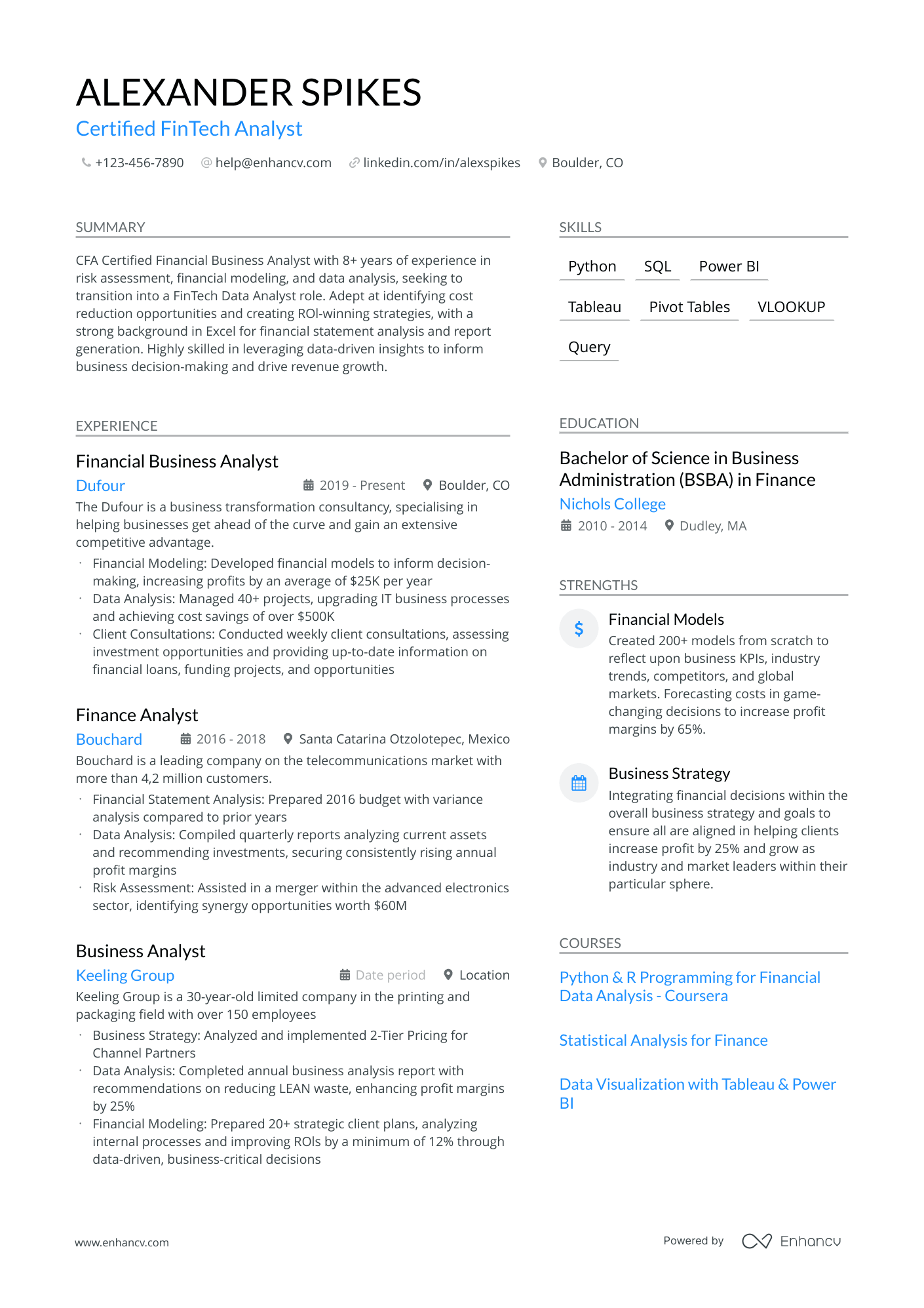
No, and the confusion trips people up constantly. Format refers to how your content is organized structurally: what comes first, what gets emphasized, how sections are ordered. Template refers to the visual design: colors, fonts, columns, spacing. You can use a modern two-column template with a reverse-chronological format, or a plain single-column template with a combination structure. They interact, but they're separate decisions.
Infographic, video, and portfolio resumes exist, but they're edge cases built for specific creative fields. For the overwhelming majority of job seekers in 2026, the choice comes down to these three.
Why reverse-chronological is the best resume format for most professionals
Reverse-chronological is the format recruiters expect, Applicant Tracking Systems (ATS) parse most reliably, and hiring managers trust most. For the vast majority of job seekers, especially those with 10 or more years of experience, it's the right default.
What makes it so dominant?
The often-quoted line that recruiters spend seven seconds on a resume traces back to a 2012 TheLadders eye-tracking study. Take the exact number with a grain of salt, but the underlying point holds: the first pass is fast. Reverse-chronological puts your most recent, most relevant experience exactly where a recruiter expects it, at the top, easy to find, no hunting required. When someone is moving through 200 applications before lunch, anything that creates friction gets skipped.
Most ATS are built around reverse-chronological structures. Stray too far from that and you can introduce parsing errors: fields map incorrectly, job titles land in the wrong place, and your experience data comes out scrambled on the recruiter's end. To be clear, a clean format won't get auto-rejected. Our recruiter study found 92% of systems don't auto-reject at all. The risk is subtler. Garbled data makes a recruiter work harder to understand you, and a recruiter with 200 applications open won't work harder.
For experienced professionals, the argument is even simpler. If you've spent 10 or more years building a strong track record, your recent work history is your biggest selling point. Reverse-chronological puts it front and center. The other formats bury it.
What are the actual downsides?
This format is less effective in three specific situations: significant employment gaps, a genuinely non-linear career path, or a dramatic industry pivot where your recent titles don't map to your target role. Those are real exceptions, and they get their own decision framework later in this guide.
A note for long-tenure professionals
If you've spent a decade at one company, reverse-chronological still works. The mistake to avoid is listing that entire period as one undifferentiated block. Break internal promotions into separate role entries with their own dates and bullet points. It shows career progression clearly and gives both ATS and recruiters the structured data they need to assess your trajectory.
Which resume formats pass ATS screening in 2026, and which ones fail
Reverse-chronological resumes pass Applicant Tracking System (ATS) screening most reliably. Functional resumes frequently lose data in parsing. Combination formats are safe, provided you keep the skills section simple.
How does ATS parsing actually work?
An ATS reads your resume like a structured form. It scans for labeled fields: job title, employer, dates, skills. It expects those fields in predictable positions. A format that moves those elements out of their expected spots can introduce parsing errors, and parsing errors mean an incomplete profile in the recruiter's database. That won't auto-delete you. What it does is make you harder to find when a recruiter searches the database for the exact title or skill you put somewhere the system couldn't read.
Why reverse-chronological wins on ATS accuracy
The reverse-chronological format puts dates, titles, and employers exactly where ATS field-mapping logic expects them. That's why the major platforms job seekers encounter most often in 2026, including Workday, Greenhouse, Lever, and iCIMS, all handle it most reliably. There's no ambiguity for the system to misread.
Why functional resumes fail, twice
The functional format fails at two stages, not one.
First, the ATS stage. When skills are grouped by competency without clear employer and date anchors, the system either misfiles the data or leaves required fields blank. That's a structural problem, not a font problem, and it's specific to functional resumes that strip out the timeline. It isn't a general "formatting" failure.
Second, the recruiter stage. Hiring managers recognize the functional format immediately. Many report going straight to the experience section regardless of how the resume is organized, which makes the skills-first structure pointless. Worse, the format signals evasion. Recruiters read "functional resume" as "this person is hiding something," even when that's not the intent.
What about the combination format?
The combination format is moderate-risk, not high-risk, provided you keep the skills block simple. A bulleted list or a clean comma-separated line of skills parses correctly. Problems start when candidates lay that section out in tables or text boxes. Those genuinely confuse parsers. (Columns themselves are fine, which we'll get to. It's tables and text boxes that cause the trouble.)
ATS-hostile formatting to remove before you submit
A few elements genuinely cause parse problems regardless of which format you use:

Remove these before you submit
- Tables used to lay out content.
- Text boxes for any content.
- Contact information placed in headers or footers (many ATS skip these entirely).
- Graphics and icons carrying text that needs to be read.
- Decorative or non-standard fonts.
Notice what's not on that list: columns. We'll cover why in the mistakes section, but the short version is that columns parse fine in modern systems. Tables and text boxes are the real culprits people confuse them with.
Enhancv's Resume Checker runs a series of in-depth checks, including an ATS parsing simulation that flags exactly which formatting elements will cause parse errors, so you can fix them before the application goes out.
The verdict on functional format
Treat the functional format as a last resort, not a strategic choice. The combination format solves the same problems, including employment gaps, career pivots, and workforce re-entry, without the data-loss risk or the recruiter trust problem. If you're tempted to use a functional resume, a well-structured combination resume almost always serves you better.
Is your resume good enough?
Drop your resume here or choose a file. PDF & DOCX only. Max 2MB file size.
How to choose the right resume format for your experience level and situation
The right format maps directly to where you are in your career and what your work history actually looks like. Reverse-chronological handles the majority of situations. Combination covers the exceptions. Functional is almost never the right call.
Use the framework below to find your situation and match it to a format.
Choosing a resume format is like choosing an outfit for your cat. It might not like any of them, but you have to pick one that makes it look purr-fessional.
Early career (under five years of experience)
Go reverse-chronological. Your recent roles and education are your strongest signals, so lead with them. There's nothing to hide and no complex history to manage.
Mid-career, same industry, no major gaps (5 to 10 years)
Still reverse-chronological. Your track record is building, and a clean progression tells that story better than any skills-first arrangement.
Linear growth with 10 to 20 years of experience
This is where reverse-chronological pays off most. A decade-plus of consistent progression in one field is your single most persuasive asset. Let it lead at the top of the page.
Career pivot (10 to 20 years, different industry)
Use a combination format. Lead with a curated skills section that maps your competencies to the new domain, something like "Supply Chain Optimization | Vendor Management | Cross-functional Leadership," then show your full reverse-chronological work history underneath. Recruiters can see what you bring before they process where you've been.
Employment gap under two years
Stay reverse-chronological. Add a brief, confident line in your summary or cover letter. Don't reach for a functional format to obscure the gap; it draws more attention to it, not less.
Employment gap of two or more years, or workforce re-entry
Switch to a combination format. Lead with what you can do right now, including any freelance work, consulting, volunteering, or upskilling you did during the gap. That activity belongs near the top.
Executive or C-suite (20-plus years)
Combination, with a strong executive summary that quantifies leadership scope before the chronological detail: team size, P&L responsibility, revenue impact. Give the reader the headline numbers first, then the timeline.
Rapid internal promotions at one company
Go reverse-chronological, but list each promotion as a separate role entry with its own dates and bullet points. Burying three title changes under a single undifferentiated block makes career progression invisible. Break them out so the upward movement is impossible to miss.
Once you've matched your situation to a format, the next step is making sure the content inside that structure actually matches the role you're targeting. Enhancv's AI Resume Tailoring analyzes the job description and flags whether your keyword alignment and content match what the role requires, so your structure and substance work together, not just your layout.
When the combination resume format earns its place
The combination format is the right choice in three specific situations: career pivots at a senior level, executive roles where scope needs to be signaled immediately, and workforce re-entry after a gap. Outside those situations, reverse-chronological still wins. The key is building the combination format correctly, because a poorly structured version will confuse an Applicant Tracking System (ATS) just as reliably as a functional resume will.
What a well-built combination resume looks like
The structure is simple: a concise skills or core competencies block at the top, followed by a complete reverse-chronological work history below it.
That skills block should run eight to twelve items, formatted as a clean single-column bulleted list or comma-separated text. No tables. No text boxes. The ATS needs to read through it without tripping, and then find your experience section right below with full dates and job titles intact.
The experience section must be complete, not abbreviated. A common mistake is treating the skills block as a substitute for detailed work history. The skills block is a filter, not a replacement; it helps the recruiter read your experience with the right lens.
Career changers and executives: where this format does real work
If you're pivoting from marketing into operations at a senior level, your job titles tell the wrong story before a recruiter has read a single bullet point. The combination format lets you front-load the signal that actually matters. Instead of opening on "Marketing Manager" and "Senior Brand Strategist," you lead with competencies like "Supply Chain Optimization | Vendor Management | Cross-functional Leadership." The recruiter arrives at your titles already knowing you're qualified.
For C-suite candidates, the same logic applies to scope. A quantified executive summary that names P&L responsibility, team scale, and board involvement up front earns the attention that gets a hiring manager reading the detail below.
For workforce re-entry, lead with what you can do now. Freelance work, consulting projects, volunteer leadership, and completed certifications all belong in that skills or summary block. They reframe any gap as continued development, not absence.
The editorial discipline the combination format demands
A skills section listing 20 generic competencies ("communication," "problem-solving," "team player") is worse than no skills section at all. Every item in that block needs to map directly to a requirement in the target job description. If you can't draw a straight line from the skill to the role, cut it.
How to structure your resume in 2026: length, sections, and formatting rules
One page for under 10 years of experience, two pages for most experienced professionals, and three pages only for executives with genuinely substantive additional content. Six core sections belong on every resume regardless of format.
How long should your resume be?
Length is one of the most debated resume questions, but the answer is simpler than most guides make it.
Under 10 years of experience, one page is the professional standard. A two-page resume at this stage signals padding, not depth. Recruiters notice.
From 10 to 20 years, two pages is expected and appropriate. Compressing a 15-year career onto one page forces you to cut the quantified accomplishments that actually win interviews. Don't do it.
At 20-plus years or executive level, two pages remains the target. Three pages is acceptable only when the additional content is substantive: board roles, major P&L figures, published work, or patents. A third page of early-career jobs from the 1990s is not substantive. Cut anything older than 15 years unless it's directly relevant to the target role or represents a career-defining achievement.
One more practical note: both PDF and Word parse reliably in our testing, but PDF preserves your formatting across every system a recruiter opens it on, so default to PDF unless the job posting specifically requests a Word (.docx) file.
What sections belong on every resume?
The six core sections below apply to all formats. In a reverse-chronological resume, they run in this order. In a combination resume, the skills section moves above work experience.
The six core sections
- Contact information. Name, city and state (not your full address), phone number, professional email, and LinkedIn URL. Place all of this in the body of the document, never in a header or footer; many ATS skip header and footer content entirely.
- Professional summary. Three to four lines that front-load your seniority, domain expertise, and the value you deliver. This replaces the outdated objective statement for anyone with meaningful experience.
- Work experience. Reverse-chronological order within this section is non-negotiable, even in combination resumes. Each role: job title, employer, location, dates, and three to six bullet points built around quantified accomplishments.
- Education. Below work experience for professionals with five or more years on the job. Above experience only for recent graduates or roles where a specific degree is the primary qualification.
- Skills. A supporting section near the bottom in a reverse-chronological resume. In a combination resume, a curated version moves to the top. Either way, align your skills vocabulary to the job description.
- Optional sections. Certifications, publications, board memberships, languages, and volunteer leadership add value for experienced professionals, but only when directly relevant to the target role.
What formatting rules apply to every resume format?
Keep body font between 10 and 12pt. Calibri, Garamond, Georgia, and Helvetica all read cleanly on screen and print well. Set margins between 0.5 and one inch. Use consistent line spacing between 1.0 and 1.15. Make section headers bold or slightly larger than body text. No decorative fonts. No color beyond black, with one optional accent at most.
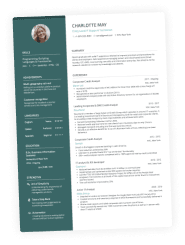
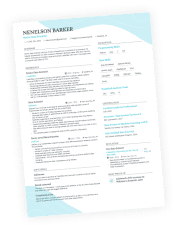
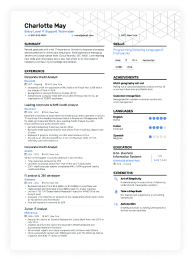
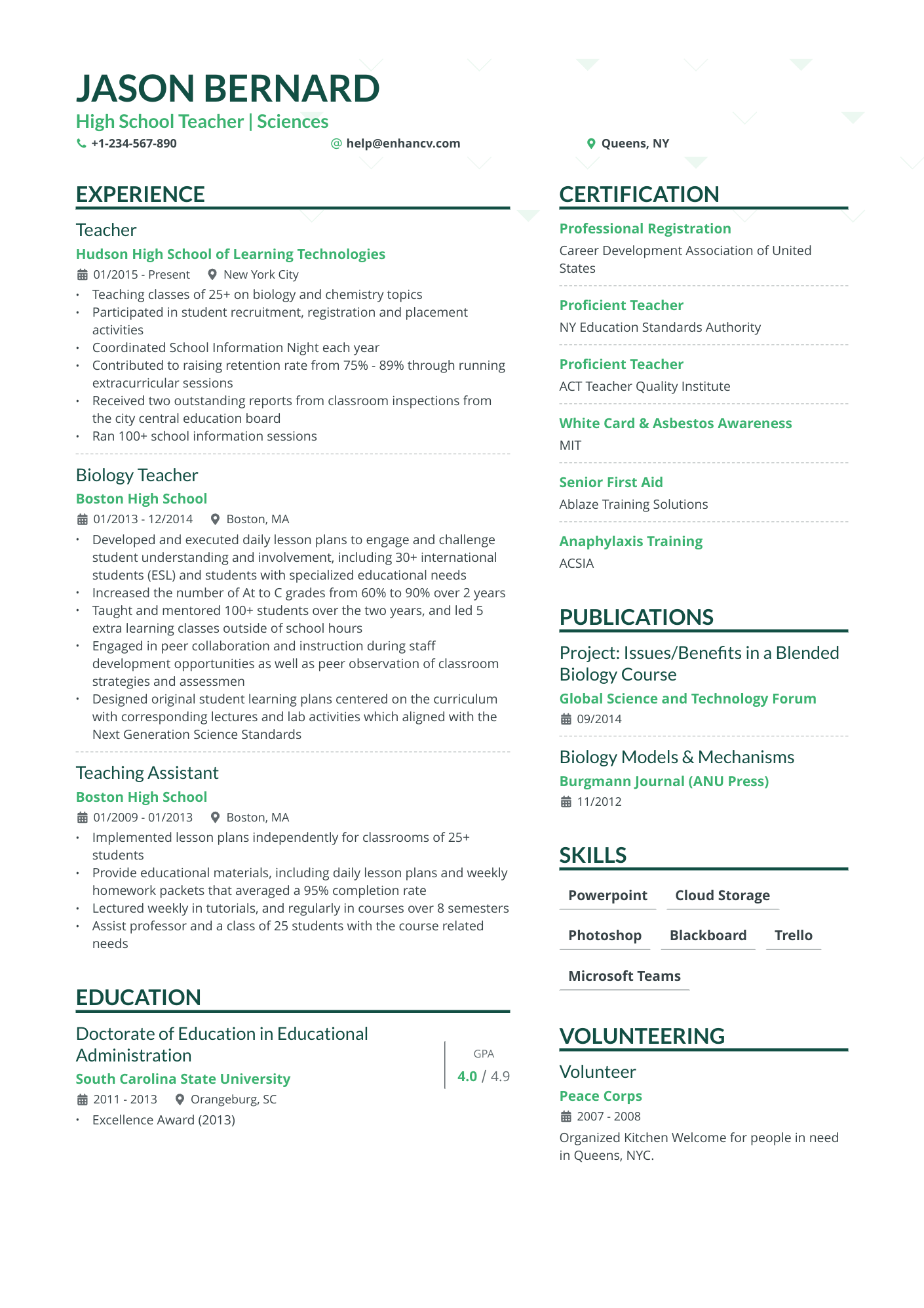
If you'd rather not configure margins, fonts, and spacing from scratch, Enhancv's resume templates are built to these structural standards already. The layouts are ATS-parsable, use clean formatting, and avoid the tables and text boxes that actually trip up parsers. Here's what each format looks like as a finished template:
Reverse-chronological resume template
Functional resume template
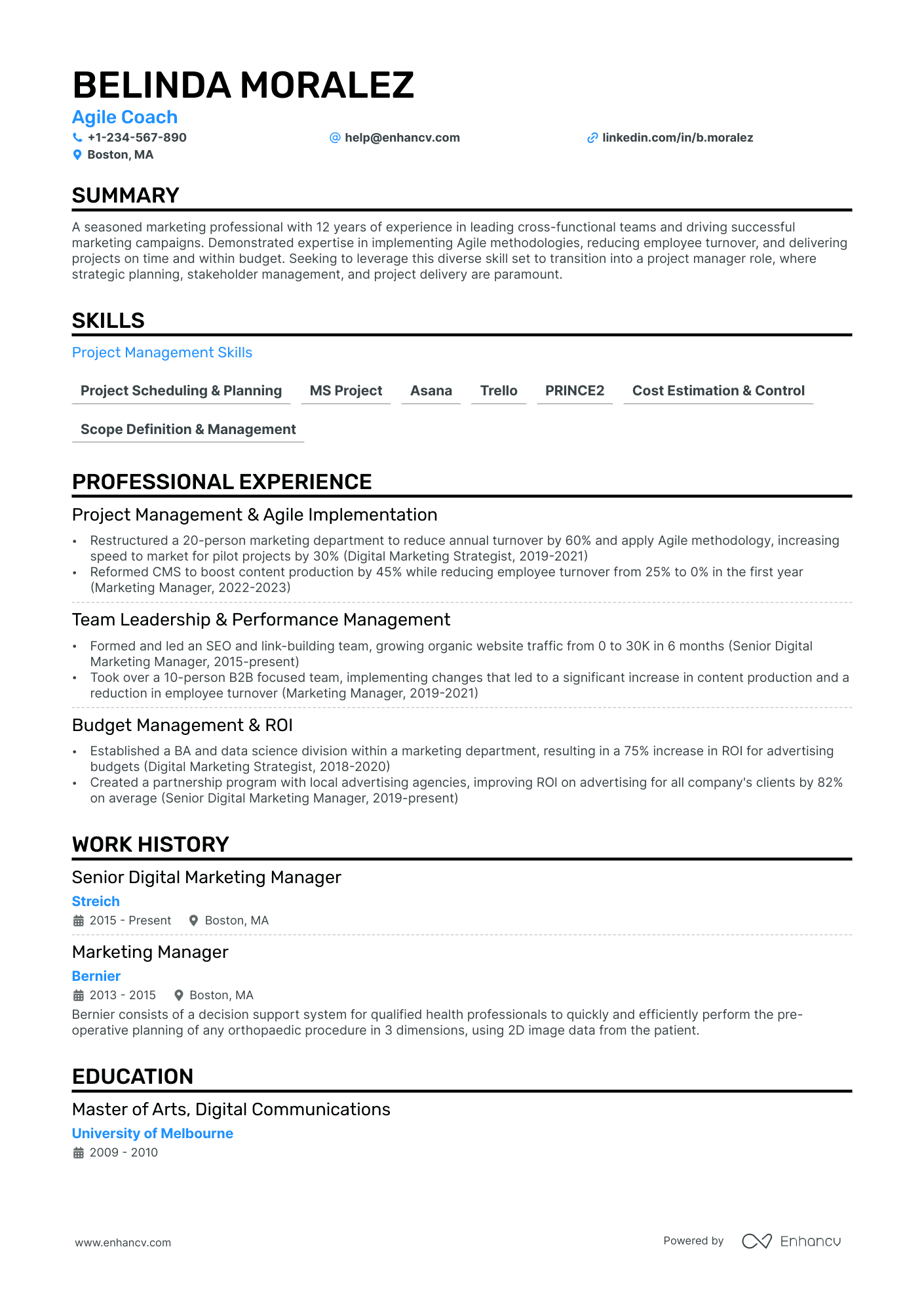
Combination resume template
Resume format mistakes that cost experienced professionals interviews
The most damaging resume format mistakes for experienced professionals are structural choices that either confuse ATS parsers or signal poor judgment to recruiters before they read a single word. Most of these errors are invisible to the person making them, which is exactly what makes them expensive.
Are two-column layouts safe to use?
Mostly yes, with one narrow caveat, and the blanket "columns break ATS" warning you've read everywhere is overblown. Enhancv tested this directly: double-column resumes parsed at 88% to 98% across major builders, with Enhancv's own double-column templates hitting 98%, the highest of any builder we tested. Columns are not the problem people think they are.
The real caveat is narrow. Don't split a single job entry's title and dates across two separate columns, because some parsers read left-to-right in one pass and can merge them. Keep each role's title, employer, and dates together, and a two-column layout is safe. What genuinely breaks parsing is tables and text boxes, which people often lump in with columns but shouldn't.
Does using a functional format actually hide a gap?
Recruiters recognize functional resumes immediately, and most read them as evasion. If you have a gap, address it directly in your summary with a single confident line. That's a stronger signal than burying your timeline under a skills-first layout.
A few other mistakes show up repeatedly in resumes from experienced professionals:
Check your resume for these
- Responsibilities instead of accomplishments. Each bullet should open with a strong action verb and close with a quantified result. Restating a job description isn't evidence of performance.
- Inconsistent date formatting. Mixing "Jan 2019" with "2019–2021" in the same document confuses ATS date parsing and reads as careless.
- Burying promotions under one employer entry. If you've been promoted three times at the same company, each role deserves its own entry with separate dates. Collapsing a decade of growth into one block actively undersells your career trajectory.
Enhancv's Resume Checker catches the structural mistakes above, including weak bullet structure and inconsistent date formatting, and tells you exactly what to fix before you submit.
One final mistake that tends to surprise people: submitting a three-page resume when two pages would do the job. Length signals editorial judgment. If a resume can't curate a 20-year career into two tight pages, recruiters start to wonder whether the person can prioritize on the job at all. Call that a credibility issue, not a formatting one.
Choose your format, then make the content count
Reverse-chronological is the right default for most professionals in 2026. The combination format earns its place when you're pivoting careers or returning after a gap. Functional format is a trap worth avoiding entirely. The correct choice depends on your actual career situation, not on what feels safest.
Format is the container. The content inside still has to earn the interview. A perfectly structured resume with weak accomplishment statements loses to a well-written one every time. Once you've picked the right structure, run your resume through Enhancv's Resume Checker. It confirms your format passes ATS parsing and flags where your bullets need stronger results language, so you walk into the job search with both the right structure and the right substance.
Make one that's truly you.