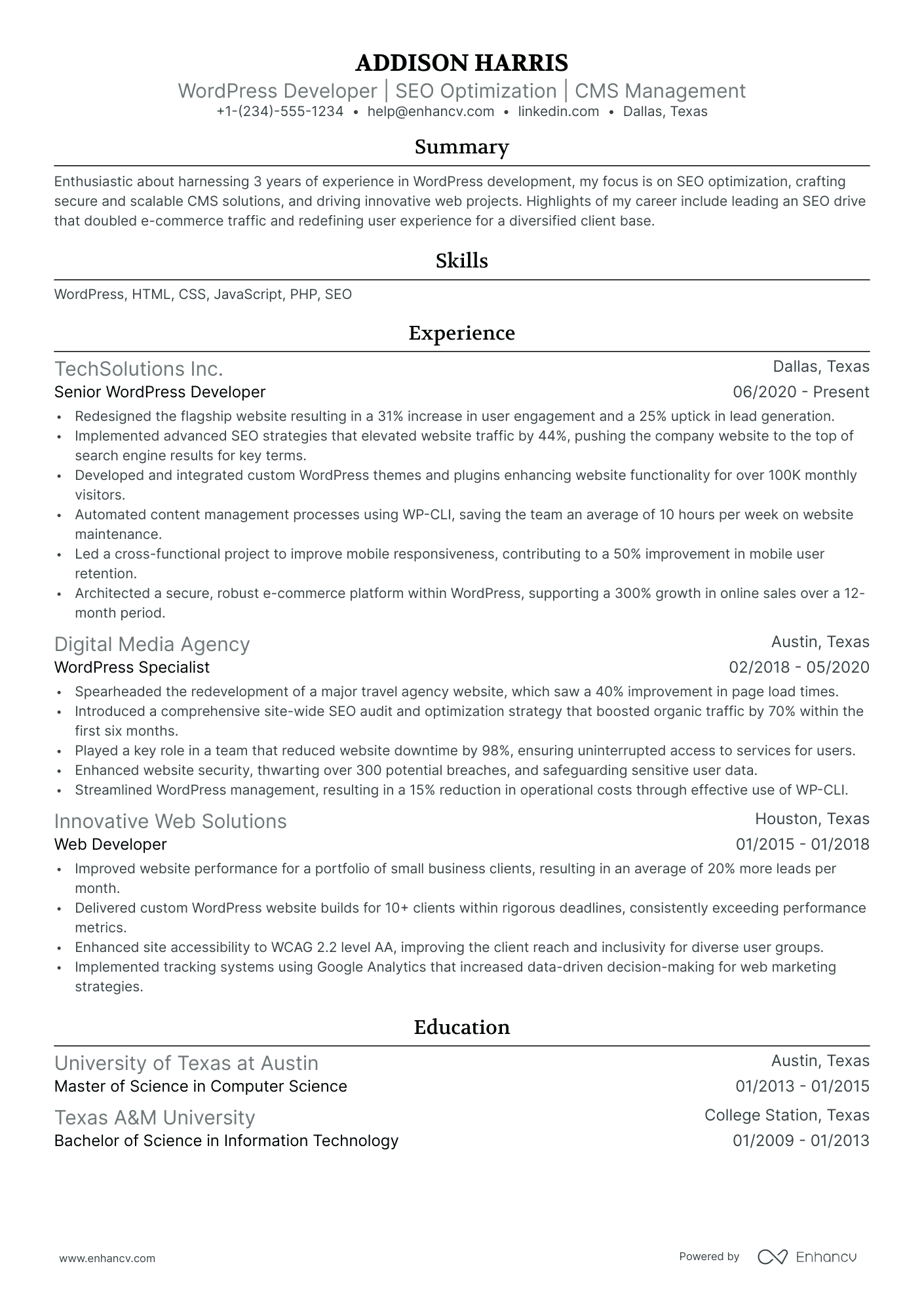
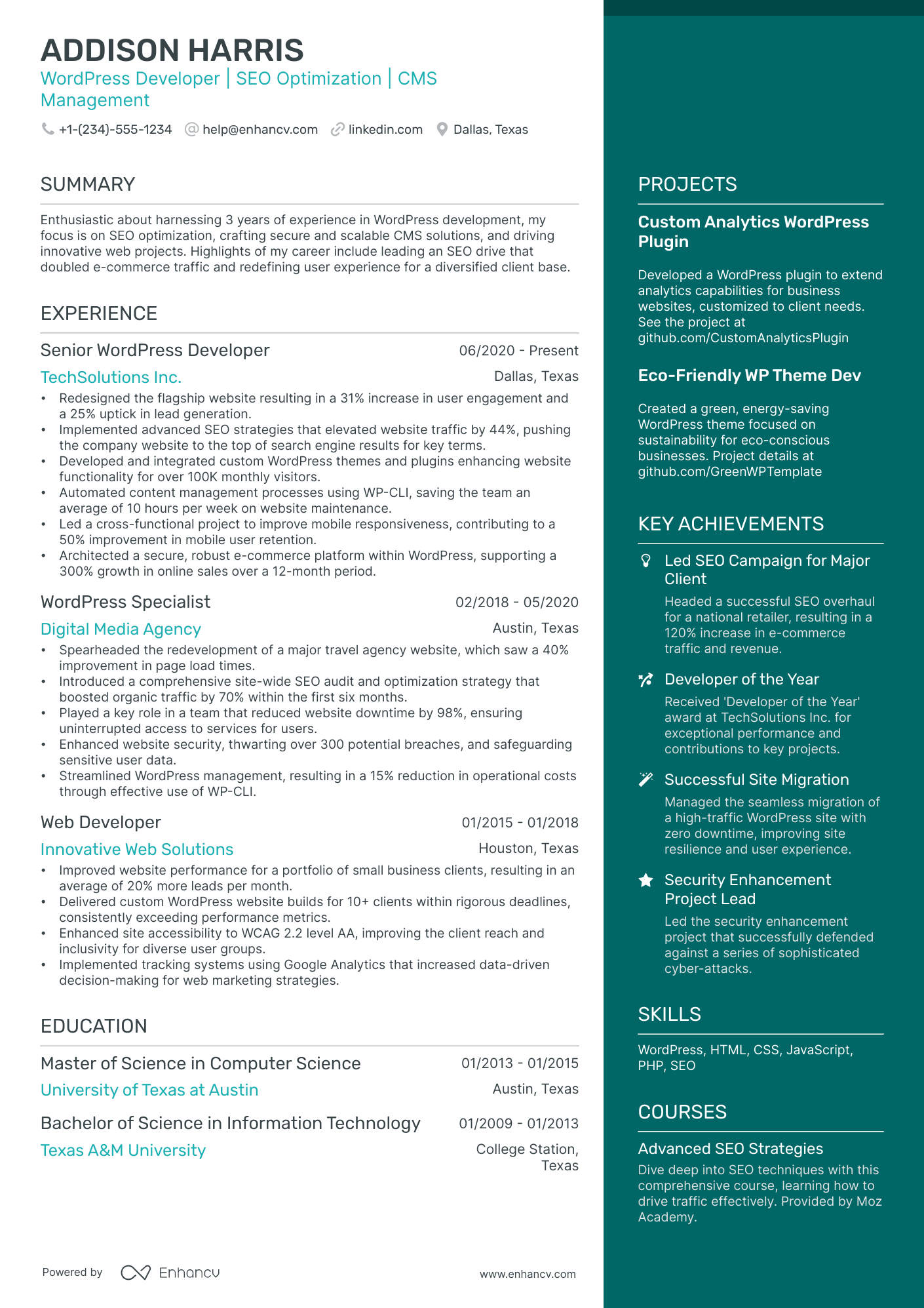
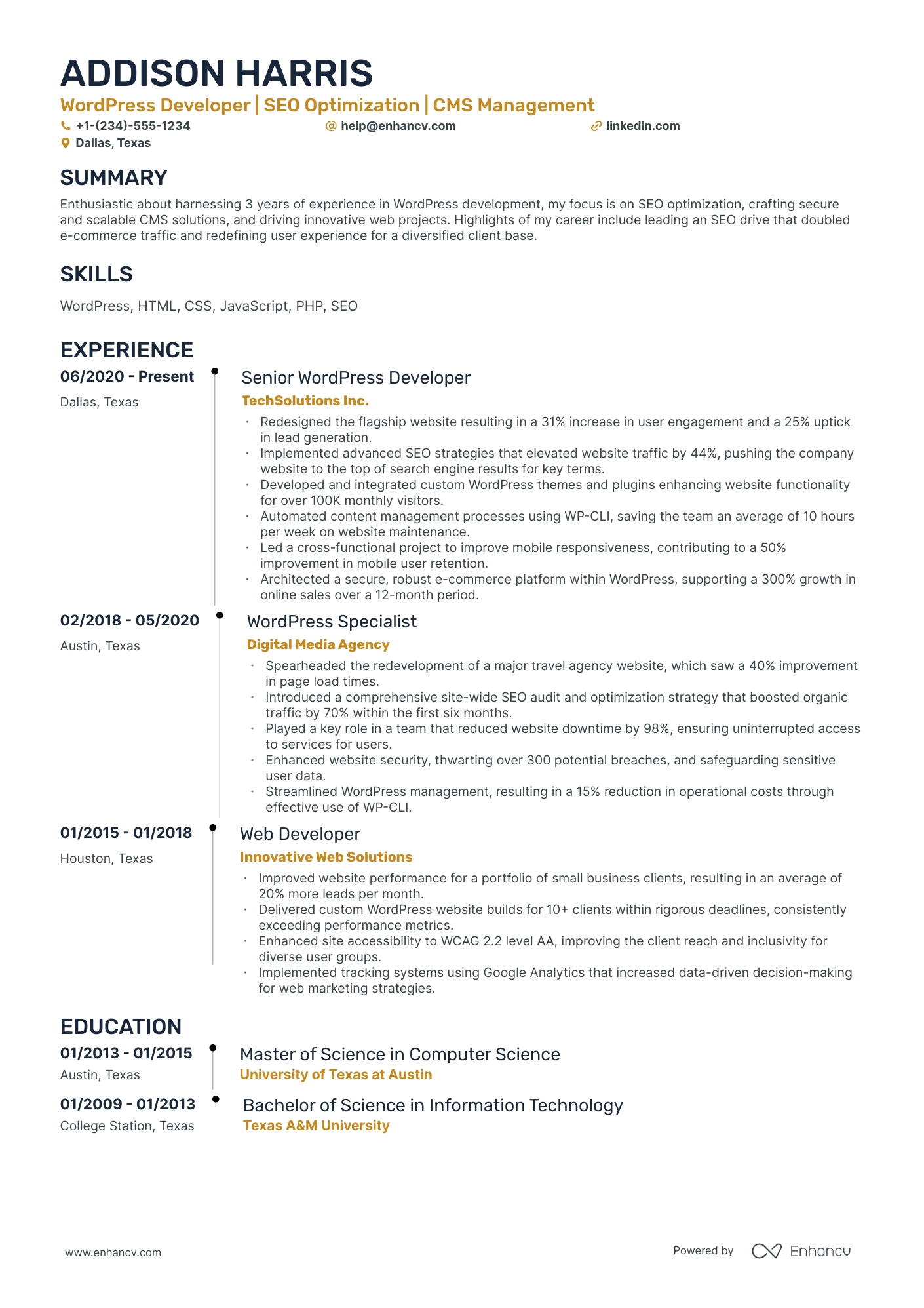
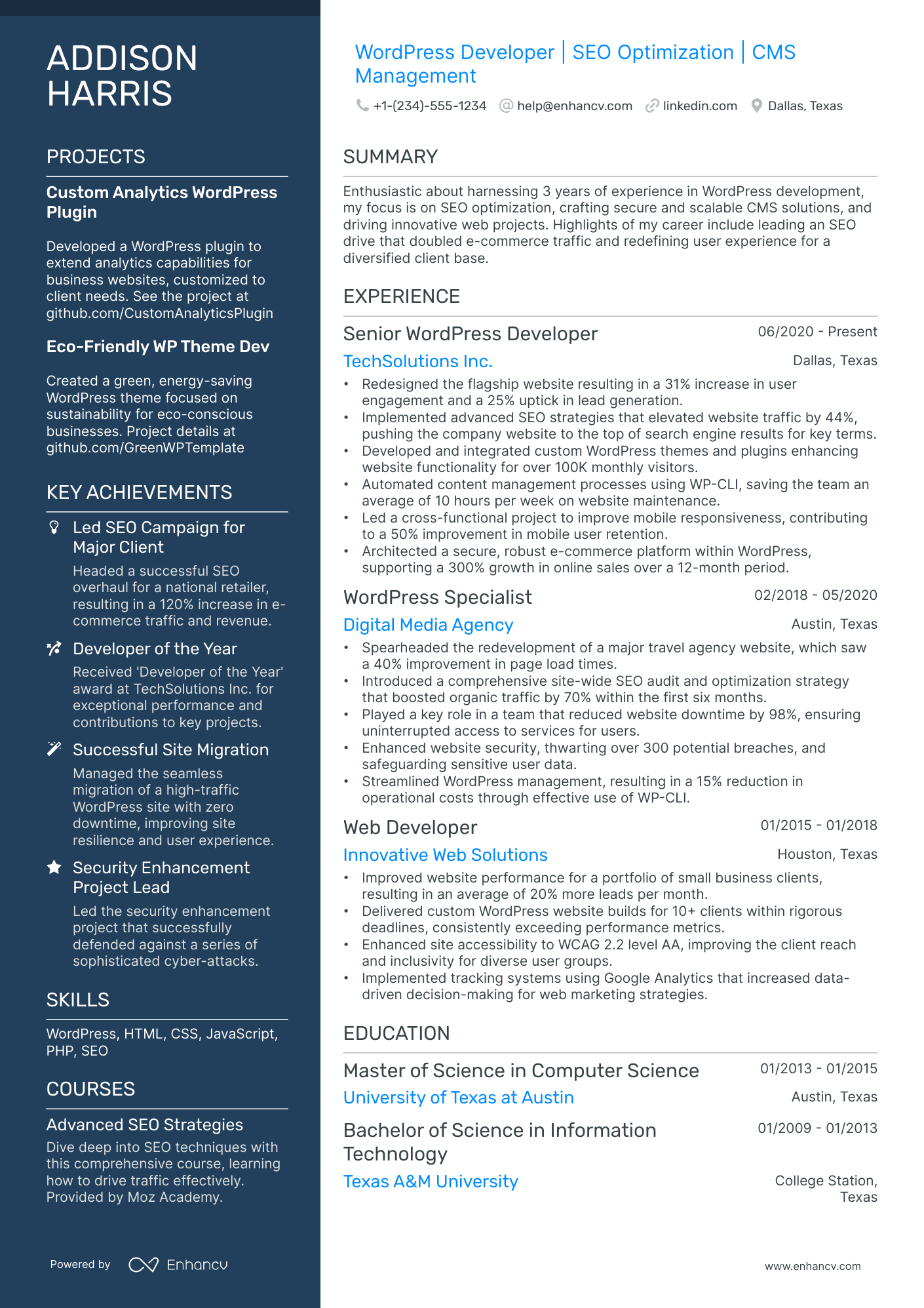
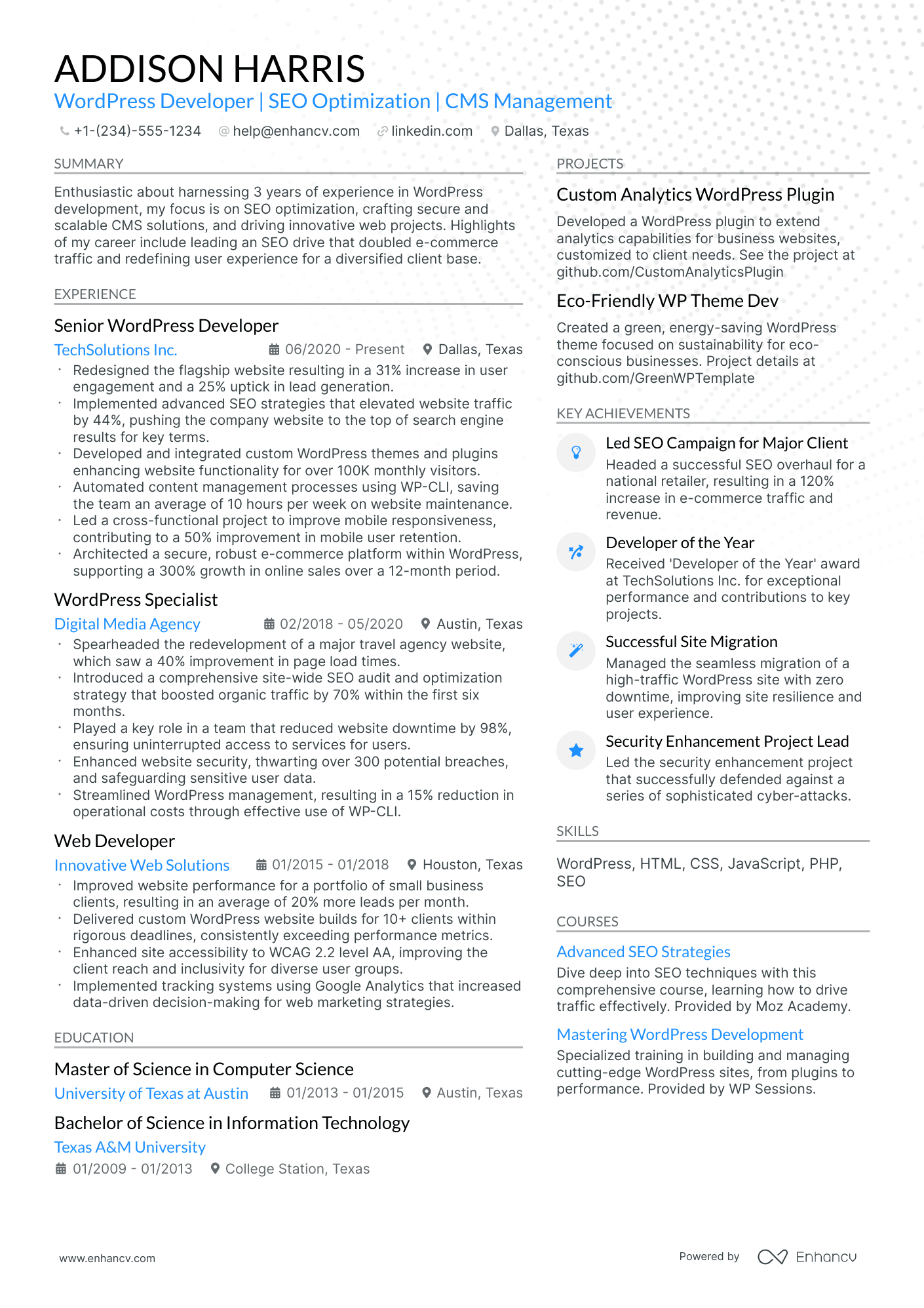
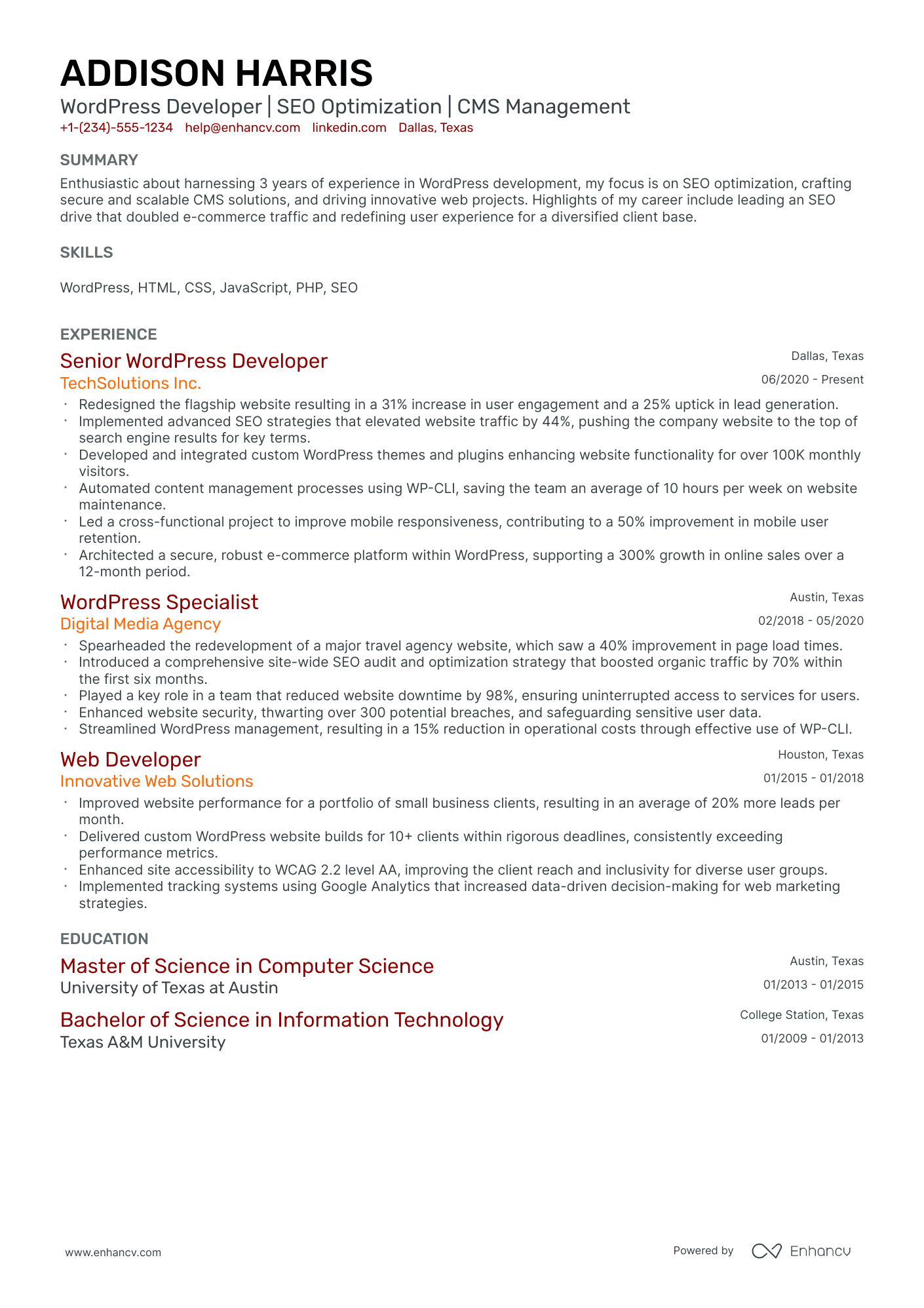
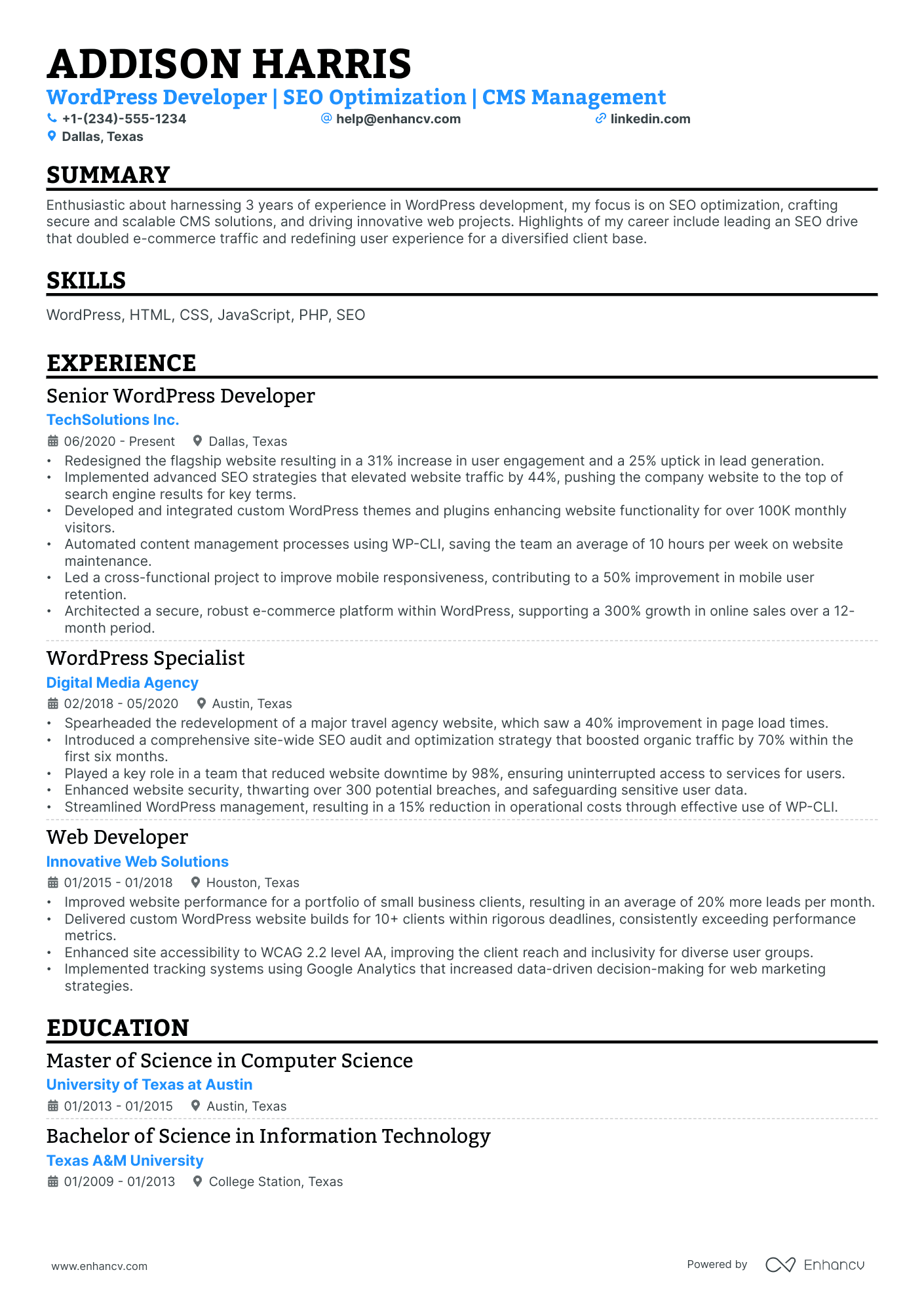
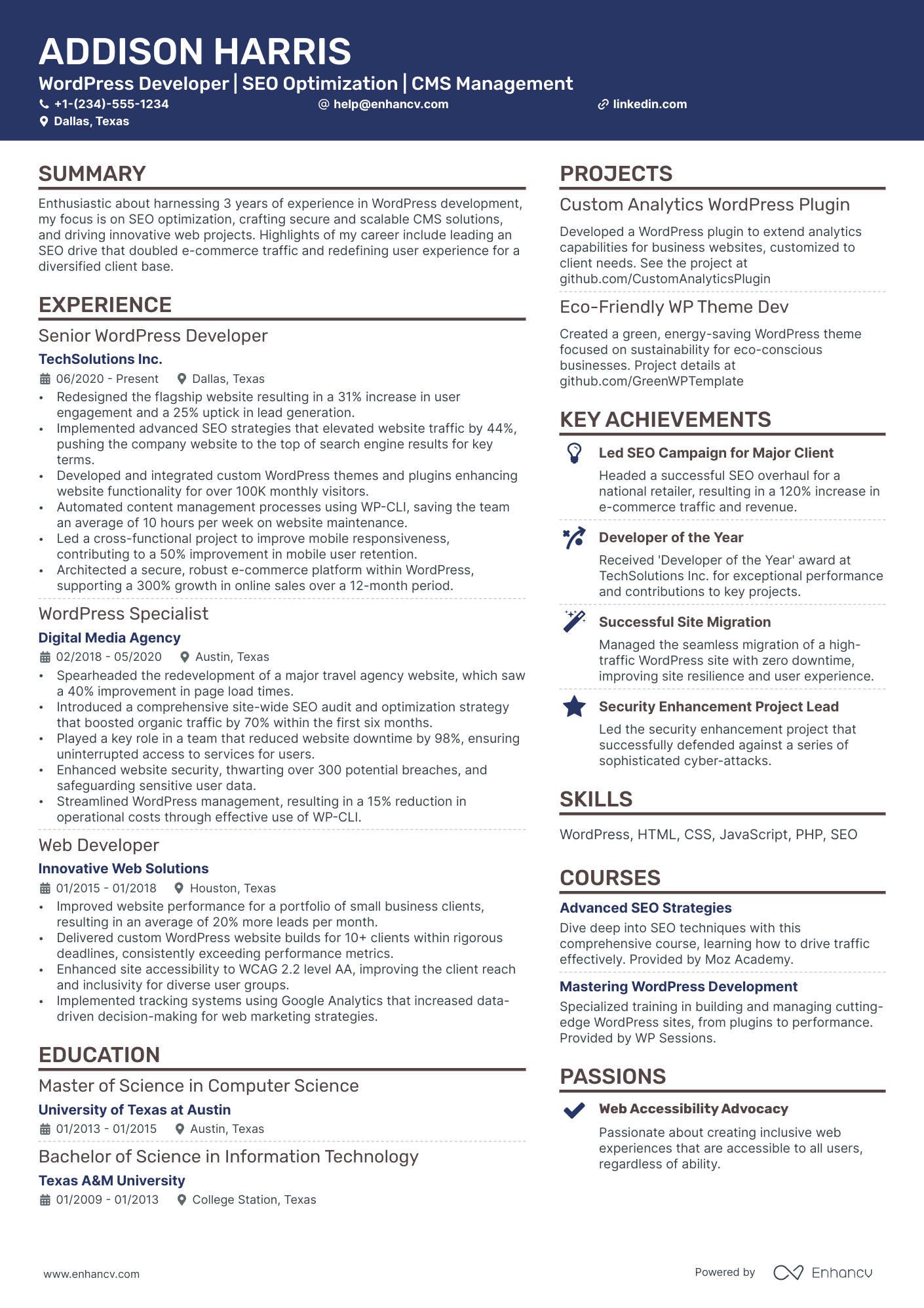
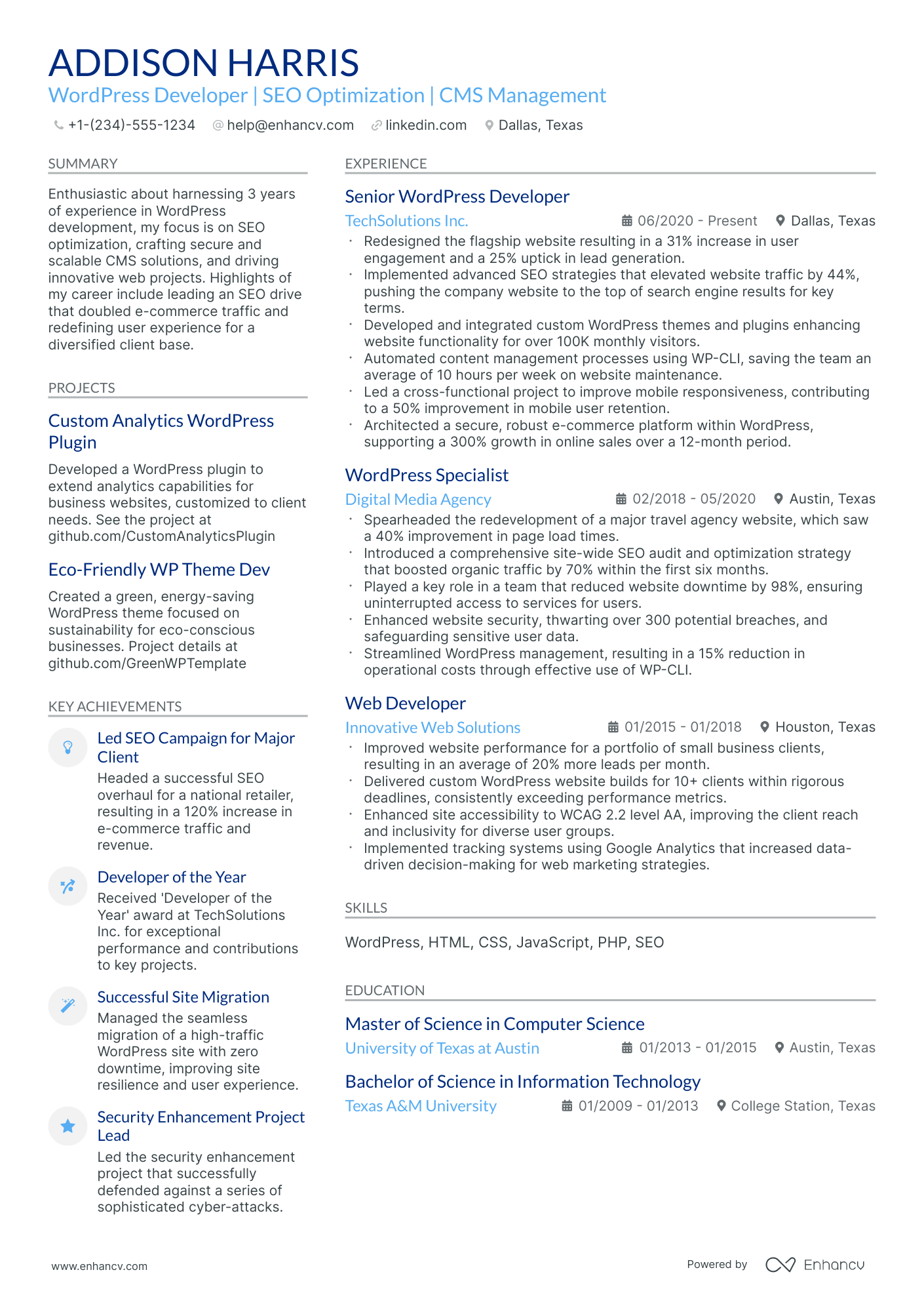
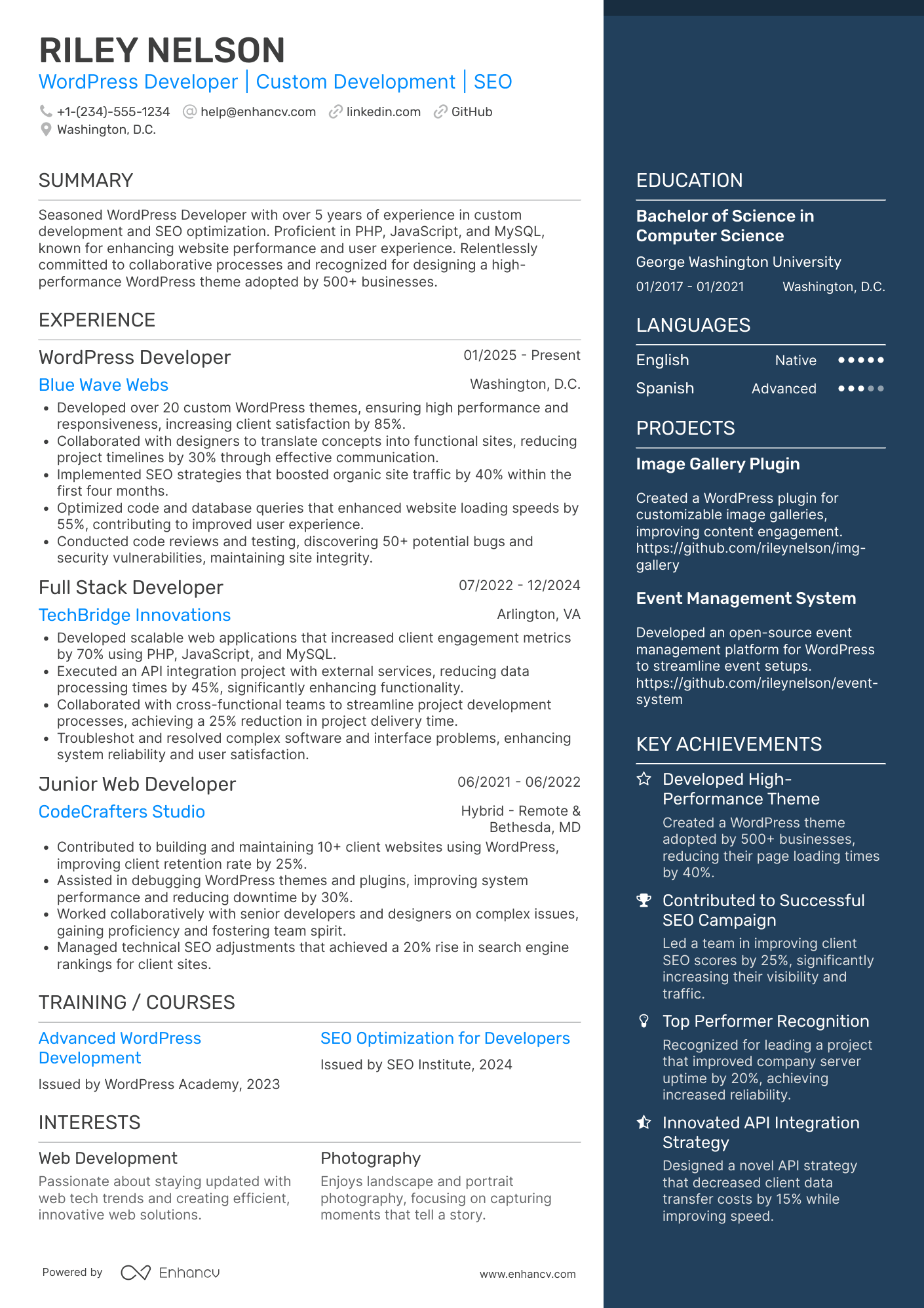
A WordPress developer resume often fails because it lists plugins and tasks but skips impact, so it reads like a job description. That causes low ATS matches and gets missed in fast recruiter scans when competition is high.
A strong resume shows what you improved, not just what you used. Knowing how to make your resume stand out means highlighting faster load times, higher Core Web Vitals scores, fewer production bugs, successful migrations, and launches delivered on schedule for high-traffic sites.

Key takeaways
- Quantify every experience bullet with metrics like load times, conversions, or uptime improvements.
- Tailor your resume to each job posting by mirroring its exact tools and terminology.
- Use reverse-chronological format when experienced and hybrid format when switching careers.
- Place skills above experience if you're junior and below it if you're senior.
- Showcase shipped projects, Git history, and live demos to prove ability without formal experience.
- Write a three-to-four-line summary naming your tools, years of experience, and a measurable win.
- Use Enhancv to turn routine WordPress tasks into strong, results-driven resume bullets.
How to format a WordPress developer resume
Recruiters evaluating WordPress developer resumes prioritize hands-on technical skills—theme and plugin development, PHP, JavaScript, REST API integration—alongside evidence of completed projects with measurable results. A clean, well-structured resume format ensures these signals surface quickly during both ATS parsing and the initial six-to-ten-second recruiter scan.

I have significant experience in this role—which format should I use?
Use a reverse-chronological format to lead with your strongest, most recent WordPress development work and show clear technical growth. Do:
- Highlight the scope of your contributions—full-stack builds, multisite management, custom plugin architecture, or team collaboration across design and DevOps.
- Feature role-specific tools and domains prominently: PHP, MySQL, WooCommerce, Advanced Custom Fields, Gutenberg block development, Git, and CI/CD pipelines.
- Quantify outcomes tied to business impact—load time improvements, uptime targets, traffic growth, or revenue generated through custom e-commerce functionality.
I'm junior or switching into this role—what format works best?
A hybrid format works best, letting you lead with a focused skills section while still providing a timeline of relevant projects or employment. Do:
- Place core WordPress competencies—PHP, HTML/CSS, JavaScript, theme customization, plugin configuration—in a dedicated skills section near the top of your resume.
- Include freelance projects, open-source contributions, or personal WordPress builds as structured experience entries with dates and deliverables.
- Link every action to a clear result so recruiters can evaluate your potential impact, not just your knowledge.
Why not use a functional resume?
A functional format buries the project context and timeline that recruiters need to assess how you've applied WordPress skills in real environments, making it harder to evaluate your readiness for the role. A functional resume may be acceptable if you're transitioning from a closely related field (front-end development, web design) or re-entering the workforce after a gap—but only if every listed skill is tied directly to a completed project or measurable outcome rather than presented in isolation.
Once your resume's format establishes a clean, scannable structure, the next step is filling it with the right sections to showcase your qualifications effectively.
What sections should go on a WordPress developer resume
Recruiters expect a WordPress developer resume to clearly show your WordPress-specific experience, technical skills, and measurable results. Understanding what to put on a resume helps you prioritize the right content. Use this structure for maximum clarity:
- Header
- Summary
- Experience
- Skills
- Projects
- Education
- Certifications
- Optional sections: Open-source contributions, Publications, Languages
Strong experience bullets should emphasize performance gains, reliability improvements, conversion or revenue impact, and the scope of WordPress work you owned end to end.
Is your resume good enough?
Drop your resume here or choose a file. PDF & DOCX only. Max 2MB file size.
Once you’ve organized your resume with the right core components, the next step is to write your WordPress developer experience section so it supports each part with clear, relevant proof.
How to write your WordPress developer resume experience
Your work experience section should spotlight the WordPress sites, themes, plugins, and integrations you've shipped—along with the tools, frameworks, and development methods you relied on to deliver them. Hiring managers prioritize demonstrated impact over descriptive task lists, so anchor every entry in measurable outcomes rather than day-to-day duties.
Each entry should include:
- Job title
- Company and location (or remote)
- Dates of employment (month and year)
Three to five concise bullet points showing what you owned, how you executed, and what outcomes you delivered:
- Ownership scope: the WordPress sites, custom themes, plugin ecosystems, multisite networks, or WooCommerce storefronts you were directly accountable for—including the audiences, traffic levels, or business units they served.
- Execution approach: the languages, libraries, page builders, deployment pipelines, or development workflows you used—such as PHP, JavaScript, React, the REST API, Gutenberg block development, Git-based version control, or staging-to-production release processes.
- Value improved: the specific quality, performance, security, accessibility, or reliability gains your work produced for the WordPress properties you maintained—whether that meant faster load times, higher Lighthouse scores, reduced plugin conflicts, or stronger compliance with WCAG standards.
- Collaboration context: how you coordinated with designers, content strategists, SEO specialists, DevOps engineers, or external clients to scope requirements, review pull requests, or align theme and plugin development with broader project goals.
- Impact delivered: the tangible results your contributions generated—expressed through site uptime, conversion lifts, page-speed improvements, migration completions, or reductions in support tickets rather than a list of tasks performed.
Experience bullet formula
A WordPress developer experience example
✅ Right example - modern, quantified, specific.
WordPress Developer
BrightPath Health | Remote
2022–Present
Built and optimized patient-facing marketing sites and content workflows for a multi-state healthcare provider serving 1M+ annual visitors.
- Architected custom Gutenberg blocks and a design system using Advanced Custom Fields, WordPress, PHP, and Tailwind CSS, cutting page build time by 45% and improving brand consistency across six sites.
- Reduced median Largest Contentful Paint from 3.2 seconds to 1.9 seconds by implementing WebP/AVIF, critical CSS, server-side caching, and Cloudflare, increasing organic sessions by 18% quarter over quarter.
- Integrated HubSpot forms, Google Tag Manager, and GA4 event tracking with consent management, raising lead attribution accuracy from 70% to 95% and improving conversion rate by 12%.
- Automated deployments with GitHub Actions, WP-CLI, and Pantheon multidev, decreasing release time from two hours to twenty minutes and reducing rollback incidents by 60%.
- Partnered with product managers, designers, and compliance stakeholders to deliver HIPAA-aligned content publishing workflows and accessibility fixes, improving Lighthouse accessibility score from 82 to 96 across top templates.
Now that you've seen how a strong experience section comes together, let's look at how to adjust those details to match the specific job you're targeting.
How to tailor your WordPress developer resume experience
Recruiters evaluate your WordPress developer resume through both human review and applicant tracking systems. Tailoring your resume to the job description increases your chances of passing both filters.
Ways to tailor your WordPress developer experience:
- Match the exact plugins and themes listed in the job description.
- Mirror the CMS workflows or development methodologies the employer specifies.
- Reference the same performance or site speed benchmarks they mention.
- Highlight accessibility or WCAG compliance work when the posting requires it.
- Include WooCommerce or multisite experience if the role demands it.
- Use their terminology for version control and deployment processes.
- Emphasize cross-functional collaboration with designers or content teams if referenced.
- Showcase security hardening or reliability practices when the job prioritizes them.
Tailoring means aligning your real accomplishments with what the employer values—not forcing keywords where they don't belong.
Resume tailoring examples for WordPress developer
| Job description excerpt | Untailored | Tailored |
|---|---|---|
| Build and maintain custom WordPress themes and plugins using PHP, HTML, CSS, and JavaScript. Collaborate with the design team to translate Figma mockups into responsive, pixel-perfect pages. | Worked on websites and helped with front-end development tasks. | Built 12 custom WordPress themes and 8 plugins using PHP, JavaScript, HTML, and CSS, translating Figma mockups into responsive, pixel-perfect pages that passed QA review on first submission 90% of the time. |
| Optimize site performance and page load speed using caching solutions (WP Rocket, Varnish), image optimization, and database query tuning. Maintain 90+ Google PageSpeed scores across all properties. | Helped improve website speed and made updates to improve user experience. | Configured WP Rocket and Varnish caching layers, optimized database queries, and compressed image assets across a 40-page WordPress multisite network, raising Google PageSpeed scores from 62 to 94 within three months. |
| Manage WooCommerce storefronts, including custom checkout flows, payment gateway integrations (Stripe, PayPal), and inventory syncing with third-party ERP systems via REST API. | Supported e-commerce features and handled online store updates. | Managed four WooCommerce storefronts processing $1.2M in annual revenue, building custom checkout flows, integrating Stripe and PayPal gateways, and syncing real-time inventory with NetSuite ERP through REST API endpoints. |
Once your experience aligns with the role’s priorities, quantify your WordPress developer achievements to show the measurable impact of that work.
How to quantify your WordPress developer achievements
Quantifying your achievements proves business impact, not just effort. For WordPress developers, focus on performance, uptime, security, delivery speed, and conversion outcomes tied to Core Web Vitals, incidents, releases, and revenue.
Quantifying examples for WordPress developer
| Metric | Example |
|---|---|
| Performance | "Improved LCP from 4.1s to 2.3s by optimizing queries, adding Redis object caching, and compressing images with WebP." |
| Reliability | "Reduced 500 errors by 62% by fixing plugin conflicts, adding health checks, and tuning PHP-FPM on a high-traffic WooCommerce site." |
| Security | "Closed 18 vulnerabilities by enforcing least-privilege roles, hardening wp-config.php, and adding Wordfence rules after a failed login spike." |
| Delivery speed | "Cut release cycle from two weeks to five days by automating deployments with GitHub Actions and WP-CLI across three environments." |
| Revenue conversion | "Increased checkout conversion by 9% by simplifying WooCommerce checkout, reducing form fields, and A/B testing with Google Optimize." |
Turn your everyday tasks into measurable, recruiter-ready resume bullets in seconds with Enhancv's Bullet Point Generator.
Once you've crafted strong, results-driven bullet points for your experience section, you'll want to apply that same precision to presenting your hard and soft skills throughout your WordPress developer resume.
How to list your hard and soft skills on a WordPress developer resume
Your skills section matters because WordPress developers get screened fast for platform, theme, plugin, and performance expertise, and recruiters and ATS scan this section for keyword match, depth, and fit—aim for a hard-skill-heavy mix with role-specific soft skills. WordPress developer roles require a blend of:
- Product strategy and discovery skills.
- Data, analytics, and experimentation skills.
- Delivery, execution, and go-to-market discipline.
- Soft skills.
Your skills section should be:
- Scannable (bullet-style grouping).
- Relevant to the job post.
- Backed by proof in experience bullets.
- Updated with current tools.
Place your skills section:
- Above experience if you're junior or switching careers.
- Below experience if you're mid/senior with strong achievements.

Hard skills
- WordPress core, Gutenberg
- PHP, JavaScript, HTML, CSS
- Custom theme development
- Block development, React
- Plugin development
- WooCommerce customization
- Advanced Custom Fields (ACF)
- REST API, WP-CLI
- MySQL, database optimization
- Performance optimization, Core Web Vitals
- Git, GitHub Actions
- Technical SEO, schema markup
Focus on listing hard skills that directly match the job posting's technical requirements and tools.
Soft skills
- Translate requirements into specs
- Estimate scope and trade-offs
- Write clear technical documentation
- Collaborate with designers in Figma
- Partner with SEO and content teams
- Communicate risks and blockers early
- Debug systematically under pressure
- Prioritize fixes by user impact
- Review code with actionable feedback
- Own deployments and rollbacks
- Align stakeholders on acceptance criteria
- Maintain accessibility-first habits
Including the right soft skills shows recruiters you can collaborate effectively and communicate clearly within cross-functional teams.
How to show your WordPress developer skills in context
Skills shouldn't live only in a bulleted list on your resume. Explore examples of resume skills shown in context to see how top candidates weave competencies into their experience.
They should be demonstrated in:
- Your summary (high-level professional identity)
- Your experience (proof through outcomes)
Here's what that looks like in practice.
Summary example
Senior WordPress developer with eight years of experience building scalable e-commerce and membership sites. Skilled in PHP, WooCommerce, REST API, and performance optimization. Reduced average page load times by 52% for a portfolio of 30+ client sites.
- Signals senior-level expertise immediately
- Names role-specific tools and frameworks
- Leads with a measurable performance outcome
- Implies client management and collaboration
Experience example
Senior WordPress Developer
Brightlane Digital | Remote
March 2020–Present
- Rebuilt a WooCommerce storefront using custom Gutenberg blocks and REST API integrations, increasing conversion rates by 34% within six months.
- Collaborated with UX designers and content strategists to launch 12 responsive client sites on time, each scoring above 90 on Google PageSpeed Insights.
- Migrated 18 legacy sites to optimized WordPress multisite architecture, reducing annual hosting costs by $14,000 and cutting maintenance hours by 40%.
- Every bullet includes measurable proof
- Skills surface naturally through real outcomes
Once you’ve demonstrated your WordPress development abilities through real examples and outcomes, the next step is to translate that proof into a resume even if you don’t have formal experience.
How do I write a WordPress developer resume with no experience
Even without full-time experience, you can demonstrate readiness through personal projects and contributions. Building a resume without work experience is entirely possible when you focus on demonstrating skills through real deliverables:
- Personal WordPress site builds
- Custom theme from starter theme
- Plugin customization with hooks
- Local development with Docker
- GitHub portfolio with commits
- Freelance fixes for small businesses
- Core Web Vitals optimization work
- Contributions to WordPress.org support
Focus on:
- Shipped WordPress developer projects
- Code samples and Git history
- Performance, security, accessibility metrics
- Clear stack: PHP, JavaScript, SQL
Resume format tip for entry-level WordPress developer
Use a skills-first hybrid resume format. It highlights projects, tools, and measurable outcomes when your work history is limited. Do:
- Lead with a Projects section.
- Link to GitHub and live demos.
- List tools: PHP, JavaScript, MySQL.
- Describe scope, stack, and results.
- Include testing, security, and performance steps.
- Built a custom theme from a starter theme using PHP, Advanced Custom Fields, and Git; improved Lighthouse performance score from 62 to 90.
Once you've structured your resume around transferable skills and relevant projects, presenting your education effectively becomes the next step in reinforcing your qualifications.
How to list your education on a WordPress developer resume
Your education section helps hiring teams confirm you have foundational knowledge in web development, computer science, or design principles relevant to the WordPress developer role.
Include:
- Degree name
- Institution
- Location
- Graduation year
- Relevant coursework (for juniors or entry-level candidates)
- Honors & GPA (if 3.5 or higher)
Skip month and day details—list the graduation year only.
Here's a strong education entry tailored to a WordPress developer resume.
Example education entry
Bachelor of Science in Computer Science
University of Colorado Denver, Denver, CO
Graduated 2021
GPA: 3.7/4.0
- Relevant coursework: Web Application Development, Database Systems, PHP Programming, User Interface Design
- Honors: Magna Cum Laude, Dean's List (six semesters)
How to list your certifications on a WordPress developer resume
Certifications on your resume show a WordPress developer's commitment to learning, proficiency with key tools, and relevance to current industry standards, especially for modern site building and performance work.
Include:
- Certificate name
- Issuing organization
- Year
- Optional: credential ID or URL
- List certifications below education when your degree is recent and more relevant than your certifications.
- List certifications above education when they're recent, highly relevant, or your education is older or unrelated to WordPress developer work.
Best certifications for your WordPress developer resume
- Google Analytics Certification
- Google Tag Manager Fundamentals Certification
- AWS Certified Cloud Practitioner
- HubSpot Content Marketing Certification
- Yoast SEO for WordPress Certification
- Microsoft Certified: Azure Fundamentals
- Certified ScrumMaster (CSM)
Once you’ve positioned your certifications where they’ll carry the most weight, use your WordPress developer resume summary to connect those credentials to the value you deliver right away.
How to write your WordPress developer resume summary
Your resume summary is the first thing a recruiter reads. A strong one instantly signals you're a qualified WordPress developer worth interviewing.
Keep it to three to four lines, with:
- Your title and total years of WordPress development experience.
- The type of projects, industries, or products you've worked on.
- Core tools and technologies like PHP, JavaScript, REST API, WooCommerce, or Gutenberg.
- One or two measurable achievements that prove your impact.
- Soft skills tied to real outcomes, such as collaboration that shortened sprint cycles.

PRO TIP
At a junior or mid-level, lead with your strongest technical skills and any early wins that show initiative. Highlight specific tools you've used and contributions you've made to real projects. Avoid vague phrases like "passionate self-starter" or "eager to learn." Instead, let concrete results and relevant technologies speak for your readiness.
Example summary for a WordPress developer
WordPress developer with three years of experience building custom themes and plugins for e-commerce clients. Skilled in PHP, JavaScript, and WooCommerce. Optimized site performance, reducing load times by 40% across 12 client projects.
Optimize your resume summary and objective for ATS
Drop your resume here or choose a file.
PDF & DOCX only. Max 2MB file size.
Now that your summary captures your strongest qualifications, make sure your header presents the essential contact and professional details recruiters need to reach you.
What to include in a WordPress developer resume header
A resume header is the top section with your identity and contact details, and it boosts visibility, credibility, and recruiter screening for a WordPress developer.
Essential resume header elements
- Full name
- Tailored job title and headline
- Location
- Phone number
- Professional email
- GitHub link
- Portfolio link
A LinkedIn link helps recruiters confirm your experience fast and supports screening with consistent dates, titles, and work history.
Don't include a photo on a WordPress developer resume unless the role is explicitly front-facing or appearance-dependent.
Keep your header to two lines, match your job title to the posting, and use links that open to your best WordPress developer work.
Example
WordPress developer resume header
Jordan Lee
WordPress developer | Custom themes, plugins, and performance
Austin, TX
(512) 555-01XX | your.name@enhancv.com | github.com/yourname | yourwebsite.com | linkedin.com/in/yourname
Once your contact details and role focus are clear at the top, add supporting sections next to highlight qualifications that don’t fit in the header but strengthen your WordPress developer resume.
Additional sections for WordPress developer resumes
When core qualifications align closely among applicants, additional sections help a WordPress developer stand out with unique credibility and personality. For example, listing language skills can set you apart when applying to companies with international clients or multilingual user bases.
- Languages
- Open source contributions
- WordPress community involvement
- Certifications
- Publications
- Hobbies and interests
- Speaking engagements
Once you've rounded out your resume with relevant additional sections, the next step is pairing it with a strong cover letter to make an even greater impact.
Do WordPress developer resumes need a cover letter
A cover letter isn't required for a WordPress developer, but it often helps in competitive roles or teams that expect one. If you're unsure what a cover letter is or when it adds value, it can make a difference when your resume needs context, or when hiring managers want clear communication.
Use a cover letter when it strengthens your application:
- Explain role and team fit by linking your strengths to the stack, workflow, and collaboration style in the job description.
- Highlight one or two relevant projects or outcomes, including measurable results like performance gains, conversion lifts, or reduced support tickets.
- Show you understand the product, users, or business context by referencing key pages, integrations, or user journeys that affect revenue or retention.
- Address career transitions or non-obvious experience by connecting past work to WordPress developer tasks, such as migrations, accessibility, or security.
Drop your resume here or choose a file.
PDF & DOCX only. Max 2MB file size.
Even if you decide a cover letter won’t add value for your application, you can use AI to strengthen your WordPress developer resume and improve how clearly it matches the role.
Using AI to improve your WordPress developer resume
AI can sharpen your resume's clarity, structure, and impact. It helps rewrite weak bullets, tighten language, and align content with job descriptions. If you're wondering which AI is best for writing resumes, start with tools that let you control the output and edit freely. But overuse kills authenticity. Once your resume reads clearly and fits the role, step away from AI.
Here are 10 practical prompts to strengthen specific sections of your WordPress developer resume:
- Strengthen your summary. "Rewrite my WordPress developer resume summary to highlight my strongest technical skills and years of experience in under four sentences."
- Quantify experience bullets. "Add measurable results to each of my WordPress developer experience bullets, focusing on site speed, uptime, or traffic improvements."
- Tailor skills placement. "Reorganize the skills section of my WordPress developer resume to prioritize skills mentioned in this job description."
- Tighten project descriptions. "Shorten each WordPress developer project description to two concise sentences that emphasize scope, tools used, and outcomes."
- Remove filler language. "Identify and remove vague or redundant words from my WordPress developer resume without changing the core meaning."
- Improve action verbs. "Replace weak or repeated action verbs in my WordPress developer experience section with stronger, more specific alternatives."
- Align with job postings. "Compare my WordPress developer resume against this job listing and suggest keyword gaps in my experience and skills sections."
- Refine education details. "Rewrite the education section of my WordPress developer resume to highlight coursework and projects relevant to web development."
- Highlight certifications. "Reorder and describe my certifications section so each entry clearly supports my qualifications as a WordPress developer."
- Fix inconsistent formatting. "Review my WordPress developer resume for inconsistent tense, punctuation, or formatting across all sections and suggest corrections."
Stop using AI once your resume sounds accurate, specific, and aligned with real experience. AI should never invent experience or inflate claims—if it didn't happen, it doesn't belong here.
Conclusion
A strong WordPress developer resume proves impact with measurable outcomes, like faster load times, higher conversions, fewer support tickets, or smoother releases. It highlights role-specific skills, including theme and plugin development, PHP, JavaScript, security, performance, and accessibility.
Keep the structure clear so hiring teams can scan fast. Lead with results, match skills to the role, and show steady delivery across projects. This approach signals you’re ready for today’s WordPress developer roles and the market ahead.