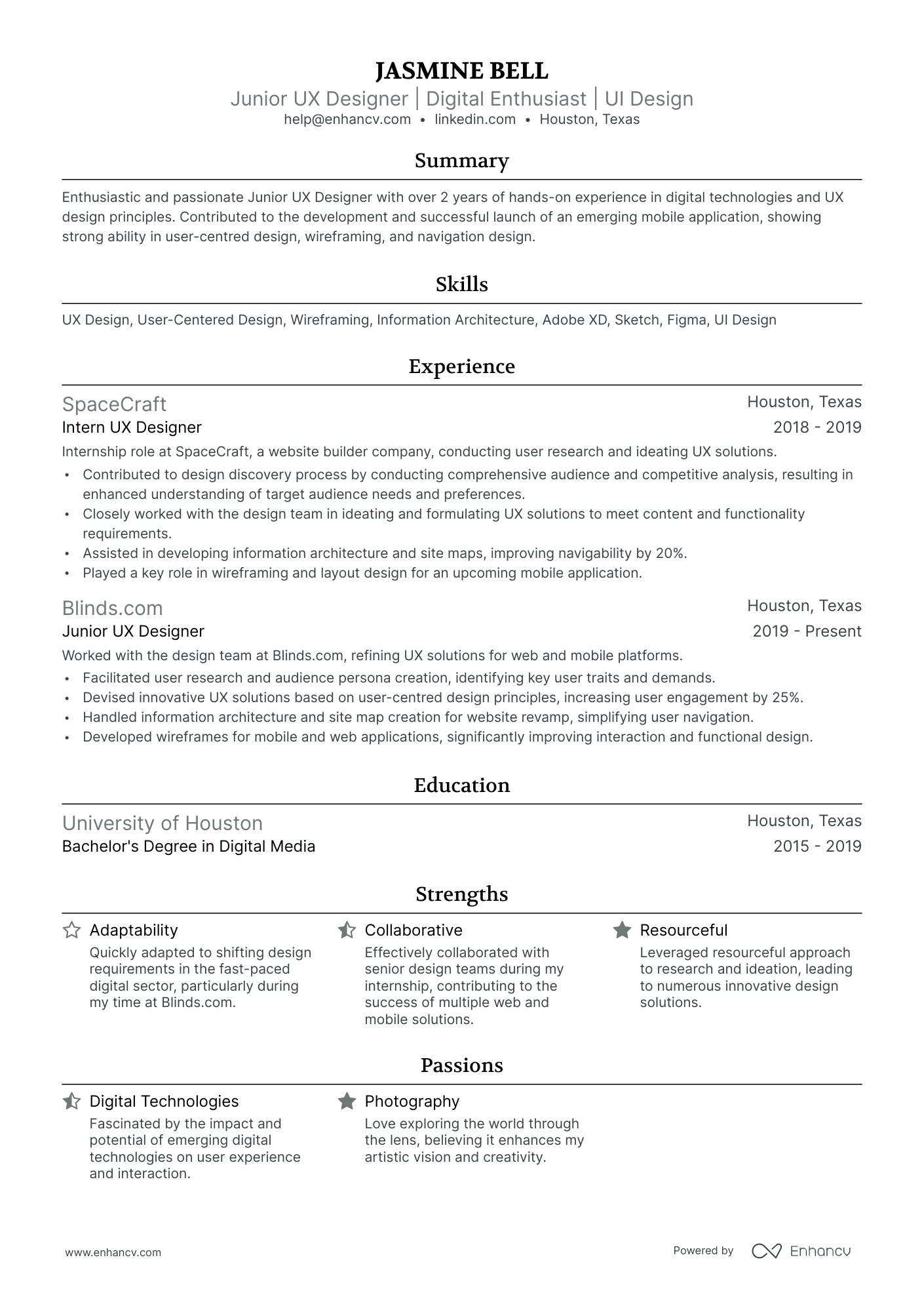
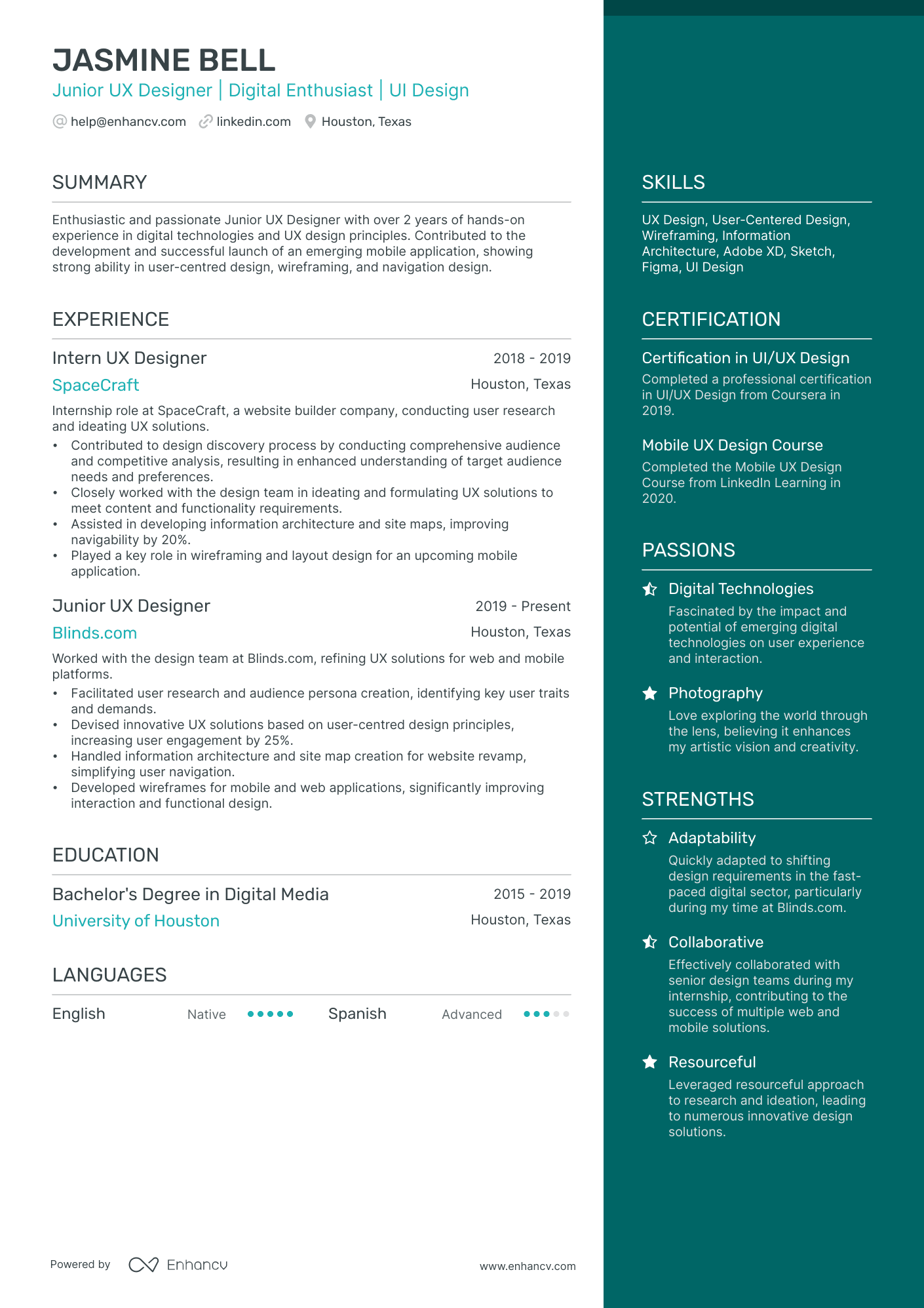
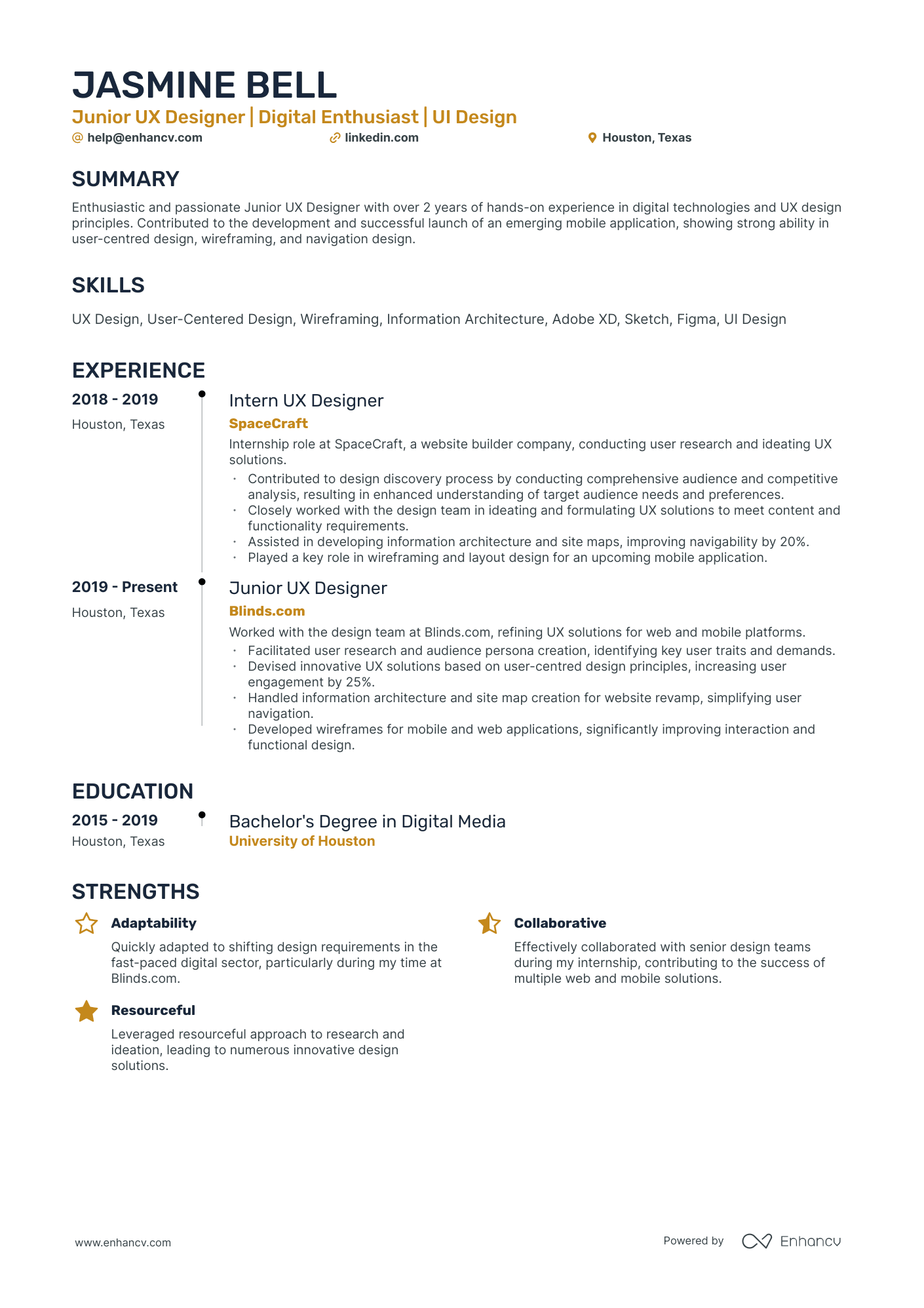
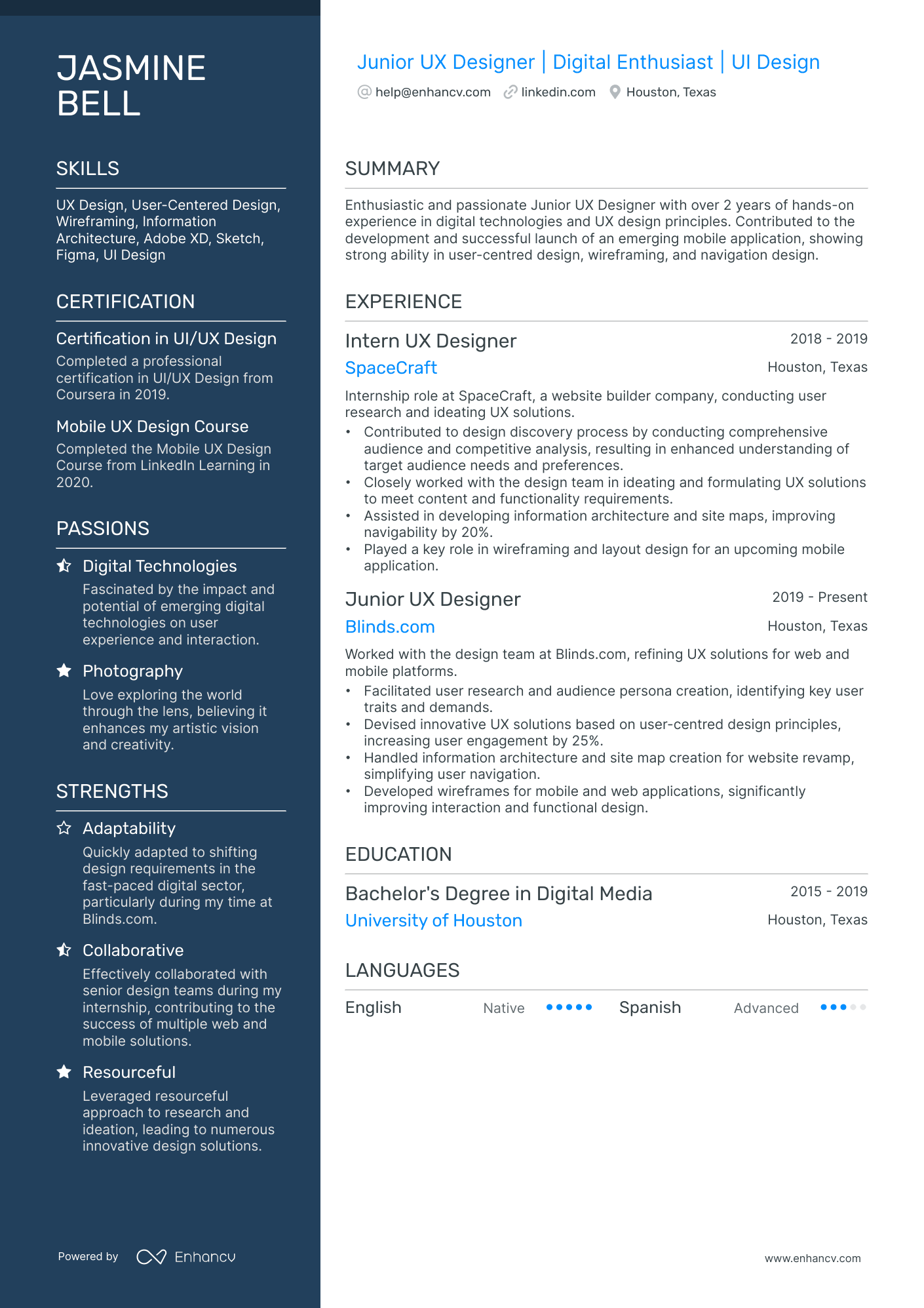
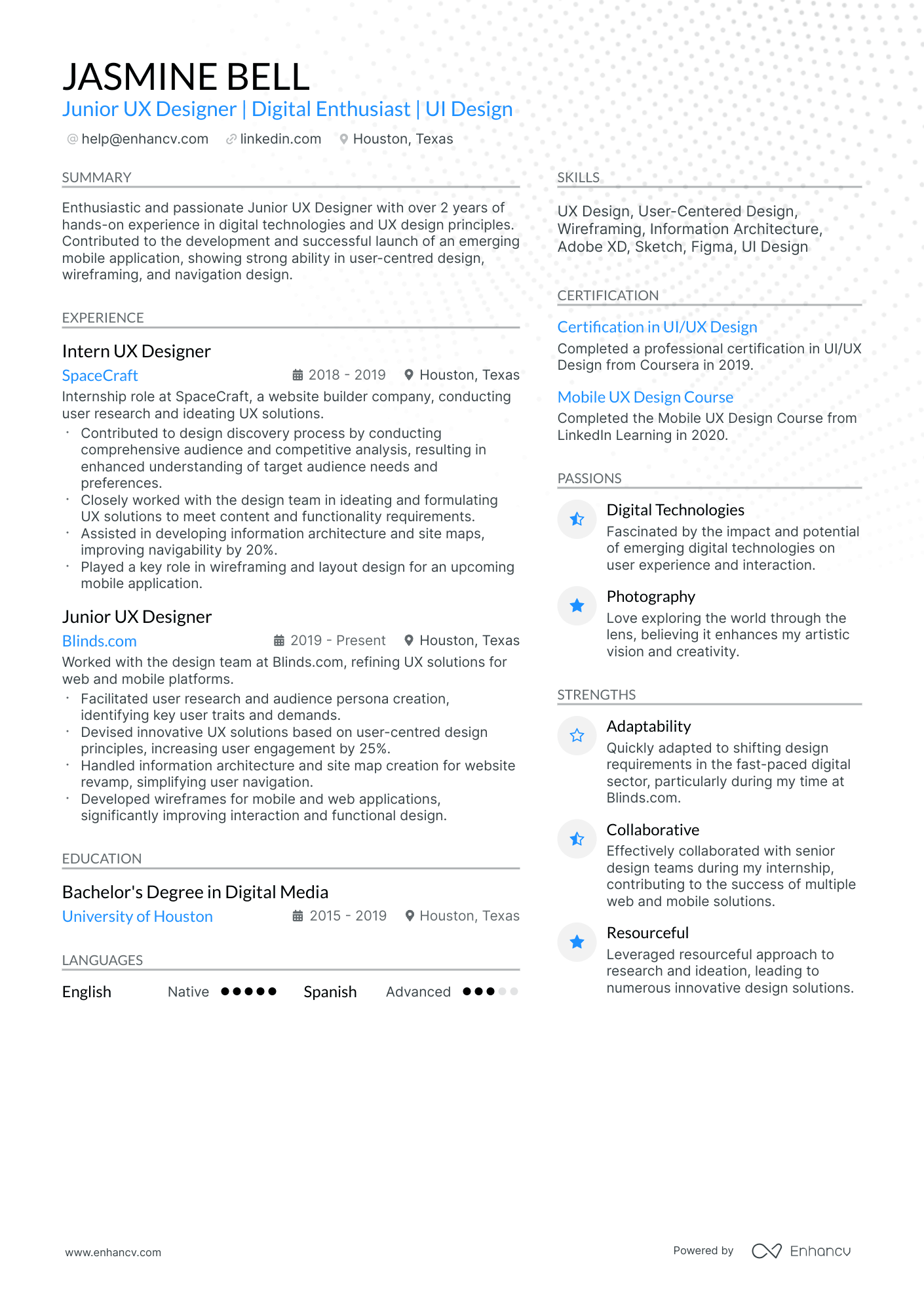
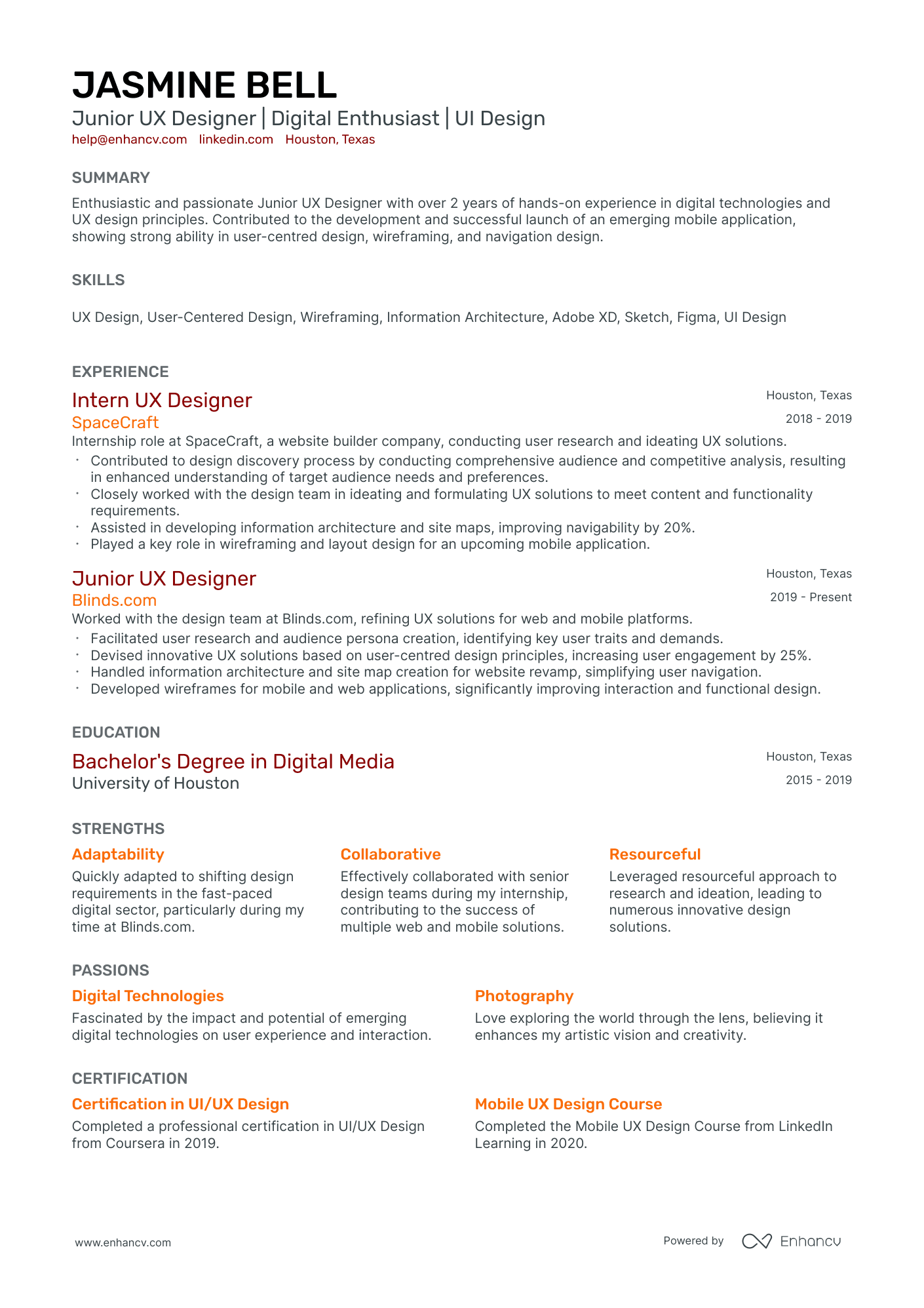
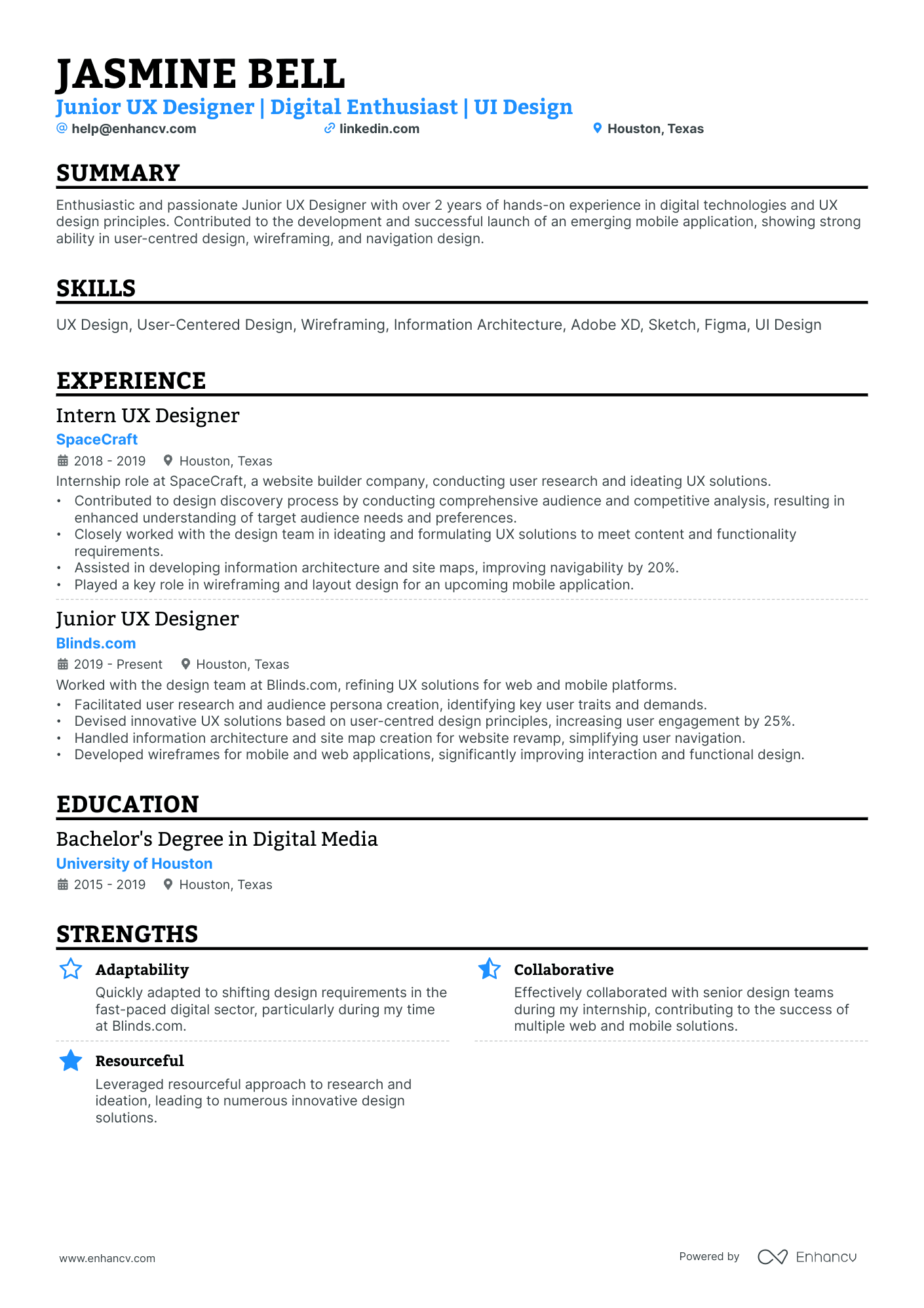
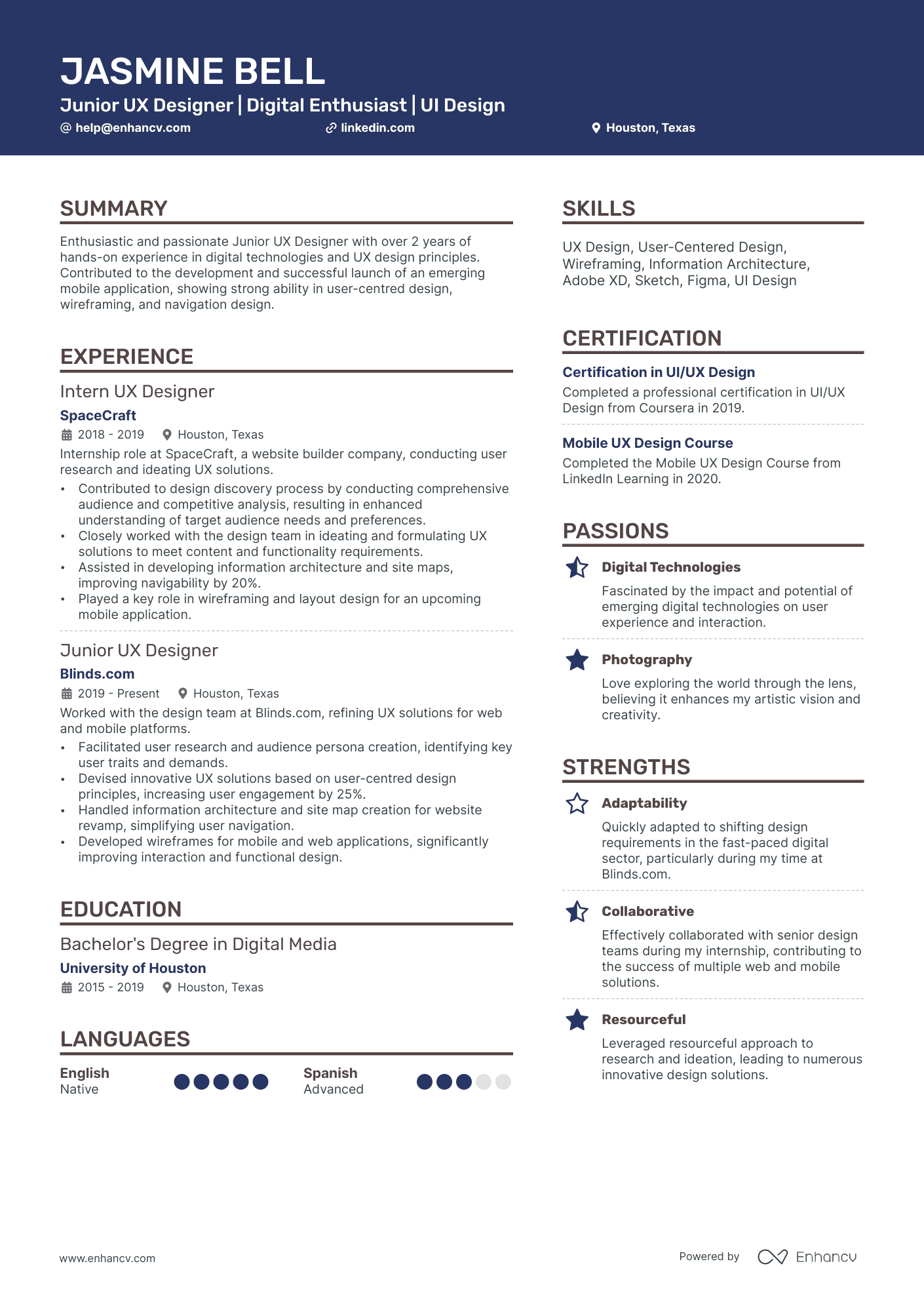
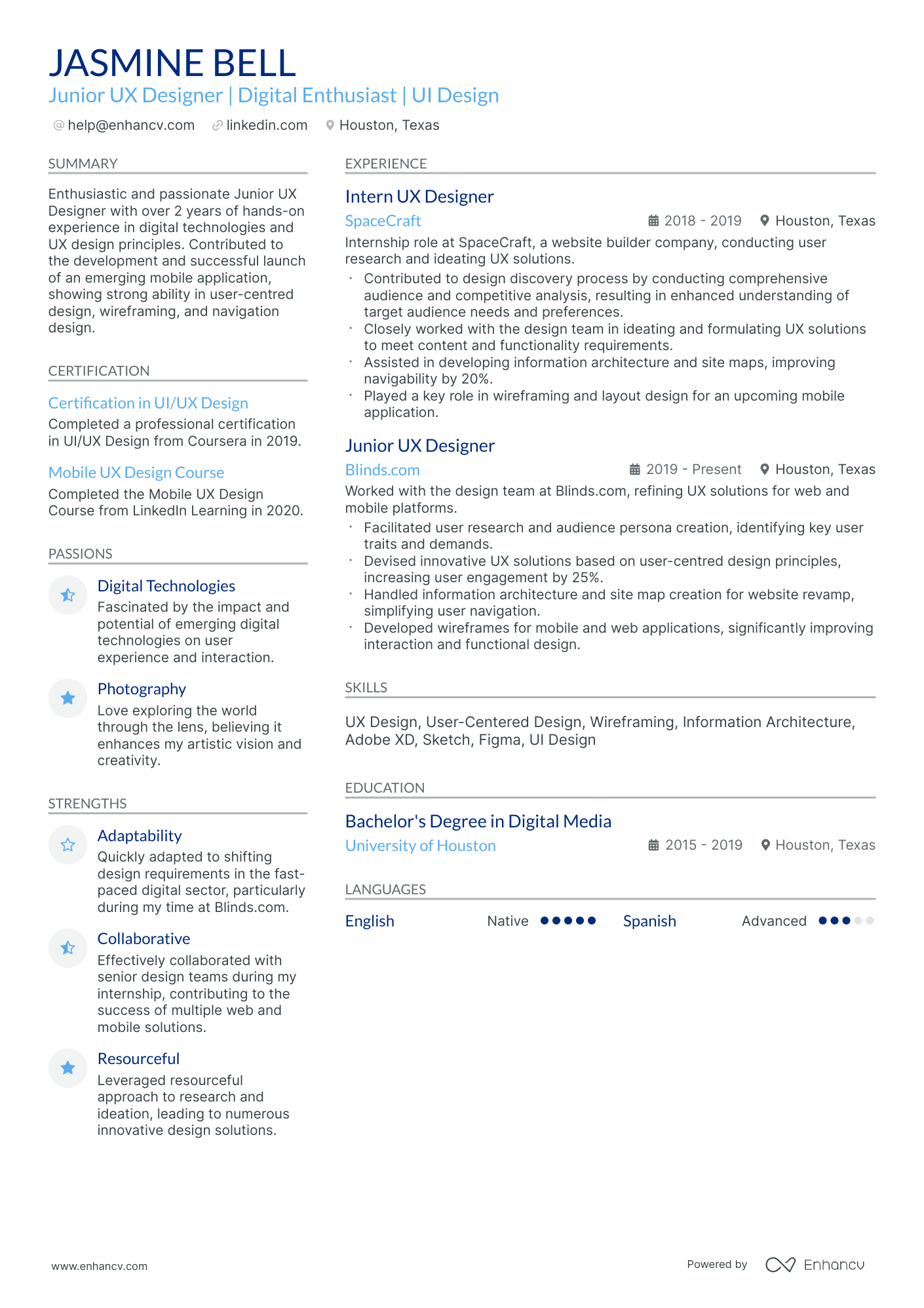
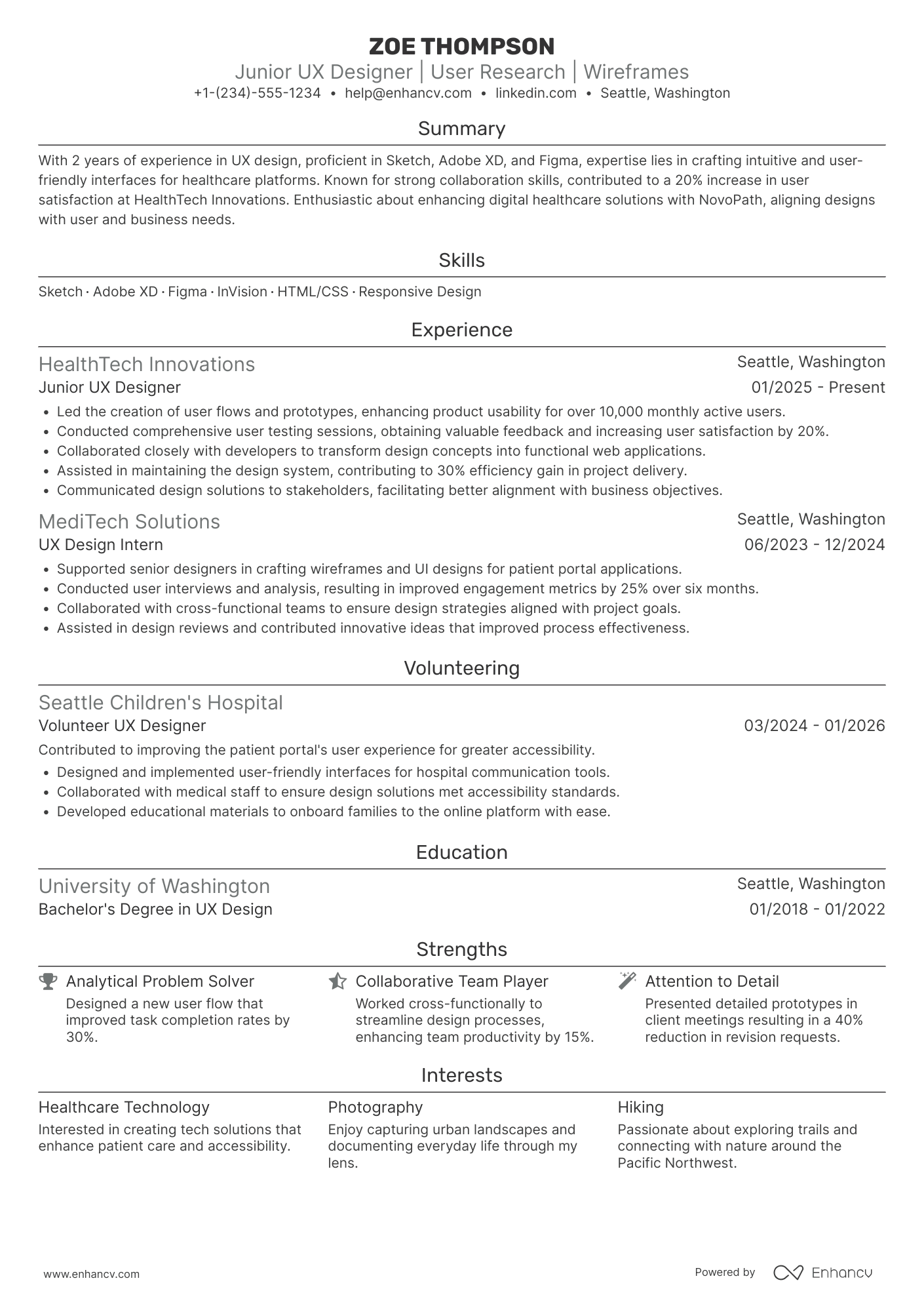
Many Junior UX designer resume submissions fail because they read like class notes, not evidence of impact. When your Junior UX designer resume lacks measurable outcomes, it gets filtered by ATS keywords and skipped during fast recruiter scans.
A strong resume shows what changed because of your work. Knowing how to make your resume stand out starts with highlighting usability gains, reduced task time, higher conversion, fewer support tickets, faster delivery, improved accessibility scores, and clearer handoffs across teams. Include scope, timelines, and results tied to users and business goals.

Key takeaways
- Anchor every resume bullet to a measurable outcome, not a task description.
- Use a hybrid format if you lack full-time UX experience to foreground skills first.
- Tailor your experience section to mirror each job posting's exact tools and methods.
- Quantify achievements with metrics like task success rates, cycle time, or error reduction.
- Demonstrate skills in context through your summary and experience, not just a standalone list.
- Replace vague phrases like "passionate designer" with specific, evidence-backed contributions.
- Use Enhancv to turn routine job duties into quantified, recruiter-ready resume bullets faster.
How to format a Junior UX designer resume
Recruiters screening junior UX designer resumes prioritize evidence of foundational design skills, relevant projects, and the ability to connect user research or design decisions to tangible outcomes. Your resume format determines how quickly a recruiter can locate these signals, so choosing the right structure directly affects whether your application moves forward.

I have significant experience in this role—which format should I use?
Use a reverse-chronological format to present your UX design experience in a clear, linear timeline that highlights growth and increasing responsibility. Do:
- Lead with your most recent role and emphasize scope of ownership, such as end-to-end design for a product feature, module, or user flow.
- Showcase role-specific tools and domains—Figma, usability testing, wireframing, interaction design, design systems—within the context of each position.
- Anchor every bullet to a measurable outcome or business impact rather than a task description.
I'm junior or switching into this role—what format works best?
Use a hybrid format that leads with a focused skills section and follows with project-based or work experience to compensate for a shorter employment history. Do:
- Place core UX skills—user research, wireframing, prototyping, heuristic evaluation—near the top of the resume so recruiters and applicant tracking systems capture them immediately.
- Feature academic projects, bootcamp capstones, freelance work, or volunteer redesigns as legitimate experience entries with clear descriptions of your role and contributions.
- Link every action to an outcome, even if the result is qualitative: improved task completion in testing, positive mentor feedback, or a measurable usability score change.
When does a functional resume make sense?
A functional format can work in a narrow set of circumstances for junior UX designers who lack traditional work experience but need to foreground transferable skills:
- You're making a career change from a related field (graphic design, front-end development, psychology) and need to reframe existing skills as UX-relevant competencies.
- You have a gap in employment but completed a UX bootcamp, earned a certification, or built a portfolio of self-initiated or volunteer design projects during that time.
- Your work history is minimal (recent graduate, freelance-only background), and a chronological layout would leave large empty sections.
- A functional format is acceptable when you're pivoting into UX design with no direct experience, but every skill listed should still be tied to a specific project, course deliverable, or measurable outcome rather than presented as a standalone claim.
Once your layout and structure are set, it's time to fill in each section with content that highlights your value as a junior UX designer.
What sections should go on a Junior UX designer resume
Recruiters expect to see clear proof you can ship user-centered design work and collaborate across teams. Understanding what to put on a resume ensures you include the right details for maximum impact.
Use this structure for maximum clarity:
- Header
- Summary
- Experience
- Skills
- Projects
- Education
- Certifications
- Optional sections: Awards, Volunteering, Languages
Strong experience bullets should emphasize measurable impact, user outcomes, your scope of ownership, and the results your design decisions drove.
Is your resume good enough?
Drop your resume here or choose a file. PDF & DOCX only. Max 2MB file size.
Once you’ve organized your resume with the right components, the next step is to write your junior UX designer experience section so it supports those details with clear, role-relevant proof.
How to write your Junior UX designer resume experience
Your experience section should spotlight shipped or delivered design work, the role-relevant tools and methods you applied, and measurable outcomes that prove your contributions mattered. Hiring managers prioritize demonstrated impact over descriptive task lists, so frame every entry around what you achieved—not just what you were assigned. Building a targeted resume ensures each entry speaks directly to the role's requirements.
Each entry should include:
- Job title
- Company and location (or remote)
- Dates of employment (month and year)
Three to five concise bullet points showing what you owned, how you executed, and what outcomes you delivered:
- Ownership scope: the specific products, features, screens, or design systems you were directly accountable for as a Junior UX designer, including any platforms, user segments, or project areas you managed independently or co-owned.
- Execution approach: the UX tools, research methods, design frameworks, or prototyping technologies you used to inform decisions and deliver work—such as usability testing protocols, wireframing software, interaction design patterns, or design system contributions.
- Value improved: the tangible changes your design work drove in usability, accessibility, task completion, error reduction, load efficiency, or overall user experience quality within the products you touched.
- Collaboration context: how you partnered with cross-functional stakeholders—product managers, developers, researchers, content strategists, or accessibility specialists—to align on requirements, iterate on feedback, and ship cohesive design solutions.
- Impact delivered: the outcomes your work produced, expressed through user-centered results, adoption shifts, design-driven business improvements, or scope of influence rather than a list of tasks or activities you performed.
Experience bullet formula
A Junior UX designer experience example
✅ Right example - modern, quantified, specific.
Junior UX Designer
CivicPay | Austin, TX (Remote)
2023–2025
Fintech startup building a mobile wallet used by 200K+ customers for bill pay and peer-to-peer transfers.
- Redesigned the bill-pay flow in Figma using journey mapping and task analysis, increasing successful payments by 14% and reducing support tickets by 11% in six weeks.
- Conducted twelve moderated usability tests (Maze, Zoom) and synthesized findings in Dovetail, cutting average time-to-complete for “Add a payee” from three minutes to two minutes (33% faster).
- Built and maintained a component library in Figma aligned to Material Design, improving design-to-development handoff and reducing UI rework by 18% across three squads.
- Partnered with product managers and engineers to define hypotheses, events, and funnels in Amplitude, improving onboarding completion by 9% through two iterative releases.
- Audited accessibility with WCAG 2.2 AA checks and Stark, resolving twenty-two contrast and focus issues and reducing accessibility-related QA bugs by 27% release over release.
Now that you've seen what a strong experience entry looks like in practice, let's break down how to tailor each element to match the specific junior UX designer role you're targeting.
How to tailor your Junior UX designer resume experience
Recruiters evaluate your Junior UX designer resume through both human review and applicant tracking systems. Tailoring your resume to the job description ensures you pass both screenings.
Ways to tailor your Junior UX designer experience:
- Match design tools like Figma or Sketch listed in the posting.
- Mirror the exact usability testing methods the job description names.
- Use the same terminology for design thinking phases they reference.
- Highlight accessibility standards like WCAG if the role requires them.
- Include experience with specific design systems or component libraries mentioned.
- Reflect collaboration workflows with developers or product managers they describe.
- Emphasize user research techniques that align with their stated process.
- Reference prototyping or wireframing approaches the posting specifically calls for.
Tailoring means aligning your real accomplishments with the role's requirements, not forcing keywords where they don't belong.
Resume tailoring examples for Junior UX designer
| Job description excerpt | Untailored | Tailored |
|---|---|---|
| Conduct user research and usability testing using Figma prototypes to inform design decisions for our mobile health app | Helped with user research and contributed to design projects | Conducted 15+ moderated usability tests on Figma prototypes for a mobile health app, identifying three critical navigation issues that reduced user drop-off by 22% |
| Collaborate with product managers and engineers to create wireframes and user flows in Sketch, supporting our e-commerce platform redesign | Created wireframes and worked with team members on various design tasks | Partnered with product managers and a five-person engineering team to deliver 40+ wireframes and user flows in Sketch during an e-commerce platform redesign, accelerating the design-to-handoff cycle by two weeks |
| Apply accessibility standards (WCAG 2.1) to design components in our design system, ensuring AA compliance across all customer-facing fintech interfaces | Worked on improving designs and making them more user-friendly | Audited and updated 30+ design system components to meet WCAG 2.1 AA standards, closing 12 accessibility gaps across customer-facing fintech interfaces before quarterly compliance review |
Once your experience aligns with the role’s priorities, quantify your junior UX designer achievements to show the measurable impact behind those contributions.
How to quantify your Junior UX designer achievements
Quantifying your achievements proves your designs changed behavior, reduced friction, and shipped faster. Focus on usability test outcomes, conversion and task success, time saved, accessibility compliance, and delivery speed across research, design, and handoff.
Quantifying examples for Junior UX designer
| Metric | Example |
|---|---|
| Task success | "Raised checkout task success from 62% to 81% after two Figma iterations, validated in five moderated usability tests." |
| Conversion rate | "Improved signup conversion by 9% by simplifying form flow, then confirmed results with Amplitude funnel analysis over two weeks." |
| Accessibility | "Closed 18 accessibility issues by updating color contrast and focus states, achieving WCAG 2.1 AA on three key screens." |
| Cycle time | "Cut design-to-handoff time from eight days to five by standardizing components in a shared Figma library with product and engineering." |
| Error reduction | "Reduced help-center ticket volume by 14% by rewriting microcopy and clarifying empty states, measured across 30 days in Zendesk." |
Turn vague job duties into measurable, recruiter-ready resume bullets in seconds with Enhancv's Bullet Point Generator.
With strong, well-crafted bullet points in place, it's equally important to showcase the right mix of hard and soft skills that highlight your qualifications as a junior UX designer.
How to list your hard and soft skills on a Junior UX designer resume
Your skills section shows you can apply UX methods and tools to ship usable designs, and recruiters and an ATS (applicant tracking system) scan this section to match keywords fast—aim for a hard-skill-heavy mix with targeted collaboration skills. Junior UX designer roles require a blend of:
- Product strategy and discovery skills.
- Data, analytics, and experimentation skills.
- Delivery, execution, and go-to-market discipline.
- Soft skills.
Your skills section should be:
- Scannable (bullet-style grouping).
- Relevant to the job post.
- Backed by proof in experience bullets.
- Updated with current tools.
Place your skills section:
- Above experience if you're junior or switching careers.
- Below experience if you're mid/senior with strong achievements.

Hard skills
Listing relevant hard skills helps recruiters quickly confirm your technical capabilities:
- Figma, FigJam
- Design systems, components
- Wireframing, prototyping
- Interaction design patterns
- Information architecture
- User flows, task analysis
- Usability testing, moderated interviews
- Survey design, qualitative analysis
- Accessibility: WCAG 2.2
- Heuristic evaluation
- Analytics: Google Analytics, Hotjar
- Handoff: Zeplin, Storybook
Soft skills
Pairing these with the right soft skills rounds out your profile:
- Translate feedback into revisions
- Explain design decisions clearly
- Collaborate with product managers
- Partner with engineers on feasibility
- Ask focused, user-centered questions
- Prioritize changes by impact
- Document decisions and rationale
- Present work in critiques
- Manage scope and deadlines
- Communicate tradeoffs early
- Incorporate research findings fast
- Own tasks end-to-end
How to show your Junior UX designer skills in context
Skills shouldn't live only in a bulleted list on your resume.
They should be demonstrated in:
- Your summary (high-level professional identity)
- Your experience (proof through outcomes)
Here's what that looks like in practice. For more ideas on weaving abilities into your application, explore examples of resume skills across different roles.
Summary example
Junior UX designer with two years of experience in e-commerce, skilled in Figma, usability testing, and user flows. Redesigned a checkout experience that reduced cart abandonment by 18%, collaborating closely with product and engineering teams.
- Specifies relevant experience level clearly
- Names industry-standard tools and methods
- Includes a concrete, measurable outcome
- Highlights cross-functional collaboration skills
Experience example
Junior UX Designer
Bridgepoint Digital | Remote
June 2022–April 2024
- Conducted 30+ moderated usability tests in Maze, identifying friction points that informed redesigns and improved task completion rates by 22%.
- Partnered with product managers and developers to create user flows in Figma, cutting design handoff revisions by 35%.
- Led competitive UX audits using heuristic evaluation methods, delivering insights that shaped a navigation overhaul reducing bounce rates by 14%.
- Every bullet includes measurable proof
- Skills surface naturally through real outcomes
Once you’ve demonstrated your junior UX designer skills through relevant examples and outcomes, the next step is to translate that evidence into a junior UX designer resume when you have no formal experience.
How do I write a Junior UX designer resume with no experience
Even without full-time experience, you can demonstrate readiness through:
- Portfolio case studies with prototypes
- Volunteer redesigns for local nonprofits
- UX internships or apprenticeships
- Hackathon UX contributions and handoffs
- UX course capstone projects
- Usability tests with real users
- Freelance landing page UX audits
- Design system component documentation
Our guide on building a resume without work experience covers these strategies in more detail.
Focus on:
- Clear UX process and artifacts
- User research with documented findings
- Prototype quality and iteration
- Metrics, impact, and scope
Resume format tip for entry-level Junior UX designer
Use a combination resume format. It highlights UX projects and skills first, while still showing education and any work history. Do:
- Lead with a Projects section.
- Write bullets with method, tool, outcome.
- Name tools: Figma, FigJam, Miro.
- Include links to portfolio and prototypes.
- Add research details: sample size.
- Led five-user usability test in FigJam, iterated Figma prototype, and cut checkout drop-offs by 18% in task simulation for a nonprofit redesign.
Once you've structured your resume to highlight strengths beyond traditional work history, your education section becomes one of the most powerful areas to showcase relevant qualifications.
How to list your education on a Junior UX designer resume
Your education section helps hiring teams confirm you have foundational design knowledge. It signals relevant training in user research, interaction design, and visual thinking—key skills for any Junior UX designer.
Include:
- Degree name
- Institution
- Location
- Graduation year
- Relevant coursework (for juniors or entry-level candidates)
- Honors & GPA (if 3.5 or higher)
Avoid listing specific months or days. Use the graduation year only for a cleaner format.
Here's a strong education entry tailored for a Junior UX designer resume:
Example education entry
Bachelor of Arts in Human-Computer Interaction
University of Washington, Seattle, WA
Graduated 2024
GPA: 3.7/4.0
- Relevant Coursework: User Research Methods, Interaction Design, Information Architecture, Visual Design Principles, Usability Testing
- Honors: Dean's List (six consecutive quarters), Cum Laude
How to list your certifications on a Junior UX designer resume
Certifications show a Junior UX designer's commitment to learning, proficiency with key tools, and alignment with current industry practices, especially when experience is limited.
Include:
- Certificate name
- Issuing organization
- Year
- Optional: credential ID or URL
- Place certifications below education when your degree is recent and your certifications are older or less relevant to the role.
- Place certifications above education when they are recent, highly relevant, or required, and they strengthen your candidacy more than coursework.
Best certifications for your Junior UX designer resume
- Google UX Design Professional Certificate
- Nielsen Norman Group UX Certification
- Interaction Design Foundation UX Certificate
- HFI Certified Usability Analyst (CUA)
- Adobe Certified Professional: Adobe XD
- Figma Certified Professional
- Scrum.org Professional Scrum Master I (PSM I)
Once you’ve positioned your credentials where hiring managers will notice them, shift to your junior UX designer resume summary to connect those qualifications to the value you bring.
How to write your Junior UX designer resume summary
Your resume summary is the first thing a recruiter reads. A sharp, relevant opening sets the tone and earns a closer look at the rest of your application.
Keep it to three to four lines, with:
- Your title and years of hands-on UX design experience.
- The domain or product type you've worked in, such as SaaS, e-commerce, or mobile apps.
- Core tools and skills like Figma, usability testing, wireframing, or prototyping.
- One or two measurable contributions, such as improved task completion rates or reduced user errors.
- A soft skill tied to a real outcome, like cross-functional collaboration that shortened a design cycle.

PRO TIP
At the junior level, focus on specific tools you've used and tangible contributions from internships, freelance work, or coursework. Avoid vague phrases like "passionate designer" or "eager learner." Replace them with evidence. Even small metrics—like improving a flow's completion rate by 12%—carry more weight than motivational language.
Example summary for a Junior UX designer
Junior UX designer with one year of experience designing mobile app interfaces in Figma. Conducted usability tests that improved task completion rates by 15%. Collaborated with developers to streamline design handoff workflows.
Optimize your resume summary and objective for ATS
Drop your resume here or choose a file.
PDF & DOCX only. Max 2MB file size.
Now that you've crafted a summary that highlights your value, make sure the header above it presents your contact details and professional identity correctly.
What to include in a Junior UX designer resume header
A resume header lists your key contact and professional links so recruiters can find you fast, trust your details, and screen your fit quickly.
Essential resume header elements
- Full name
- Tailored job title and headline
- Location
- Phone number
- Professional email
- GitHub link
- Portfolio link
Including a LinkedIn link helps recruiters verify experience quickly and supports screening.
Do not include photos on a Junior UX designer resume unless the role is explicitly front-facing or appearance-dependent.
Keep your header to one or two lines, match your job title to the posting, and use working links with consistent naming across platforms.
Example
Junior UX designer resume header
Jordan Lee
Junior UX designer | Entry-level UX designer focused on user research and interaction design
Austin, TX | (512) 555-01XX | your.name@enhancv.com
github.com/yourname yourwebsite.com linkedin.com/in/yourname
Once your header clearly identifies you and makes your contact details easy to find, add supporting sections that strengthen the rest of your junior UX designer resume.
Additional sections for Junior UX designer resumes
When your work experience is limited, additional sections help you stand out by showcasing relevant skills, interests, and credentials unique to you. For example, listing language skills can set you apart if the team serves a multilingual user base.
- Languages
- Hobbies and interests
- UX certifications and courses
- Volunteering and community involvement
- Design conferences and workshops attended
- Publications or blog posts on UX topics
Once you've rounded out your resume with relevant additional sections, it's worth pairing it with a cover letter to strengthen your overall application.
Do Junior UX designer resumes need a cover letter
A cover letter isn't required for a Junior UX designer, but it helps in competitive roles or teams that expect one. If you're unsure where to start, learn what a cover letter is and how it complements your resume. It can make a difference when your resume needs context, or when multiple candidates look similar.
Use a cover letter to add details your resume can't:
- Explain role and team fit by connecting your strengths to the job's core tasks and workflows.
- Highlight one or two relevant projects, including your contribution, the outcome, and what you learned.
- Show understanding of the product, users, and business context by referencing a real problem the team likely faces.
- Address career transitions or non-obvious experience by mapping past work to Junior UX designer skills and responsibilities.
Drop your resume here or choose a file.
PDF & DOCX only. Max 2MB file size.
Once you’ve decided whether to include a cover letter to add context to your application, the next step is using AI to strengthen your junior UX designer resume faster and more consistently.
Using AI to improve your Junior UX designer resume
AI can sharpen your resume's clarity, structure, and impact. It helps refine bullet points, tighten your summary, and align language with job descriptions. But overuse kills authenticity. Once your content is clear and role-aligned, step away from AI. For a deeper look at effective prompts, check out our guide on ChatGPT resume writing.
Here are 10 practical prompts you can copy and paste to strengthen specific sections of your Junior UX designer resume:
Strengthen your summary
Quantify experience bullets
Align skills with job posts
Tighten project descriptions
Improve action verbs
Refine education details
Clarify certification value
Remove filler language
Tailor for ATS screening
Sharpen volunteer experience
Conclusion
A strong Junior UX designer resume proves impact with measurable outcomes, like faster task completion, higher conversion, or fewer support tickets. It highlights role-specific skills, including user research, wireframing, prototyping, usability testing, and clear handoffs. It stays scannable with clean headings and consistent formatting.
This structure shows you can contribute now and adapt as teams hire for research depth and product execution. With focused metrics, relevant skills, and a clear story, your Junior UX designer resume signals readiness for today’s and near-future market.