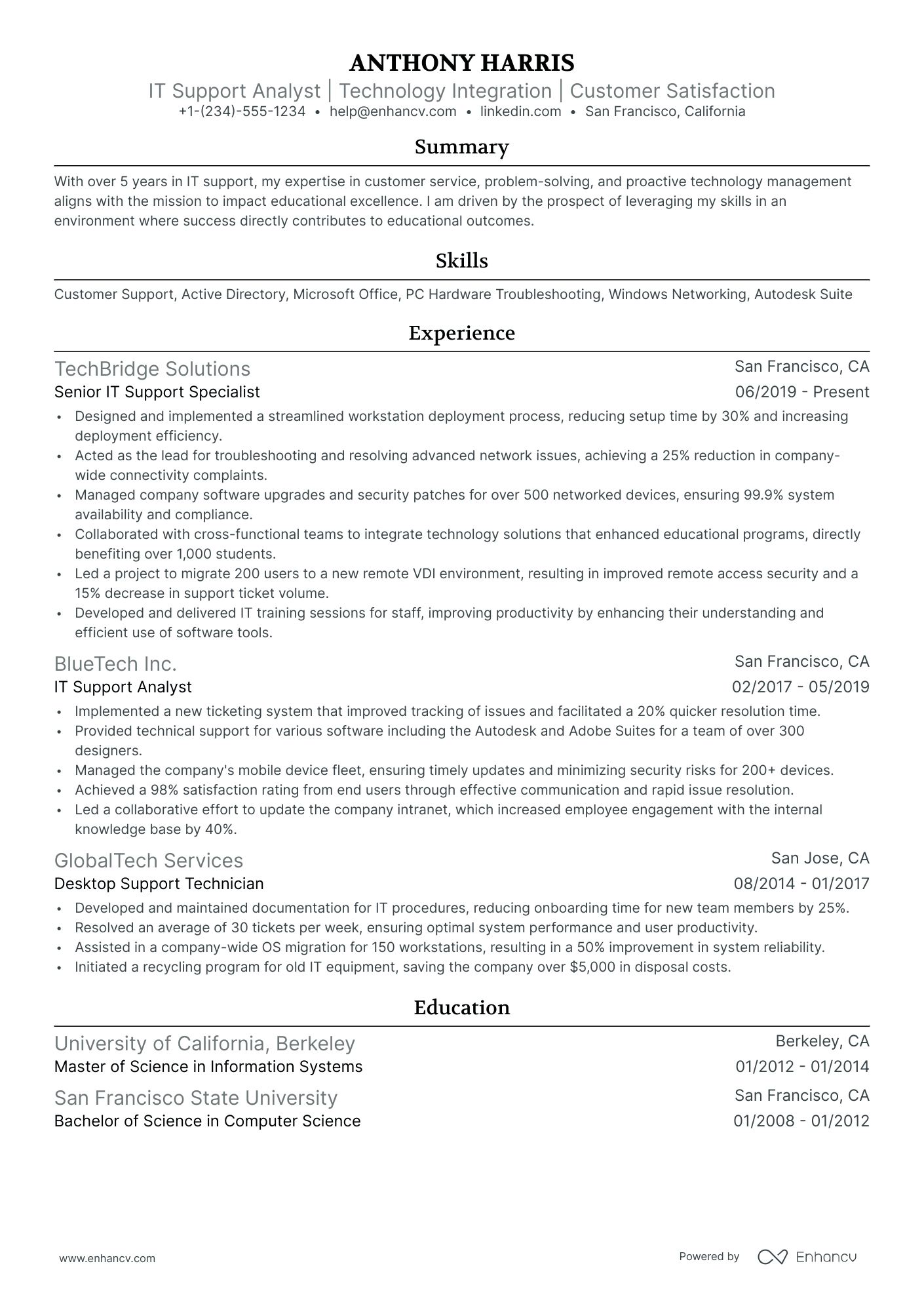
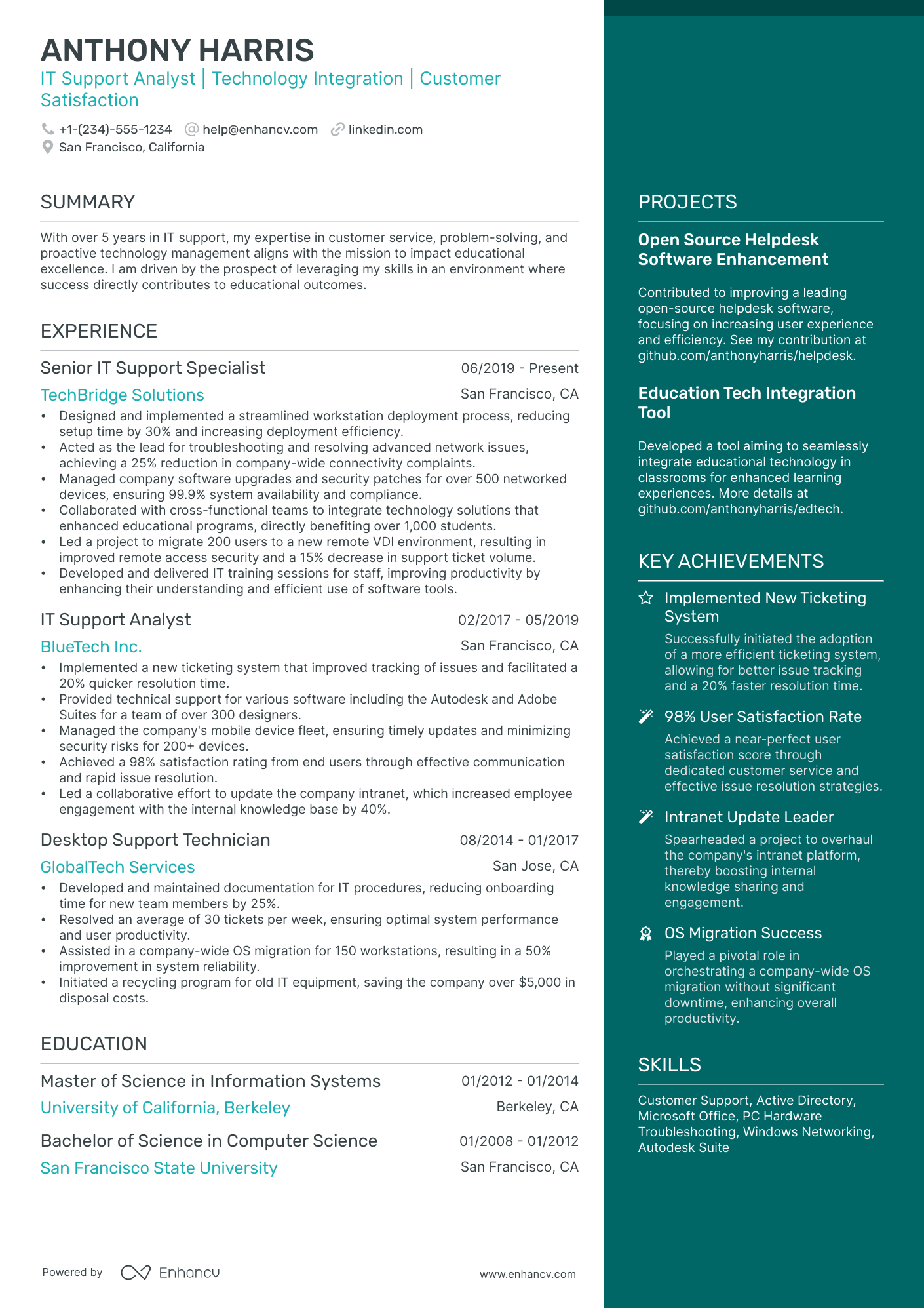
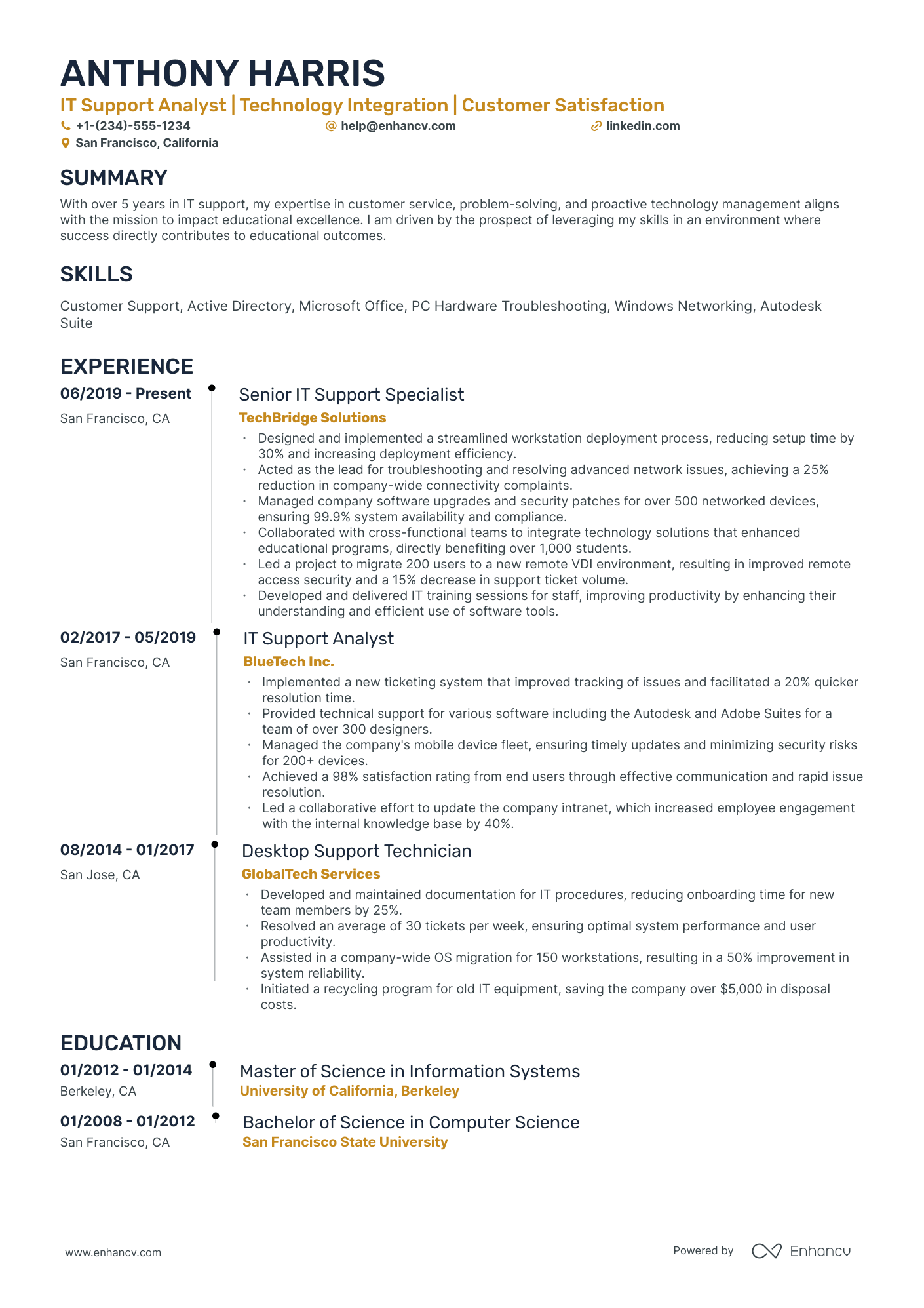
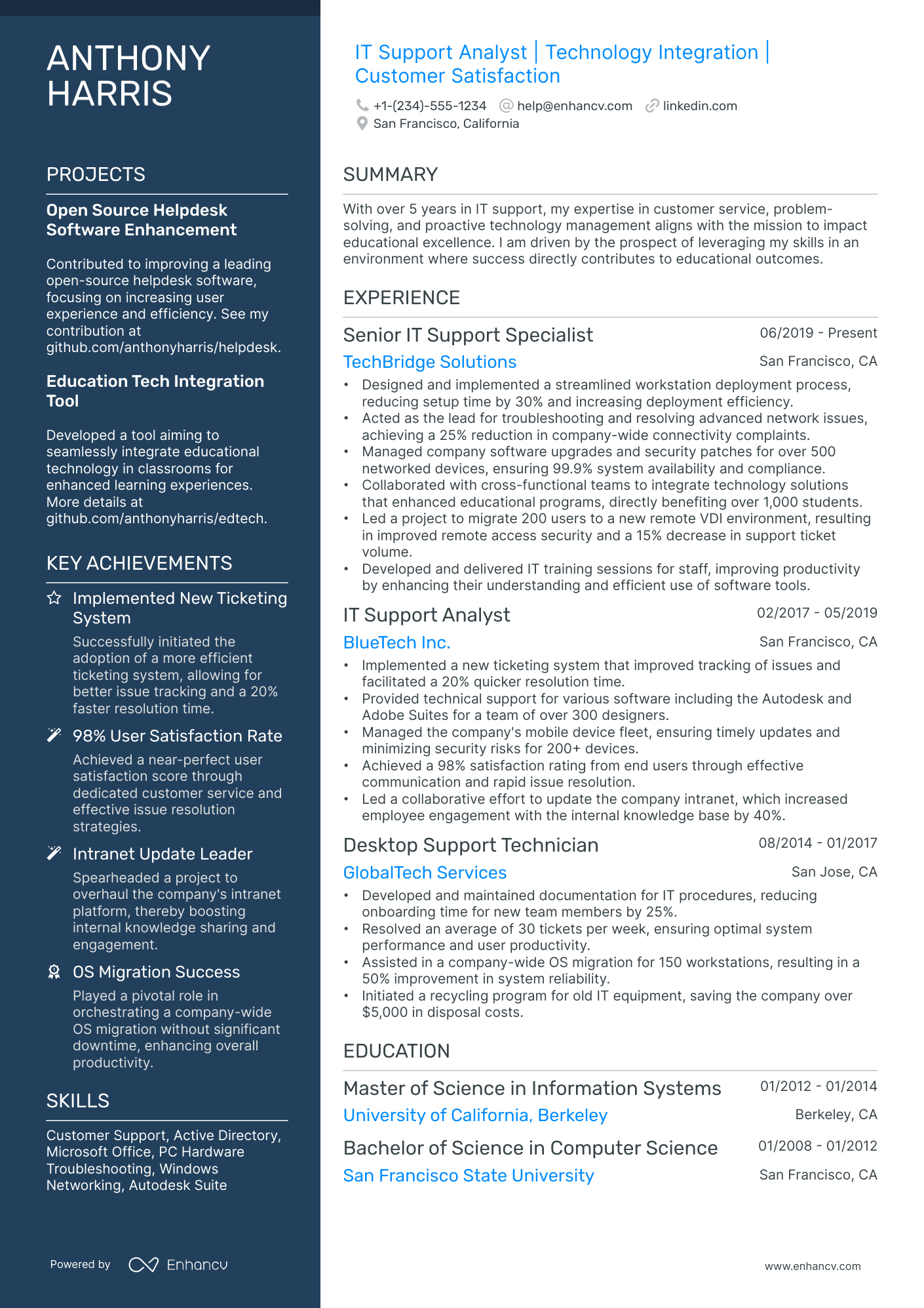
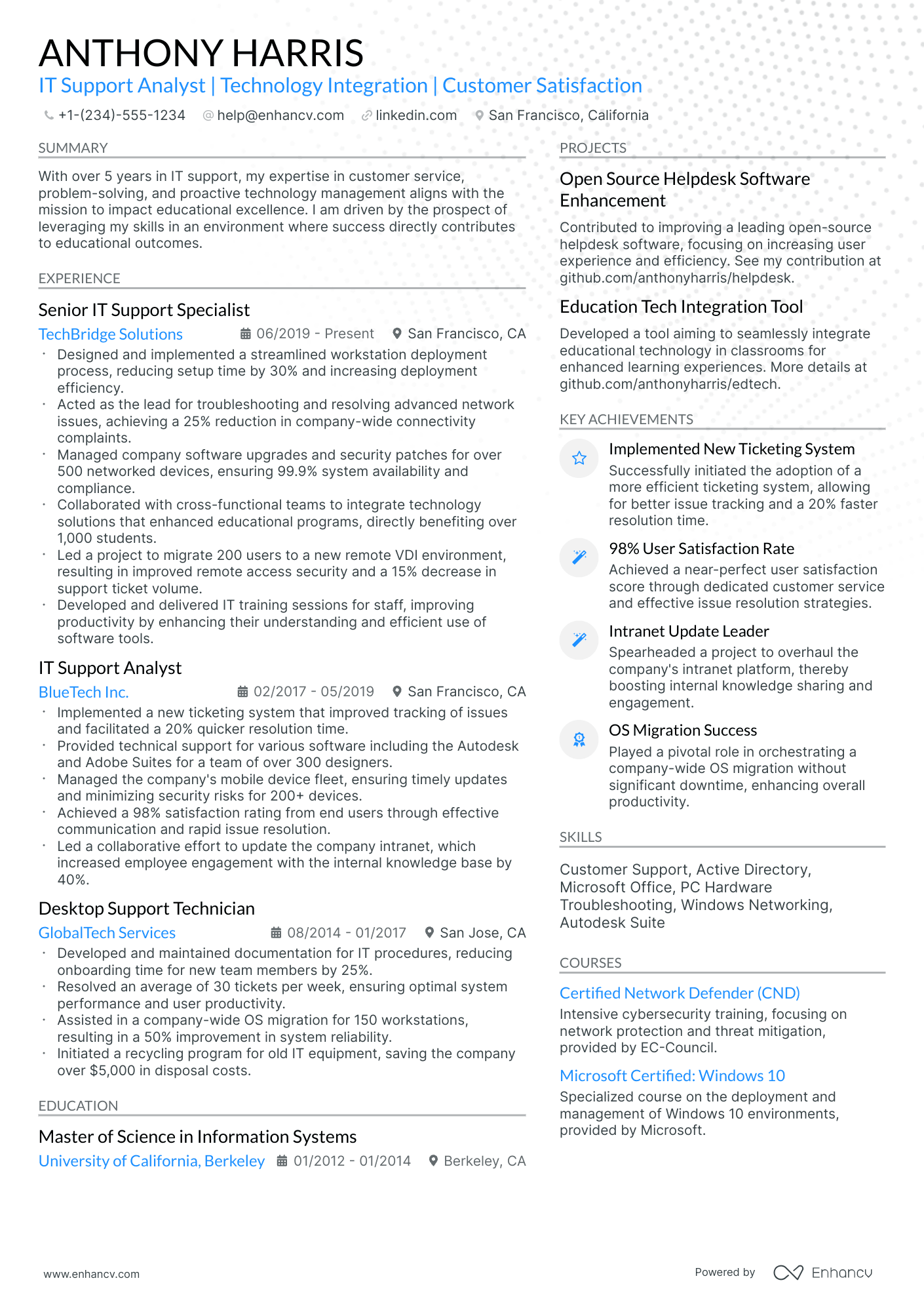
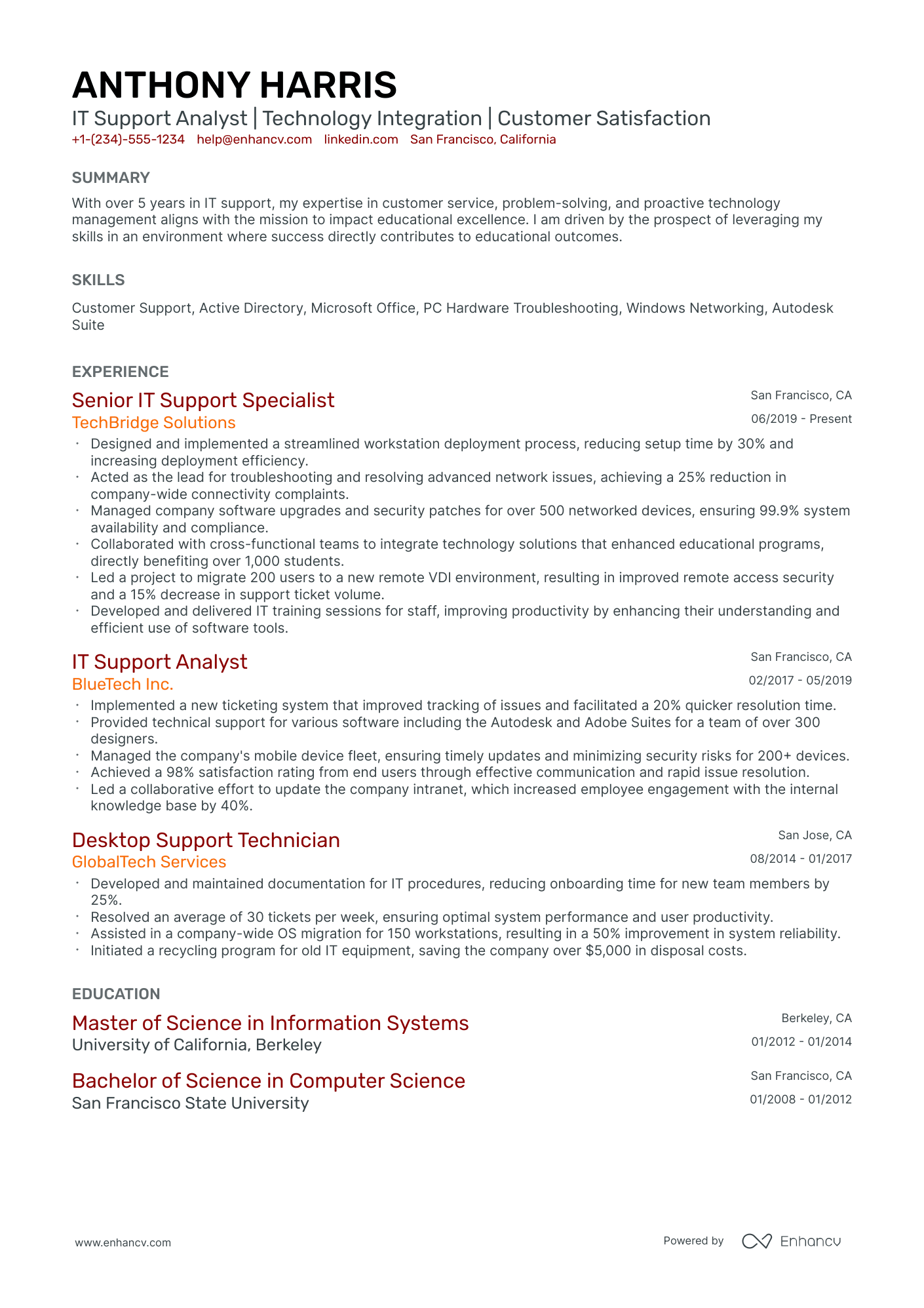
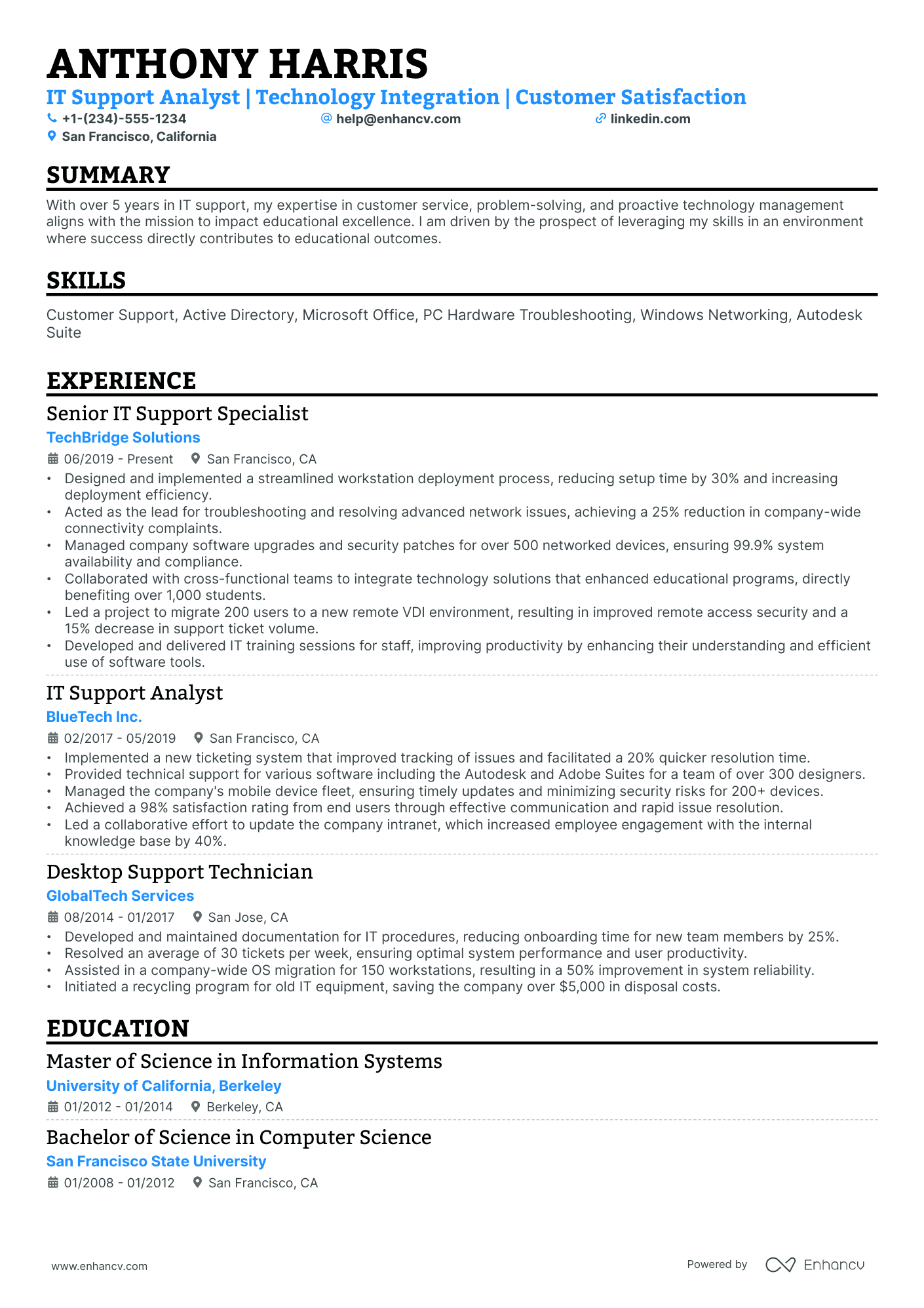
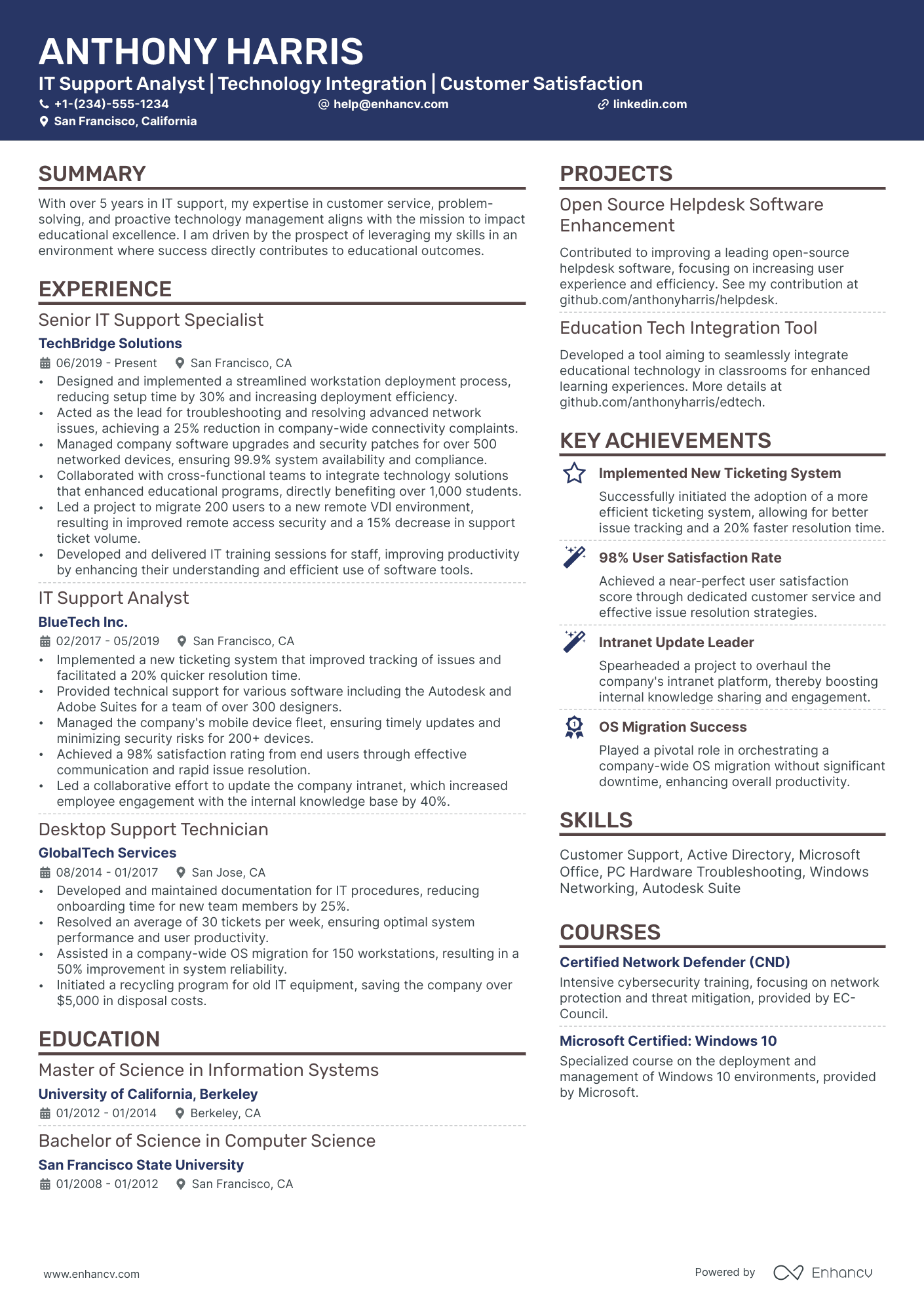
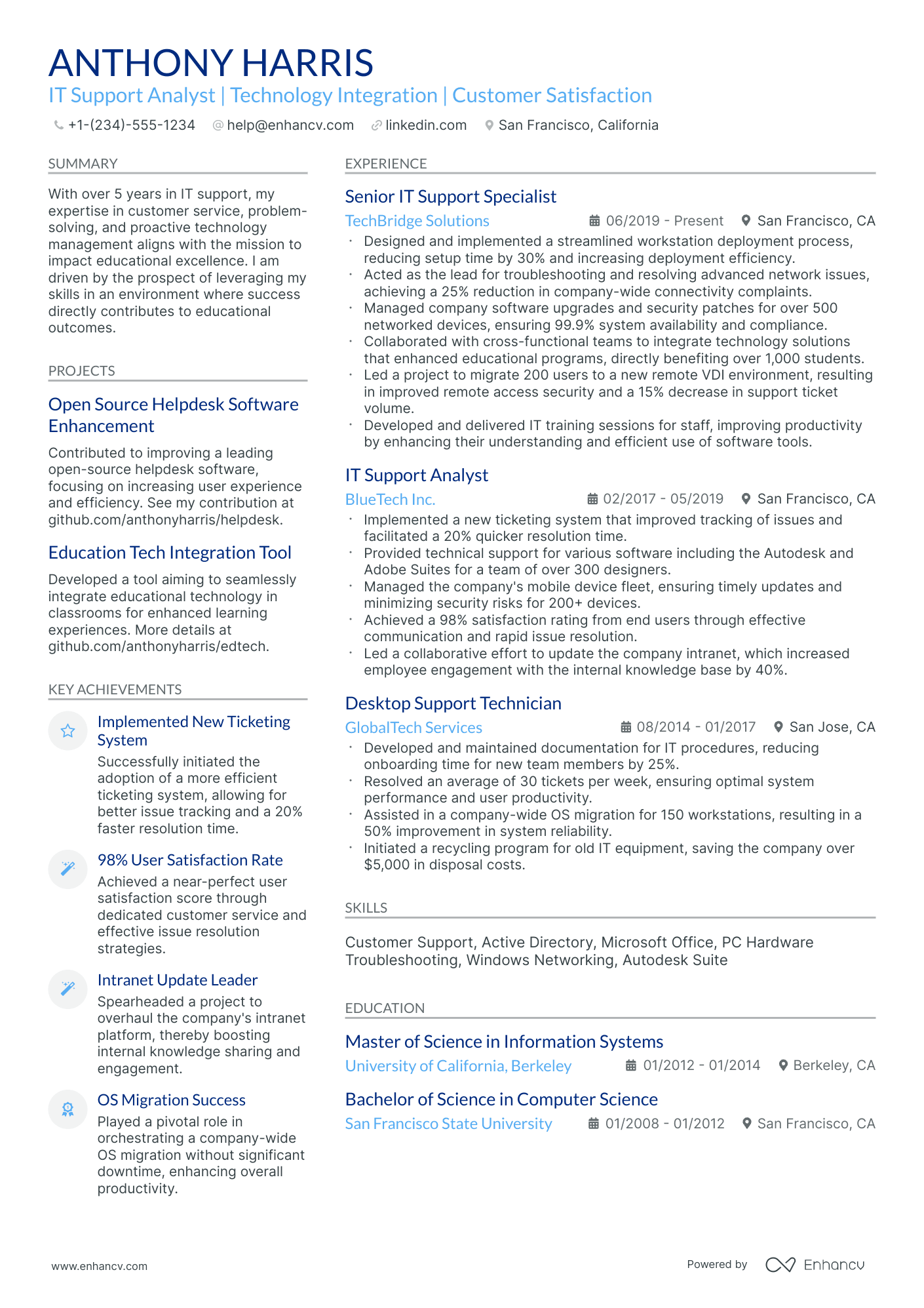
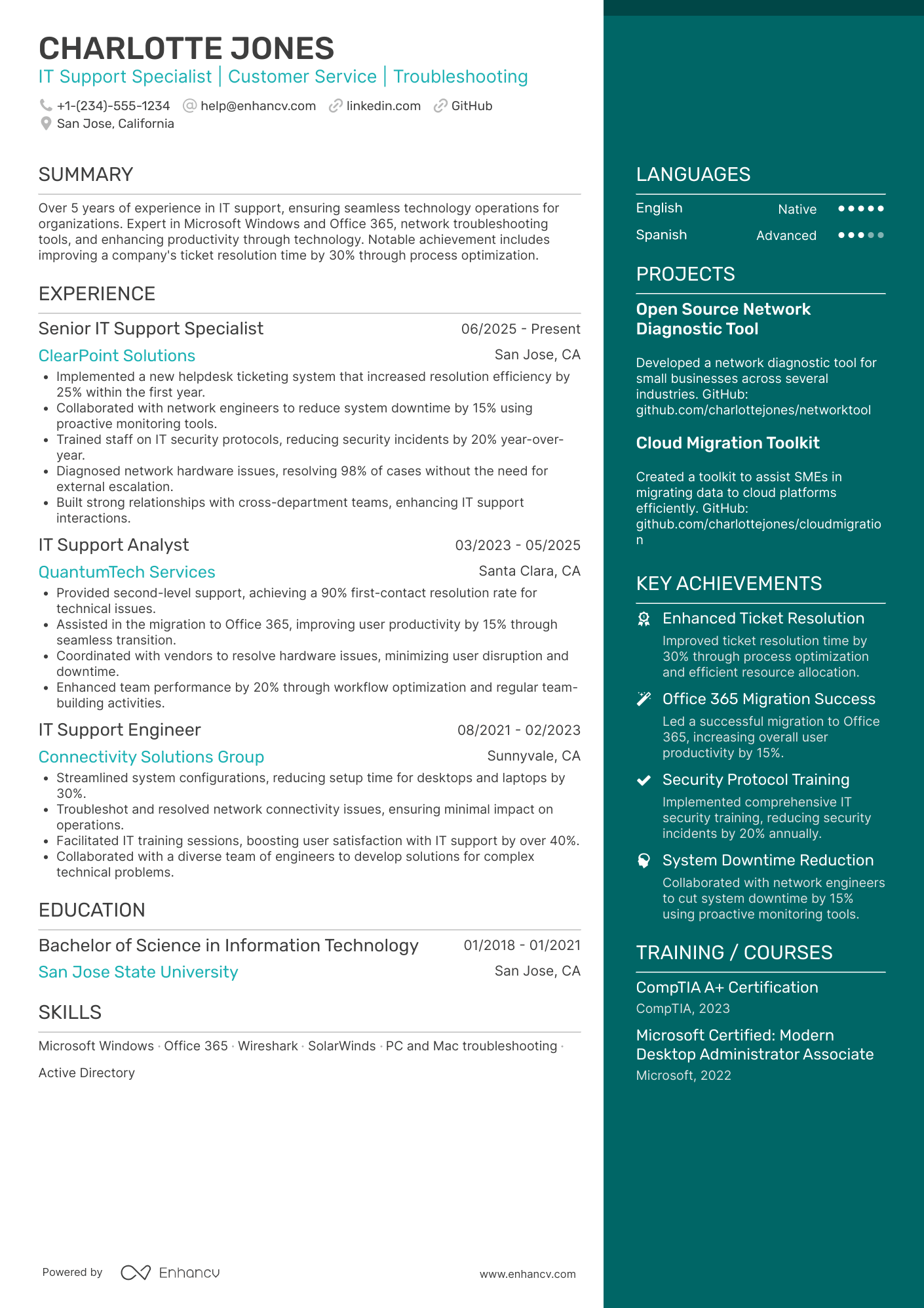
Most IT support analyst resume drafts fail because they list tools and tickets, not the impact behind them. That hurts when an ATS filters by keywords and recruiters scan in seconds amid heavy competition.
A strong resume shows how you improved support outcomes, not just what you used. If you're unsure where to begin, learning how to write a resume from the ground up can help you build a solid foundation. You should highlight faster resolution times, higher first-contact resolution, reduced backlog, fewer repeat incidents, improved customer satisfaction scores, smoother rollouts, and fewer escalations across a defined user base.

Key takeaways
- Quantify support outcomes like resolution time, ticket volume, and satisfaction scores on every bullet.
- Use reverse-chronological format for experienced analysts and hybrid format for career switchers.
- Tailor experience bullets to mirror the exact tools, KPIs, and terminology in each job posting.
- Place certifications like CompTIA A+ or ITIL 4 where they'll reinforce your strongest qualifications.
- Demonstrate skills through measurable results in your experience section, not just a standalone list.
- Build your resume summary around your title, core tools, and one or two proven achievements.
- Use Enhancv to turn vague job duties into focused, metric-driven resume bullets quickly.
Job market snapshot for IT support analysts
We analyzed 787 recent IT support analyst job ads across major US job boards. These numbers help you understand top companies hiring, employment type trends, role specialization trends at a glance.
What level of experience employers are looking for IT support analysts
| Years of Experience | Percentage found in job ads |
|---|---|
| 1–2 years | 17.5% (138) |
| 3–4 years | 14.1% (111) |
| 5–6 years | 6.7% (53) |
| 7–8 years | 0.9% (7) |
| 9–10 years | 0.6% (5) |
| 10+ years | 1.9% (15) |
| Not specified | 58.1% (457) |
IT support analyst ads by area of specialization (industry)
| Industry (Area) | Percentage found in job ads |
|---|---|
| Finance & Banking | 56.3% (443) |
| Healthcare | 19.8% (156) |
| Education | 12.8% (101) |
| Government | 4.3% (34) |
| Manufacturing | 2.5% (20) |
| Retail & E-commerce | 1.3% (10) |
Top companies hiring IT support analysts
| Company | Percentage found in job ads |
|---|---|
| Jack Henry & Associates Inc. | 6.0% (47) |
| Sanford Health | 2.8% (22) |
| PNC Financial Services Group, Inc. | 2.7% (21) |
| UnitedHealth Group Inc. | 2.3% (18) |
| Wells Fargo | 1.5% (12) |
| Accenture | 1.4% (11) |
Role overview stats
These tables show the most common responsibilities and employment types for IT support analyst roles. Use them to align your resume with what employers expect and to understand how the role is structured across the market.
Day-to-day activities and top responsibilities for a IT support analyst
| Responsibility | Percentage found in job ads |
|---|---|
| Microsoft office | 15.2% (120) |
| Sql | 13.7% (108) |
| Itil | 10.7% (84) |
| Excel | 8.9% (70) |
| Windows | 8.6% (68) |
| Active directory | 8.5% (67) |
| Networking | 7.2% (57) |
| Troubleshooting | 6.6% (52) |
| Servicenow | 5.7% (45) |
| Linux | 5.6% (44) |
| Jira | 5.1% (40) |
| Python | 5.1% (40) |
Type of employment (remote vs on-site vs hybrid)
| Employment type | Percentage found in job ads |
|---|---|
| On-site | 61.1% (481) |
| Hybrid | 22.1% (174) |
| Remote | 16.8% (132) |
How to format a IT support analyst resume
Recruiters evaluating IT support analyst candidates prioritize technical troubleshooting skills, ticket resolution metrics, and the ability to support end users across multiple platforms. A clear, well-structured resume format ensures these signals surface quickly during both human review and applicant tracking system (ATS) parsing.

I have significant experience in this role—which format should I use?
Use a reverse-chronological format to present your deepest IT support experience in a clear, progression-driven layout. Do:
- Lead with your most recent role and highlight expanding scope, such as ownership of escalation workflows, infrastructure projects, or cross-departmental support.
- Feature role-specific tools and domains prominently—ticketing systems (ServiceNow, Jira Service Management), remote desktop platforms, Active Directory, and endpoint management suites.
- Quantify outcomes tied to service delivery, resolution efficiency, or system uptime improvements.
I'm junior or switching into this role—what format works best?
A hybrid format works best, allowing you to lead with a focused skills section while still showing relevant experience in chronological order. Do:
- Place a technical skills section near the top of your resume, grouping competencies by category (hardware, software, networking, ticketing systems) so recruiters and ATS tools can identify qualifications immediately.
- Include hands-on projects, internships, lab work, or help desk volunteering that demonstrate real IT support tasks—even if they weren't in a formal analyst role.
- Connect every action to a measurable or observable result so hiring managers can assess your impact potential.
Why not use a functional resume?
A functional format strips away the timeline and context that hiring managers rely on to verify your hands-on support experience, making it harder for them to assess your readiness to handle real ticket volume and user environments.
- A functional resume may be acceptable if you're transitioning from a different technical field (such as network administration or desktop engineering), have a gap in employment, or lack formal IT support analyst titles—but only if you tie every listed skill to specific projects, lab environments, or measurable outcomes.
With your format established, the next step is filling it with the right sections to give hiring managers a complete picture of your qualifications.
What sections should go on a IT support analyst resume
Recruiters expect to see a clean, role-focused resume that proves you can resolve tickets quickly, support end users, and keep systems reliable. Knowing exactly what to put on a resume helps you prioritize the details that matter most for IT support analyst roles.
Use this structure for maximum clarity:
- Header
- Summary
- Experience
- Skills
- Projects
- Education
- Certifications
- Optional sections: Awards, Volunteering, Languages
Strong experience bullets should highlight ticket volume and complexity, resolution time improvements, customer satisfaction, root-cause fixes, and measurable uptime or reliability gains.
Is your resume good enough?
Drop your resume here or choose a file. PDF & DOCX only. Max 2MB file size.
Once you’ve organized your resume with the right components, the next step is writing your IT support analyst experience section to show how you’ve applied those details in real roles.
How to write your IT support analyst resume experience
The experience section is where you prove you've resolved real technical issues, maintained critical systems, and delivered measurable improvements to uptime, response times, or user satisfaction. Hiring managers prioritize demonstrated impact—tickets resolved, systems stabilized, processes streamlined—over descriptive task lists that simply restate a job description. Building a targeted resume ensures each bullet speaks directly to the role you're pursuing.
Each entry should include:
- Job title
- Company and location (or remote)
- Dates of employment (month and year)
Three to five concise bullet points showing what you owned, how you executed, and what outcomes you delivered:
- Ownership scope: the IT environments, help desk queues, hardware fleets, network segments, or end-user populations you were directly accountable for supporting and maintaining.
- Execution approach: the diagnostic tools, ticketing systems, remote support platforms, operating systems, or ITIL-aligned processes you used to triage issues, escalate incidents, and restore service.
- Value improved: the changes you drove in resolution time, system uptime, first-call fix rate, security posture, or end-user experience as a direct result of your troubleshooting and support work.
- Collaboration context: how you partnered with network engineers, security teams, software developers, vendors, or non-technical stakeholders to diagnose root causes, roll out updates, or improve service delivery.
- Impact delivered: the business-level outcomes your support work produced—expressed through reduced downtime, fewer recurring incidents, improved satisfaction scores, or stronger infrastructure reliability rather than a list of daily activities.
Experience bullet formula
A IT support analyst experience example
✅ Right example - modern, quantified, specific.
IT Support Analyst
BrightCart | Remote
2022–Present
Supported a two-hundred-person e-commerce company running a hybrid Windows and macOS environment across three time zones.
- Resolved an average of forty-five weekly tickets in ServiceNow, maintaining a ninety-four percent first-contact resolution rate and cutting median time-to-resolution from eight hours to three hours.
- Automated new-hire provisioning with Microsoft Intune, Azure Active Directory, and Jamf Pro, reducing setup time from two hours to twenty-five minutes per employee and improving day-one readiness to ninety-eight percent.
- Implemented endpoint hardening and patch compliance reporting using Microsoft Defender for Endpoint and Intune, raising thirty-day patch compliance from seventy percent to ninety-six percent and reducing malware incidents by forty percent.
- Partnered with engineering and security to streamline incident triage in Jira and Slack, improving escalation handoff time by thirty percent and reducing repeat incidents by twenty-two percent through root-cause documentation.
- Built and maintained a Confluence knowledge base and standard operating procedures for common issues, increasing self-service deflection by eighteen percent and improving customer satisfaction score from 4.4 to 4.7 out of five.
Now that you've seen how a strong experience section comes together, let's focus on adjusting those details to match the specific job posting you're targeting.
How to tailor your IT support analyst resume experience
Recruiters evaluate your IT support analyst resume through applicant tracking systems and manual review, scanning for alignment with posted requirements. Tailoring your resume to the job description increases your chances of passing both filters.
Ways to tailor your IT support analyst experience:
- Match specific help desk tools and ticketing systems named in the posting.
- Mirror the exact ITIL or ITSM terminology the employer uses.
- Reflect resolution time or first-call resolution KPIs the role prioritizes.
- Highlight experience with the operating systems and platforms they list.
- Include relevant industry experience when the posting specifies a sector.
- Emphasize SLA compliance and service quality standards if referenced.
- Align your escalation and triage workflows with their support model.
- Reference remote support or enterprise deployment frameworks they mention.
Tailoring means aligning your real accomplishments with what the employer asks for, not forcing keywords where they don't belong.
Resume tailoring examples for IT support analyst
| Job description excerpt | Untailored | Tailored |
|---|---|---|
| Provide Tier 1 and Tier 2 support for Windows 10/11 environments, troubleshoot Active Directory issues, and manage user accounts via Azure AD. | Helped users with computer problems and account issues. | Delivered Tier 1 and Tier 2 support across 500+ Windows 10/11 endpoints, resolving Active Directory and Azure AD account issues with a 94% first-contact resolution rate. |
| Monitor and respond to tickets in ServiceNow, ensuring SLA compliance for hardware, software, and network connectivity incidents across three office locations. | Responded to IT tickets and fixed technical issues for employees. | Triaged and resolved an average of 45 weekly ServiceNow tickets covering hardware, software, and network connectivity incidents across three office locations, maintaining 98% SLA compliance. |
| Image and deploy laptops using SCCM, support VPN connectivity for remote staff, and document troubleshooting procedures in the internal knowledge base. | Set up new computers and helped remote workers connect to the network. | Imaged and deployed 30+ laptops per month using SCCM, troubleshot Cisco AnyConnect VPN issues for 200 remote staff, and authored 15 knowledge base articles that reduced repeat ticket volume by 20%. |
Once your experience aligns with the role’s requirements, quantify your IT support analyst achievements to show the impact of that work with clear, measurable results.
How to quantify your IT support analyst achievements
Quantifying your achievements shows how your support work improves speed, reliability, and security. Focus on ticket volume, resolution time, first-contact resolution, uptime impact, customer satisfaction, and risk reduction across tools like ServiceNow, Microsoft Intune, and Active Directory.
Quantifying examples for IT support analyst
| Metric | Example |
|---|---|
| Throughput | "Resolved 45–60 ServiceNow tickets weekly across Windows, Microsoft 365, and VPN issues while maintaining accurate categorization and documentation." |
| Resolution speed | "Cut average time to resolution from 14 hours to 6 hours by standardizing triage, building KB articles, and using remote tools like BeyondTrust." |
| Quality | "Raised first-contact resolution from 58% to 76% by expanding scripts for password resets, printer mapping, and Microsoft Teams troubleshooting." |
| Reliability | "Reduced repeat incidents by 22% by identifying a faulty driver rollout and coordinating a staged rollback through Microsoft Intune." |
| Security risk | "Closed 180 stale Active Directory accounts in two weeks and reduced account-related audit findings from five to zero in the next review." |
Turn vague job duties into measurable, recruiter-ready resume bullets in seconds with Enhancv's Bullet Point Generator.
Once you've crafted strong bullet points for your experience section, the next step is ensuring your resume also highlights the right hard and soft skills that IT support analyst hiring managers are looking for.
How to list your hard and soft skills on a IT support analyst resume
Your skills section shows you can resolve incidents fast, support end users, and keep systems reliable—recruiters and an ATS (applicant tracking system) scan this section for role keywords—so aim for a practical mix of hard skills and job-specific soft skills. IT support analyst roles require a blend of:
- Product strategy and discovery skills.
- Data, analytics, and experimentation skills.
- Delivery, execution, and go-to-market discipline.
- Soft skills.
Your skills section should be:
- Scannable (bullet-style grouping).
- Relevant to the job post.
- Backed by proof in experience bullets.
- Updated with current tools.
Place your skills section:
- Above experience if you're junior or switching careers.
- Below experience if you're mid/senior with strong achievements.

Hard skills
- Windows, macOS troubleshooting
- Microsoft 365, Exchange Online
- Active Directory, Group Policy
- Entra ID, single sign-on
- ServiceNow incident management
- Jira Service Management
- Remote support: Intune, TeamViewer
- TCP/IP, DNS, DHCP
- VPN, Wi-Fi troubleshooting
- PowerShell scripting
- Endpoint security: Defender, BitLocker
Soft skills
- Triage and prioritize tickets
- Ask targeted diagnostic questions
- Explain technical issues clearly
- Document fixes and runbooks
- Set expectations and timelines
- Escalate with complete context
- Collaborate with network and security teams
- Manage high-volume queues
- Own issues through resolution
- Stay calm during outages
- Follow change and approval processes
How to show your IT support analyst skills in context
Skills shouldn't live only in a dedicated skills list. You can explore common resume skills by role to see how other IT professionals present their competencies effectively.
They should be demonstrated in:
- Your summary (high-level professional identity)
- Your experience (proof through outcomes)
Here's what strong, skill-rich entries look like in practice.
Summary example
Senior IT support analyst with eight years in healthcare IT. Skilled in ITIL-based incident management, Active Directory, and Azure administration. Reduced average ticket resolution time by 34% through automation and cross-team collaboration.
- Reflects senior-level experience clearly
- Names role-relevant tools and frameworks
- Leads with a measurable outcome
- Highlights collaboration as a soft skill
Experience example
IT Support Analyst
Brevian Health Systems | Remote
March 2020–Present
- Resolved 12,000+ tickets annually using ServiceNow, maintaining a 97% first-contact resolution rate across distributed teams.
- Partnered with network engineers to migrate 800 endpoints to Azure AD, cutting provisioning time by 40%.
- Developed internal knowledge base articles that reduced repeat incidents by 22%, improving help desk efficiency organization-wide.
- Every bullet includes measurable proof
- Skills surface naturally through real outcomes
Once you’ve demonstrated your IT support analyst strengths through real examples, the next step is applying that same approach to build an IT support analyst resume with no experience, so your skills still come through clearly.
How do I write a IT support analyst resume with no experience
Even without full-time experience, you can demonstrate readiness through:
- Home lab Windows troubleshooting tickets
- Volunteer help desk for nonprofits
- Campus IT support work-study shifts
- Personal device repair and imaging
- Customer service roles using ticketing
- CompTIA A+ or Google IT Support
- Remote support practice via virtual machines
- Documented troubleshooting guides and runbooks
If you're starting from scratch, our guide on building a resume without work experience walks you through how to make these non-traditional entries count.
Focus on:
- Ticketing workflows and documentation quality
- Windows, macOS, and basic networking
- Measurable outcomes and resolution rates
- Tools: Active Directory, ServiceNow
Resume format tip for entry-level IT support analyst
Use a hybrid resume format because it highlights skills and projects first while still showing work history, even if it is not IT support analyst work. Do:
- Add a "Projects" section above work history.
- Match keywords to the job description.
- Quantify results: tickets, time, uptime.
- List tools used: ServiceNow, Active Directory.
- Include certifications with earned dates.
- Built a Windows home lab, logged 25 ServiceNow-style tickets, and cut average resolution time from 45 to 20 minutes using repeatable troubleshooting steps and documentation.
Even without professional experience, your education section can demonstrate the technical foundation and relevant knowledge that qualify you for an IT support analyst role.
How to list your education on a IT support analyst resume
Your education section helps hiring teams confirm you have the foundational knowledge needed for an IT support analyst role. It validates technical training and academic preparation quickly.
Include:
- Degree name
- Institution
- Location
- Graduation year
- Relevant coursework (for juniors or entry-level candidates)
- Honors & GPA (if 3.5 or higher)
Avoid listing specific months or days for graduation. Use the year only to keep things clean and consistent.
Here's a strong education entry tailored to an IT support analyst resume.
Example education entry
Bachelor of Science in Information Technology
George Mason University, Fairfax, VA
Graduated 2022
GPA: 3.7/4.0
- Relevant Coursework: Network Administration, Operating Systems, Database Management, IT Service Management, Cybersecurity Fundamentals
- Honors: Dean's List (six semesters), Magna Cum Laude
How to list your certifications on a IT support analyst resume
Certifications on your resume show your commitment to learning, prove tool proficiency, and signal industry relevance for an IT support analyst. They also help hiring teams trust your ability to troubleshoot, document, and support users.
Include:
- Certificate name
- Issuing organization
- Year
- Optional: credential ID or URL
- Place certifications below education when your degree is recent and aligns with IT support analyst work.
- Place certifications above education when they are recent, highly relevant, or your education is older or unrelated to IT support analyst roles.
Best certifications for your IT support analyst resume
CompTIA A+ CompTIA Network+ CompTIA Security+ ITIL 4 Foundation Microsoft Certified: Azure Fundamentals Microsoft 365 Certified: Fundamentals Cisco Certified Support Technician (CCST) Networking
Once you’ve positioned your certifications where recruiters can spot them quickly, use your IT support analyst resume summary to tie those credentials to the value you deliver in the role.
How to write your IT support analyst resume summary
Your resume summary is the first thing a recruiter reads, so it needs to earn attention fast. A strong opening positions you as a capable IT support analyst worth interviewing.
Keep it to three to four lines, with:
- Your title and total years of experience in IT support or help desk roles.
- The domain or industry you've worked in, such as healthcare, finance, or SaaS.
- Core tools and technologies like ServiceNow, Active Directory, JIRA, or Office 365.
- One or two measurable achievements, such as reduced ticket resolution time or improved satisfaction scores.
- Soft skills tied to real outcomes, like clear communication that lowered repeat ticket volume.

PRO TIP
At this level, emphasize technical skills, tooling proficiency, and any early wins that show you deliver results. Quantify where you can, even with small numbers. Avoid vague phrases like "passionate team player" or "quick learner." Recruiters want proof of what you've done, not promises about what you could do.
Example summary for a IT support analyst
IT support analyst with two years of experience resolving 40+ daily tickets using ServiceNow and Active Directory. Reduced average resolution time by 18% through improved troubleshooting workflows across a 500-user corporate environment.
Optimize your resume summary and objective for ATS
Drop your resume here or choose a file.
PDF & DOCX only. Max 2MB file size.
Now that your summary highlights your strongest qualifications, make sure your header presents your contact details correctly so recruiters can actually reach you.
What to include in a IT support analyst resume header
A resume header lists your key contact and professional details, helping IT support analyst candidates boost visibility, build credibility, and pass recruiter screening fast.
Essential resume header elements
- Full name
- Tailored job title and headline
- Location
- Phone number
- Professional email
- GitHub link
- Portfolio link
A LinkedIn link helps recruiters verify experience quickly and supports screening.
Do not include photos on a IT support analyst resume unless the role is explicitly front-facing or appearance-dependent.
Keep your header to two lines, match your job title to the posting, and use consistent formatting so recruiters can scan it in seconds.
Example
IT support analyst resume header
Jordan Patel
IT support analyst | Help desk support, ticketing systems, and Windows troubleshooting
Austin, TX
(512) 555-01XX | your.name@enhancv.com | github.com/yourname | yourwebsite.com | linkedin.com/in/yourname
Once your contact details and key identifiers are clear at the top, add relevant additional sections to strengthen your IT support analyst resume with supporting information.
Additional sections for IT support analyst resumes
When your core qualifications match other candidates, additional sections help you stand out by showcasing unique strengths relevant to IT support analyst roles.
- Languages
- Certifications and training
- Hobbies and interests
- Volunteer experience
- Professional affiliations
- Awards and recognition
- Conference presentations
Once you've strengthened your resume with relevant extra sections, pairing it with a well-crafted cover letter can further set your application apart.
Do IT support analyst resumes need a cover letter
A cover letter isn't required for an IT support analyst, but it often helps in competitive roles or teams with strict hiring expectations. If you're unsure where to start, understanding what a cover letter is and how it complements your resume can clarify when it's worth writing one. It can make a difference when your resume needs context, or when you want to show clear fit.
Use a cover letter when it adds information your resume can't:
- Explain role or team fit by matching your experience to their support model, tools, and service expectations.
- Highlight one or two relevant projects or outcomes, such as reduced ticket backlog, improved first-contact resolution, or faster onboarding.
- Show understanding of the product, users, or business context by referencing their customer types, workflows, and common support pain points.
- Address career transitions or non-obvious experience by connecting past roles to IT support analyst tasks, like triage, documentation, and stakeholder communication.
Drop your resume here or choose a file.
PDF & DOCX only. Max 2MB file size.
Even if you skip a cover letter, you still need your resume to make a strong first impression—next, we’ll cover how to use AI to improve your IT support analyst resume.
Using AI to improve your IT support analyst resume
AI can sharpen your resume's clarity, structure, and overall impact. It helps identify weak phrasing and missed keywords. But overuse makes resumes sound robotic. Once your content feels clear and role-aligned, step away from AI. If you're curious about where to start, explore ChatGPT resume writing prompts designed to help you draft and refine each section.
Here are 10 practical prompts to strengthen specific sections of your IT support analyst resume:
- Strengthen your summary. "Rewrite my IT support analyst resume summary to highlight technical skills, ticket resolution experience, and customer service strengths in three concise sentences."
- Quantify your impact. "Add measurable results to these IT support analyst experience bullets, focusing on ticket volume, resolution time, and user satisfaction metrics."
- Improve action verbs. "Replace weak verbs in my IT support analyst experience section with strong, specific action verbs that convey technical problem-solving."
- Align with job postings. "Compare my IT support analyst resume skills section against this job description and identify missing keywords I should include."
- Tighten bullet points. "Shorten each IT support analyst experience bullet to one line while keeping the core achievement and technical context intact."
- Refine technical skills. "Organize my IT support analyst skills section into clear categories like operating systems, networking, hardware, and ticketing tools."
- Highlight relevant certifications. "Rewrite my IT support analyst certifications section to emphasize relevance to help desk operations and infrastructure support roles."
- Showcase key projects. "Describe this IT support analyst project using a concise problem-action-result format that emphasizes efficiency gains or cost savings."
- Polish education details. "Rewrite my IT support analyst education section to spotlight coursework, labs, or capstone projects directly related to technical support."
- Remove filler language. "Identify and remove vague or redundant phrases from my IT support analyst resume that don't add specific value or meaning."
Stop using AI once your resume sounds accurate, specific, and aligned with real experience. AI should never invent experience or inflate claims—if it didn't happen, it doesn't belong here.
Conclusion
A strong IT support analyst resume proves impact with measurable outcomes, role-specific skills, and a clear structure. Use metrics like ticket volume, resolution time, first-contact resolution, and customer satisfaction. Highlight troubleshooting, incident management, documentation, and communication.
Keep sections easy to scan so hiring teams can confirm fit fast. Show steady results across tools, systems, and service workflows. This approach signals readiness for today’s hiring market and the near-future pace of support work.