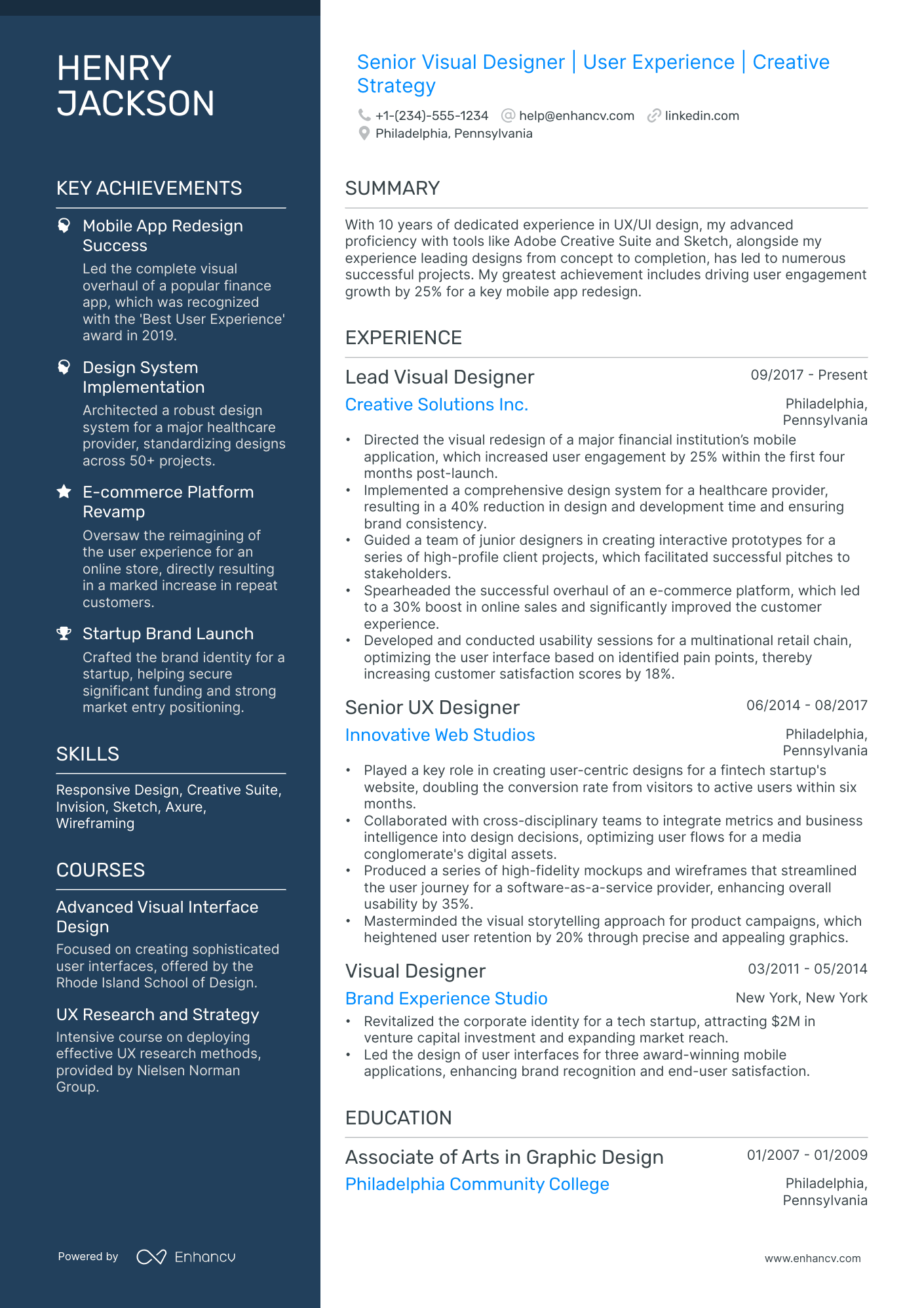
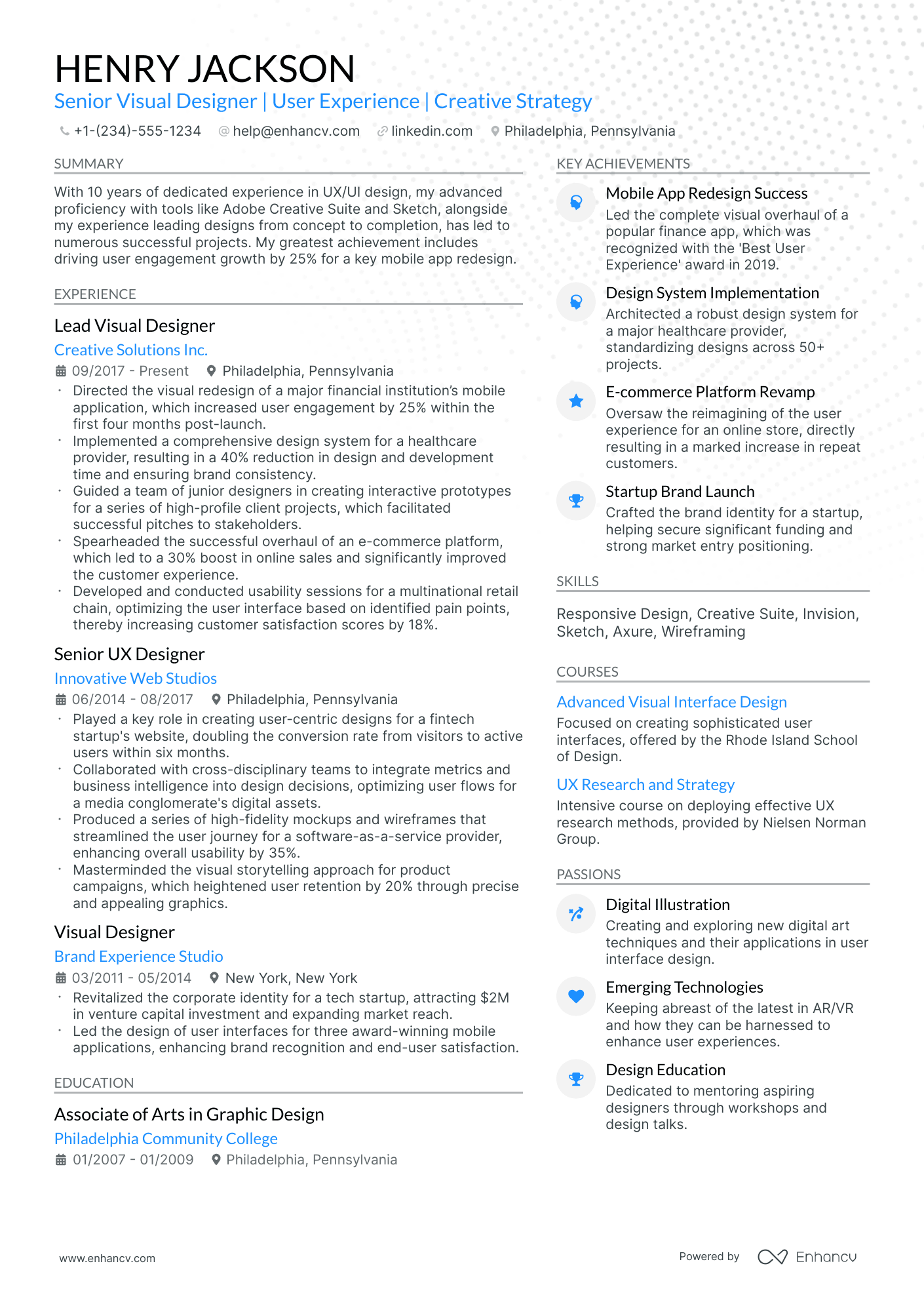
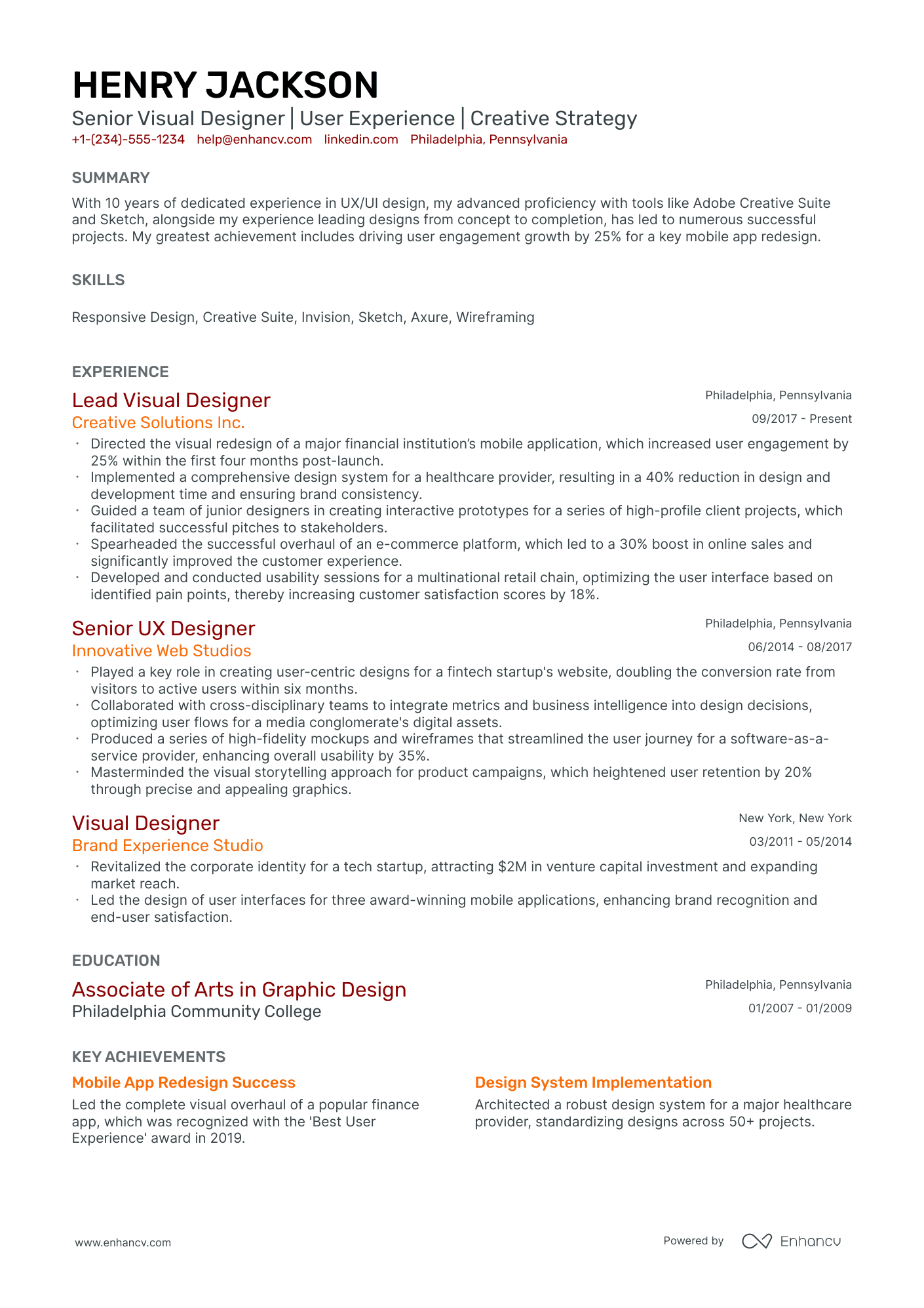
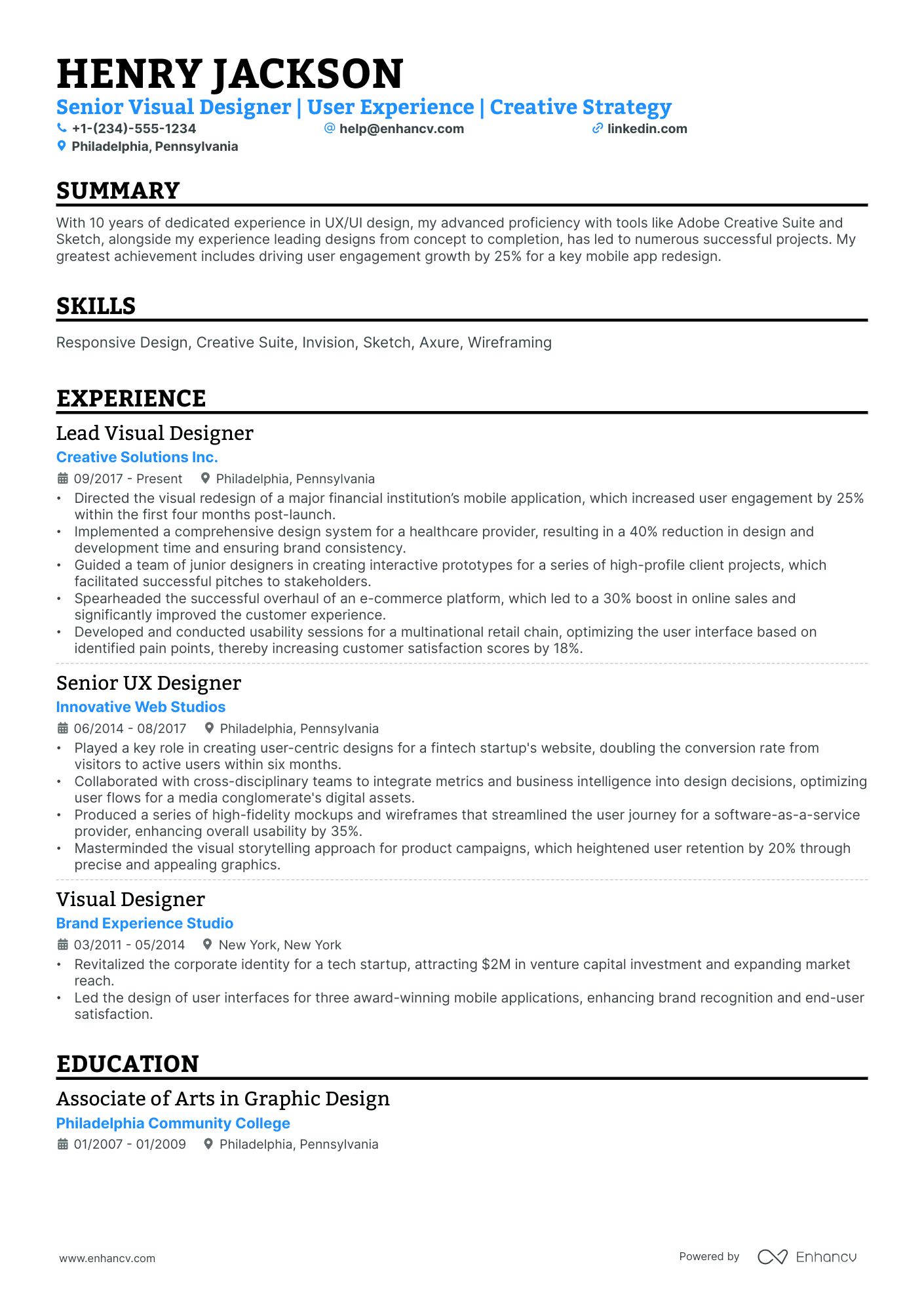
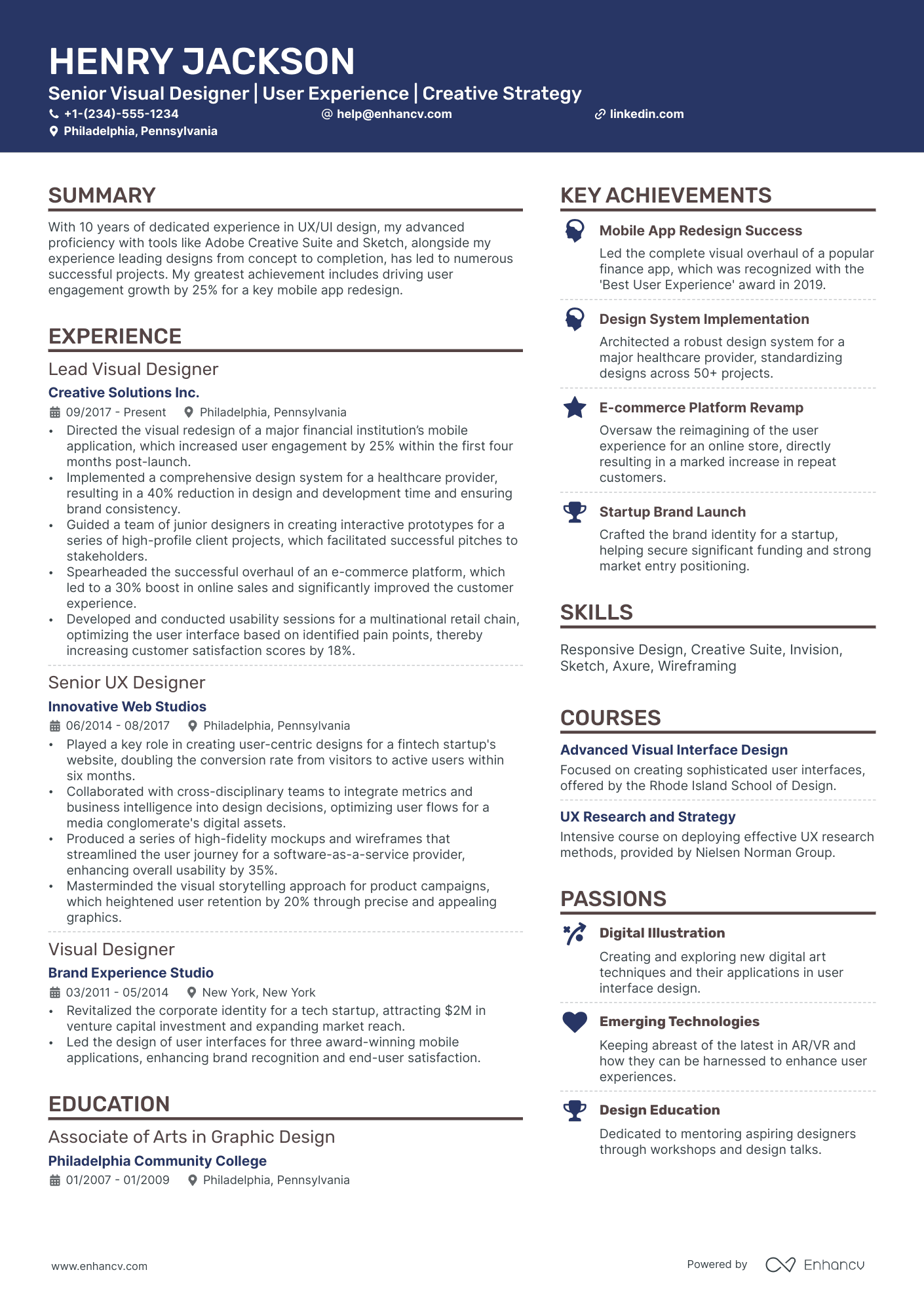
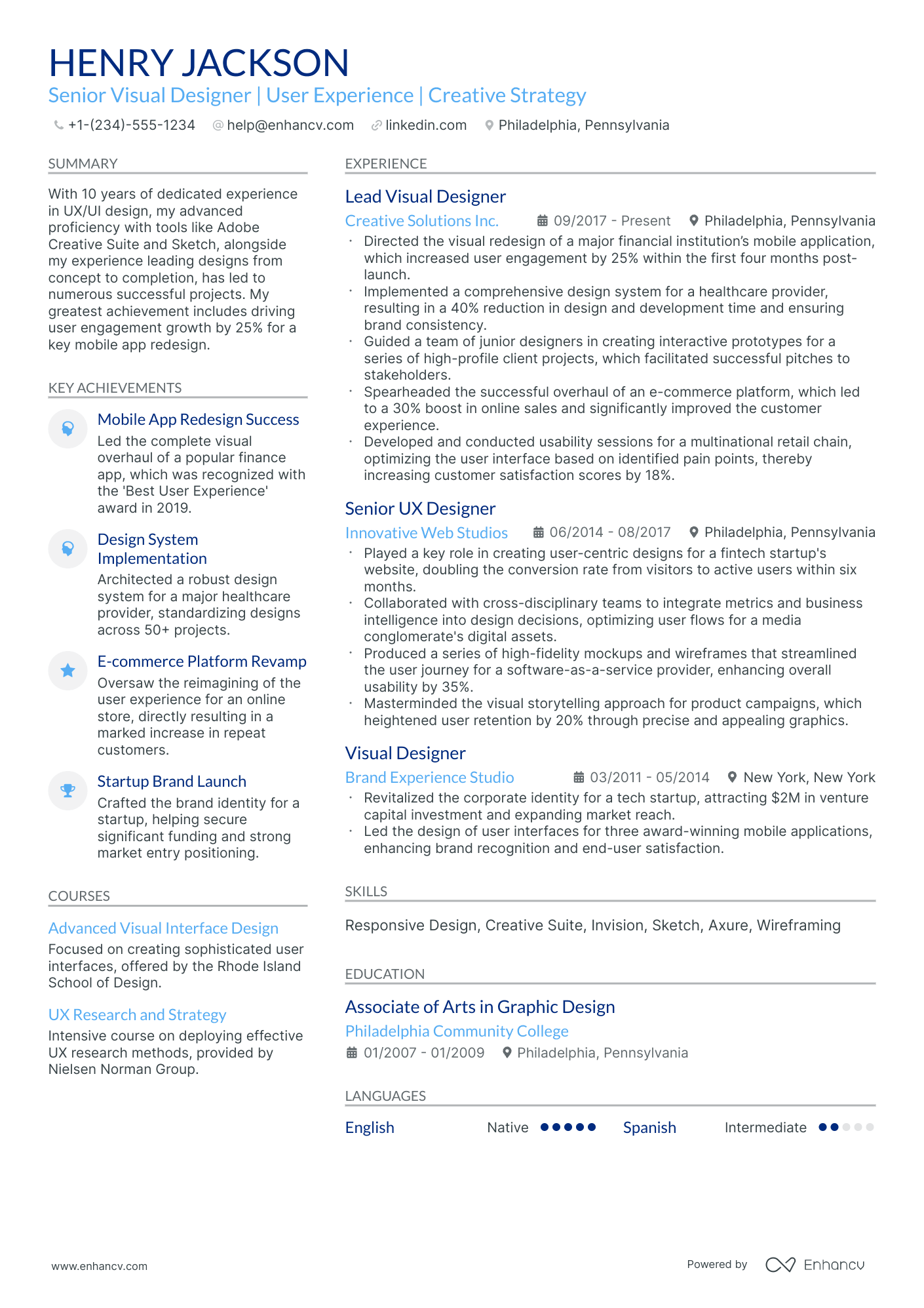
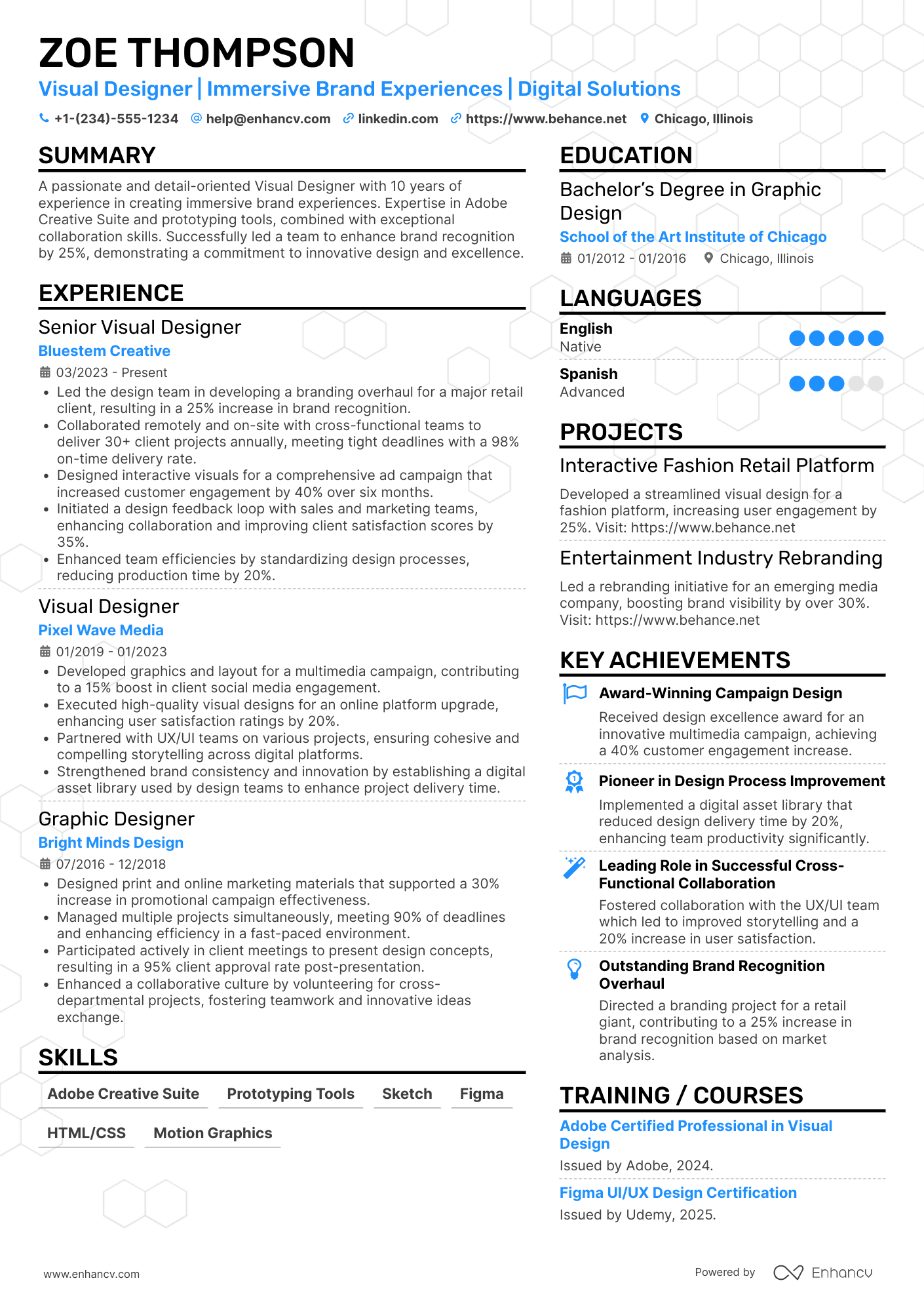
Many visual designer resume submissions fail because they read like tool inventories and generic tasks, so impact gets buried. In today's fast screens, ATS filtering and quick recruiter scans reward clear outcomes and relevance amid heavy competition.
A strong resume proves what you changed, not what you used. Knowing how to make your resume stand out means highlighting measurable lifts in engagement or conversion, faster delivery across campaigns, improved accessibility scores, reduced revisions, and design systems that scaled across products.

Key takeaways
- Anchor every experience bullet to a measurable outcome, not a task description.
- Choose reverse-chronological format for experienced designers and hybrid format for career changers.
- Tailor your resume to each job posting by mirroring its exact tools, metrics, and terminology.
- Place a portfolio link with case studies in your header so recruiters find proof immediately.
- Demonstrate skills through quantified results in your experience section, not just a skills list.
- Use AI tools like Enhancv to tighten language and align content, then stop before it sounds generic.
- Pair certifications with education to validate current, verified proficiency in role-specific tools.
Job market snapshot for visual designers
We analyzed 130 recent visual designer job ads across major US job boards. These numbers help you understand employment type trends, career growth patterns, regional hotspots at a glance.
What level of experience employers are looking for visual designers
| Years of Experience | Percentage found in job ads |
|---|---|
| 1–2 years | 9.2% (12) |
| 3–4 years | 10.8% (14) |
| 5–6 years | 11.5% (15) |
| 7–8 years | 6.9% (9) |
| 9–10 years | 0.8% (1) |
| 10+ years | 3.1% (4) |
| Not specified | 57.7% (75) |
Visual designer ads by area of specialization (industry)
| Industry (Area) | Percentage found in job ads |
|---|---|
| Manufacturing | 36.9% (48) |
| Finance & Banking | 27.7% (36) |
| Healthcare | 16.2% (21) |
| Retail & E-commerce | 7.7% (10) |
Top companies hiring visual designers
| Company | Percentage found in job ads |
|---|---|
| Deloitte | 33.1% (43) |
Role overview stats
These tables show the most common responsibilities and employment types for visual designer roles. Use them to align your resume with what employers expect and to understand how the role is structured across the market.
Day-to-day activities and top responsibilities for a visual designer
| Responsibility | Percentage found in job ads |
|---|---|
| Figma | 67.7% (88) |
| Design systems | 42.3% (55) |
| Animation | 40.0% (52) |
| Graphic design | 38.5% (50) |
| Sketch | 34.6% (45) |
| Zeplin | 33.8% (44) |
| Adobe cc | 33.1% (43) |
| Information architecture | 33.1% (43) |
| Invision | 33.1% (43) |
| Style guide creation | 33.1% (43) |
| Motion design | 30.0% (39) |
| Interaction design | 28.5% (37) |
Type of employment (remote vs on-site vs hybrid)
| Employment type | Percentage found in job ads |
|---|---|
| On-site | 67.7% (88) |
| Hybrid | 16.2% (21) |
| Remote | 16.2% (21) |
How to format a visual designer resume
Recruiters evaluating visual designer resumes prioritize a strong portfolio link, demonstrated proficiency in tools like Figma and Adobe Creative Suite, and evidence of design thinking applied to real business problems. Your resume format determines how quickly a recruiter can locate these signals, so choosing the right structure ensures your creative skills and project impact aren't buried beneath unnecessary formatting. A well-chosen resume layout also reinforces the visual consistency recruiters expect from a designer.

I have significant experience in this role—which format should I use?
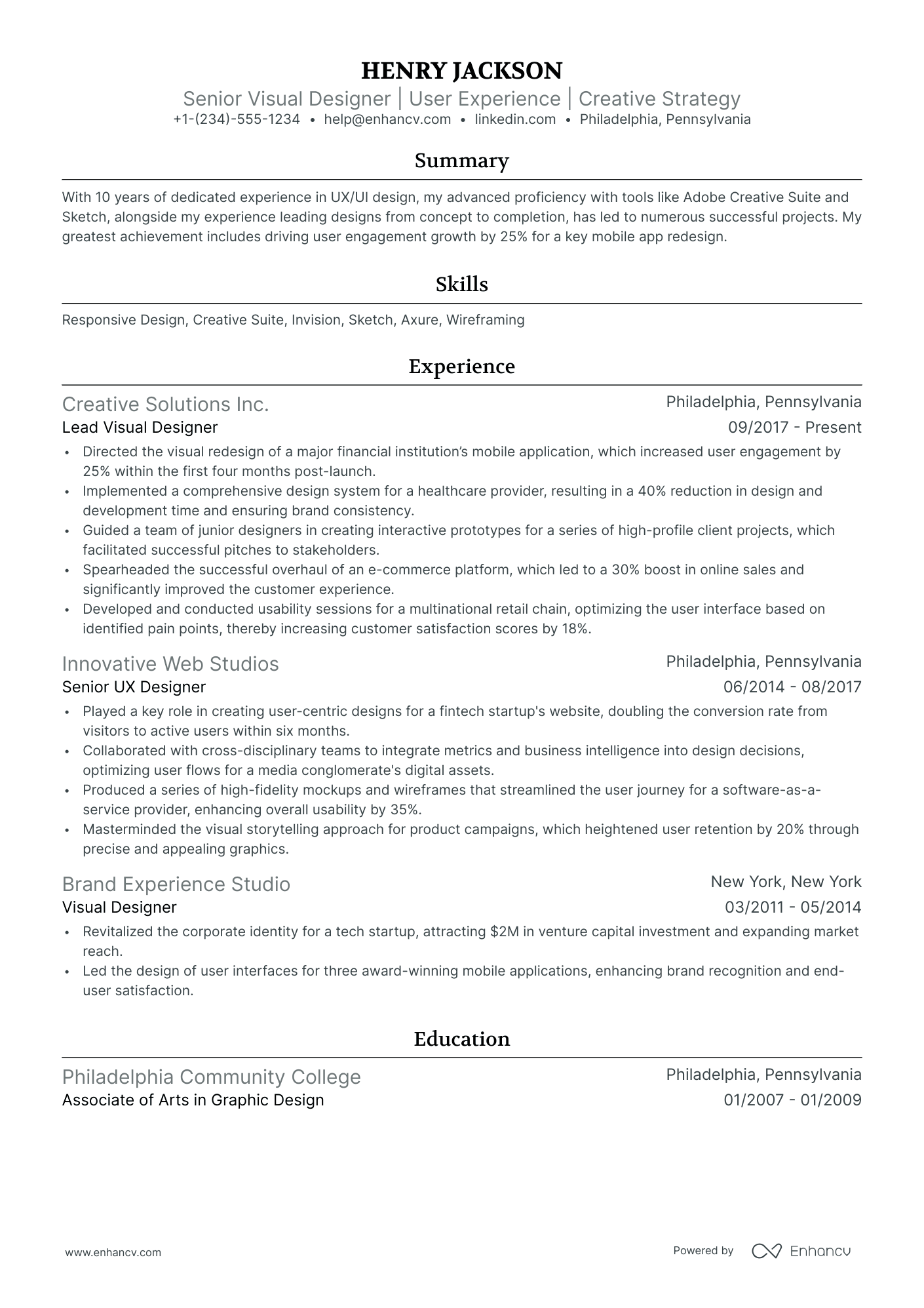
Use a reverse-chronological format to present your design career in a clear, linear progression that highlights growing responsibility and creative ownership. Do:
- Lead each role entry with your scope of ownership—number of products supported, team collaboration breadth, or brand systems managed.
- List role-specific tools and domains early in each entry (e.g., Figma, Adobe Illustrator, motion design, design systems, responsive web).
- Anchor every bullet to a measurable outcome or business impact rather than a task description.
I'm junior or switching into this role—what format works best?
A hybrid format works best because it lets you lead with a dedicated skills and tools section while still providing enough work or project history to show how you've applied those skills. Do:
- Place a skills section near the top that groups your competencies by category (e.g., UI design tools, typography, brand identity, prototyping).
- Include freelance projects, bootcamp capstones, or volunteer design work as structured experience entries with clear deliverables.
- Link every action to a result, even at a small scale, so recruiters see cause and effect rather than a list of tasks.
Why not use a functional resume?
A functional resume strips away the project and workplace context that recruiters need to evaluate how you've applied your visual design skills in real environments, making it harder to verify your capabilities.
- Career changers with transferable design work: If you're moving from a related field like graphic design or marketing and have completed visual design projects—even freelance or course-based—a functional format can foreground those skills while you build a linear work history.
- Limited formal work history: Recent graduates or bootcamp completers who have portfolio pieces but few employer entries can use a functional layout to organize skills around project categories rather than job titles.
- A functional resume is acceptable only when you have genuine resume gaps or are pivoting into visual design from an unrelated field—but even then, every listed skill must be tied to a specific project, deliverable, or measurable outcome.
Now that you've established a clean, readable layout, it's time to fill each part of your resume with the right content—starting with the sections that hiring managers expect to see.
What sections should go on a visual designer resume
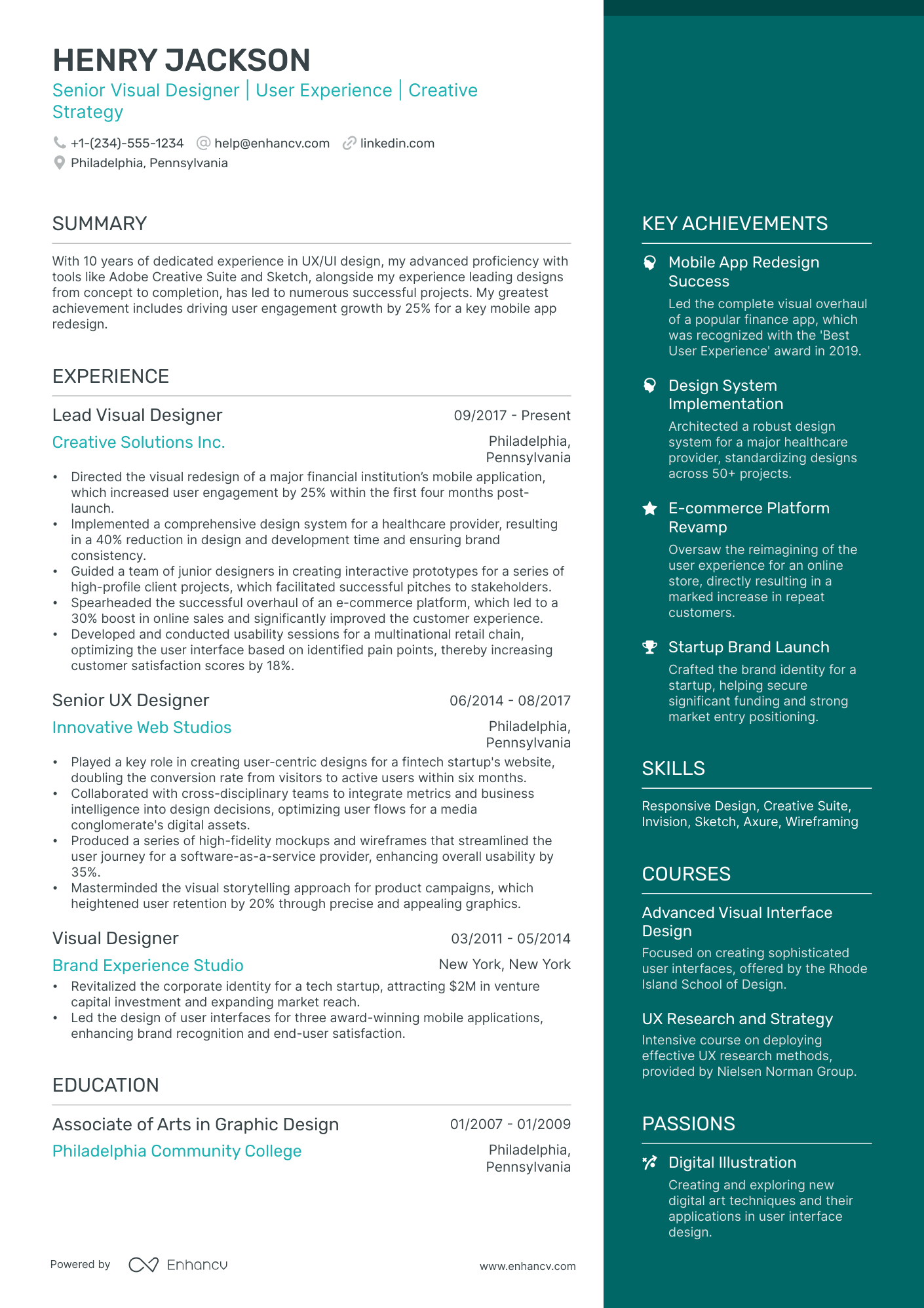
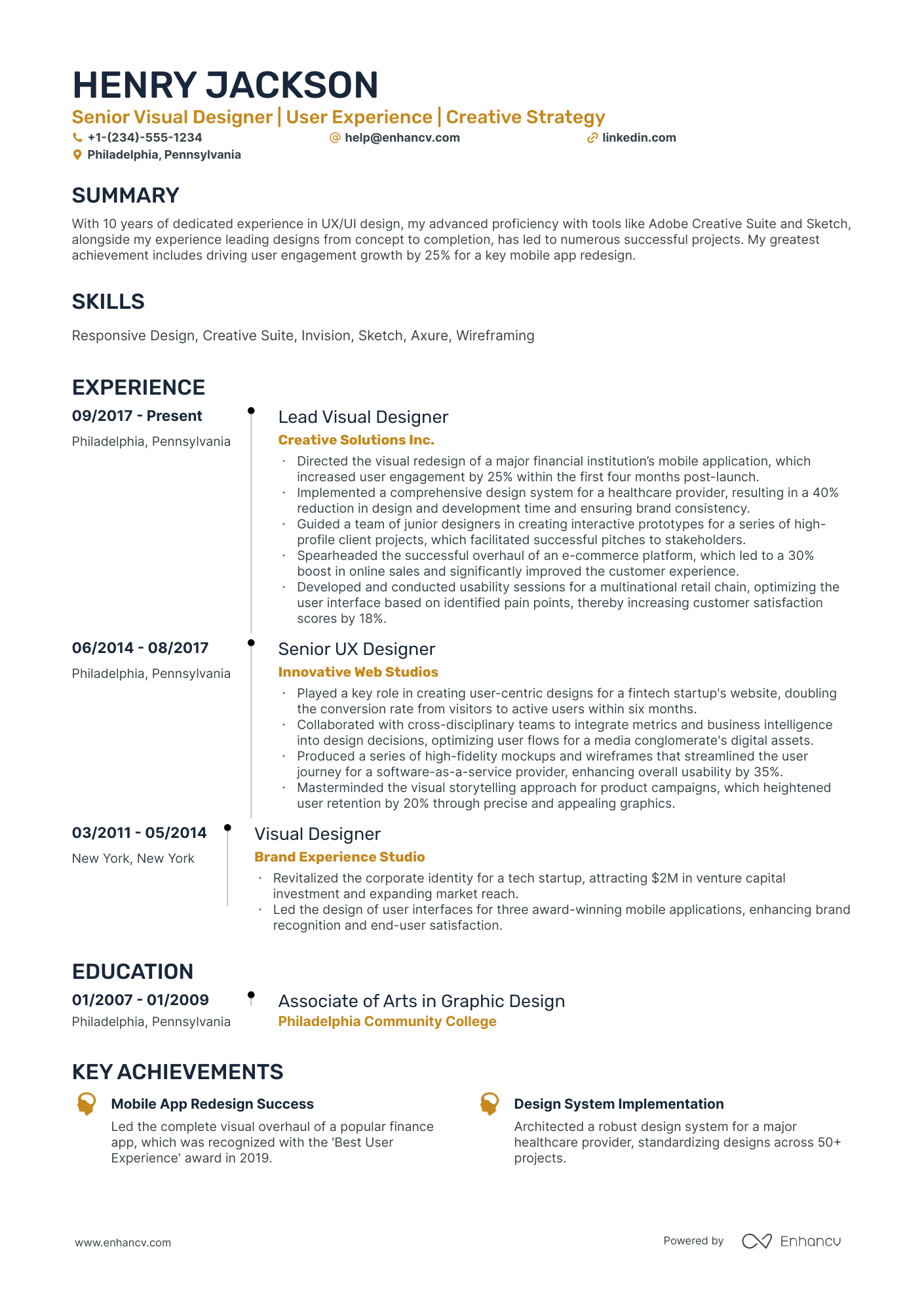
Recruiters expect a clean, well-organized resume that proves you can deliver strong visual outcomes for real business needs. Understanding which resume sections to include ensures maximum clarity:
- Header
- Summary
- Experience
- Skills
- Projects
- Education
- Certifications
- Optional sections: Awards, Publications, Languages
Strong experience bullets should emphasize measurable impact, delivered outcomes, project scope, and results tied to brand consistency, usability, and conversion goals.
Is your resume good enough?
Drop your resume here or choose a file. PDF & DOCX only. Max 2MB file size.
Once you’ve organized your resume with the right categories, you can focus on writing your visual designer experience section so each role clearly supports that structure.
How to write your visual designer resume experience
The experience section is where you prove you've shipped real visual work—campaigns, interfaces, brand systems, or digital products—using the tools and methods hiring managers expect from a visual designer. Prioritize demonstrated impact over descriptive task lists, because reviewers want evidence of outcomes you drove, not a catalog of daily responsibilities. Building a targeted resume for each application ensures your most relevant work rises to the top.
Each entry should include:
- Job title
- Company and location (or remote)
- Dates of employment (month and year)
Three to five concise bullet points showing what you owned, how you executed, and what outcomes you delivered:
- Ownership scope: the visual systems, brand identities, product surfaces, campaigns, or design libraries you were directly accountable for as a visual designer.
- Execution approach: the design tools, prototyping platforms, design-system frameworks, motion techniques, or user-research methods you relied on to make creative decisions and deliver polished visual assets.
- Value improved: the changes you drove in visual consistency, brand perception, design-system adoption, accessibility compliance, production efficiency, or asset quality across your projects.
- Collaboration context: how you partnered with product managers, engineers, UX researchers, copywriters, marketing teams, or external vendors to align visual direction with broader project goals.
- Impact delivered: the tangible results your visual design work produced—expressed through reach, adoption, stakeholder satisfaction, launch milestones, or business outcomes rather than a list of tasks performed.
Experience bullet formula
A visual designer experience example
✅ Right example - modern, quantified, specific.
Visual Designer
LumenPay | Remote
2022–Present
B2B payments platform serving 12,000+ small businesses across the US with web and mobile products.
- Led a visual refresh of the web app using Figma, tokenized color and type scales, and a component library in Storybook, improving task success by 18% and reducing UI defects by 27% in QA.
- Built and maintained a design system in Figma (auto layout, variants, variables) aligned to WCAG 2.2 AA, cutting design-to-dev handoff time by 30% and reducing accessibility-related support tickets by 22%.
- Designed high-converting acquisition and onboarding flows with A/B testing in Optimizely and event tracking in Amplitude, increasing trial-to-paid conversion by 9% and lowering onboarding drop-off by 14%.
- Partnered with product managers and engineers to ship responsive marketing pages in Webflow and React, improving Core Web Vitals (largest contentful paint) by 0.6 seconds and increasing organic sign-ups by 11%.
- Produced brand-consistent campaign and lifecycle assets in Adobe Creative Cloud (Illustrator, Photoshop, After Effects), raising email click-through rate by 16% and cutting creative production time by 25% through reusable templates.
Now that you've seen how to structure your experience entries, let's focus on aligning them with the specific job posting you're targeting.
How to tailor your visual designer resume experience
Recruiters evaluate your visual designer resume through a combination of human review and applicant tracking systems (ATS). Tailoring your resume to the job description ensures your most relevant work stands out in both screenings.
Ways to tailor your visual designer experience:
- Match design tools and software listed in the job description.
- Mirror the exact terminology used for design systems or standards.
- Reflect specific KPIs or success metrics the posting highlights.
- Include relevant industry or domain experience when the role requires it.
- Emphasize accessibility or compliance work if the posting mentions either.
- Highlight collaboration with cross-functional teams referenced in the listing.
- Align your process descriptions with workflows or methodologies they name.
- Showcase prototyping or user testing methods the job description specifies.
Tailoring means aligning your real accomplishments with what the role demands, not forcing keywords where they don't belong.
Resume tailoring examples for visual designer
| Job description excerpt | Untailored | Tailored |
|---|---|---|
| "Design and maintain scalable design systems in Figma for our SaaS platform, ensuring consistency across web and mobile products." | Created designs for various digital projects using industry-standard tools. | Built and maintained a scalable design system in Figma for a B2B SaaS platform, unifying visual standards across 12 web and mobile products and reducing UI inconsistencies by 40%. |
| "Collaborate with UX researchers and product managers to translate user insights into polished visual concepts, with a focus on accessibility (WCAG 2.1 AA)." | Worked with cross-functional teams to support design projects and improve user experience. | Partnered with UX researchers and product managers to translate usability findings into WCAG 2.1 AA-compliant visual concepts, increasing accessible component coverage from 60% to 95% across the product suite. |
| "Create high-fidelity prototypes and motion design assets using After Effects and Principle to communicate interaction patterns to engineering teams." | Designed prototypes and animations to help development teams understand project requirements. | Produced high-fidelity prototypes in Principle and motion design specs in After Effects that documented 30+ interaction patterns, cutting design-to-engineering handoff revisions by 25%. |
Once you’ve aligned your experience with the role’s priorities, the next step is to quantify your visual designer achievements so hiring teams can see the impact behind that fit.
How to quantify your visual designer achievements
Quantifying your achievements shows how your design changed outcomes, not just aesthetics. Use numbers tied to cycle time, conversion, usability quality, consistency, and delivery reliability across key flows, pages, and campaigns.
Quantifying examples for visual designer
| Metric | Example |
|---|---|
| Conversion lift | "Redesigned the pricing page in Figma and partnered with growth to A/B test; increased trial starts by 12% over four weeks." |
| Turnaround time | "Built a reusable landing page kit in Figma; cut average request turnaround from five days to two days across twenty campaigns." |
| Design consistency | "Created a design system in Figma with eighty components and tokens; reduced brand QA revisions by 35% across web and email assets." |
| Accessibility quality | "Audited and updated key screens to meet WCAG 2.1 AA; reduced accessibility defects from eighteen to four in two release cycles." |
| Stakeholder approvals | "Standardized review templates and prototypes; reduced average approval rounds from four to two and shipped eight feature visuals on schedule." |
Turn vague job duties into measurable, recruiter-ready resume bullets in seconds with Enhancv's Bullet Point Generator.
Once you've crafted strong bullet points to showcase your experience, the next step is highlighting the specific hard and soft skills that reinforce your qualifications as a visual designer.
How to list your hard and soft skills on a visual designer resume
Your skills section shows how you translate brand and product goals into high-quality UI, and recruiters and an ATS (applicant tracking system) scan this section for role keywords—aim for a balanced mix of tool-based hard skills and execution-focused soft skills. visual designer roles require a blend of:
- Product strategy and discovery skills.
- Data, analytics, and experimentation skills.
- Delivery, execution, and go-to-market discipline.
- Soft skills.
Your skills section should be:
- Scannable (bullet-style grouping).
- Relevant to the job post.
- Backed by proof in experience bullets.
- Updated with current tools.
Place your skills section:
- Above experience if you're junior or switching careers.
- Below experience if you're mid/senior with strong achievements.

Hard skills
- Figma, FigJam
- Adobe Creative Cloud
- Design systems, tokens
- Component libraries, variants
- Typography, grid systems
- Color systems, accessibility
- Responsive UI design
- Iconography, illustration
- Prototyping, micro-interactions
- Web UI: HTML, CSS
- Handoff: Zeplin, Storybook
- A/B testing, Optimizely
Soft skills
- Translate briefs into visuals
- Align with product priorities
- Present design rationale clearly
- Run stakeholder reviews
- Incorporate feedback quickly
- Partner with UX and research
- Collaborate with developers
- Manage multiple deadlines
- Maintain design consistency
- Make tradeoffs under constraints
- Document decisions and specs
- Own quality through launch
How to show your visual designer skills in context
Skills shouldn't live only in a dedicated skills list. Explore resume skills examples to see how designers weave competencies throughout their resumes.
They should be demonstrated in:
- Your summary (high-level professional identity)
- Your experience (proof through outcomes)
Here's what that looks like in practice.
Summary example
Senior visual designer with 9 years of experience crafting brand systems and digital products in fintech. Skilled in Figma, motion design, and design-system governance. Led a rebrand that boosted user engagement by 34%.
- Signals senior-level expertise immediately
- Names role-relevant tools directly
- Includes a concrete metric
- Highlights leadership as a soft skill
Experience example
Senior Visual Designer
Clearpath Financial | Remote
June 2019–March 2024
- Redesigned the client dashboard in Figma, increasing task-completion rates by 27% within six months.
- Partnered with product and engineering teams to build a scalable design system adopted across four product lines.
- Created motion guidelines in After Effects that reduced onboarding drop-off by 18%.
- Every bullet includes measurable proof.
- Skills surface naturally through outcomes.
Once you’ve demonstrated how your design choices solve real needs, the next step is translating that proof into a visual designer resume with no experience.
How do I write a visual designer resume with no experience
Even without full-time experience, you can demonstrate readiness through building a resume without work experience that highlights your design potential:
- Volunteer design for nonprofits
- Class projects with real briefs
- Freelance gigs for local businesses
- Personal brand redesign case study
- Internship or apprenticeship work samples
- Design challenges and hackathons
- Portfolio pieces from online courses
- Social media template design series
Focus on:
- Portfolio links with case studies
- Measurable outcomes from projects
- Tool stack: Figma, Adobe
- Consistent visual systems and grids
Resume format tip for entry-level visual designer
Use a combination resume format to highlight projects and tools first, then list education and any work history. It keeps attention on your portfolio evidence. Do:
- Lead with a project section.
- Link each project to a case study.
- List tools next to each bullet.
- Add metrics: clicks, sign-ups, time.
- Match keywords to job posts.
- Designed a nonprofit event landing page in Figma and Adobe Illustrator, improving donation conversions from 2.1% to 3.4% over four weeks.
Even without professional experience, your education section can demonstrate the foundational design knowledge and technical training that make you a strong candidate.
How to list your education on a visual designer resume
Your education section helps hiring teams confirm you have foundational design knowledge. It validates your training in visual principles, typography, and composition—core skills every visual designer needs.
Include:
- Degree name
- Institution
- Location
- Graduation year
- Relevant coursework (for juniors or entry-level candidates)
- Honors & GPA (if 3.5 or higher)
Skip month and day details—list the graduation year only.
Here's a strong education entry tailored for a visual designer resume:
Example education entry
Bachelor of Fine Arts in Graphic Design
Rhode Island School of Design, Providence, RI
Graduated 2021
GPA: 3.7/4.0
- Relevant Coursework: Typography Systems, Color Theory, Interaction Design, Visual Communication, Brand Identity Design
- Honors: Dean's List (six semesters), Magna Cum Laude
How to list your certifications on a visual designer resume
Certifications on a resume show a visual designer's commitment to learning, proficiency with key tools, and alignment with current industry standards. They also help validate specialized skills when your work history is still growing.
Include:
- Certificate name
- Issuing organization
- Year
- Optional: credential ID or URL
- Place certifications below education when they're older, less relevant, or secondary to your degree and core design training.
- Place certifications above education when they're recent, highly relevant to the role, or required for the job you're targeting.
Best certifications for your visual designer resume
- Adobe Certified Professional (Adobe)
- Figma Professional Certification (Figma)
- Nielsen Norman Group UX Certification (Nielsen Norman Group)
- Interaction Design Foundation Certificate (Interaction Design Foundation)
- Google UX Design Professional Certificate (Google)
- HubSpot Content Marketing Certification (HubSpot)
- Certified Brand Strategist (Brand Establishment)
Once you’ve positioned your credentials to reinforce your design expertise, shift to your visual designer resume summary to present that value upfront in a clear, results-focused snapshot.
How to write your visual designer resume summary
Your resume summary is the first thing a recruiter reads. A strong one instantly connects your experience and skills to the visual designer role.
Keep it to three to four lines, with:
- Your title and relevant years of design experience.
- The domain or industry you've worked in, such as SaaS, e-commerce, or consumer apps.
- Core tools and skills like Figma, Adobe Creative Suite, design systems, or typography.
- One or two measurable achievements that show your impact on real projects.
- Soft skills tied to outcomes, such as cross-functional collaboration that shortened review cycles.

PRO TIP
At the junior level, lead with your strongest tools, relevant coursework, and any early wins from internships or freelance work. Avoid vague phrases like "passionate creative" or "eager learner." Instead, show what you've already done. Specifics always outperform enthusiasm.
Example summary for a visual designer
Visual designer with two years of experience crafting UI assets and brand materials in Figma and Illustrator. Redesigned onboarding screens for a SaaS product, improving activation rates by 18%.
Optimize your resume summary and objective for ATS
Drop your resume here or choose a file.
PDF & DOCX only. Max 2MB file size.
Now that your summary captures your design expertise at a glance, make sure your header presents the essential contact and professional details recruiters need to reach you.
What to include in a visual designer resume header
A resume header is the top section with your key details, and it boosts visibility, credibility, and recruiter screening for a visual designer role.
Essential resume header elements
- Full name
- Tailored job title and headline
- Location
- Phone number
- Professional email
- GitHub link
- Portfolio link
A LinkedIn link helps recruiters verify experience quickly and supports fast screening.
Don't include a photo on a visual designer resume unless the role is explicitly front-facing or appearance-dependent.
Use a clean, consistent layout with clear hierarchy so recruiters can scan your details in seconds.
Example
Visual designer resume header
Jordan Lee
Visual Designer | Brand and Product Design
Austin, TX
(512) 555-01XX
jordan.lee@enhancv.com
github.com/jordanlee yourwebsite.com linkedin.com/in/jordanlee
Once your header clearly identifies you and makes it easy to reach you, you can strengthen the rest of your resume with additional sections that add relevant context and proof of your work.
Additional sections for visual designer resumes
Extra resume sections help you stand out when your core qualifications match other visual designer candidates competing for the same role.
They add depth, showcase personality, and reinforce your creative credibility beyond standard work experience. For example, listing language skills on your resume can signal versatility for teams working with global audiences.
Consider including these sections tailored to visual designer roles:
- Languages
- Design awards and competitions
- Hobbies and interests
- Publications and featured work
- Professional affiliations and design communities
- Conferences and speaking engagements
- Volunteer design work
Once you've rounded out your resume with the right supplementary sections, it's worth ensuring your application package is complete by pairing it with a strong cover letter.
Do visual designer resumes need a cover letter
A cover letter isn't required for a visual designer, and many teams won't read it. Understanding what a cover letter is and when it adds value helps you decide if one is worth writing. It can make a difference when your fit or story isn't obvious.
Use a cover letter when it can add clear context:
- Explain role and team fit by naming the design problems you solve well and how you collaborate with product, engineering, and marketing.
- Highlight one or two relevant projects with outcomes, such as improved conversion, faster design cycles, or stronger brand consistency.
- Show understanding of the product, users, and business by referencing the company's audience, constraints, and what good design should achieve.
- Address career transitions or non-obvious experience by connecting past work to visual designer skills, tools, and decision-making.
Drop your resume here or choose a file.
PDF & DOCX only. Max 2MB file size.
Once you’ve decided whether a separate letter adds value to your application, you can use AI to improve your visual designer resume faster and with more consistency.
Using AI to improve your visual designer resume
AI can sharpen your resume's clarity, structure, and impact. It helps tighten language and align content with visual designer roles. But overuse strips authenticity. Once your resume reads clearly and fits the role, step away from AI. For specific prompt ideas, check out this guide on ChatGPT resume writing.
Here are 10 practical prompts to strengthen specific sections of your visual designer resume:
- Strengthen your summary. "Rewrite my visual designer resume summary to highlight my core design strengths and years of experience in under four sentences."
- Quantify your impact. "Add measurable results to these visual designer experience bullets using metrics like engagement rates, project timelines, or conversion improvements."
- Tighten bullet phrasing. "Shorten each visual designer experience bullet to one concise line that starts with a strong action verb."
- Align skills strategically. "Compare my visual designer skills section against this job description and suggest which skills to prioritize or remove."
- Refine project descriptions. "Rewrite my visual designer portfolio project descriptions to emphasize the problem solved, tools used, and measurable outcome."
- Remove redundant language. "Identify and cut filler words or repeated phrases across my visual designer resume without changing the meaning."
- Improve education relevance. "Rewrite my education section to highlight coursework, honors, or projects most relevant to a visual designer role."
- Tailor for specificity. "Adjust my visual designer experience section to better match this specific job posting's required qualifications and responsibilities."
- Elevate certification details. "Rewrite my certifications section to clarify how each credential supports my qualifications as a visual designer."
- Fix inconsistent formatting. "Standardize the tense, punctuation, and structure across all sections of my visual designer resume."
Stop using AI once your resume sounds accurate, specific, and aligned with real experience. AI should never invent experience or inflate claims—if it didn't happen, it doesn't belong here.
Conclusion
A strong visual designer resume proves impact with measurable outcomes, shows role-specific skills, and uses a clear structure that’s easy to scan. Lead with results, support them with focused work samples, and keep every section consistent and relevant.
This approach shows you can design with purpose, collaborate well, and deliver on deadlines. It also signals you’re ready for today’s hiring market and the roles teams will fill next.