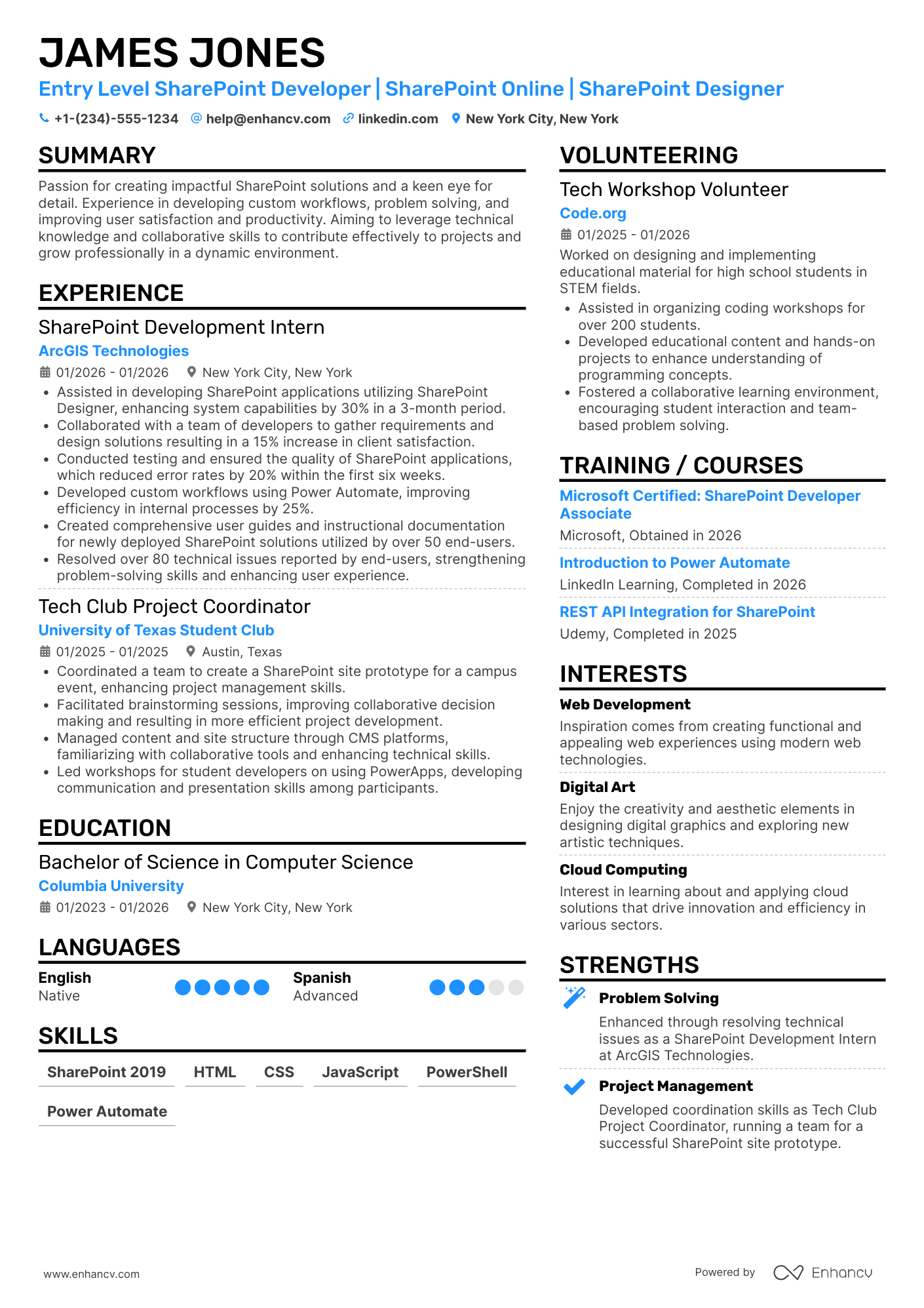
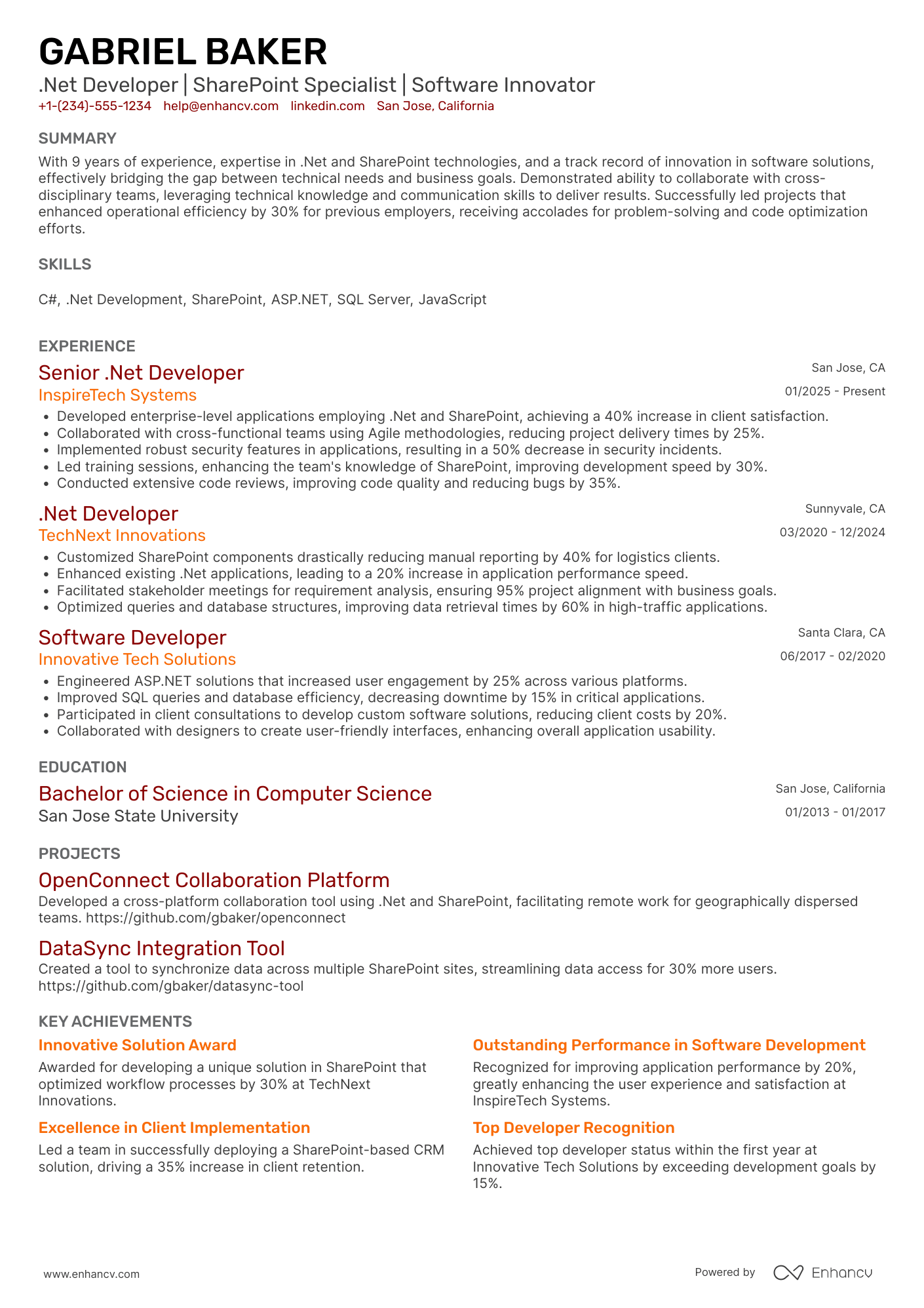
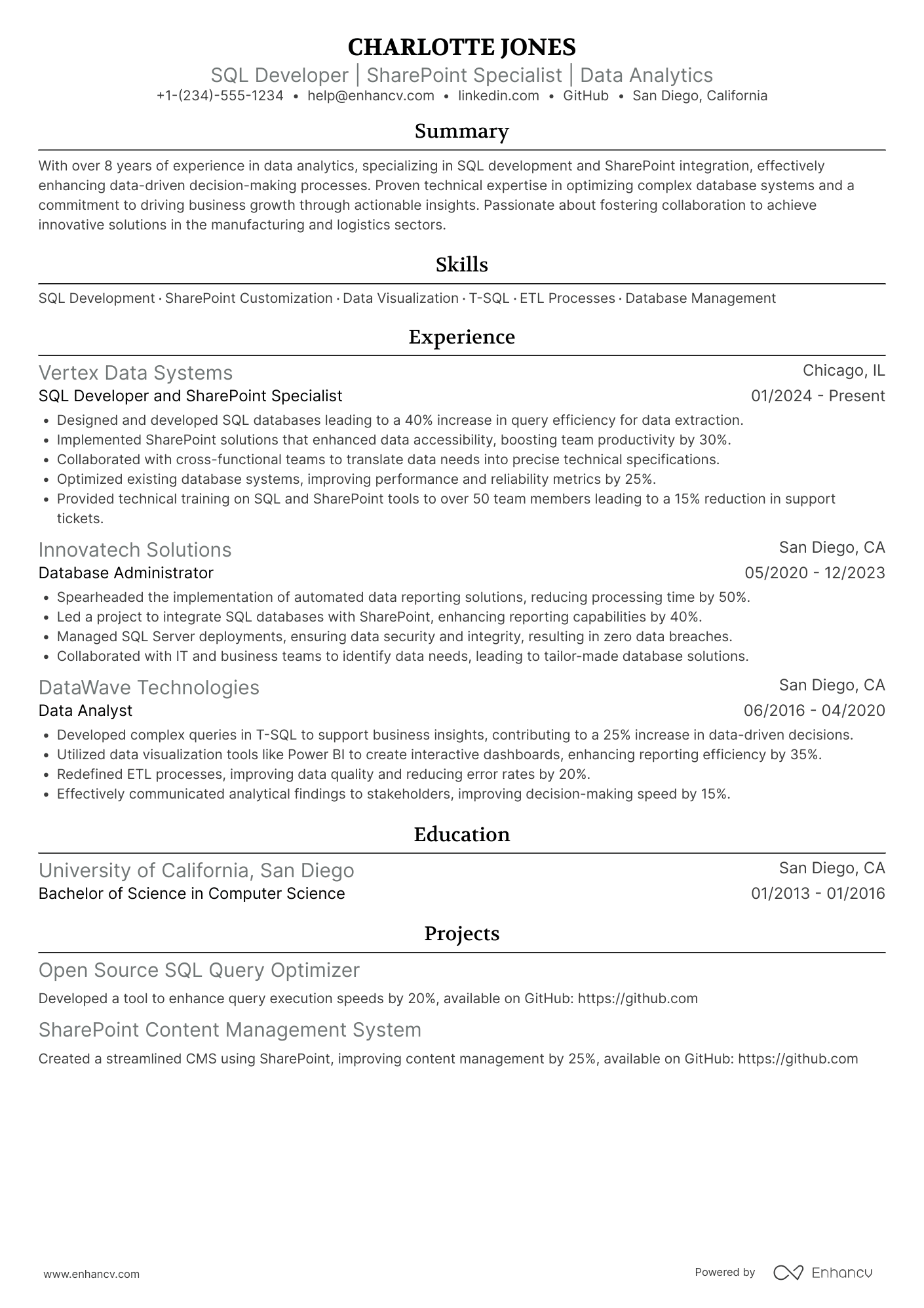
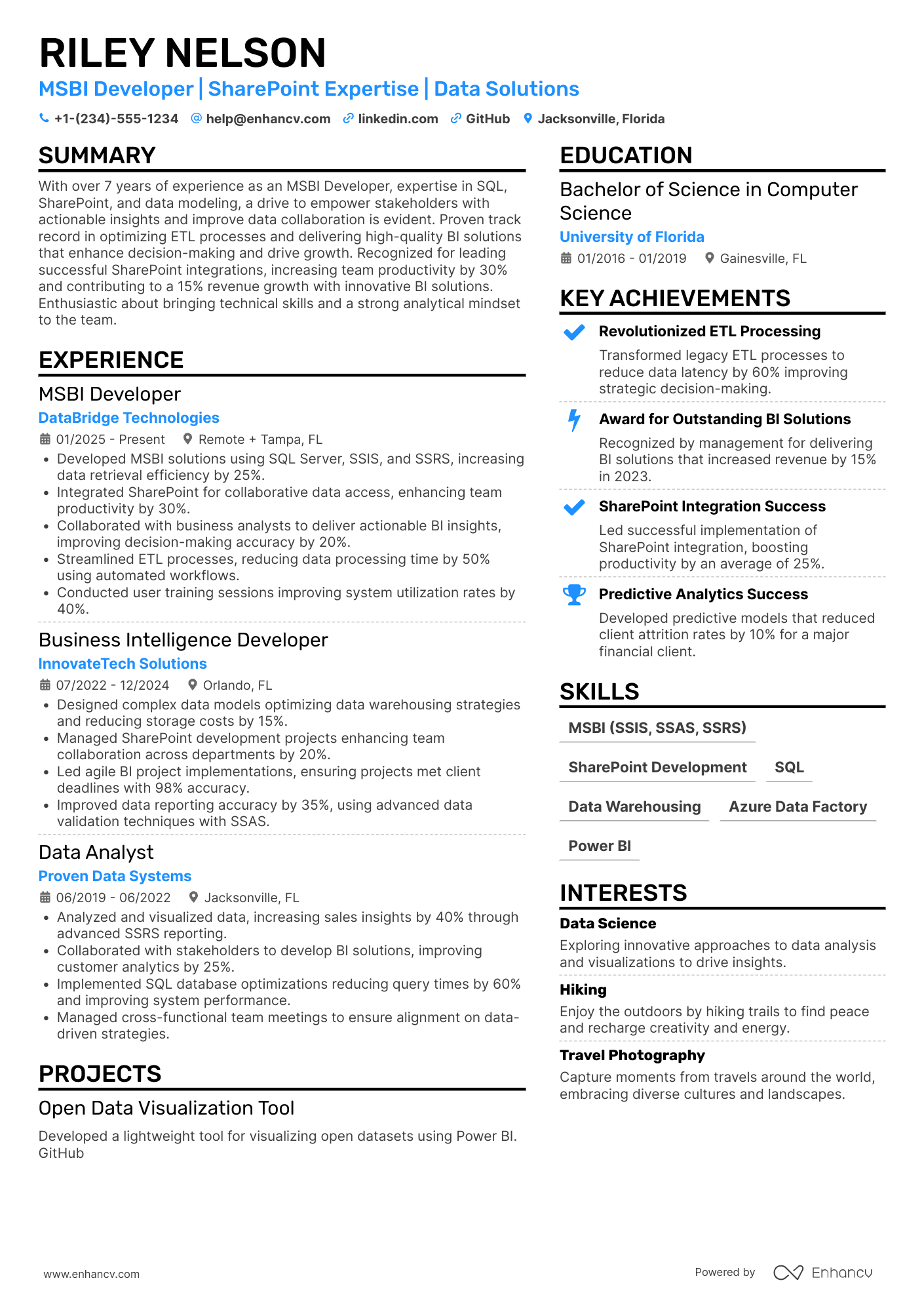
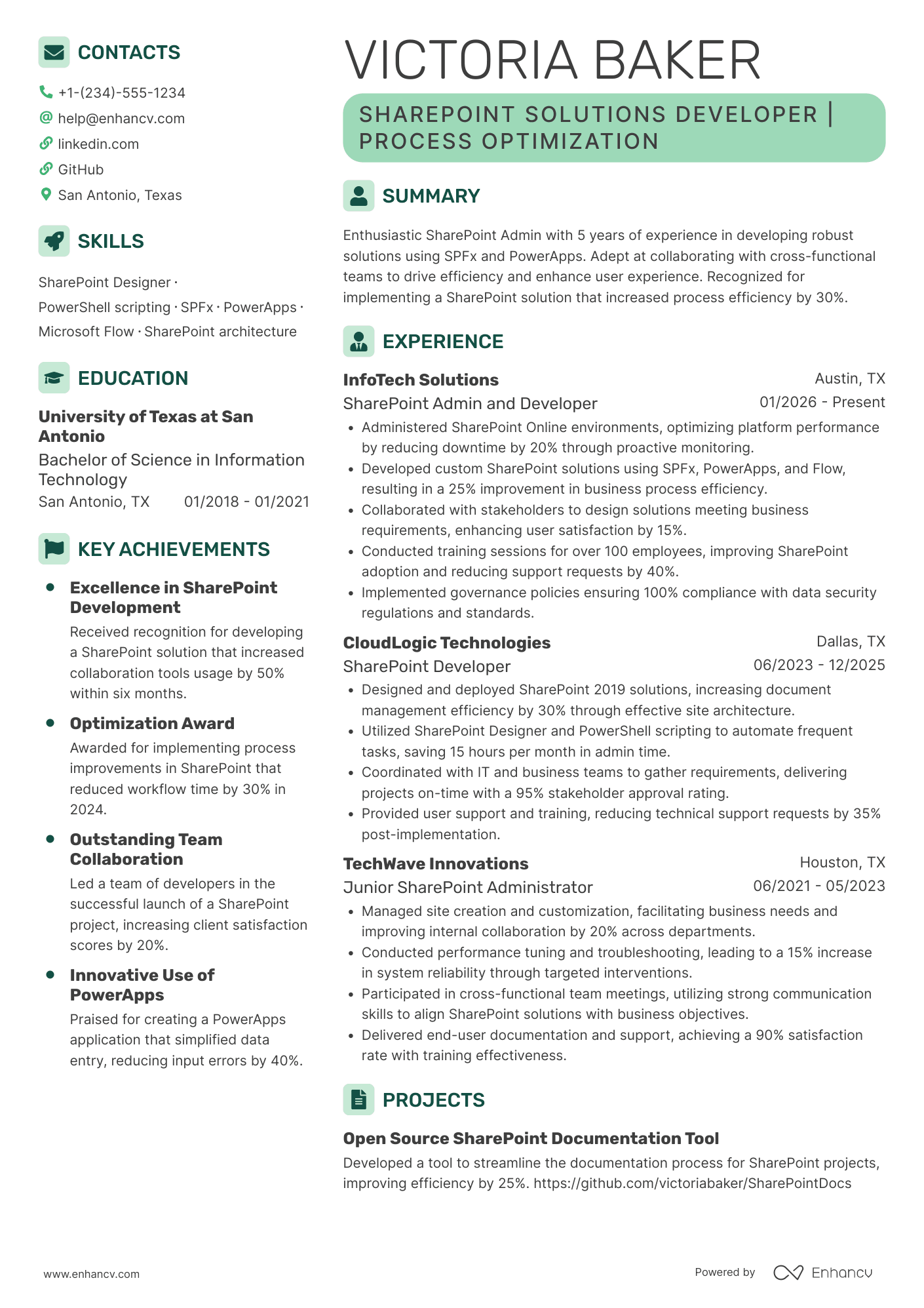
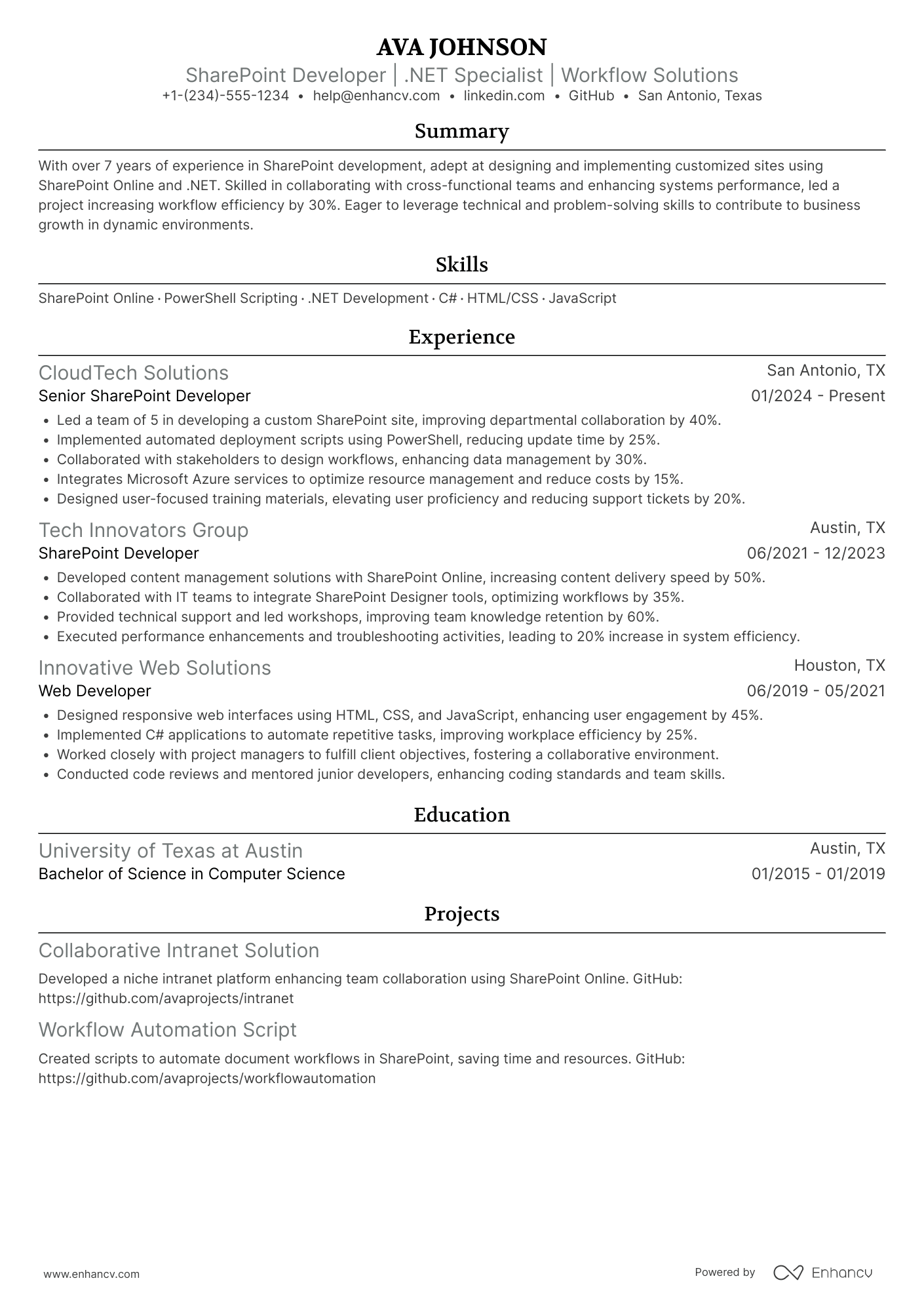
Most SharePoint developer resume submissions fail because they list tools and tasks but skip measurable delivery and business impact. That hurts in today's hiring process, where an ATS filters keywords and recruiters scan fast amid heavy competition.
A strong resume shows what you improved, shipped, and stabilized, not every platform you touched. Understanding how to make your resume stand out is critical here. You'll highlight portal adoption gains, intranet load-time cuts, reduced support tickets, smoother migrations, on-time releases, governance compliance, and fewer production defects.

Key takeaways
- Attach measurable outcomes—like adoption gains or load-time cuts—to every experience bullet.
- Choose reverse-chronological format for senior roles and hybrid format for career changers.
- Tailor each resume to mirror the job posting's tools, frameworks, and KPIs.
- Show skills in context through your summary and experience, not just a standalone list.
- Quantify achievements using metrics such as ticket reduction, migration volume, and cycle time.
- Build project entries around scope, stack, and results even without full-time SharePoint experience.
- Use Enhancv to turn vague duties into specific, recruiter-ready bullet points faster.
How to format a SharePoint developer resume
Recruiters hiring SharePoint developers prioritize hands-on platform expertise—spanning SharePoint Online, SharePoint Framework (SPFx), Power Platform integrations, and migration experience—alongside evidence of business problem-solving and collaboration with stakeholders. Your resume format determines how quickly a recruiter can locate these signals, so choosing the right structure ensures your technical depth and project impact surface within the first scan.

I have significant experience in this role—which format should I use?
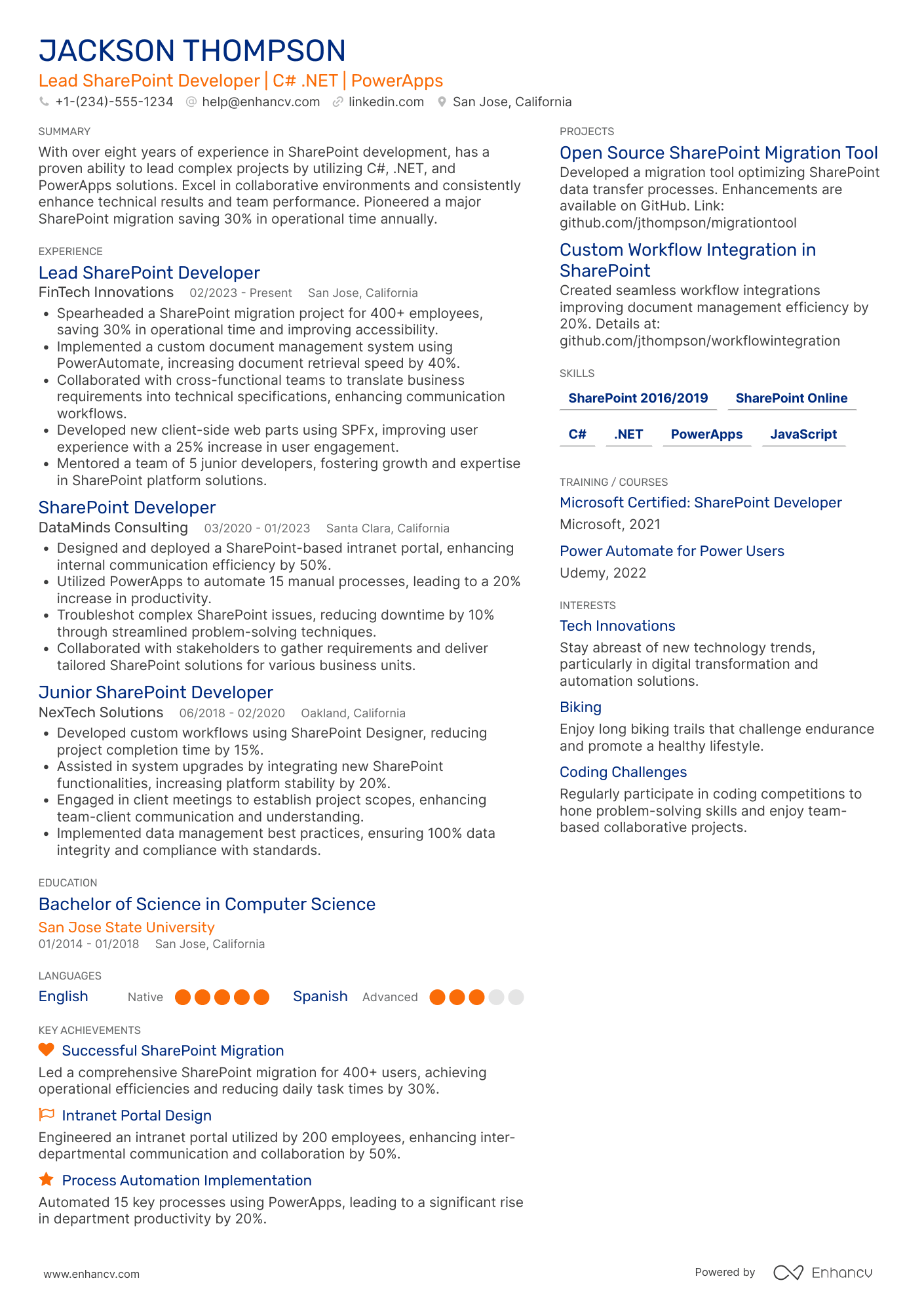
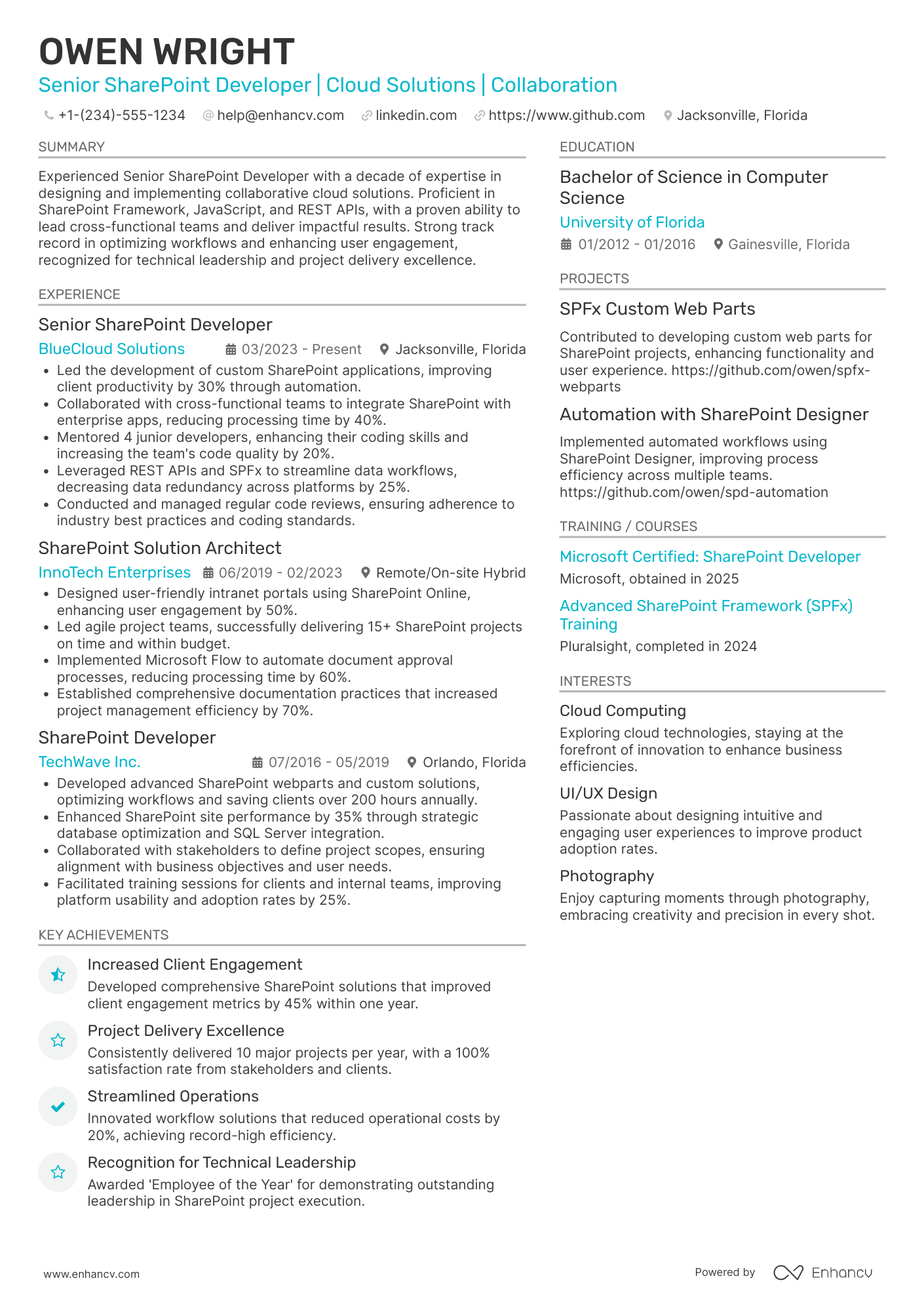
Use a reverse-chronological format to present your SharePoint development career in a clear, linear progression that highlights growing technical ownership and project scope. Do:
- Lead each role entry with your scope of ownership—number of site collections managed, environments supported, or cross-functional teams you collaborated with.
- Anchor your skills section to role-specific tools and domains: SPFx, Power Automate, PnP PowerShell, Azure AD integration, SharePoint migration tooling (ShareGate, SPMT), and REST/CSOM APIs.
- Quantify outcomes tied to business impact rather than listing duties—focus on adoption rates, cost savings, migration timelines, or performance improvements.
I'm junior or switching into this role—what format works best?
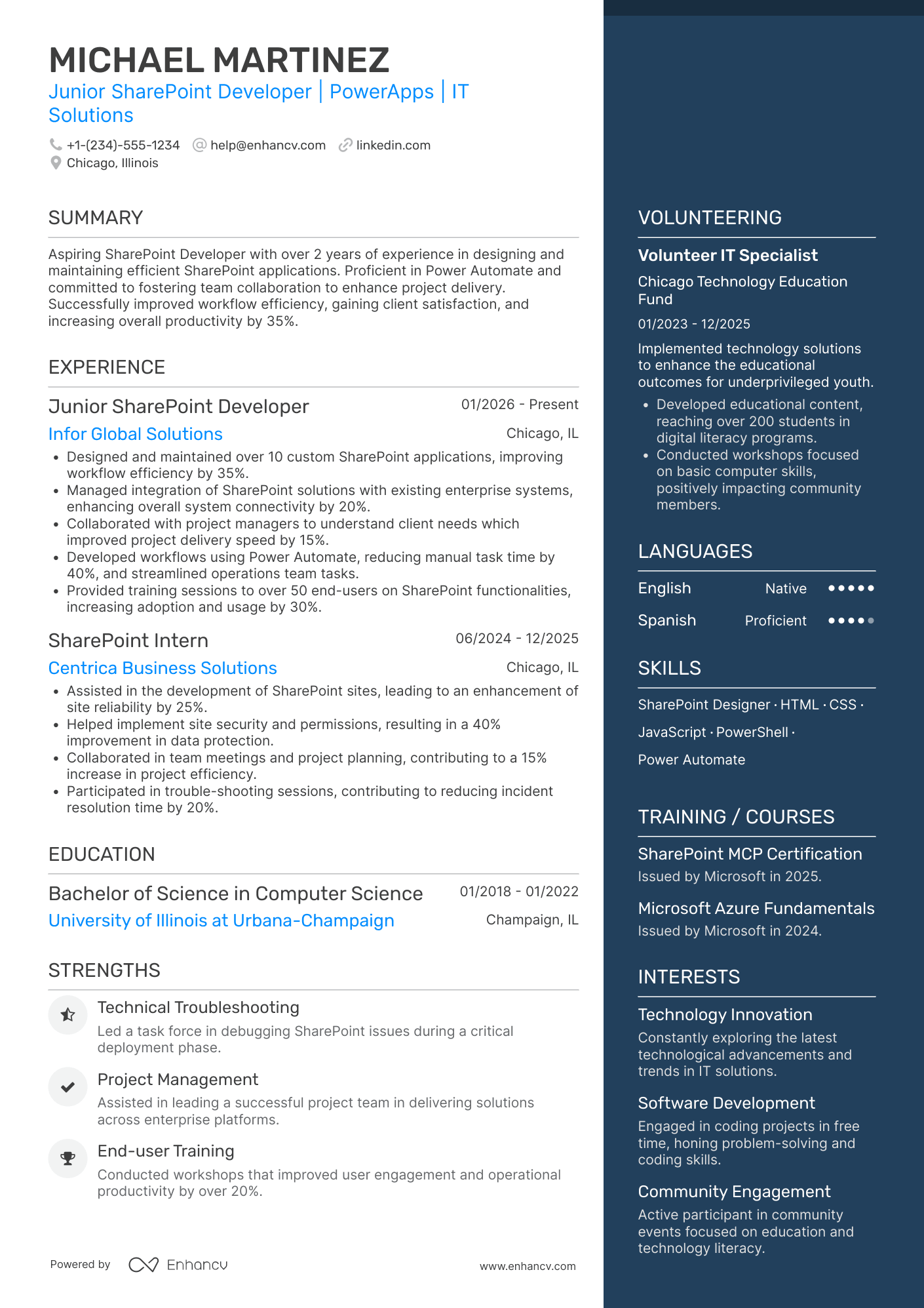
Use a hybrid format that leads with a focused SharePoint skills section, then backs it up with chronological experience entries—even if those entries come from adjacent roles. Do:
- Place your core SharePoint competencies (SPFx, Power Automate, SharePoint Online administration, REST APIs, PnP PowerShell) in a dedicated skills section above your experience.
- Feature academic projects, freelance work, Microsoft certifications (MS-700, MS-600), or contributions to open-source PnP community projects as concrete proof of capability.
- Connect every action to an outcome, even in small-scale projects, so recruiters see cause-and-effect thinking.
Why not use a functional resume?
A functional format strips away the project context and timeline that SharePoint hiring managers rely on to evaluate your platform experience, making it nearly impossible to verify which environments you've actually worked in or what complexity level you've handled.
- Career changers from IT support or .NET development who completed SharePoint-specific certifications and built portfolio projects but lack a formal SharePoint job title.
- Bootcamp or self-taught developers with real SharePoint project deliverables (e.g., SPFx solutions, Power Automate flows) but fewer than two professional roles to list.
- A functional format is acceptable only when you have no direct SharePoint work history but can tie every listed skill to a specific project, certification lab, or measurable deliverable that demonstrates practical platform knowledge.
With your format established, the next step is filling it with the right sections to give recruiters exactly what they're looking for.
What sections should go on a SharePoint developer resume
Recruiters expect a SharePoint developer resume to show clear SharePoint delivery experience, technical depth, and measurable results. Knowing which resume sections to include ensures you present a complete picture of your qualifications.
Use this structure for maximum clarity:
- Header
- Summary
- Experience
- Skills
- Projects
- Education
- Certifications
- Optional sections: Open-source work, leadership, languages
Your experience bullets should emphasize business impact, delivered outcomes, solution scope, and measurable results across SharePoint implementations and integrations.
Is your resume good enough?
Drop your resume here or choose a file. PDF & DOCX only. Max 2MB file size.
Once you’ve organized your resume with the right core components, the next step is learning how to write your SharePoint developer resume experience so each role clearly supports those sections.
How to write your SharePoint developer resume experience
The experience section is where you prove you've shipped real SharePoint solutions—not just maintained them. Hiring managers prioritize demonstrated impact over descriptive task lists, so every bullet should connect a role-relevant tool or method to a measurable outcome.
Each entry should include:
- Job title
- Company and location (or remote)
- Dates of employment (month and year)
Three to five concise bullet points showing what you owned, how you executed, and what outcomes you delivered:
- Ownership scope: the SharePoint environments, site collections, tenant configurations, custom web parts, or migration projects you were directly accountable for.
- Execution approach: the frameworks, technologies, and methods you used to deliver work—such as SPFx, Power Automate, PowerShell scripting, REST/CSOM APIs, Azure integrations, or agile development workflows.
- Value improved: the specific gains you drove in portal performance, search accuracy, document management efficiency, governance compliance, page load speed, or platform reliability within your SharePoint ecosystem.
- Collaboration context: how you partnered with IT administrators, business analysts, end users, UX designers, or Microsoft 365 teams to gather requirements, align on information architecture, or roll out enterprise-wide solutions.
- Impact delivered: the business outcomes your SharePoint development work produced, expressed through adoption growth, reduced manual processes, improved content findability, faster deployment cycles, or measurable reductions in support tickets—framed as results rather than activities.
Experience bullet formula
A SharePoint developer experience example
✅ Right example - modern, quantified, specific.
SharePoint developer
NorthBridge Health Systems | Remote
2022–Present
Built and modernized Microsoft 365 intranet and business apps for a multi-state healthcare network serving 18,000 employees.
- Modernized twelve legacy SharePoint sites to SharePoint Online using SharePoint Framework (SPFx), React, and Fluent UI, cutting page load time 38% and reducing support tickets 27%.
- Automated intake-to-approval workflows with Power Automate, SharePoint lists, and Microsoft Teams notifications, shrinking cycle time from five days to two days and saving 420 staff hours per quarter.
- Implemented Azure Active Directory (Azure AD) group-based permissions, sensitivity labels, and audit reporting in Microsoft Purview, reducing unauthorized access incidents 60% and meeting internal compliance requirements.
- Developed reusable web parts and extensions with TypeScript, PnPjs, and Microsoft Graph, accelerating new feature delivery 30% and standardizing UI across nine departments.
- Partnered with product managers, UX designers, and security engineers to run two-week sprints in Azure DevOps, achieving 95% on-time releases and improving user satisfaction from 3.8 to 4.4 out of five.
Now that you've seen how a strong experience section comes together, let's look at how to adapt yours to match the specific job you're targeting.
How to tailor your SharePoint developer resume experience
Recruiters evaluate your SharePoint developer resume through both applicant tracking systems and manual review. Tailoring your resume to the job description ensures your qualifications surface during both stages.
Ways to tailor your SharePoint developer experience:
- Match specific SharePoint versions and frameworks listed in the posting.
- Mirror the job description's terminology for governance and compliance standards.
- Highlight PowerShell or SPFx proficiency when the role requires automation.
- Align your migration experience with platforms or environments they reference.
- Emphasize security configurations if the posting prioritizes data protection.
- Reference collaboration with IT teams using their stated workflow models.
- Include industry experience that directly relates to their business domain.
- Quantify performance improvements using the same KPIs they outline.
Tailoring means aligning your real accomplishments with what the employer values—not forcing keywords where they don't belong.
Resume tailoring examples for SharePoint developer
| Job description excerpt | Untailored | Tailored |
|---|---|---|
| Design and implement custom SharePoint Online solutions using SPFx (SharePoint Framework) and Power Automate to streamline document management workflows across departments. | Worked on various web development projects and helped improve internal processes. | Built 12 custom SPFx web parts in SharePoint Online and designed Power Automate flows that reduced document approval turnaround by 40% across four departments. |
| Migrate on-premises SharePoint 2016 environments to SharePoint Online using ShareGate, ensuring zero data loss and minimal downtime during transition. | Assisted with system migration tasks and supported IT infrastructure changes. | Led the migration of 3 TB of content from SharePoint 2016 to SharePoint Online using ShareGate, completing the transition with zero data loss and under two hours of downtime. |
| Manage SharePoint site architecture, permissions, and governance policies while collaborating with information security to enforce compliance with SOC 2 requirements. | Handled user access and maintained company intranet sites as needed. | Restructured SharePoint site architecture across 15 site collections, defined role-based permission models, and co-authored governance policies that satisfied SOC 2 audit requirements on the first review cycle. |
Once your experience aligns with the role’s SharePoint needs, the next step is to quantify your SharePoint developer achievements so hiring teams can see the impact of that work.
How to quantify your SharePoint developer achievements
Quantifying your achievements proves you improved speed, reliability, adoption, and security—not just shipped features. Focus on page load time, incident rates, workflow cycle time, migration volume, user adoption, and compliance outcomes.
Quantifying examples for SharePoint developer
| Metric | Example |
|---|---|
| Performance | "Cut SharePoint Online page load time from 4.2s to 1.8s by optimizing SPFx bundles, caching, and REST calls across 35 pages." |
| Reliability | "Reduced production incidents by 45% in six months by adding monitoring, retry logic, and automated rollback for Power Automate and SPFx releases." |
| Delivery speed | "Decreased workflow turnaround from five days to one day by redesigning a Power Automate approval flow used by 120 staff." |
| Adoption | "Raised active usage from 600 to 1,050 monthly users by launching a hub site, targeted navigation, and role-based search refiners." |
| Security | "Eliminated 100% of external sharing violations by enforcing sensitivity labels, auditing, and conditional access policies for 2,300 documents." |
Turn vague job duties into measurable, recruiter-ready resume bullets in seconds with Enhancv's Bullet Point Generator.
With your experience clearly articulated in strong bullet points, the next step is ensuring your skills section presents the right mix of hard and soft skills that SharePoint developer roles demand.
How to list your hard and soft skills on a SharePoint developer resume
Your skills section shows recruiters and an ATS (applicant tracking system) that you can build, customize, secure, and support SharePoint solutions, so list role-specific tools and delivery capabilities, with a typical balance of more hard skills than soft skills. SharePoint developer roles require a blend of:
- Product strategy and discovery skills.
- Data, analytics, and experimentation skills.
- Delivery, execution, and go-to-market discipline.
- Soft skills.
Your skills section should be:
- Scannable (bullet-style grouping).
- Relevant to the job post.
- Backed by proof in experience bullets.
- Updated with current tools.
Place your skills section:
- Above experience if you're junior or switching careers.
- Below experience if you're mid/senior with strong achievements.

Hard skills
- SharePoint Online, SharePoint Server
- SPFx, TypeScript, React
- Power Automate, Power Apps
- Microsoft 365, Teams integration
- Microsoft Graph API
- REST APIs, CSOM, PnPjs
- Azure Functions, Logic Apps
- Azure Active Directory, OAuth 2.0
- SharePoint permissions, governance
- CI/CD with Azure DevOps
- Git, code reviews
- Performance tuning, troubleshooting
Soft skills
- Translate requirements into solutions
- Clarify scope and acceptance criteria
- Communicate trade-offs to stakeholders
- Partner with IT security and compliance
- Collaborate with UX and business owners
- Run structured technical demos
- Document decisions and runbooks
- Prioritize fixes by user impact
- Own incidents through resolution
- Align work to sprint goals
- Ask precise questions early
- Manage change and user adoption
How to show your SharePoint developer skills in context
Skills shouldn't live only in a bulleted list on your resume. You can explore common resume skills to identify which ones align with SharePoint developer expectations.
They should be demonstrated in:
- Your summary (high-level professional identity)
- Your experience (proof through outcomes)
Here's what that looks like in practice.
Summary example
Senior SharePoint developer with eight years of experience building enterprise intranet solutions in healthcare. Skilled in SPFx, Power Automate, and Azure AD integration. Reduced internal support tickets by 35% through custom self-service portals and cross-functional stakeholder collaboration.
- Signals senior-level expertise immediately
- Names role-relevant tools and frameworks
- Leads with a measurable outcome
- Highlights collaboration as a soft skill
Experience example
Senior SharePoint Developer
Meridian Health Systems | Remote
March 2019–Present
- Architected an SPFx-based employee portal with Power Automate workflows, cutting onboarding time by 28% across 12 departments.
- Partnered with IT security and compliance teams to migrate 4,000+ documents to SharePoint Online, achieving 99.8% uptime post-launch.
- Built custom web parts using React and PnP JS, improving internal search accuracy by 40% based on quarterly user-satisfaction surveys.
- Every bullet includes a measurable result.
- Skills appear naturally within real accomplishments.
Once you’ve tied your SharePoint development capabilities to real outcomes and examples, the next step is to apply that same approach to building a SharePoint developer resume when you don’t have professional experience.
How do I write a SharePoint developer resume with no experience
Even without full-time experience, you can demonstrate readiness through projects and certifications. Writing a resume without work experience is entirely possible when you focus on practical deliverables:
- Personal SharePoint site builds
- Volunteer intranet or team sites
- School capstone SharePoint project
- GitHub SharePoint Framework solutions
- Microsoft 365 developer tenant labs
- Power Automate workflow prototypes
- SharePoint migration practice projects
- Freelance fixes for small businesses
Focus on:
- SharePoint Framework components and repos
- Power Platform automations and outcomes
- Microsoft 365 permissions and governance
- Deployment, testing, and documentation
Resume format tip for entry-level SharePoint developer
Use a hybrid resume format because it highlights projects and skills first while still showing steady education, certifications, and any relevant work history. Do:
- Lead with a projects section.
- Link GitHub and live demos.
- List tools: SharePoint Framework, TypeScript.
- Quantify outcomes: time saved, users.
- Describe scope, role, and stack.
- Built a SharePoint Framework web part in TypeScript and React, reducing manual status updates by 30% for a ten-user team via a Power Automate flow.
Once you've built your resume around transferable skills and relevant projects, presenting your education effectively becomes the next step in reinforcing your qualifications.
How to list your education on a SharePoint developer resume
Your education section helps hiring teams confirm you have the technical foundation for the role. It validates core knowledge in development, information systems, or related fields essential for a SharePoint developer.
Include:
- Degree name
- Institution
- Location
- Graduation year
- Relevant coursework (for juniors or entry-level candidates)
- Honors & GPA (if 3.5 or higher)
Skip month and day details—list the graduation year only.
Here's a strong education entry tailored for a SharePoint developer:
Example education entry
Bachelor of Science in Computer Information Systems
Pennsylvania State University, University Park, PA
Graduated 2021
GPA: 3.7/4.0
- Relevant Coursework: Web Application Development, Database Management, Cloud Computing, Systems Architecture, Software Engineering
- Honors: Dean's List (six semesters), Magna Cum Laude
How to list your certifications on a SharePoint developer resume
Certifications on your resume show a SharePoint developer's commitment to learning, proficiency with key tools, and alignment with current industry standards.
Include:
- Certificate name
- Issuing organization
- Year
- Optional: credential ID or URL
- Place certifications below education when your degree is recent and your certifications are older or less relevant to SharePoint developer work.
- Place certifications above education when they are recent, role-relevant, or required, especially if you lack recent SharePoint developer experience.
Best certifications for your SharePoint developer resume
- Microsoft Certified: Power Platform Developer Associate
- Microsoft Certified: Azure Developer Associate
- Microsoft Certified: Azure Solutions Architect Expert
- Microsoft Certified: Security, Compliance, and Identity Fundamentals
- Microsoft Certified: Azure Fundamentals
- ITIL 4 Foundation
Once you’ve positioned your credentials where recruiters will notice them, move to your SharePoint developer resume summary to tie those qualifications to the value you deliver.
How to write your SharePoint developer resume summary
Your resume summary is the first thing a recruiter reads. A strong one instantly signals you're qualified for the SharePoint developer role.
Keep it to three to four lines, with:
- Your title and total years of SharePoint development experience.
- The domain or industry where you've built solutions, such as enterprise intranets or document management.
- Core tools like SharePoint Online, SPFx, Power Automate, PowerShell, and REST APIs.
- One or two quantified achievements, such as reducing manual workflows or improving adoption rates.
- Soft skills tied to real outcomes, like cross-team collaboration that shortened delivery timelines.

PRO TIP
At this level, focus on specific technical skills, tools you've used, and measurable early contributions. Avoid vague phrases like "passionate team player" or "fast learner." Instead, show what you built and the result it produced. Recruiters want concrete evidence you can do the work, not motivational statements.
Example summary for a SharePoint developer
SharePoint developer with two years of experience building SPFx web parts and Power Automate workflows. Redesigned a document management solution that cut processing time by 35% across three departments.
Optimize your resume summary and objective for ATS
Drop your resume here or choose a file.
PDF & DOCX only. Max 2MB file size.
Now that your summary captures your SharePoint expertise at a glance, make sure your header presents the essential contact and identification details recruiters need to reach you.
What to include in a SharePoint developer resume header
A resume header lists your key identification and contact details, and it boosts visibility, credibility, and recruiter screening for a SharePoint developer role.
Essential resume header elements
- Full name
- Tailored job title and headline
- Location
- Phone number
- Professional email
- GitHub link
- Portfolio link
A LinkedIn link helps recruiters confirm your work history fast and supports screening.
Don't include a photo on a SharePoint developer resume unless the role is explicitly front-facing or appearance-dependent.
Match your header title to the job posting and align your links with SharePoint developer projects that prove your fit.
Example
SharePoint developer resume header
Jordan Miles
SharePoint developer | Microsoft 365 and Power Platform solutions
Austin, TX
(512) 555-01XX
jordan.miles@enhancv.com
github.com/jordanmiles
jordanmiles.dev
linkedin.com/in/jordanmiles
Once your contact details and professional identifiers are set at the top, round out your application with additional sections that support your SharePoint developer experience and qualifications.
Additional sections for SharePoint developer resumes
When your core qualifications match other candidates closely, additional sections help you stand out with unique, role-relevant credibility. For example, listing language skills on your resume can differentiate you when applying to global or multilingual organizations.
- Languages
- Certifications
- Publications and technical blog contributions
- Open-source SharePoint projects
- Professional memberships and community involvement
- Conference presentations and speaking engagements
- Hobbies and interests
Once you've strengthened your resume with relevant additional sections, pairing it with a well-crafted cover letter can further set your application apart.
Do SharePoint developer resumes need a cover letter
A cover letter isn't required for a SharePoint developer, but it helps in competitive roles or when hiring managers expect one. If you're unsure where to start, understanding what a cover letter is and how it complements your resume can help you decide whether to include one. It can make a difference when your resume needs context or your fit isn't obvious.
Use a cover letter to add clarity that a resume can't:
- Explain role and team fit by matching your experience to the stack, workflows, and collaboration style the team uses.
- Highlight one or two relevant projects or outcomes, such as automations shipped, performance gains, or adoption improvements tied to measurable results.
- Show understanding of the product, users, or business context, including governance, permissions, compliance, and how teams actually use SharePoint.
- Address career transitions or non-obvious experience by connecting adjacent work to SharePoint developer responsibilities and the role's priorities.
Drop your resume here or choose a file.
PDF & DOCX only. Max 2MB file size.
Even when you decide a cover letter won’t add value, you can still strengthen your application by using AI to improve your SharePoint developer resume.
Using AI to improve your SharePoint developer resume
AI can sharpen your resume's clarity, structure, and impact. It helps tighten language and highlight relevant achievements. But overuse makes resumes sound robotic and generic. If you're exploring this approach, learn more about ChatGPT resume writing prompts to get the most out of AI tools. Once your content is clear and role-aligned, step away from AI.
Here are 10 practical prompts to strengthen specific sections of your SharePoint developer resume:
- Strengthen your summary. "Rewrite my SharePoint developer resume summary to highlight my core technical skills and years of experience in under four sentences."
- Quantify experience bullets. "Add measurable outcomes to these SharePoint developer experience bullets, focusing on efficiency gains, adoption rates, or time saved."
- Align skills to job posts. "Compare my SharePoint developer skills section against this job description and identify missing keywords I should add."
- Tighten project descriptions. "Shorten each SharePoint developer project description to two concise sentences that emphasize scope, tools used, and business impact."
- Improve action verbs. "Replace weak or repeated verbs in my SharePoint developer experience section with stronger, more specific action verbs."
- Clarify certifications. "Reformat my SharePoint developer certifications section so each entry lists the credential name, issuing body, and year earned."
- Refine education details. "Edit my SharePoint developer education section to emphasize coursework, projects, or honors directly relevant to SharePoint development."
- Remove filler language. "Identify and remove vague or redundant phrases across my entire SharePoint developer resume without changing the core meaning."
- Tailor for ATS. "Restructure my SharePoint developer resume so applicant tracking systems can parse sections, titles, and keywords correctly."
- Highlight collaboration impact. "Rewrite these SharePoint developer experience bullets to better showcase cross-team collaboration and stakeholder communication results."
Stop using AI once your resume sounds accurate, specific, and aligned with real experience. AI should never invent experience or inflate claims—if it didn't happen, it doesn't belong here.
Conclusion
A strong SharePoint developer resume proves impact with measurable outcomes, role-specific skills, and a clear structure. It highlights results like faster page loads, fewer support tickets, and smoother deployments. It shows SharePoint Framework, Power Platform, Microsoft Graph, and security work in plain terms.
Keep every section easy to scan and tied to the role you want. When your experience reads like delivered features and solved problems, hiring teams can assess fit fast. That clarity signals readiness for today’s market and what teams will need next.