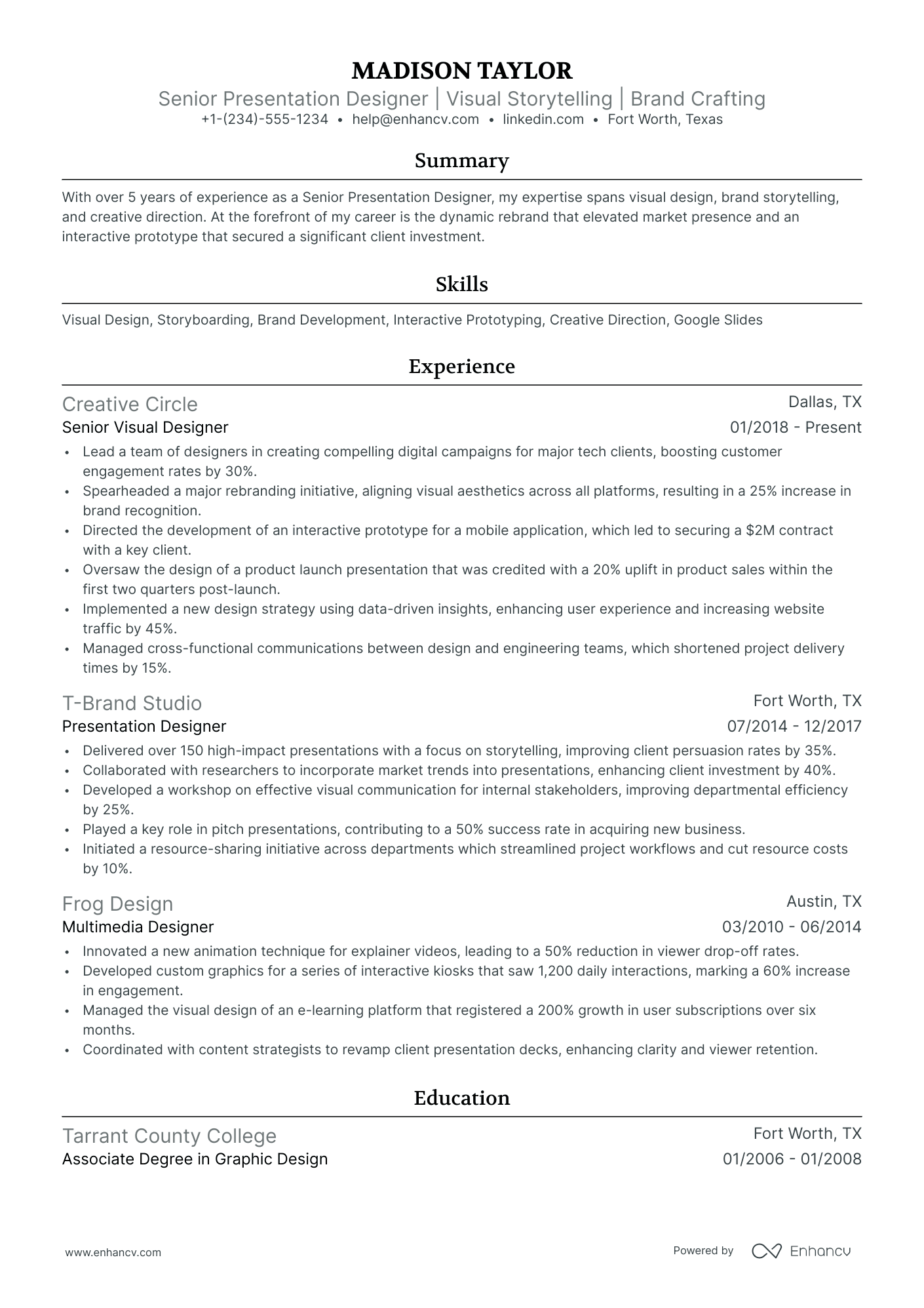
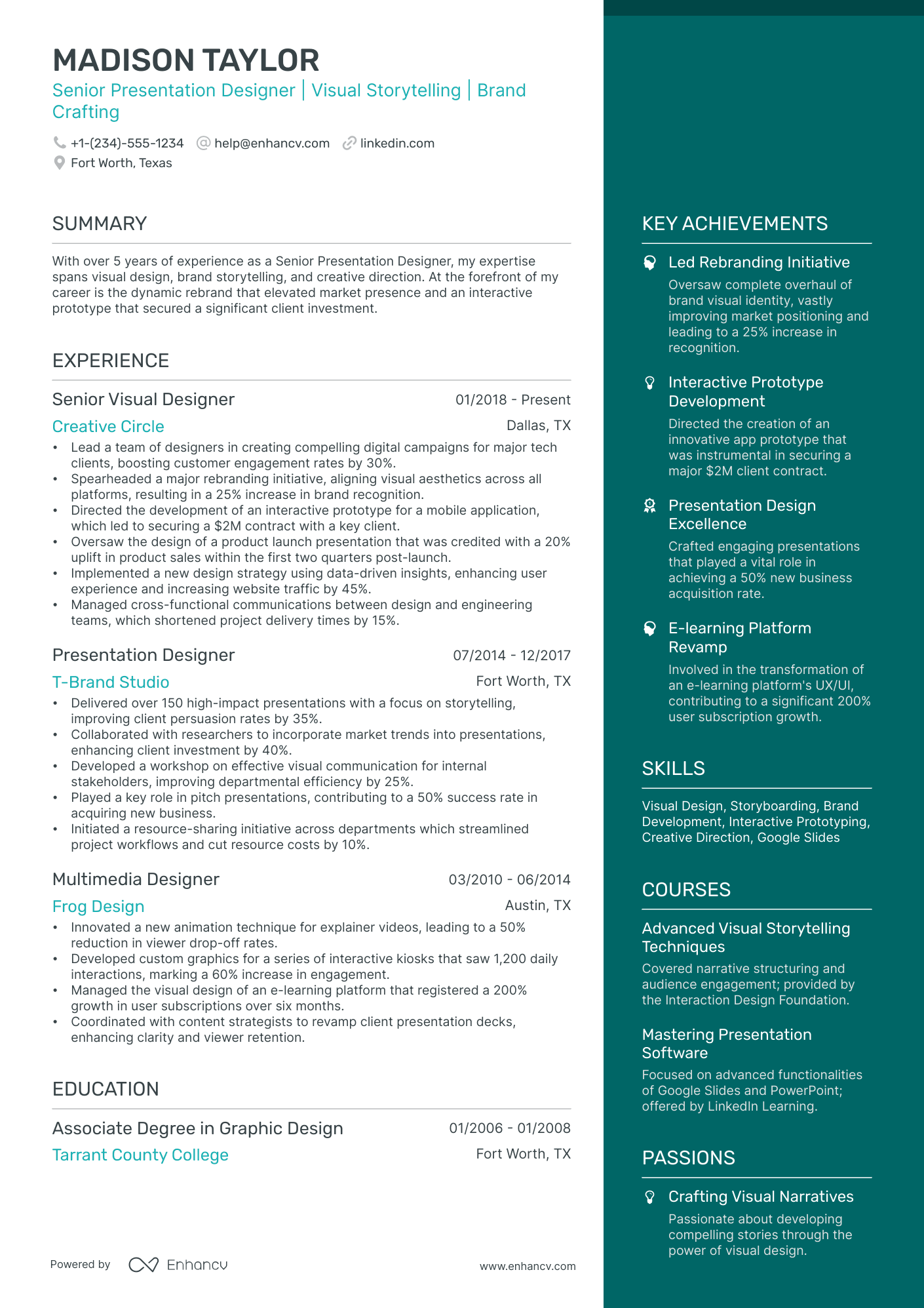
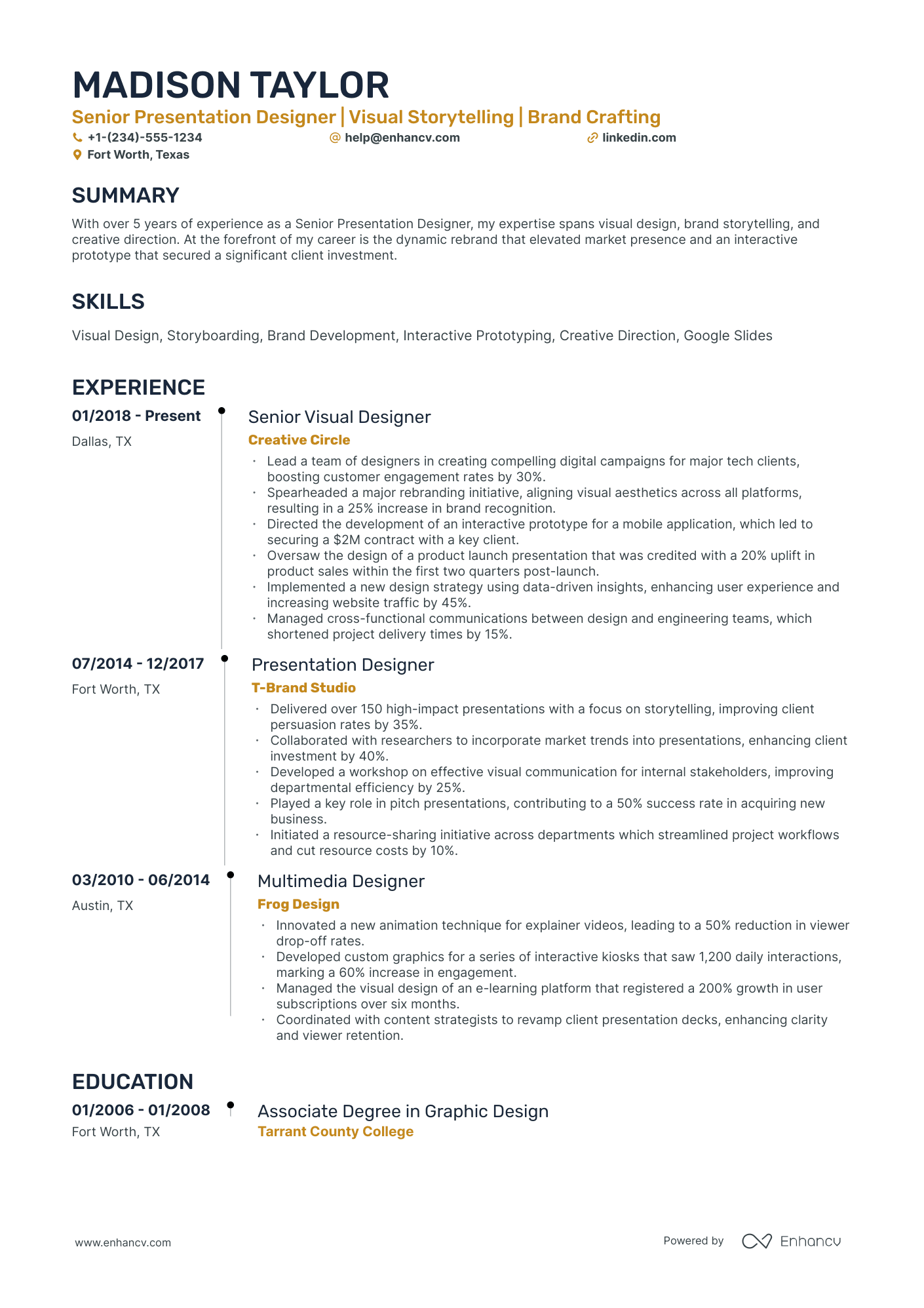
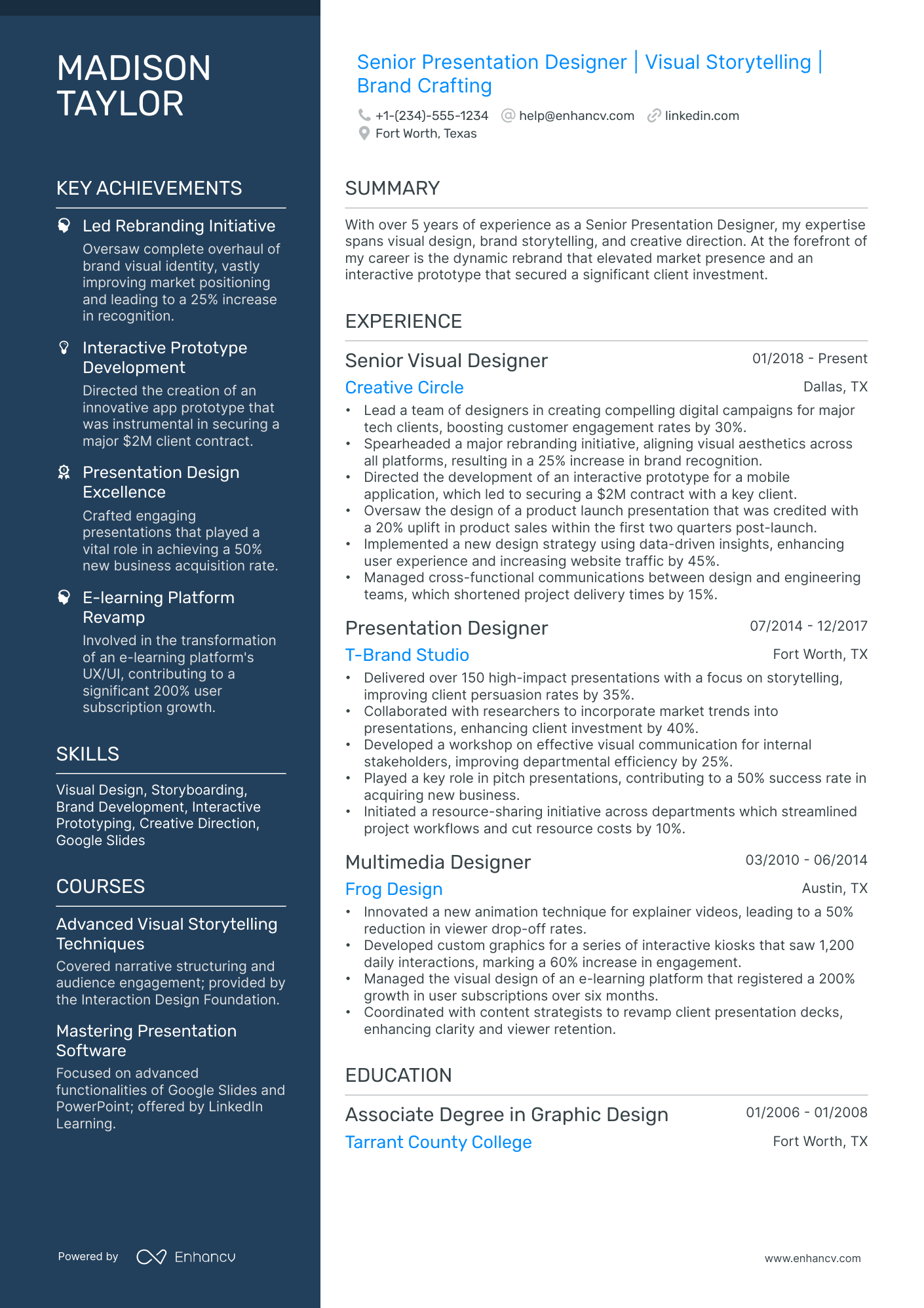
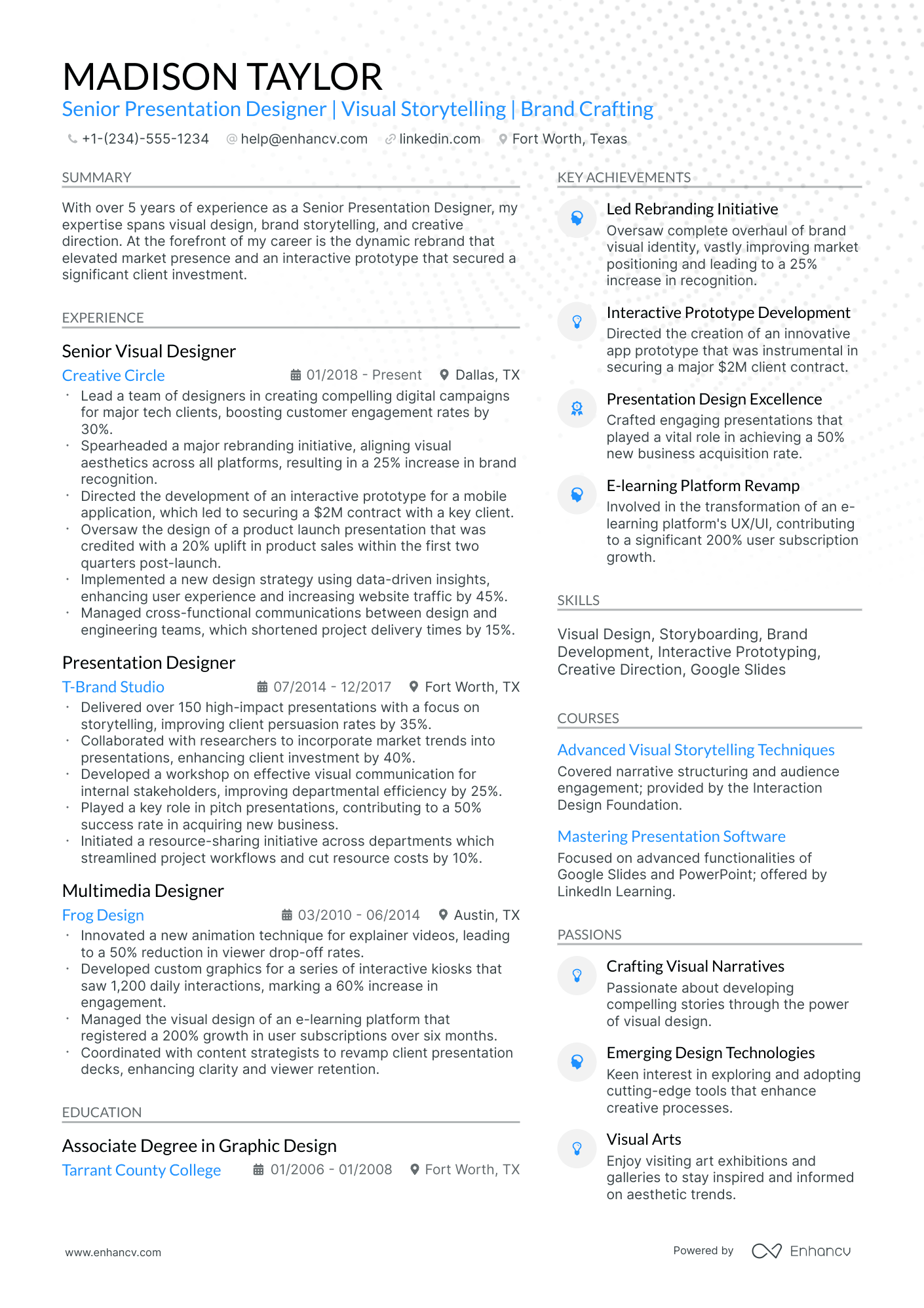
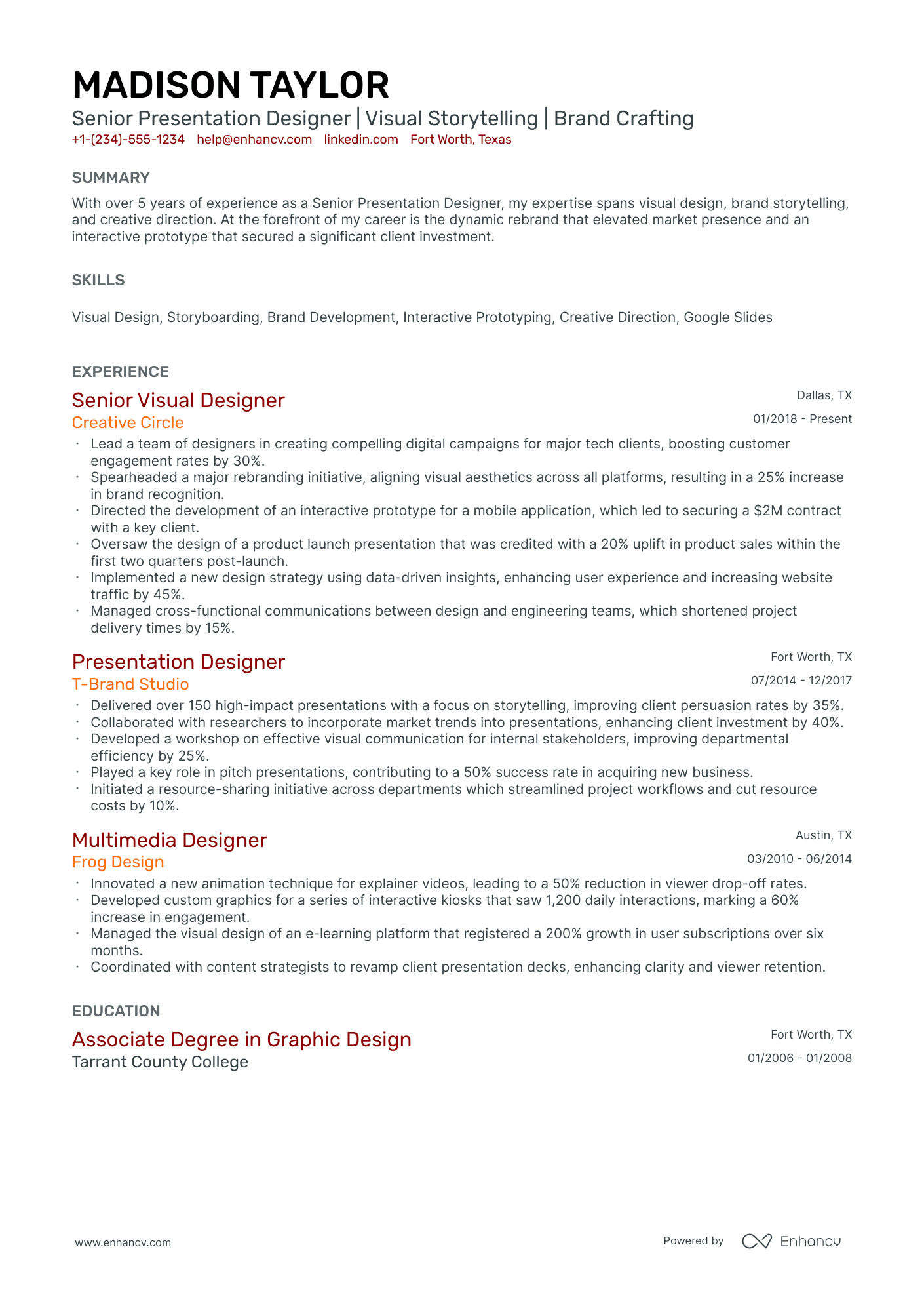
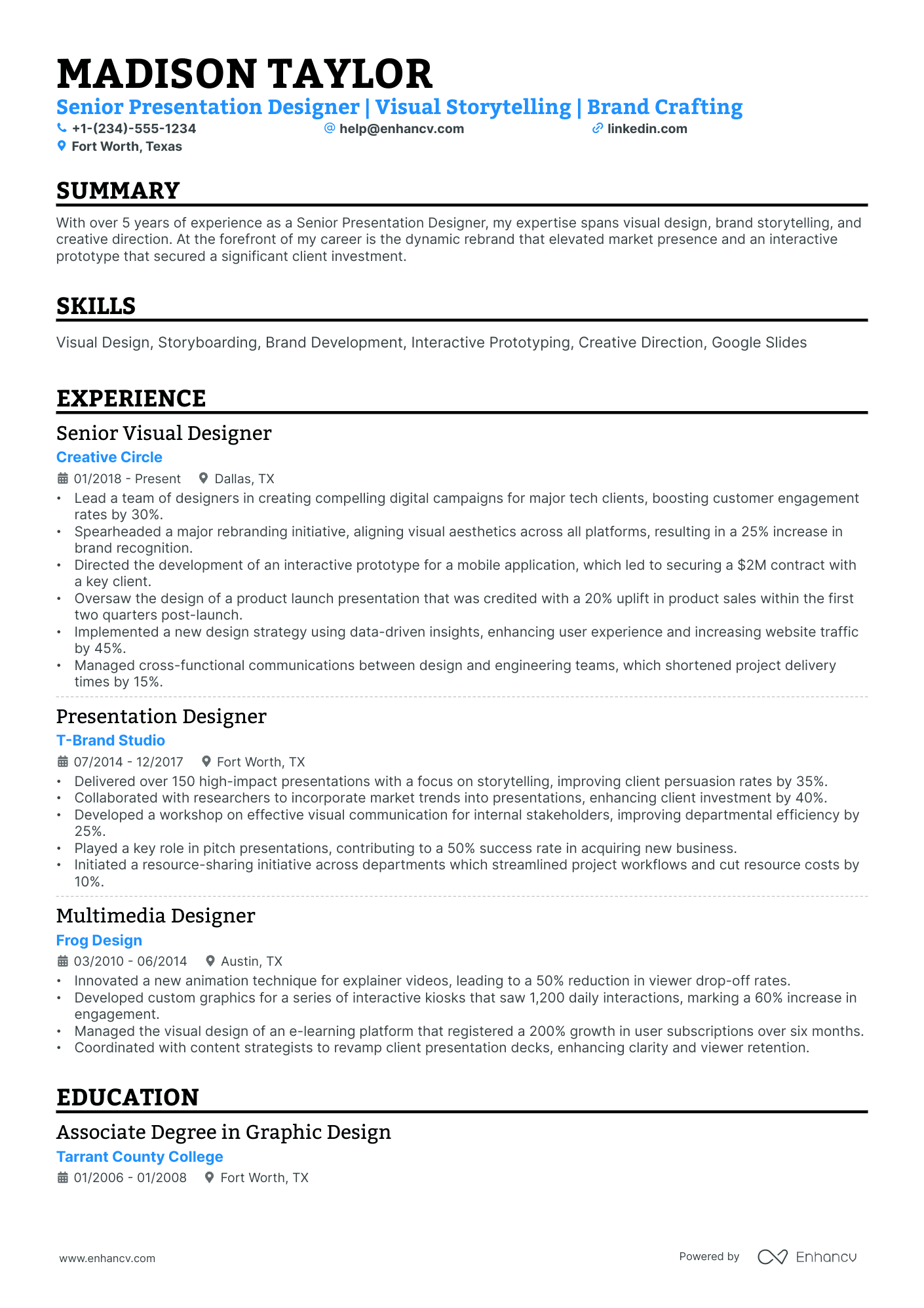
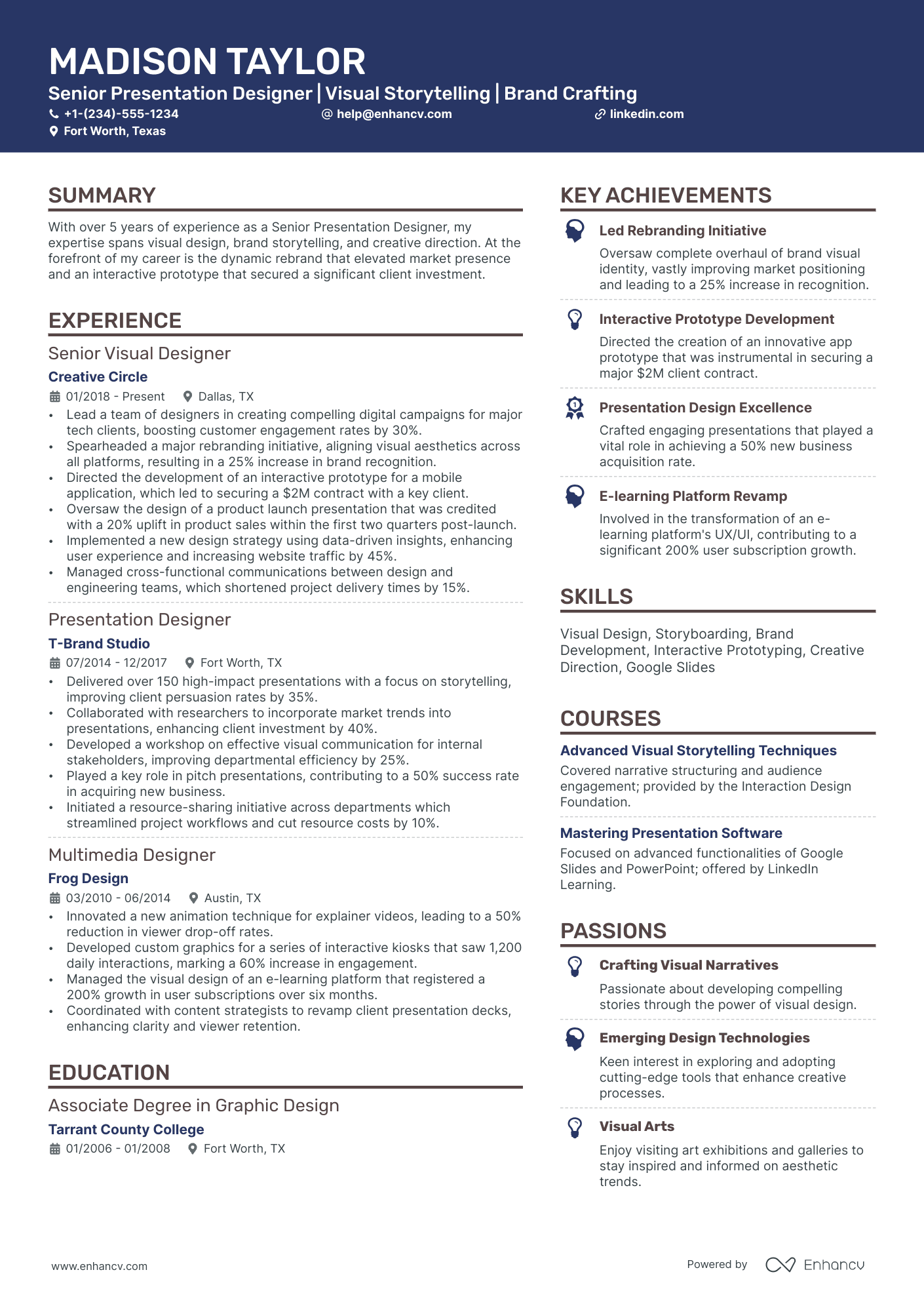
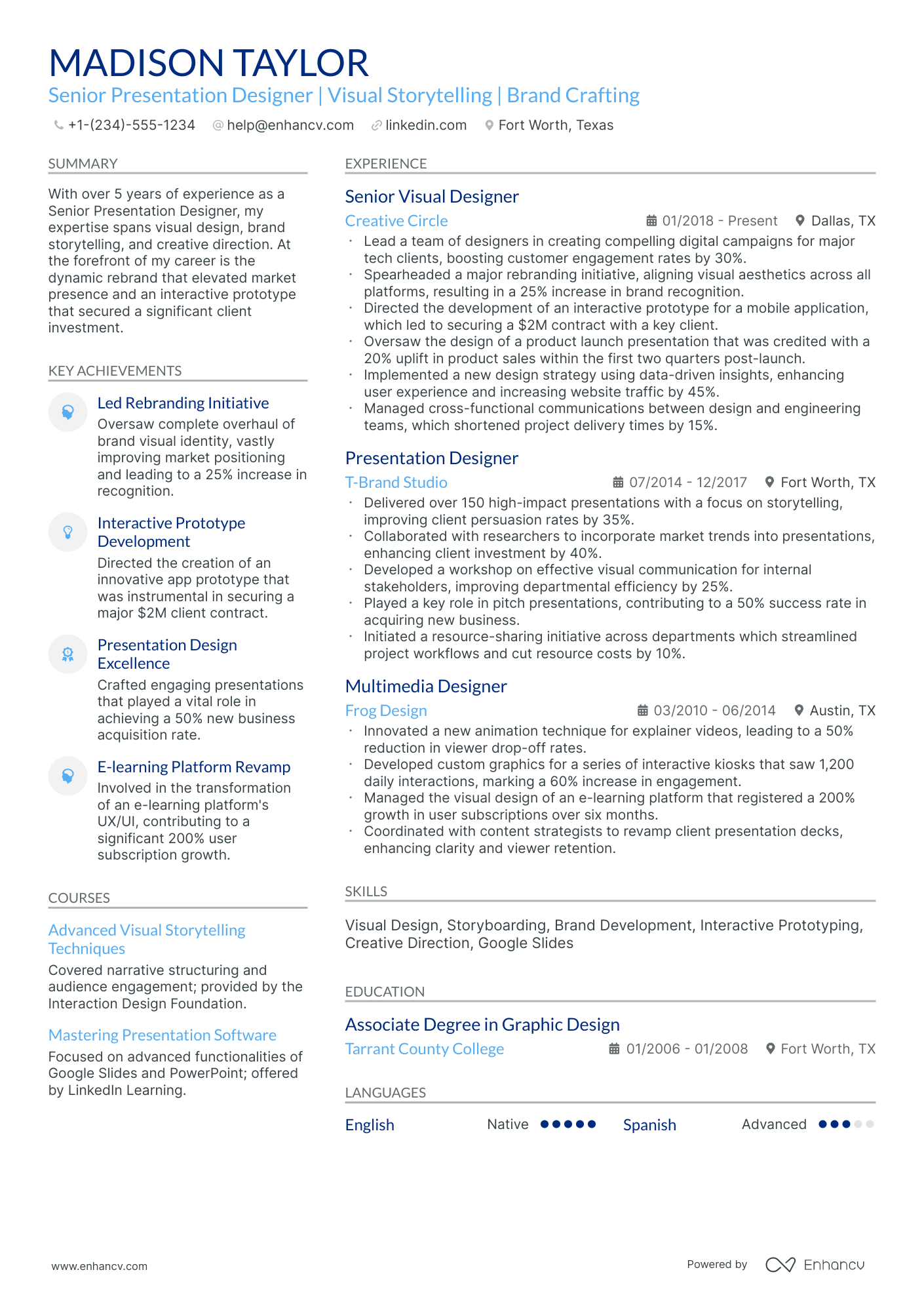
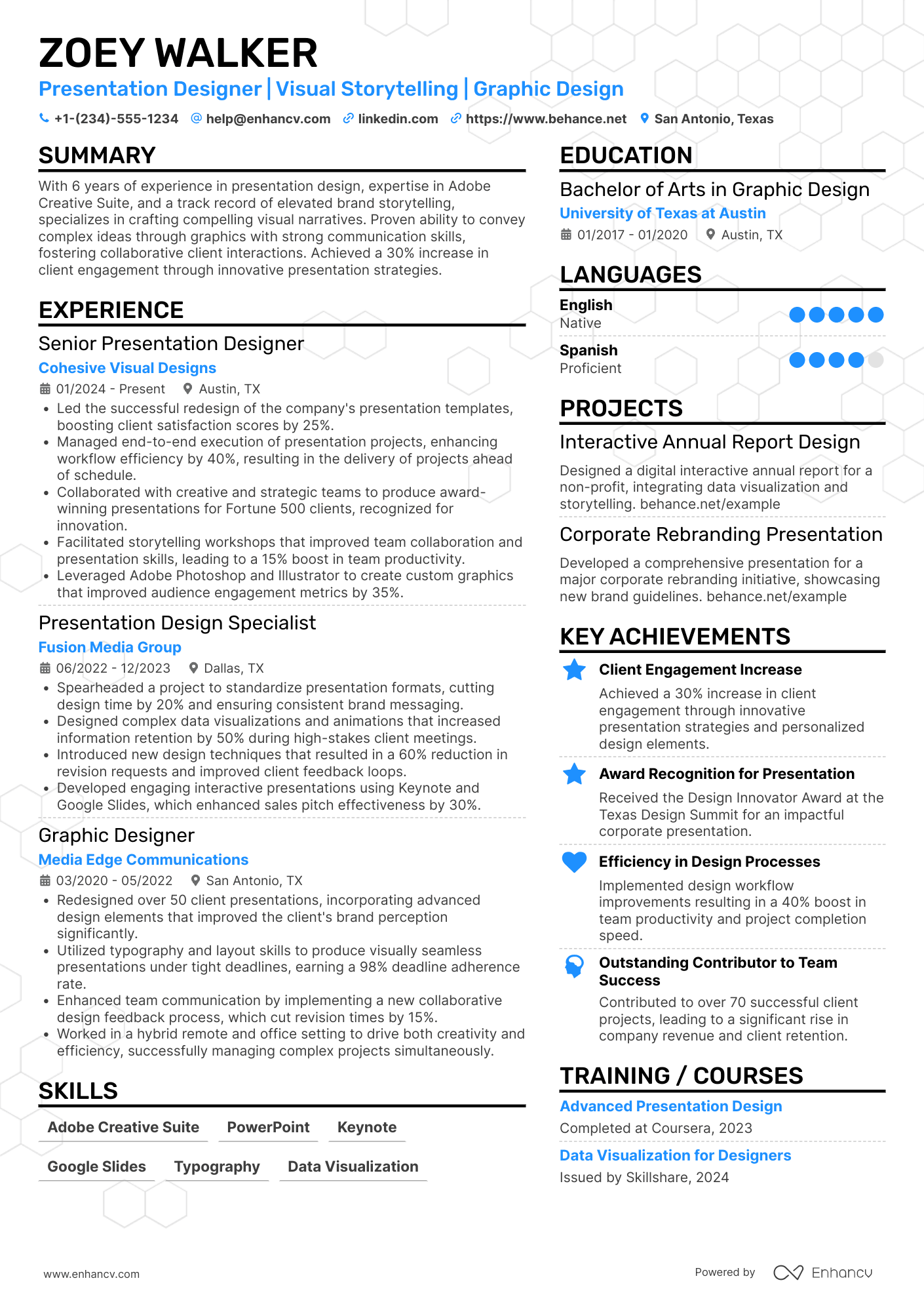
Most presentation designer resume documents fail because they show slides you built, not the business decisions you influenced. That gets you filtered by ATS screening and skipped in rapid recruiter scans, especially when competition is high.
A strong resume shows what changed because of your work. Knowing how to make your resume stand out starts with highlighting measurable outcomes like faster stakeholder approvals, increased pitch win rates, reduced revision cycles, improved brand consistency, and on-time delivery across multi-deck programs.

Key takeaways
- Highlight measurable outcomes like revision reductions and win rates, not just slides you designed.
- Use reverse-chronological format if experienced and hybrid format if switching careers or junior.
- Tailor every experience bullet to mirror the job posting's exact tools and terminology.
- Quantify achievements using turnaround time, delivery volume, brand accuracy, and engagement metrics.
- Demonstrate skills in context through your summary and experience, not only in a skills list.
- Include a portfolio link near the top so recruiters can verify your design quality fast.
- Use Enhancv to turn vague duties into focused, recruiter-ready bullets grounded in real outcomes.
How to format a presentation designer resume
Recruiters evaluating presentation designer resumes prioritize a strong visual design sensibility balanced with strategic communication skills, proficiency in tools like PowerPoint, Keynote, Google Slides, and Figma, and evidence of delivering polished, high-stakes presentations for clients or leadership teams. A clean, well-structured resume format ensures these signals surface quickly during both human review and applicant tracking system (ATS) parsing, especially since hiring managers expect a presentation designer's resume to reflect the same clarity and intentionality they'd bring to a deck. Choosing the right resume layout is especially important for design roles where visual organization reflects your professional abilities.

I have significant experience in this role—which format should I use?
Use a reverse-chronological format to lead with your most recent and relevant presentation design work. Do:
- Lead each role entry with scope and ownership details—team size, client tier, volume of deliverables, and stakeholder level (e.g., C-suite, board-level, investor-facing).
- Highlight expertise in role-specific tools and domains such as PowerPoint, Keynote, Figma, motion graphics, data visualization, brand templating, and narrative design.
- Quantify outcomes and business impact for every major project or engagement.
I'm junior or switching into this role—what format works best?
A hybrid format works best, allowing you to feature transferable design skills prominently while supporting them with project-based or freelance experience. Do:
- Place a dedicated skills section near the top of your resume covering core tools (PowerPoint, Keynote, Google Slides, Figma, Adobe Creative Suite) and relevant competencies like data visualization, layout design, and brand consistency.
- Include freelance projects, academic work, or spec projects that demonstrate end-to-end presentation design—from brief to final deliverable.
- Link every action to a clear result, even on smaller-scale projects.
Why not use a functional resume?
A functional format strips away the project timelines and professional context that hiring managers rely on to assess a presentation designer's growth, consistency, and ability to deliver under real-world constraints.
- Career changers with strong transferable design skills who can demonstrate presentation-specific work through a portfolio but lack direct job titles in the field.
- Candidates with limited formal work history (recent graduates or freelancers) whose project volume doesn't yet fill a traditional experience section.
- Professionals returning after a resume gap who completed relevant coursework, certifications, or volunteer design work during time away.
Once your layout and formatting choices are in place, the next step is deciding which sections to include so each one reinforces your qualifications effectively.
What sections should go on a presentation designer resume
Recruiters expect a clean, role-specific resume that shows you can turn complex ideas into clear, on-brand presentations. Understanding which resume sections to include ensures nothing critical gets overlooked.
Use this structure for maximum clarity:
- Header
- Summary
- Experience
- Skills
- Projects
- Education
- Certifications
- Optional sections: Awards, Publications, Languages
Strong experience bullets should highlight measurable business impact, stakeholder scope, brand consistency, and outcomes delivered through your presentation work.
Is your resume good enough?
Drop your resume here or choose a file. PDF & DOCX only. Max 2MB file size.
Now that you’ve organized your resume with the right sections, the next step is to write your presentation designer resume experience so each role clearly supports that structure.
How to write your presentation designer resume experience
The experience section is where you prove you can ship polished, high-impact presentations—not just describe day-to-day tasks. Hiring managers want to see the tools you used, the deliverables you owned, and the measurable outcomes your work produced, because demonstrated impact always outweighs a generic list of responsibilities.
Each entry should include:
- Job title
- Company and location (or remote)
- Dates of employment (month and year)
Three to five concise bullet points showing what you owned, how you executed, and what outcomes you delivered:
- Ownership scope: the presentation decks, templates, visual systems, brand guidelines, or client accounts you were directly accountable for as a presentation designer.
- Execution approach: the design tools, storytelling frameworks, data visualization techniques, or slide architecture methods you relied on to craft and deliver final presentations.
- Value improved: the changes your work drove in visual consistency, audience engagement, production speed, brand compliance, or content accessibility across presentations.
- Collaboration context: how you partnered with executives, sales teams, marketing stakeholders, subject-matter experts, or external clients to translate complex information into clear, persuasive slides.
- Impact delivered: the tangible results your presentations helped produce—expressed through business outcomes, audience reach, or operational improvements rather than a summary of tasks completed.
Experience bullet formula
A presentation designer experience example
✅ Right example - modern, quantified, specific.
Presentation Designer
NexaCloud | Remote
2022–Present
B2B software-as-a-service company serving 3,000+ mid-market customers with a product-led growth motion.
- Redesigned the core sales deck in Microsoft PowerPoint using a modular master template system, cutting customization time by 35% and supporting 120+ tailored versions per quarter.
- Built a Figma-based slide component library and brand toolkit aligned to human resources and legal guidelines, reducing brand compliance issues by 60% across marketing and sales materials.
- Partnered with product marketing managers and sales leadership to translate positioning into story-driven narratives, improving demo-to-proposal conversion by 12% over two quarters.
- Produced investor and board presentations by visualizing key metrics in Power BI exports and PowerPoint charts, shortening executive review cycles by 25% and reducing last-minute revisions by 40%.
- Standardized accessibility across templates by applying contrast checks, reading order, and alt text conventions, increasing internal accessibility audit pass rate from 70% to 95%.
Now that you've seen how a strong experience section comes together, let's look at how to adapt yours to match the specific job you're targeting.
How to tailor your presentation designer resume experience
Recruiters evaluate your presentation designer resume through applicant tracking systems and manual review, scoring how closely your experience matches the posting. Tailoring your resume to the job description by reflecting the job's specific language and priorities increases your chances of passing both filters.
Ways to tailor your presentation designer experience:
- Mirror the exact design tools and software listed in the job posting.
- Match terminology for brand guidelines or visual identity standards referenced.
- Reflect slide framework or template systems the employer uses.
- Include industry experience when the role specifies a particular domain.
- Highlight data visualization methods if the posting emphasizes storytelling with data.
- Reference collaboration workflows with stakeholders like marketing or executive teams.
- Align with accessibility or compliance standards the job description mentions.
- Emphasize presentation delivery formats or platforms the employer relies on.
Tailoring means aligning your real accomplishments with what the role demands, not forcing disconnected keywords into your experience section.
Resume tailoring examples for presentation designer
| Job description excerpt | Untailored | Tailored |
|---|---|---|
| "Design and produce executive-level presentations in PowerPoint and Keynote for quarterly earnings calls, ensuring brand consistency across all investor-facing materials." | Created presentations for various company meetings and events. | Designed and produced 12+ executive-level PowerPoint and Keynote presentations per quarter for earnings calls, enforcing brand guidelines across all investor-facing materials with zero compliance revisions. |
| "Collaborate with marketing and product teams to translate complex data into clear, visually compelling narratives using tools such as Figma, Adobe Illustrator, and Google Slides." | Worked with different teams to make slides look better and easier to understand. | Partnered with marketing and product teams to transform complex datasets into visual narratives using Figma, Adobe Illustrator, and Google Slides, reducing average stakeholder revision rounds from four to one. |
| "Build and maintain a scalable slide template library in Templafy that supports 500+ global users, with a focus on accessibility standards (WCAG 2.1 AA)." | Helped maintain presentation templates and made sure they were up to date. | Built and maintained a scalable Templafy slide template library serving 500+ global users, auditing every template against WCAG 2.1 AA accessibility standards and achieving full compliance within three months. |
Once your experience aligns with the specific role, the next step is to quantify your presentation designer achievements so employers can see the impact of that work.
How to quantify your presentation designer achievements
Quantifying your achievements proves your decks improved outcomes, not just aesthetics. Track turnaround time, revision cycles, error rates, stakeholder approval speed, and engagement or conversion results tied to key presentations.
Quantifying examples for presentation designer
| Metric | Example |
|---|---|
| Turnaround time | "Cut average deck turnaround from five days to two by building a PowerPoint template system and reusable slide library for a twelve-person sales team." |
| Revision cycles | "Reduced average revision rounds from four to two by running a thirty-minute kickoff, aligning on a brief, and using Figma comments for consolidated feedback." |
| Brand accuracy | "Lowered brand-compliance fixes by 60% by enforcing a style guide, locked master slides, and iconography rules across eighty-plus client decks." |
| Delivery volume | "Produced twenty investor and customer decks per month while maintaining on-time delivery above 95% using Asana for intake and a weekly production schedule." |
| Engagement lift | "Improved webinar slide engagement by 18% by redesigning charts, simplifying copy, and adding progressive disclosure animations in Keynote and PowerPoint." |
Turn vague job duties into measurable, recruiter-ready resume bullets in seconds with Enhancv's Bullet Point Generator.
Once your bullet points clearly convey your accomplishments, the next step is ensuring your skills section highlights the right mix of hard and soft skills that reinforce those achievements.
How to list your hard and soft skills on a presentation designer resume
Your skills section shows recruiters and an ATS (applicant tracking system) that you can translate messaging into polished decks, using the right tools and design standards; aim for a balanced mix of hard skills (tools and methods) and soft skills (collaboration and execution). presentation designer roles require a blend of:
- Product strategy and discovery skills.
- Data, analytics, and experimentation skills.
- Delivery, execution, and go-to-market discipline.
- Soft skills.
Your skills section should be:
- Scannable (bullet-style grouping).
- Relevant to the job post.
- Backed by proof in experience bullets.
- Updated with current tools.
Place your skills section:
- Above experience if you're junior or switching careers.
- Below experience if you're mid/senior with strong achievements.

Hard skills
- PowerPoint, Keynote, Google Slides
- Slide master templates
- Brand guidelines, style systems
- Typography, grid systems
- Layout, visual hierarchy
- Data visualization, chart design
- Infographic design
- Storyboarding, narrative flow
- Figma, Adobe Illustrator
- Adobe InDesign, Photoshop
- Export specs: PDF, PPTX
- Accessibility: WCAG, contrast
Soft skills
- Clarify goals and audience
- Translate feedback into revisions
- Partner with executives and PMs
- Present design rationale clearly
- Manage scope and deadlines
- Prioritize high-impact edits
- Maintain brand consistency under pressure
- Ask sharp, specific questions
- Align stakeholders on storyline
- Run efficient review cycles
- Own quality from draft to final
- Communicate trade-offs fast
How to show your presentation designer skills in context
Skills shouldn't live only in a dedicated skills list. You can explore common resume skills by role to see how other professionals frame theirs.
They should be demonstrated in:
- Your summary (high-level professional identity)
- Your experience (proof through outcomes)
Here's what that looks like in practice.
Summary example
Senior presentation designer with 9+ years crafting executive-level decks in SaaS. Skilled in Figma, PowerPoint, and data storytelling. Redesigned investor pitch templates that helped secure $18M in Series B funding.
- Signals senior-level expertise immediately
- Names industry-relevant design tools
- Includes a concrete financial metric
- Highlights strategic communication ability
Experience example
Senior Presentation Designer
Clearpath Analytics | Remote
March 2019–Present
- Redesigned 120+ client-facing decks in Figma and PowerPoint, boosting audience engagement scores by 34%.
- Partnered with sales and marketing teams to develop data-driven pitch templates that shortened deal cycles by 18%.
- Built a reusable design system for keynote presentations, cutting production time by 40% across three departments.
- Every bullet contains measurable proof
- Skills surface naturally through real outcomes
Once you’ve demonstrated your presentation design abilities through relevant examples and outcomes, the next step is to translate that proof into a resume—even if you don’t have formal experience.
How do I write a presentation designer resume with no experience
Even without full-time experience, you can demonstrate readiness through projects and transferable work. If you're just starting out, here's a detailed guide on building a resume without work experience that still makes an impact:
- Freelance slide redesigns for clients
- Class projects with slide decks
- Volunteer decks for nonprofits
- Internship in marketing or sales
- Portfolio case studies of redesigns
- Pitch deck for student startup
- Template system for a club
- Brand guideline application exercises
Focus on:
- Portfolio links with before-after
- Slide systems and templates built
- Data visualization and chart clarity
- Brand consistency across decks
Resume format tip for entry-level presentation designer
Use a combination resume format because it highlights projects, tools, and outcomes before limited work history. Do:
- Add a portfolio link near the top.
- Lead with a Projects section.
- List tools: PowerPoint, Google Slides, Figma.
- Show process: brief, wireframe, iterate.
- Quantify outcomes: time saved, adoption.
- Redesigned a nonprofit donor deck in PowerPoint using a reusable template and brand styles, cutting edit time by 30% and improving message clarity across twelve slides.
Even without formal work experience, your education section can demonstrate the foundational knowledge and relevant coursework that make you a strong candidate.
How to list your education on a presentation designer resume
Your education section helps hiring teams confirm you have foundational design knowledge. It validates your training in visual communication, layout principles, and storytelling—core skills every presentation designer needs.
Include:
- Degree name
- Institution
- Location
- Graduation year
- Relevant coursework (for juniors or entry-level candidates)
- Honors & GPA (if 3.5 or higher)
Skip month and day details—list the graduation year only.
Here's a strong education entry tailored to a presentation designer:
Example education entry
Bachelor of Fine Arts in Graphic Design
Savannah College of Art and Design, Savannah, GA
Graduated 2021
GPA: 3.7/4.0
- Relevant coursework: Visual Storytelling, Typography, Information Design, Motion Graphics, Digital Layout Systems
- Honors: Dean's List (six consecutive semesters), Outstanding Senior Portfolio Award
How to list your certifications on a presentation designer resume
Certifications on your resume show a presentation designer's commitment to learning, proficiency with key tools, and alignment with current industry standards, especially for visual storytelling and slide production.
Include:
- Certificate name
- Issuing organization
- Year
- Optional: credential ID or URL
- List certifications below education when your degree is recent and the certifications are older or less relevant to presentation designer work.
- List certifications above education when they are recent, highly relevant, or your degree is older and needs stronger presentation designer proof.
Best certifications for your presentation designer resume
- Microsoft Office Specialist: PowerPoint Associate
- Adobe Certified Professional: Adobe Photoshop
- Adobe Certified Professional: Adobe Illustrator
- Adobe Certified Professional: Adobe InDesign
- Google UX Design Professional Certificate
- Nielsen Norman Group UX Certification
Once you’ve positioned your credentials where recruiters can spot them, shift to your presentation designer resume summary to tie those qualifications to the value you deliver.
How to write your presentation designer resume summary
Your resume summary is the first thing a recruiter reads. A strong one instantly signals you have the right skills and creative experience for the presentation designer role.
Keep it to three to four lines, with:
- Your title and years of experience in presentation or visual design.
- The industries or domains you've worked in, such as corporate, tech, or agency.
- Core tools like PowerPoint, Keynote, Google Slides, Figma, or Adobe Creative Suite.
- One or two measurable achievements, such as projects delivered or engagement improved.
- Soft skills tied to real outcomes, like translating complex data into clear visual narratives.

PRO TIP
At this level, focus on relevant tools, design skills, and early contributions that prove you can deliver. Highlight specific software proficiency and any measurable results from real projects. Avoid vague phrases like "passionate creative" or "hard worker." Replace them with concrete details that show what you've actually built or improved.
Example summary for a presentation designer
Presentation designer with two years of experience building pitch decks and corporate templates in PowerPoint and Figma. Redesigned a 40-slide investor deck that helped secure $2M in funding.
Optimize your resume summary and objective for ATS
Drop your resume here or choose a file.
PDF & DOCX only. Max 2MB file size.
Now that your summary captures the value you bring, make sure the header above it presents your contact details and professional title correctly so recruiters can reach you without any friction.
What to include in a presentation designer resume header
A resume header is the top section with your identity and contact details, and it boosts visibility, credibility, and recruiter screening for a presentation designer.
Essential resume header elements
- Full name
- Tailored job title and headline
- Location
- Phone number
- Professional email
- GitHub link
- Portfolio link
Including a LinkedIn link helps recruiters verify experience quickly and supports screening.
Do not include photos on a presentation designer resume unless the role is explicitly front-facing or appearance-dependent.
Keep the header in one compact block, mirror the job title wording, and place your portfolio link beside your email for quick review.
Example
Presentation designer resume header
Jordan Lee
Presentation Designer | Slide storytelling and brand-consistent decks
Austin, TX
(512) 555-01XX
jordan.lee@enhancv.com
github.com/jordanlee
jordanlee.design
linkedin.com/in/jordanlee
Once your contact details and professional identifiers are clearly in place, you can strengthen your application with additional sections that provide relevant context and supporting information.
Additional sections for presentation designer resumes
Extra resume sections help you stand out when your core experience and skills don't fully capture your expertise as a presentation designer.
They add credibility, showcase niche strengths, and highlight what makes you uniquely qualified. For example, listing a portfolio on your resume gives recruiters immediate access to your design work and visual storytelling ability.
Consider adding these sections to your presentation designer resume:
- Languages
- Portfolio projects
- Speaking engagements
- Awards and design competitions
- Professional affiliations and design communities
- Publications and featured work
- Volunteer design work
Once you've rounded out your resume with the right supplementary sections, the next step is pairing it with a strong cover letter to make your application complete.
Do presentation designer resumes need a cover letter
A cover letter isn't required for a presentation designer, but it often helps in competitive roles or teams that expect a strong narrative. If you're unfamiliar with the format, start by understanding what a cover letter is and how it complements your resume. It makes a difference when your resume needs context, your portfolio needs framing, or your fit isn't obvious.
Use a cover letter to add context your resume can't:
- Explain role and team fit by naming the audience you support and how you collaborate with product, marketing, or sales partners.
- Highlight one or two relevant projects with outcomes, such as faster deck production, improved win rates, or clearer executive storytelling.
- Show understanding of the product, users, and business context by referencing the company's messaging, customers, and how presentations support decisions.
- Address career transitions or non-obvious experience by connecting transferable skills to presentation designer work and clarifying scope, tools, and impact.
Drop your resume here or choose a file.
PDF & DOCX only. Max 2MB file size.
Even if you decide not to include a cover letter, using AI to improve your presentation designer resume helps you strengthen the document employers will review first.
Using AI to improve your presentation designer resume
AI can sharpen your resume's clarity, structure, and overall impact. It helps you find stronger phrasing and tighten loose sections. But overuse strips authenticity fast. Once your content reads clearly and aligns with the role, step away from AI. If you're curious about where to start, explore ChatGPT resume writing prompts designed to improve specific sections of your resume.
Here are 10 practical prompts to strengthen specific sections of your presentation designer resume:
- Strengthen your summary. "Rewrite my presentation designer resume summary to highlight my core visual storytelling skills and years of relevant experience in under four sentences."
- Quantify experience bullets. "Add measurable outcomes to these presentation designer experience bullets, focusing on audience engagement, turnaround time, or project volume."
- Tighten skills phrasing. "Review my presentation designer skills section and remove vague terms, replacing them with specific tools, techniques, or software I actually use."
- Align with job posting. "Compare my presentation designer resume experience section against this job description and flag missing keywords or misaligned responsibilities."
- Clarify project descriptions. "Rewrite my presentation designer project entries to clearly state the client problem, my design approach, and the final deliverable."
- Improve action verbs. "Replace weak or repetitive verbs in my presentation designer experience bullets with precise action words that show ownership and impact."
- Refine education section. "Edit my presentation designer education section to emphasize coursework, projects, or honors directly related to visual communication and slide design."
- Highlight certifications clearly. "Reorganize my presentation designer certifications section so the most role-relevant credentials appear first, each with a brief context line."
- Remove redundant content. "Identify and cut any repeated or unnecessary information across all sections of my presentation designer resume without losing key details."
- Polish for consistency. "Check my entire presentation designer resume for inconsistent formatting, tense shifts, and tone mismatches, then suggest specific corrections."
Stop using AI once your resume sounds accurate, specific, and aligned with real experience. AI should never invent experience or inflate claims—if it didn't happen, it doesn't belong here.
Conclusion
A strong presentation designer resume proves impact with measurable outcomes, role-specific skills, and a clear structure. Lead with results, show tools and visual storytelling strengths, and keep formatting clean and consistent.
Hiring teams want fast proof you can deliver polished decks under real constraints. A focused presentation designer resume shows you’re ready now and adaptable for what’s next. Keep it concise, scannable, and grounded in outcomes.