You've been wondering which resume builder to choose and which one's worth your money. The two names that keep coming up are Enhancv and Sheets, and they're built around almost opposite ideas of what a resume builder should do.
Sheets bets on minimalism, sold for $99 once. Enhancv bets on the rest of the work, sold as a subscription that keeps shipping. The question is which bet you want to make.
I tested both with the same starting resume, the same target job ad, and the same goal: a polished, ATS-safe document I'd be happy to send a hiring manager.
Below is a quick scorecard, then a dimension-by-dimension breakdown. Winners are in bold.
Comparison between Enhancv and Sheets Resume Builder
| Product feature | Enhancv | Sheets |
|---|---|---|
| Templates | Multiple recruiter-tested layouts | One template |
| Onboarding speed | Longer guided flow | Faster time to first draft |
| AI writing depth | Drafts and tailors sections end-to-end | Coaches and polishes what you wrote |
| Job tailoring | AI resume tailoring with scoring feedback | Three-intensity slider, gated behind login |
| Resume check | Runs 27 specific checks across content, format, skills, sections, and style, with a numerical score and an actionable task list | Resume analyzer leaning towards recruiter-readability score |
| Examples library | Thousands of CPRW-written examples | None |
| Cover letters | Tailored; matches the resume | Standalone generator; basic |
| Career suite | Job search, job tracking, interview preparation | Mock interview, LinkedIn rewrite, job search |
| Pricing model | Subscription with 7-day free plan and refund window | $99 lifetime or $39 monthky |
| Best fit | Experienced, senior, executive, career switcher | Early-career, clean-slate rebuilds |
The rest of this article walks through each row.
Onboarding comparison
Both tests started with the same pre-written resume uploaded into each builder, because how a tool handles your existing content is the part of onboarding that actually matters.
Sheets handled it cleanly. The upload finished in seconds, the parser placed every section where it belonged, and the bullets came across without the formatting weirdness most builders introduce on import. From upload to first preview, the whole flow took under two minutes, and there was nothing to fix before I could start editing.
Enhancv asks more of the user up front and, in my experience, the parser sometimes misreads sections of an existing resume. A bullet can land in the wrong role or a skills line gets attributed to the previous job. The fixes are quick, but they're yours to make.

PRO TIP
What each builder gives you in exchange for that speed is different. Sheets gives you a one-path flow because it has one template and one structure to fit your content into.
Enhancv asks you to pick a layout, configure a few choices, and accept that the parser may need a nudge, because what you're building is a resume tailored to your career stage and your target role. Faster onboarding is a real advantage. It's also the only stage of the resume-building process where simpler is unambiguously better.
Templates philosophy comparison
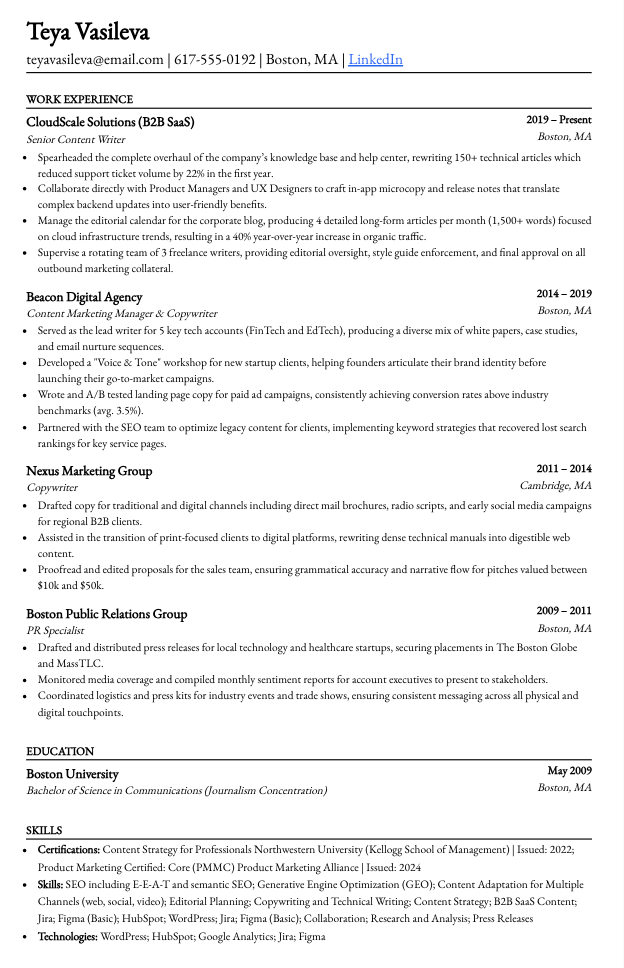
Sheets ships one template. Single-column, neutral typography, no graphics. Refined over seven years of feedback and battle-tested through Reddit. For a junior candidate with a clean trajectory, it's a strong default.
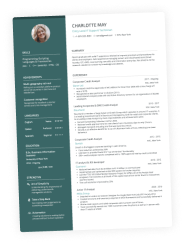
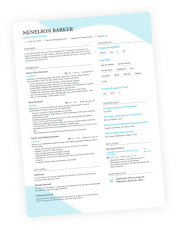
Enhancv offers a curated set of ATS-ready templates, and each one can be calibrated to a different audience and resume length. For example, the Double Column easily fits 15-plus years of experience without flattening it. The Ivy League serves traditional industries. The Polished works for executive scope.
The difference isn't variety for variety's sake. A 22-year-old applying for a junior role and a VP of engineering applying for a director seat need different layouts to compete.
With Sheets, the layout is neutral and uniform, which means every signal about your seniority, scope, and fit has to come from your bullets alone. The content carries the entire load. If your phrasing is off or your metrics are thin, there's nothing else to help the reader place you.
Here’s my resume built with Sheets:
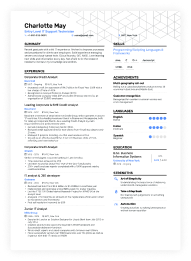
With Enhancv, the bullets still do the heavy lifting, but the template itself acts as a strategic communication tool, reinforcing the candidate’s profile at a glance.
Look at my resume using Enhancv’s Minimal:
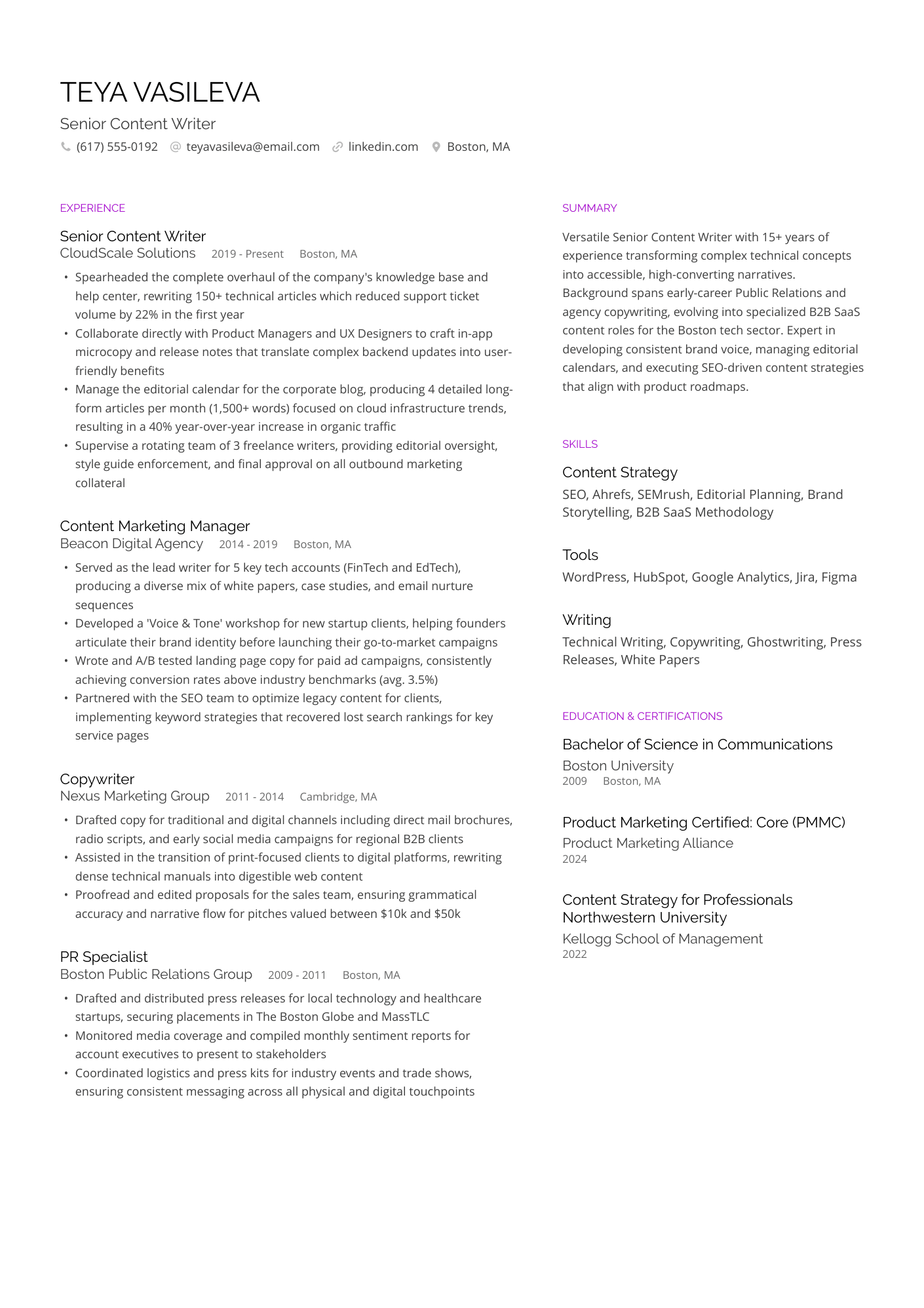
Sheets gives all candidates the same canvas. Enhancv gives each candidate the canvas built for them.
One template can't carry the range of resumes real job seekers write.
Building your resume
Here’s the middle stage of every resume-builder review: how the tool walks you through writing, editing, and shaping the document.
Editing
Sheets uses a sidebar editor with collapsible fields and a live preview. Enhancv uses the same sidebar pattern with a wider field set and AI improvement across bullets and full sections.
The advice each builder gives also differs. Sheets takes a position on every section.
For example, it advises against a summary when it adds no information and pushes for an Interests block when it carries interview value. The guidance is recruiter-driven and useful, especially when you trust the source.
Enhancv's stance is different. The summary stays in. CPRW standards treat the top three to five lines as your personal brand. It's the first thing a hiring manager reads, and where a senior candidate signals scope, focus, and intent.
AI features
Both tools include AI writing assistance, but they're scaled differently. Sheets' AI sharpens what you give it and rewrites the resume against a job ad. Enhancv is an AI resume builder at its core.
The full feature picture is below.
AI capability comparison
| AI feature | Sheets | Enhancv |
|---|---|---|
| Writing suggestions | Yes (sidebar) | Yes (inline AI assistant flags weak verbs and missed impact as you write) |
| Bullet improvement | Yes (Bullet Point Assistant) | Yes (Bullet Point Generator rewrites for tone, brevity, and punchiness) |
| AI text polish | Limited | AI text improvement runs on full sections |
| Summary generator | Not offered | Generates tailored summaries from a job ad |
| Job tailoring | Three-intensity slider | One-click tailoring with score and missing keyword feedback |
Resume checking
Both Sheets and Enhancv include a free standalone resume checker. The difference is how the score is structured.
Sheets' AI Resume Analyzer gives you a single 100-point score across completeness, quality, and best-practice adherence, with ATS-friendliness folded into the generalized result. It leans towards how a human screener perceives the resume in a 10-second scan, so the score is more about recruiter readability.
Enhancv's Resume Checker splits the work into two tiers. One tier scores the ATS must-haves like parse rate, formatting, length, and section structure. The other scores the recruiter feedback like content quality, action verbs, quantified impact, and style. This equals 27 quality checks across the entire resume so you know exactly which side needs work.
Is your resume good enough?
Drop your resume here or choose a file. PDF & DOCX only. Max 2MB file size.
Cover letters and career tools
Like many industry leaders, both tools unlock their full potential with their paid plans. However, they approach that premium value differently. Sheets packs everything into a single upfront bundle, while Enhancv amplifies its core builder with an ecosystem of evolving career features.
Cover letter builders
Sheets has a cover letter generator that produces a clean, on-tone letter from a job ad. The output is usable but also generic enough that anyone using the same job ad gets a similar letter.
Enhancv's Cover Letter Builder writes AI-tailored letters that match the job ad and pair visually with the resume. The pairing matters more than it sounds. Hiring teams who read both documents notice when they look like they came from the same candidate, and they notice when they don't.
Drop your resume here or choose a file.
PDF & DOCX only. Max 2MB file size.
Career suite
Sheets’ one-time $99 fee bundles four adjacent tools: a cover letter generator, AI mock interview practice, an AI LinkedIn updater, and an AI job search feed.
While Enhancv focuses primarily on the resume and cover letter, it continuously expands its career support features.
Every user dashboard includes:
- Job Applications Tracker: A job tracker with a statistics panel to monitor application progress.
- Prepare for Interview: A personalized prep guide that generates tailored interview questions based on your resume and the target job description.
- Find a Job: A curated job board that serves up personalized, matching opportunities.
Pricing models
Sheets sells $99 lifetime or $39 monthly. The lifetime option is rare in this category and a real selling point. Students, teachers, military personnel, government, and healthcare workers get a discount. Lifetime members get a 30-day refund window—subscription members get seven days from the last charge.
Enhancv uses a subscription model with a 7-day free plan, monthly and annual options, and a refund policy. The price-per-feature math favors Enhancv for most users.
- Free plan: Limited to seven days, two resumes, and 15 sections. It offers unlimited design options and, crucially, lets you preview what the AI can do before committing—unlike Sheets.
- Pro plan: Unlocks unlimited resumes, cover letters, and full AI capabilities. Options include $24.99 for one month, $49.97 for a quarter (~$16.66/mo), or $79.94 for six months (~$13.33/mo). These plans automatically renew until canceled.
A typical job search takes two to three months, the resume builder pays for itself in one improved application. The ongoing product investment shows up in features that keep shipping —not a static tool you bought once.
Lifetime is rare, but lifetime is also a bet on the product not needing to change. Sheets' template hasn't changed much since 2018, and the lifetime user is paying for that continuity.
An Enhancv subscription pays for a product that keeps moving with the resume market.
Author’s take
Sheets pros and cons
| Pros | Cons |
|---|---|
| A single clean template that parses cleanly across every major ATS. | One template means you can’t customize layout or style to fit your industry's vibe. |
| In-flow recruiter advice from an ex-Fortune 100 founder | No AI summary generator, since Sheets advises against summaries entirely |
| AI generates bullets and tailors resumes against a job ad, with three intensity levels | AI Resume Analyzer scores against general best practices, not the specific job ad |
| Bundled job-search tools (mock interview, LinkedIn rewrite, job search) under one price | No content library or CPRW examples when your own phrasing isn't landing |
| Lifetime $99 option, rare in this category | The core platform hasn't fundamentally changed since 2018, meaning it doesn't adapt to shifting market trends. |
Enhancv pros and cons
| Pros | Cons |
|---|---|
| A huge selection of customizable, ATS-ready templates tailored to any niche and career level. | Assumes prior resume-writing knowledge. |
| Full AI suite with multiple tools, from drafting and tailoring to the 27-check Resume Checker | Full AI suite unlocks on the Pro plan |
| ATS feedback against the actual job ad, with a score and a missing-keyword list | Parser occasionally misreads sections on imported resumes, so some bullets need a quick nudge |
| Thousands of examples to pull from when you’re struggling with phrasing | Subscription model, so a long job search costs more than Sheets' one-time $99 |
| AI resume tailoring with built-in scoring against the same job ad | Less prescriptive section-by-section guidance |
Final thoughts: Which resume builder should you choose?
Sheets is built for one user segment. Early-career candidates building a first real resume, applicants rebuilding from a messy template, and anyone who wants a fast, ATS-safe document without thinking about layout. For that user, Sheets is a credible, low-friction tool at a friendly price.
Pick Sheets if you:
- Are early-career and building your first real resume.
- Have a clean career trajectory and want a fast, ATS-safe layout.
- Prefer a one-time payment and don't need ongoing tailoring or feedback.
Enhancv is for the broader audience. This tool is built for experienced professionals, senior leaders, career switchers, and executives who need high-level strategic alignment. It’s ideal for anyone who must continuously upgrade their resume and rewrite content on the fly.
Pick Enhancv if you:
- Are a senior or experienced professional, an executive, or a career switcher.
- Need AI that drafts and tailors against specific job ads, not just polishes.
- Want ATS feedback that scores your resume against the role.
- You want CPRW-written examples to pull from when you struggle with wording.
- Your resume is one piece of a job search you want to keep moving.
For most readers, Enhancv is the answer. The best overall resume builder in 2026 combines AI writing, ATS feedback, and recruiter-tested templates in one tool, and Enhancv is the one that ships it.
As a CPRW, I respect Sheets' philosophy of building a resume around the recruiter's perception, and I root for it daily. A resume is a communications piece, and any good one is built around its audience.
The audience starts with the recruiter. It doesn't end there. AI sits between the candidate and the recruiter on most online applications in 2026, and it’s not optional. The resume that wins is the one that communicates clearly to both, and job seekers deserve more reliable support on the ATS side than a generalized score can give them.
The practical case is simple. Better-tailored resumes produce more callbacks per application, which means fewer applications for the same number of interviews. That saves time and money, and it shortens the path from application to offer.
Author’s take
Open Enhancv, pick the template, and let the AI handle the back-and-forth between your resume and the job ad. The rest of the words are yours.
Make one that's truly you.