The market keeps adding resume builders, and most of them try to win on volume: more templates, more AI features, more career tools stacked into one dashboard. Sheets Resume Builder went the other way: one template, one price, one opinionated path from start to finish.
That makes Sheets either refreshing or limiting, depending on who you are. Built by ex-recruiter Colin McIntosh and battle-tested through Reddit since 2018, Sheets sells substance over style: a clean, ATS-safe template that hasn't changed because, in their argument, it doesn't need to. The AI nudges you—it doesn't write for you.
As a CPRW, I tested Sheets to see whether the philosophy holds up for the candidates I usually work with: experienced and senior professionals applying through online portals in 2026.
The short version: Sheets is fast, transparent, and effective for early-career candidates and clean-slate rebuilds. For senior professionals who need a tailored, content-rich resume with layout choices that match seniority, Sheets leaves real work on the table.

Key takeaways
- A single clean, ATS-safe template. No room to match it to your career stage.
- Sheets' AI is a prompt coach, not a writer. You still do the drafting and add the metrics.
- $99 lifetime or $39 monthly. The lifetime option is rare and a real selling point.
- The bundle covers mock interview, LinkedIn rewrite, and job search. Each tool is useful but shallow.
- Best for early-career candidates and clean-slate rebuilds.
- Not the right fit for senior professionals or anyone who needs deeper AI tailoring and ATS feedback.
What is Sheets Resume Builder?
Sheets Resume Builder started in 2018 as a single Google Docs template Colin McIntosh (the founder) built while working as a recruiter. The template went viral on Reddit's r/resumes, ended up in the subreddit's sidebar as the suggested format, and seven years later, it's still there.
The product around it has grown since: an AI-assisted builder, a cover letter generator, an AI mock interview tool, a LinkedIn rewriter, and a job search feed. The template stayed the same.
That continuity is the brand. Sheets argues that a resume's job is to get parsed cleanly and read fast, and that one well-tested layout does both better than a library of designs ever could. Whether you agree depends on what you're applying for, which is what the rest of this review unpacks.
Sheets onboarding
Sheets' interface reminds me of an old-school PDF converter. Or of a tool that's intentionally staying away from looking salesy. No hero image, no rotating banner of templates, no "build your dream resume in three minutes" headline.
You get what you see: a uni-style resume and a single button. Upload an existing resume, or create one from scratch.
I'll admit, I was skeptical going in, but the onboarding is so easy I gave a sigh of relief.

Resume upload and parsing
My existing resume parsed correctly and fast. Sheets transferred the content to its template in seconds, with job titles in the right places, dates lined up, and bullets coming across without the formatting weirdness most builders produce on import.
If you arrive with a working resume in any standard format, you're effectively done with the structural work before you've made a single decision.
You can build a resume on the free plan. You can’t download it. Sheets is transparent about this from the start, which I appreciate even when the limitation stings. The lifetime $99 is what unlocks the export, plus the rest of the suite.
Sheets resume templates
This is the section that determines whether Sheets is the right tool for you.
Sheets ships one resume template. Single-column, clean typography, neutral spacing, no graphics, no color, nothing that asks an applicant tracking system (ATS) to parse a layout instead of text.
The template has been refined over seven years of feedback from recruiters and hiring managers. You can see it in the small choices: section headings sit where recruiters expect them, dates align consistently, and the line spacing leaves room for a fast scan.
Here’s a screenshot of Sheets’ staple:
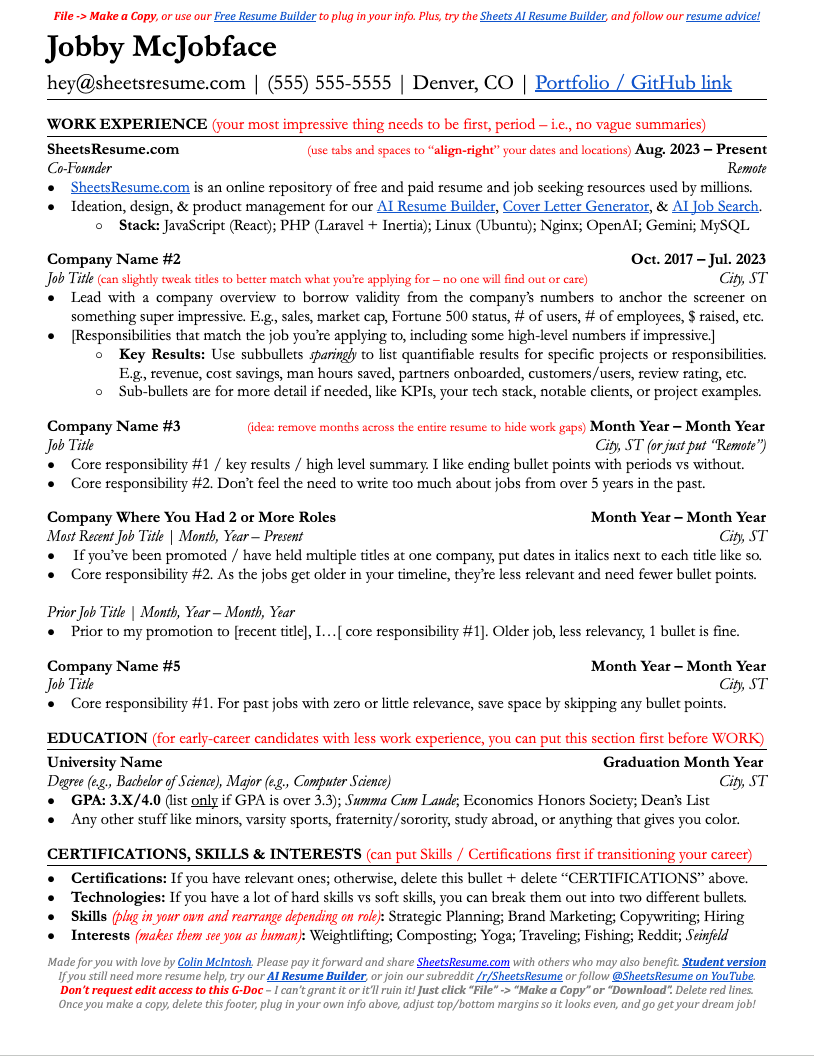
The case for one template is simple. Most resumes fail not because the design is wrong but because the content is wrong, and most candidates would be better off agonizing less about layout and more about bullet quality. As an argument, that's correct.
As a product decision, it seems incomplete.
A clean single-column template is a strong default for entry-level candidates and clean career trajectories. It struggles in three places:
- Senior and executive resumes that need to fit 15+ years of experience across multiple roles without becoming a wall of text. Two-column layouts solve this. One-column layouts don't.
- Career switchers who need a skills-led layout to reframe their experience around what's relevant now.
- Specialized roles (designers, product, technical leadership) where the resume is expected to signal something about the candidate beyond the words on the page.
Sheets does offer the original template as a free Google Docs download separate from the paid product, which is unusual and worth knowing. If you want the template without the AI or the career suite, you can have it. Edit it in Google Docs or Word and export.
Sheets AI resume builder and editor
I'm a geek about a nice tutorial. Not the kind every resume builder makes, where you sit through three minutes of stock footage and rotating template thumbnails. The kind where someone who actually knows the job walks you through how to use the thing.
Sheets has that, and the guidance doesn't stop at one intro video. Every part of the process comes with a short guideline or a quick tutorial that explains what to write and what to leave out. As a CPRW, I don't need education on the topic, but still found the in-flow guidance useful, partly because it's accurate and partly because most builders don't bother.
Author’s take
Let’s not forget that the founder, Colin McIntosh, is a former Fortune 100 recruiter. He knows what recruiters look for and what applicants miss. The messaging across the whole product follows the same logic: clear, human, no fluff.
What Sheets AI actually does
Three tools sit inside the editor:
- Work experience assistant: Turns rough job descriptions into bullets with action verbs and quantifiable outcomes.
- Bullet point assistant: Takes a bullet you've already written and tightens it, with a push toward measurable results.
- Quick suggestions: Inline nudges that catch weak phrasing as you type.
The output is usually better than the input, but it's still not as quantified as it should be. Sheets won't invent metrics for you, and no responsible AI should. But the tutorial is explicit about what to feed the AI to get useful output: real numbers from your work, not vague claims. Anything you can attach a digit to.
This is an example of the tailored guidance I’ve been talking about:
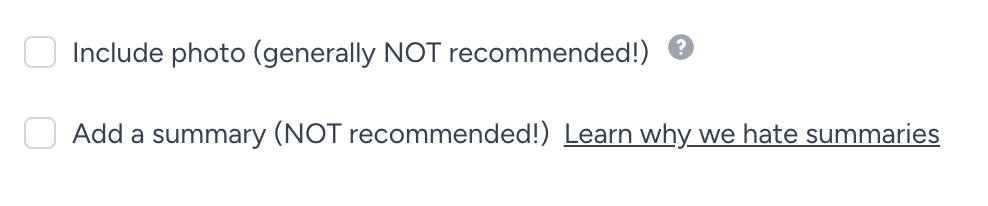
The AI inside Sheets behaves like a coach. It prompts you in plain English to expand vague experience into specific bullets, suggests stronger verbs, and flags weak phrasing. It
doesn’t draft sections for you, and it doesn’t pull from a content library of pre-written examples. You write. It refines.
Resume tailoring
This is the most useful feature in the toolset. It accepts a job description and reworks the resume to match.
Sheets offers three intensity levels: subtle, medium, and aggressive.
- Subtle keeps the resume largely intact and aligns keywords.
- Medium rewrites bullets to mirror the job's language.
- Aggressive restructures the resume around the job's priorities.
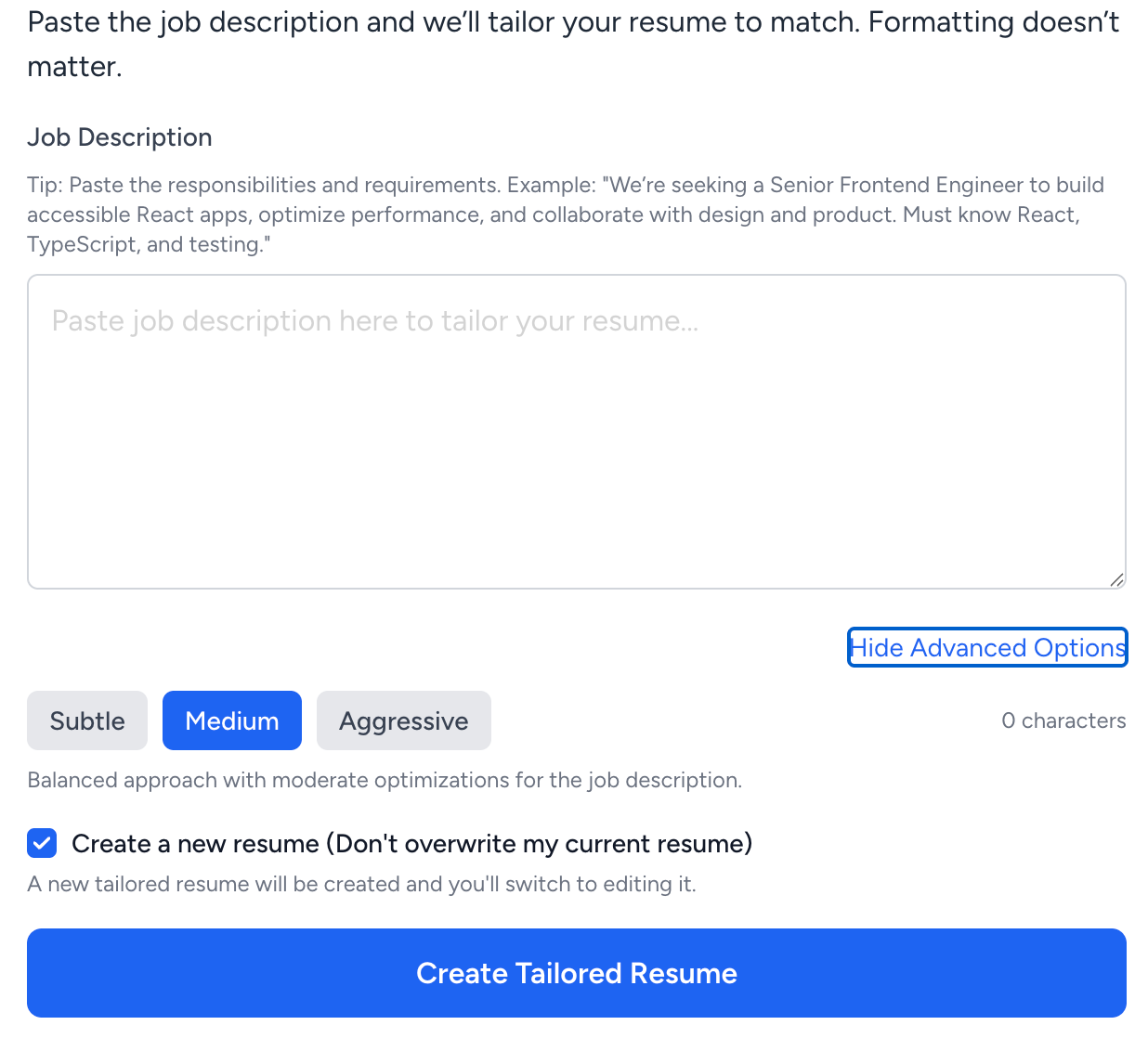
The catch: tailoring is gated behind login. You won't be able to evaluate the feature without an account.
The editor experience
In Sheets, the resume sits to the right as a live preview, and every change in the sidebar lands on the preview in real time.
The sidebar walks you through the resume section by section, with expand-and-collapse guidance for each field.
Click into Work Experience, and you get fields for job title, company, dates, location, and bullets, each one paired with guidance on what to write. Click into Education and the fields change, and so does the guidance. Everything is collapsed by default, which keeps the canvas uncluttered.
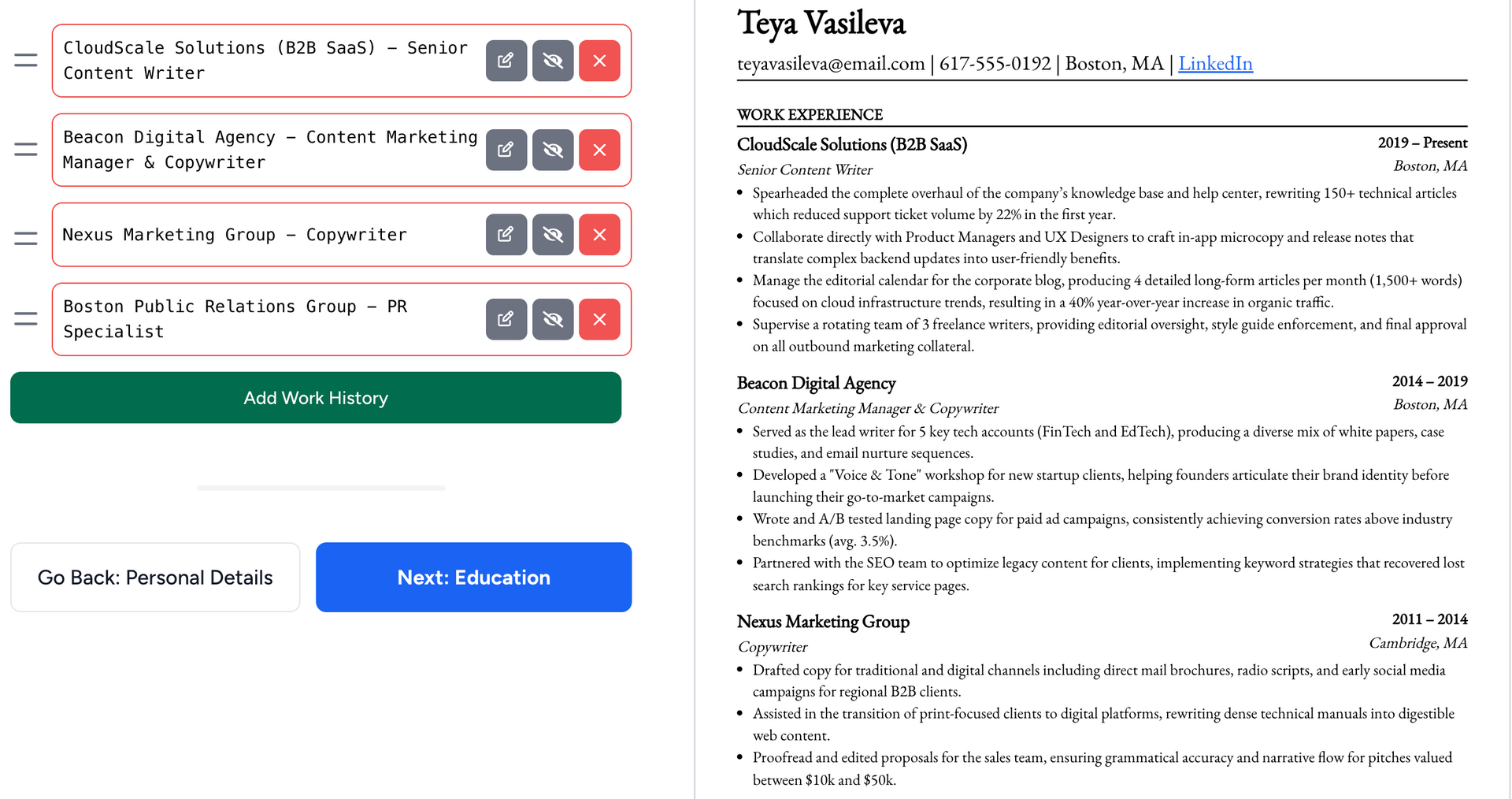
What's interesting is that every section also comes with an opinion. It tells you when to use the slot and when to skip it. The same goes for Interests, GPA, older roles, and sub-bullets. Each section is wrapped in the founder's recruiter logic, and the sidebar is where that logic shows up.
This is, of course, in service of Sheets' core philosophy: one resume, one structure, one way to make it work. It's not the right answer for every candidate, especially senior ones whose resumes need a different architecture. But the approach makes sense for the candidate Sheets is actually built for, and there's something useful about a tool willing to have an opinion instead of leaving every decision to the user.
Sheets and ATS
Sheets' AI Resume Analyzer scores your resume on a 100-point scale across completeness, quality, and best-practice adherence. It claims to evaluate the resume for both the ATS and the human recruiter. In practice, the tool leans more on how a recruiter will read your resume in a 10-second scan, with feedback shaped around general best practices rather than algorithmic specifics.
What this ATS checker doesn't do is score against a specific job description. The analyzer evaluates your resume in the abstract, not against the role you're applying for.
That distinction matters in 2026. Modern ATS platforms (Workday, Greenhouse, Lever, iCIMS) parse two-column resumes and lightly styled layouts without trouble. The risk that defined the ATS conversation in 2018 is mostly gone.
What's left is ranking and keyword alignment for a specific job, and a general analyzer can't tell you whether your resume matches the role you're applying for.
Is your resume good enough?
Drop your resume here or choose a file. PDF & DOCX only. Max 2MB file size.
While expert human advice is valuable, it's ultimately subjective. To guarantee your resume survives the initial, automated screening, you need a data-driven tailoring process. Optimizing your content for the machine first is the only way to ensure a human recruiter ever gets the chance to read it.
Sheets' pricing
$99 once, or $39 a month. Sheets sells both, and the lifetime option is what sets the product apart in a category dominated by recurring billing.
Discounts apply during signup for verified students, teachers, military, government, and healthcare workers.
- Students get the discount automatically with a .edu email.
- Military and veterans select theirs at checkout.
- If $99 is out of reach, Sheets offers a free temporary membership: email the founder, and he sets you up. No fixed time window stated.
What lifetime pricing buys is the absence of friction at the back end. Most users only need a resume builder for two or three weeks during an active job search, and a subscription that auto-renews after the offer letter is a familiar frustration. $99 once removes that risk entirely.
$99 once also commits you to Sheets' bet on continuity. The core template hasn't changed since 2018, on purpose, and seven years of recruiter feedback is the argument behind it.
Sheets has shipped new features around the template (AI tools, mock interview, LinkedIn updater, job search), but the resume itself stays the same. For users who want the same
battle-tested document in 2028, that's a feature. For users who think the resume market is moving, $99 once is a bet that it won't move far enough to matter.
Author’s take
Sheets is also transparent about its paywall. Export and the full suite sit behind the lifetime pass, and the free plan tells you so up front. I built a complete resume on the free plan, and the only thing I couldn't do at the end was download it. The line between free and paid is exactly where Sheets says it is, which counts for something in a category where it often isn't.
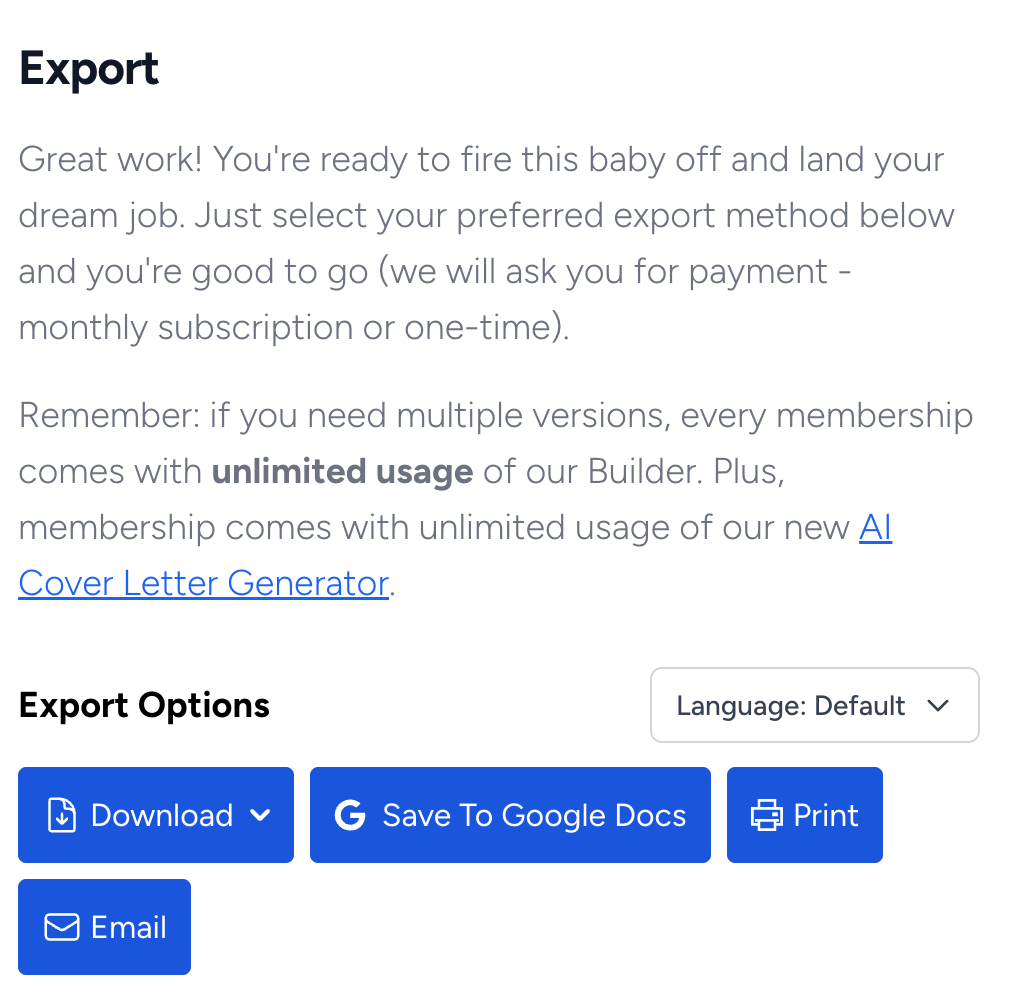
While we’re on the topic of what you’re paying for, the lifetime price includes more than the resume builder, and the suite is worth a fair look.
Sheets' career bundle
- Cover letter generator: Useful for a basic, on-tone cover letter. Light on personalization compared with dedicated cover letter tools.
- AI mock interview: Asks you common questions for a role and evaluates your answers. A useful warm-up. Not a substitute for real interview prep with a coach or peer.
- LinkedIn rewriter: Tightens your headline and summary. Works well for first-pass cleanup, less well for senior leadership profiles.
- AI job search: A job feed with light filtering. Functional, not differentiated from what you'd already get on LinkedIn or Indeed.
Each tool is reasonable priced, and none of them would hold up on its own against a dedicated competitor. The suite is a value-add, not the reason to choose Sheets.
Sheets user reviews
This is where Sheets makes a deliberate choice most resume builders don't. There's no Sheets Trustpilot page. Search the platform, and you'll find pages for TopResume, MyPerfectResume, Resume.io, and most of Sheets' peers. You won't find Sheets.
That gap reads two ways. The cynical read is narrative control: Trustpilot is where the resume-builder category goes to get torched, mostly for auto-renewal billing complaints, and not having a page means not inheriting that backdrop.
The fair read is that Sheets doesn't need Trustpilot. The product was built on Reddit, the Reddit reputation predates the paid builder by years, and Sheets' actual audience finds the product through r/resumes or recruiter recommendations, not through aggregator listicles. The brand has a community moat most competitors would pay to have.

PRO TIP
What Sheets does have is a curated reviews page on its own site. It shows 324 reviews averaging 4.87 out of 5, with the breakdown skewed sharply toward five stars: 293 five-star, 5 three-star, 1 two-star, 1 one-star. The reviews displayed are all positive. Buyers praise the AI tailoring, the lifetime price, and the founder's responsiveness.
The seven non-five-star reviews counted in the breakdown don't surface on the page.
That curation is worth flagging. On-site review pages without third-party verification are marketing assets, not consumer-protection assets, and Sheets makes no attempt to claim otherwise. Read the on-site page as testimonials.
Sheets also runs its own subreddit at r/SheetsResume, which is brand-adjacent and small. The wider conversation about Sheets still happens in r/resumes and r/jobs, where the product surfaces in unfiltered comparison threads, and that's where the third-party read actually lives.
Sheets Resume Builder pros and cons
| PROS | CONS |
|---|---|
| Clean, ATS-safe template that parses reliably across every major ATS | One template only, with no layout flexibility for seniority, role type, or industry |
| Plain-English AI prompts that turn weak bullets into stronger ones | AI assists—it doesn't draft sections or quantify experience for you |
| Three-level job tailoring puts control in the user's hands | ATS analysis is centered around recruiter feedback |
| Bundled career suite covers cover letter, mock interview, LinkedIn, and job search | Registration gate sits mid-flow, before you can finish your resume |
| Transparent paywall, no dark patterns on pricing | Free use blocks downloads |
| One-time $99 lifetime price in a category dominated by subscriptions | Career-suite tools are shallow compared with dedicated alternatives |
| Founder credibility: ex-recruiter, Reddit-validated since 2018 | Tailoring is locked behind login, so you can't evaluate the best feature before creating an account |
Final thoughts on Sheets Resume Builder
Sheets is a careful, opinionated product. The template is genuine effective communication. The AI is honest about what it does and doesn't do. The pricing is transparent in a category where transparency is rare. For the right candidate, it's a credible, fast, low-friction tool that gets you to a polished resume in under an hour.
Who Sheets is for
| Pick Sheets if: | Skip Sheets if: |
|---|---|
| You're early-career and building your first real resume. | You're a senior or executive professional whose resume needs to fit deep experience across multiple roles. |
| You have a clean career trajectory and want a fast, ATS-safe layout you don't have to think about. | You're a career switcher who needs a skills-led layout to reframe your background. |
| You want a no-subscription tool and prefer to write your own content with AI nudges. | You work in a role where the resume is expected to signal taste, scope, or specialization. |
| You're rebuilding from a messy or outdated resume and want a credible default. | You want AI that drafts and tailors end-to-end, not AI that polishes what you wrote. |
For most senior and experienced professionals in 2026, Sheets gets you halfway. The layout works and the AI cleans up your bullets. But the resume that lands interviews at the senior level needs more than a clean template and tightened bullets.
It needs:
- A layout that fits fifteen years of experience without flattening it.
- AI that drafts and tailors against specific job ads, not just polishes the sentences you already wrote.
- A content library of expert-written examples to pull from when your own phrasing isn't landing.
- ATS feedback that scores your resume against the role you're actually applying for, not just a layout that's been deemed safe in the abstract.
Enhancv covers each one. As the best overall resume builder in 2026, it combines AI writing, ATS feedback, and recruiter-tested templates in one tool. It's built for the experienced and senior professionals Sheets isn't quite designed for.
Sheets is a good answer for an early-career candidate building a clean first resume. For senior professionals, career switchers, and anyone whose resume needs to do more than parse cleanly, Enhancv is the answer.
Make one that's truly you.