


7 Real Resumes That Landed Interviews at Companies Using SAP Successfactors
The templates shown at the top of this page aren't the candidates' original resumes. You can see anonymized copies of those in the article. Analyzing them, we found that elements like double columns, accent colors, icons, and logos didn't stop these candidates from landing an interview or getting hired. With that in mind, we recreated similar resumes using Enhancv's builder. You can use these immediately as templates for your own resume.


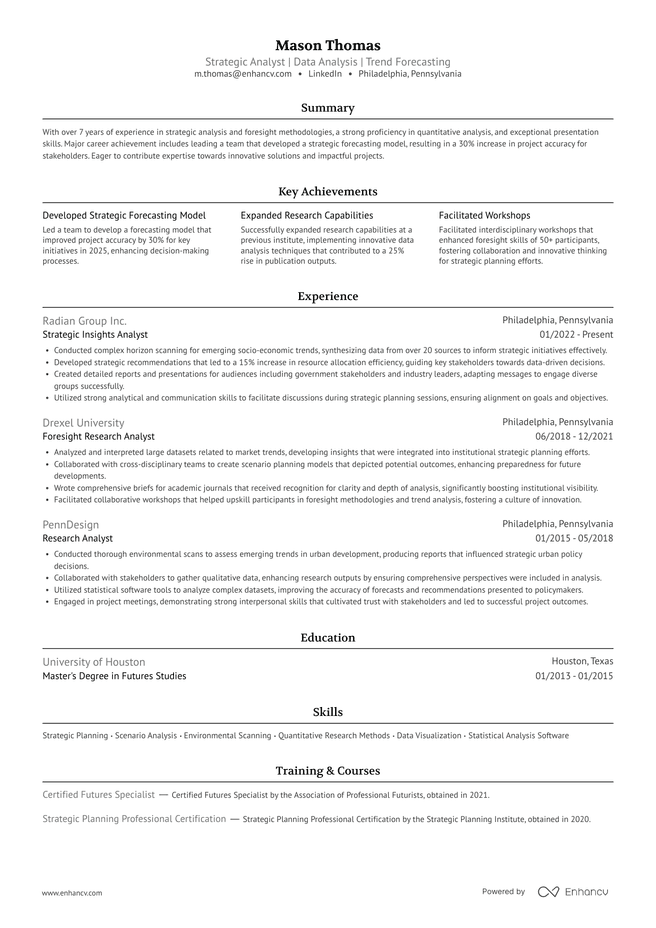
Ivy League
The Ivy League template keeps things simple and traditional, a strong fit for conservative fields where a clean, no-frills resume signals professionalism. The single-column layout and legible font make your experience easy to scan, suiting most career paths. Logos and icons draw the eye to what matters most: your key achievements and the companies you've worked for.
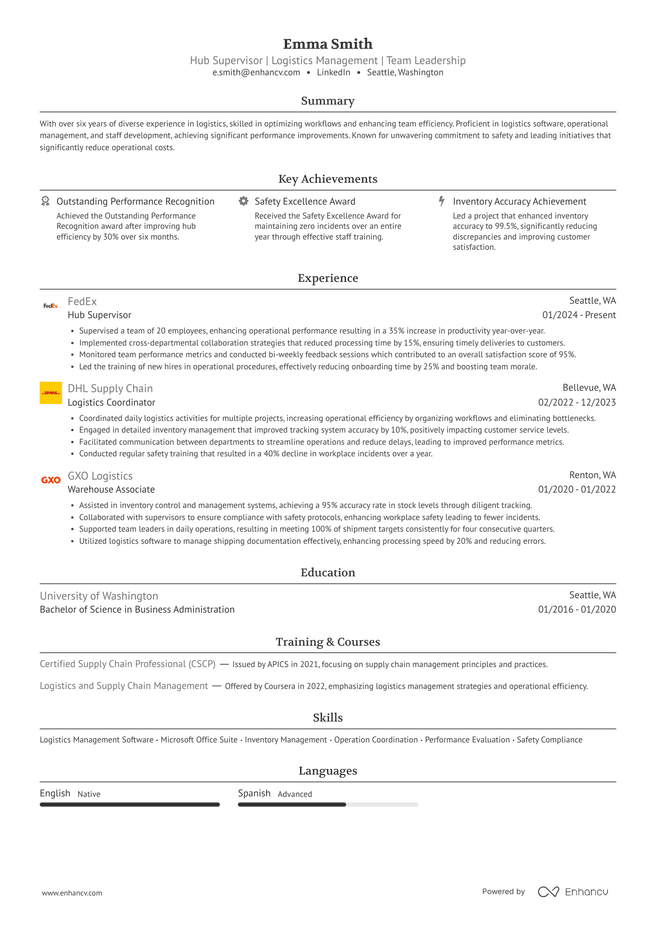
Ivy League with Logos
The Ivy League template keeps things simple and traditional, a strong fit for conservative fields where a clean, no-frills resume signals professionalism. The single-column layout and legible font make your experience easy to scan for both the ATS and the recruiter reading it after. Logos and icons draw the eye to what matters most: your key achievements and the companies you've worked for.
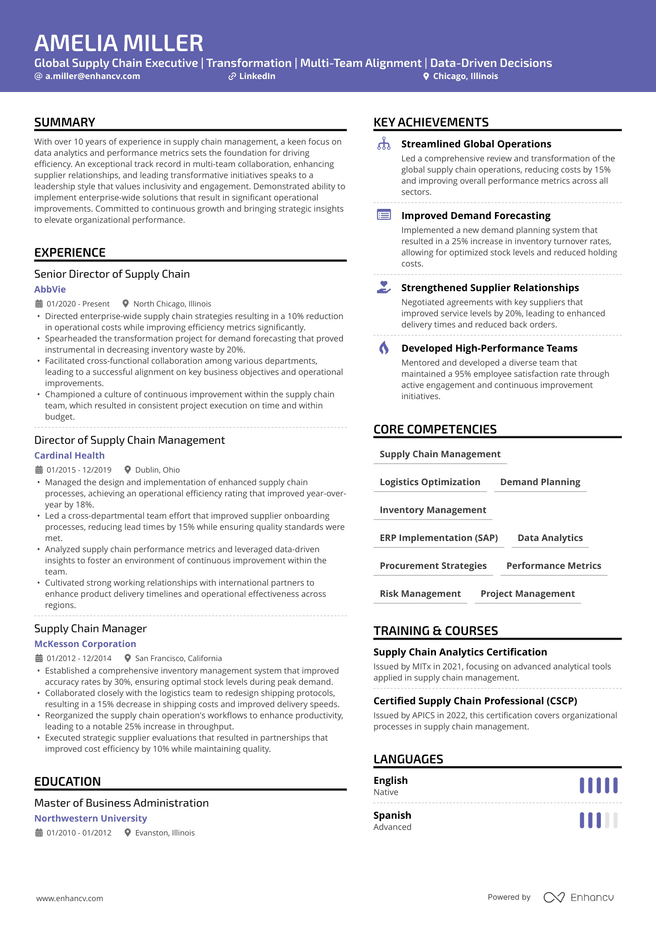
Creative
The Creative template opens with an accent-color header that stands out from a stack of plain resumes without sacrificing ATS compatibility. Its double-column layout fits more experience and qualifications on a single page, and a custom Language section gives you room to highlight skills a single-column resume would cut.
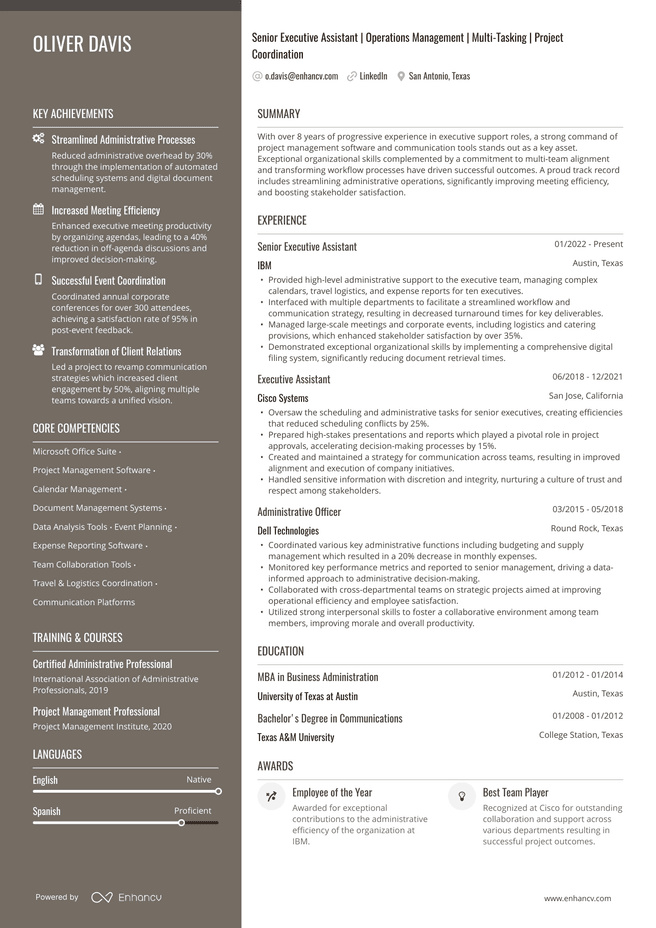
Polished
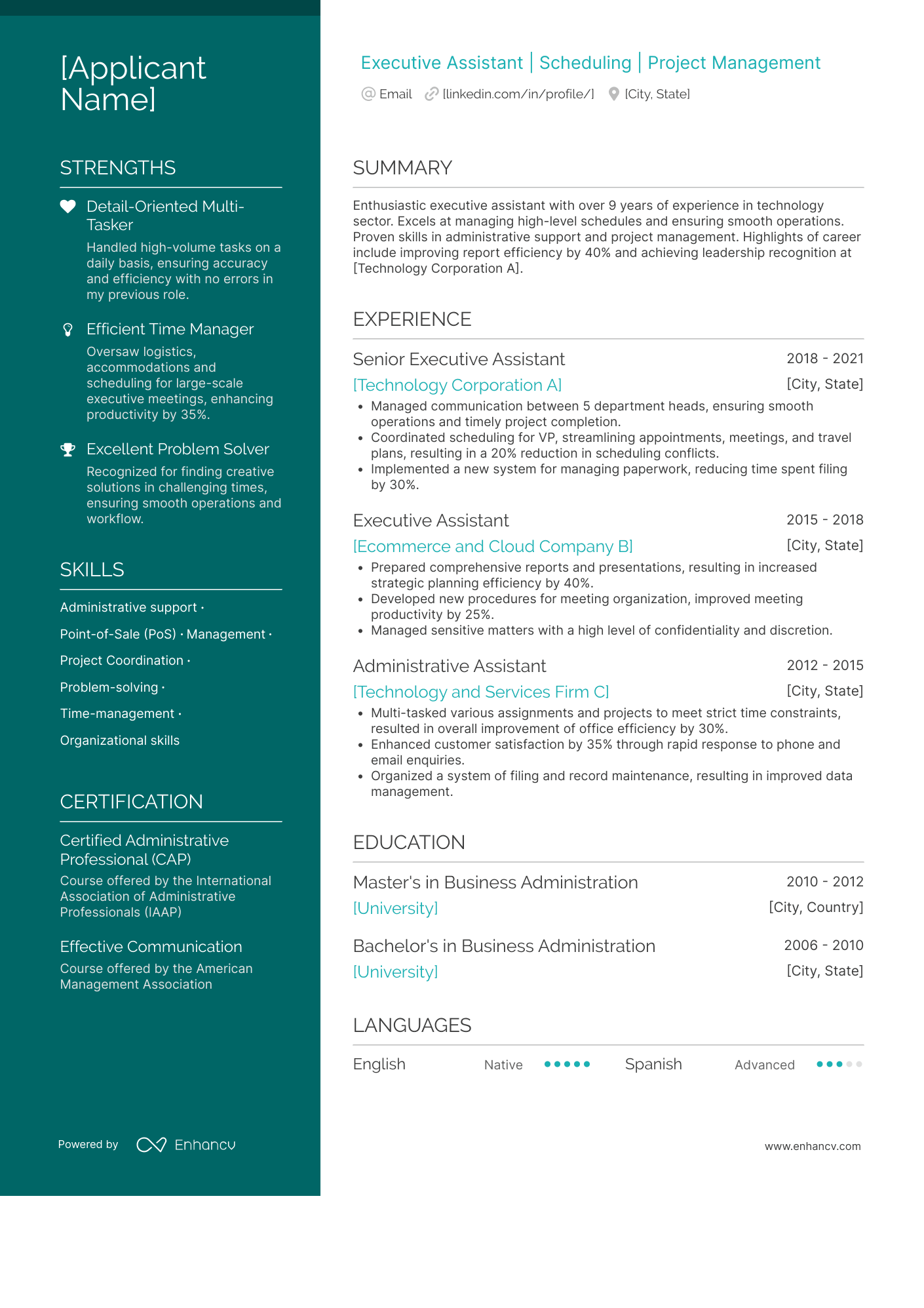
The Polished template pairs an accent-color left column, icons, and a custom font to help your resume stand out, while staying fully ATS-compliant.
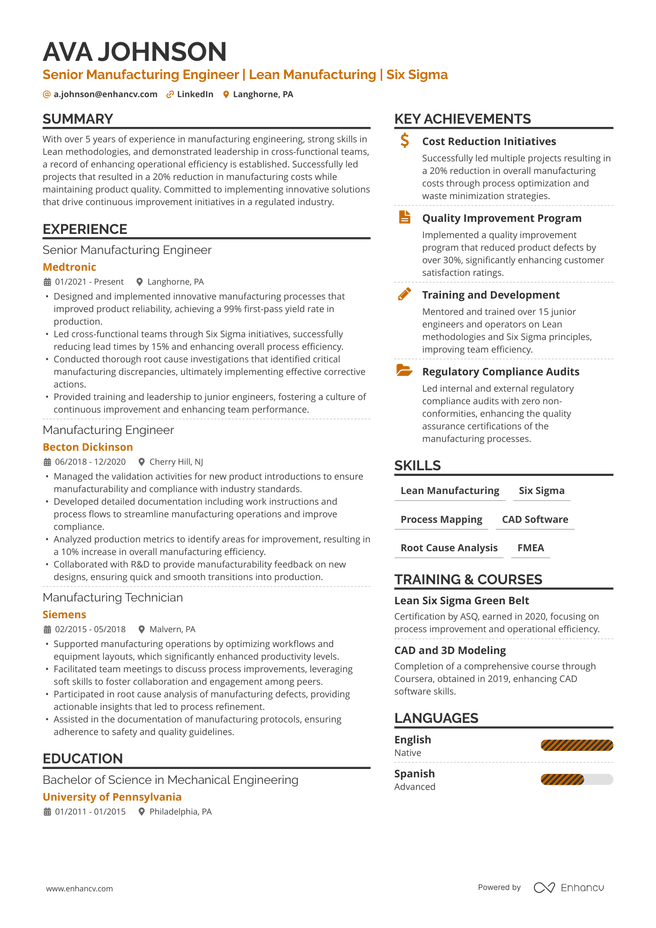
Double Column
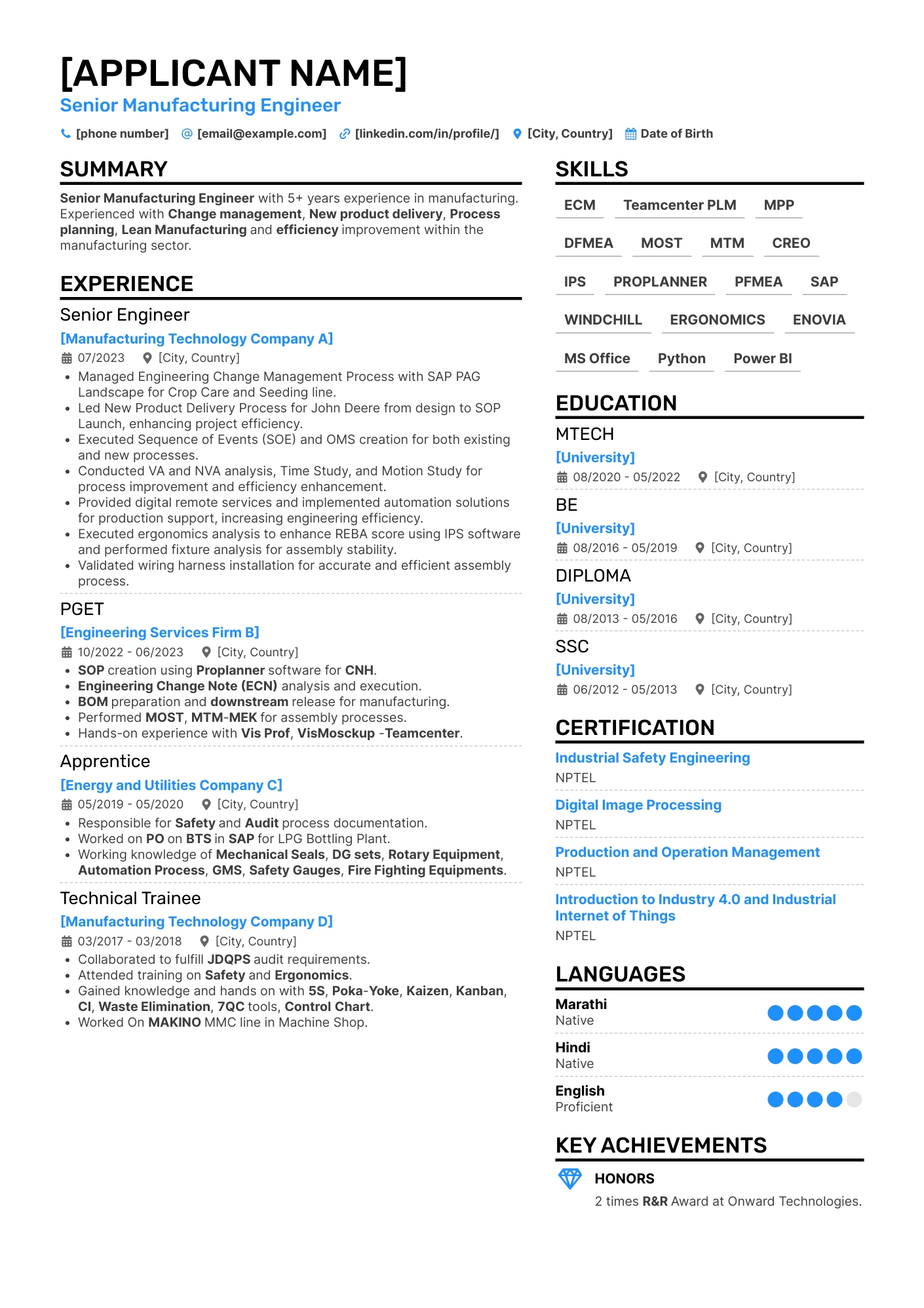
The Double-Column template is Enhancv's most-used layout, built to fit a lot of experience into a compact space. The accent color and icons keep it looking current without working against ATS parsing.
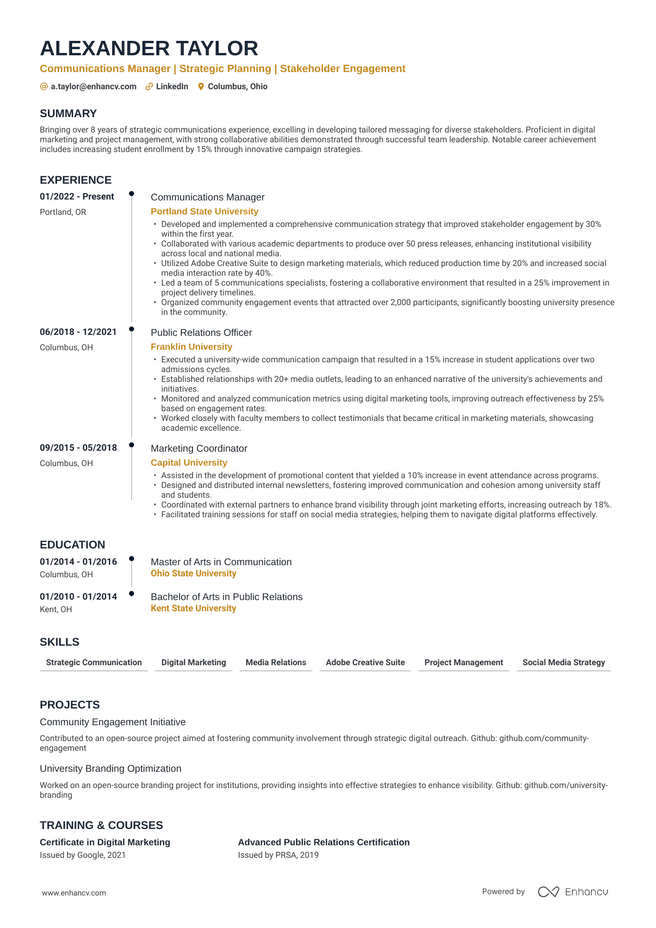
Timeline
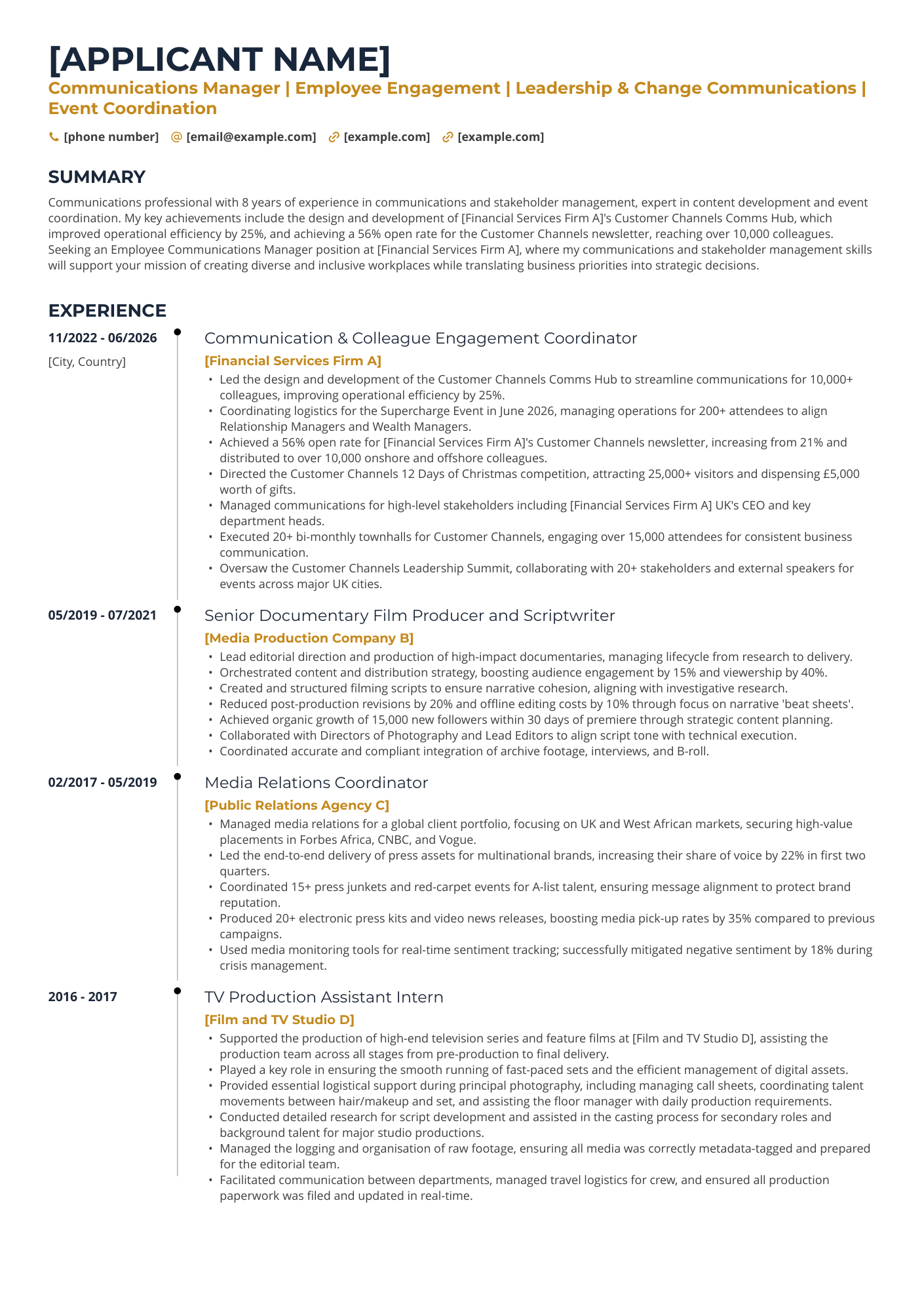
The Timeline template uses a single-column layout that puts your career progression front and center. It's especially effective if you've moved up through roles and want that trajectory to read clearly at a glance.
If you’re looking for a job, you’ve probably seen enough marketing on ATS-friendly resume builders. Most of them will tell you you need a specific template to pass the applicant tracking systems but not provide much insight into what that actually looks like.
At Enhancv, we'd rather prove things with examples. This is the second piece in a series showing real resumes from real candidates to test how Enhancv's templates hold up in front of the ATS platforms companies actually use. This time, we’re testing them with SAP SuccessFactors, one of the most widely used HR and hiring platforms in the enterprise world.
We pulled seven real Enhancv success stories from candidates who applied to companies running SAP SuccessFactors. Four landed interviews. Three got hired. See exactly which templates they used, who hired or shortlisted them, and how far that evidence actually goes.

Key takeaways
- We tracked seven real, verified Enhancv success stories at companies using SAP SuccessFactors.
- Three candidates were hired, four landed interviews, on templates ranging from single-column and minimal to double-column with color, icons, logos.
- This is a smaller sample than our Workday piece, which was the first piece in the series, and we're naming that limit upfront.
- This is not a parsing test, but the outcomes are real.
- ATSs such as SAP SuccessFactors sort candidates. A person still decides who gets called.
How this data works
These are real, anonymized Enhancv users who shared their success stories. Company names are self-reported by the candidates. Outcomes mean they were hired or invited to interview.
We identified each company's ATS by looking at its careers page and the URLs used during the application process. Six of the seven SAP SuccessFactors companies were easy to confirm this way, since their URLs contain telltale text like "successfactors.com."
One entry carries a caveat: HSBC's application flow runs through Eightfold, an AI-driven recruiting layer, before reaching a SuccessFactors backend, so we've marked that confidence as medium rather than high.
What SAP SuccessFactors actually does
There's a persistent myth that SAP SuccessFactors, or any ATS, will filter a resume out over a design choice, a graphic, an accent color, or a two-column layout. But that’s precisely what it is—a myth.
What SuccessFactors actually does is parse a resume into structured fields, then rank candidates against the role's criteria. It reads and sorts the resumes to help busy HRs. Nothing in that process is built to disqualify a resume just because of how it looks.
Which brings us back to the two-readers idea: SuccessFactors determines who gets surfaced. The recruiter is the one who actually picks up the phone, or sends the email.
Real candidates, real templates, real outcomes
Below are the seven templates behind these stories, grouped by outcome. Every candidate applied to a company running SAP SuccessFactors, using the exact template shown. All personal details have been removed to protect their privacy.
The 3 people who were hired
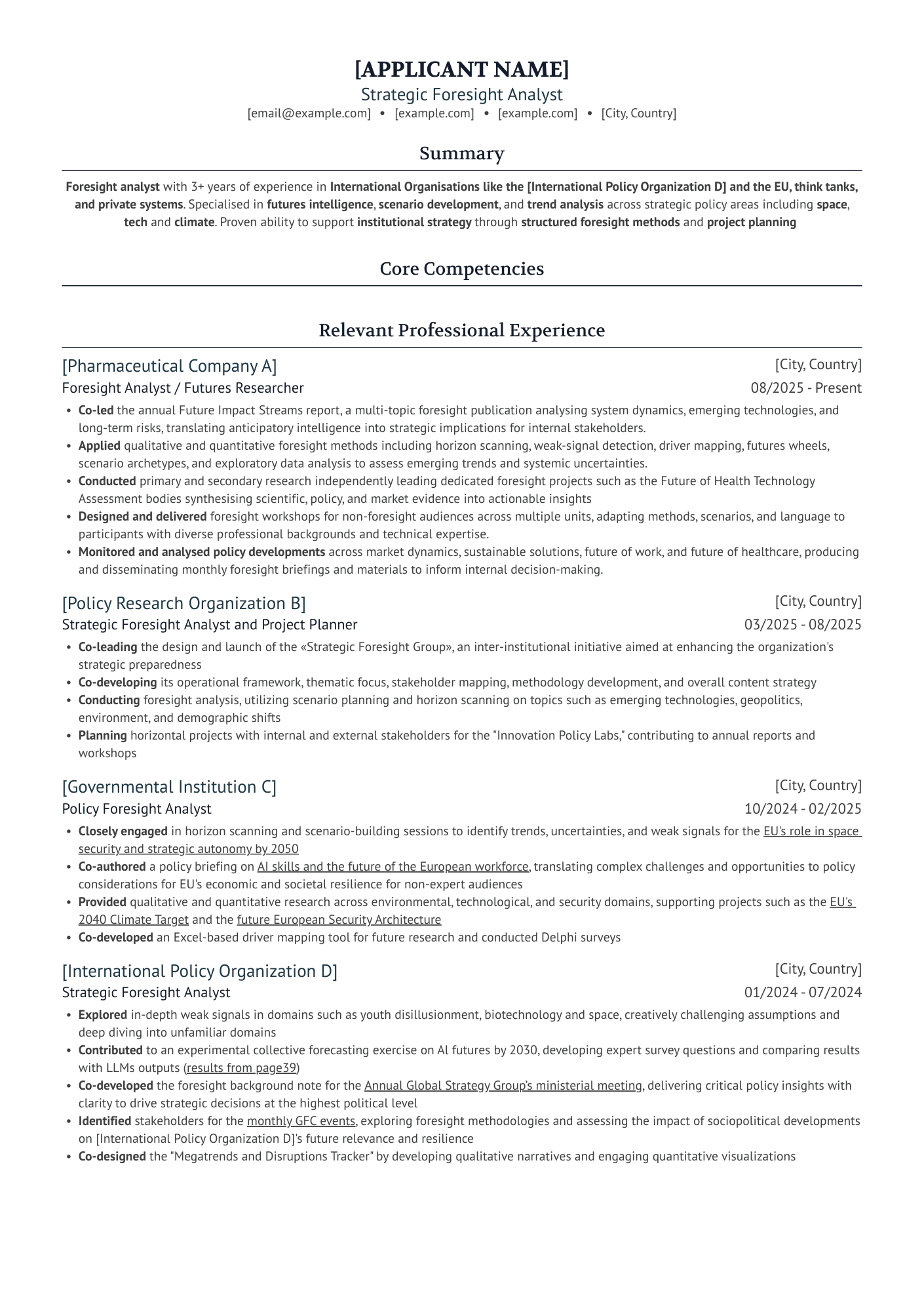
Company: UCB Pharma
Position: Strategic Foresight Analyst
Template: Ivy League
Includes: single column, custom font, resume lines
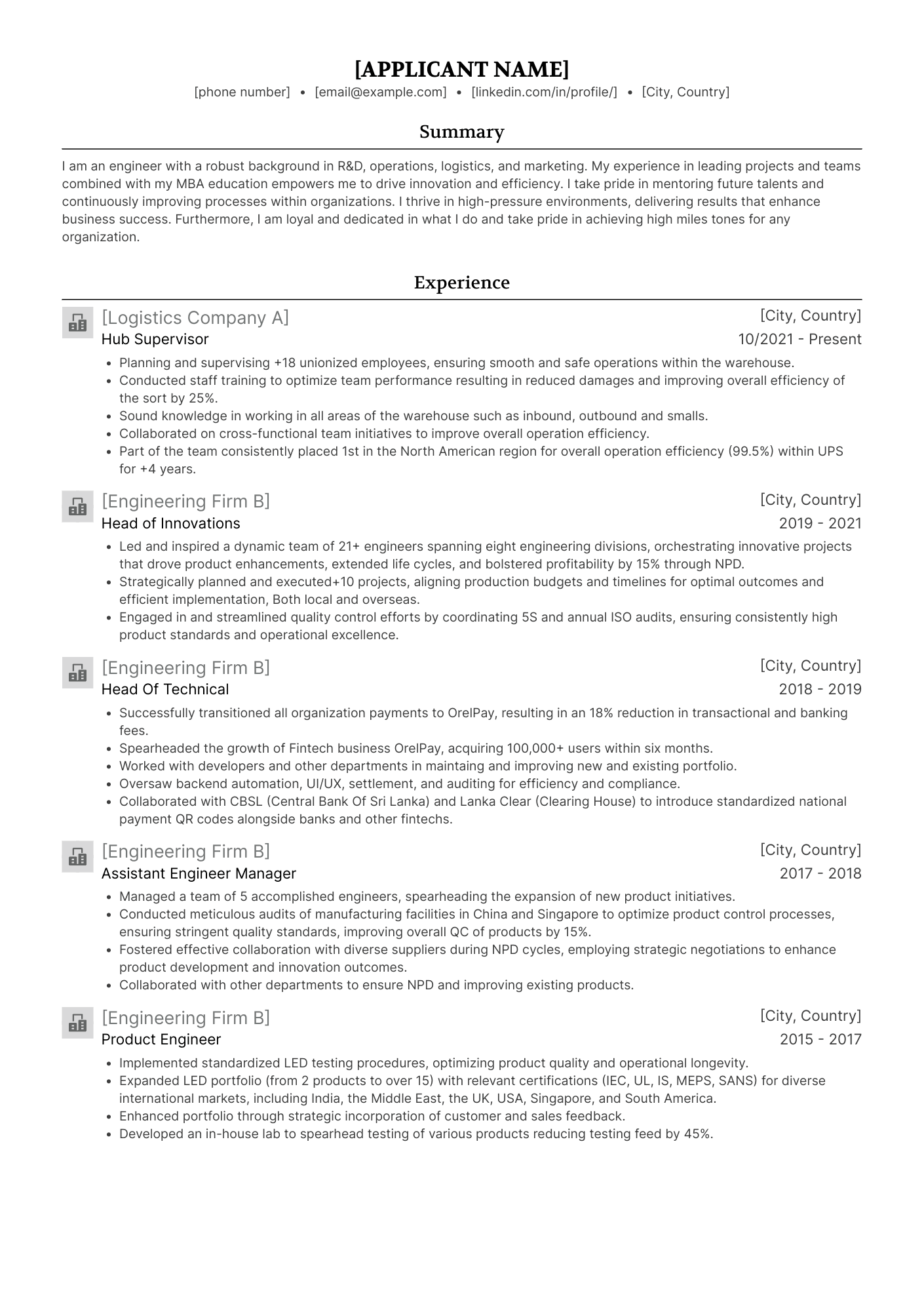
Company: Canada Post
Position: Hub Supervisor
Template: Ivy League
Includes: single column, custom font, logos
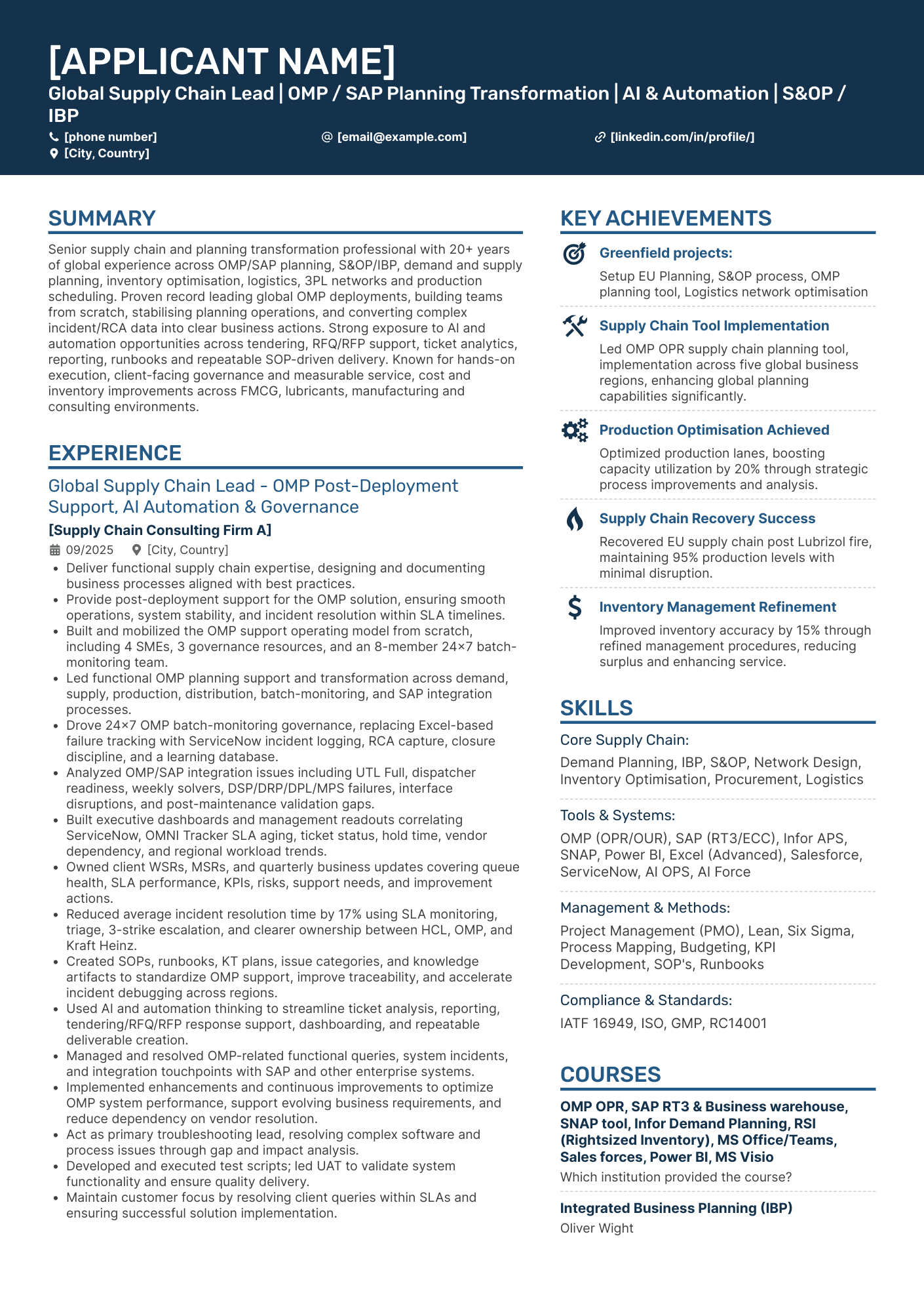
Company: HCLTech
Position: Global Supply Chain Lead (SAP/OMP Planning)
Template: Double Column
Includes: two columns, accent color, icons, resume lines
The 4 people who landed an interview
Company: Grainger
Position: Senior Executive Assistant
Template: Polished
Includes:double columns, accent color, custom font, resume icons, resume lines
Company: Mahindra
Position: Senior Manufacturing Engineer
Template: Double Column
Includes: double columns, color accent, icons
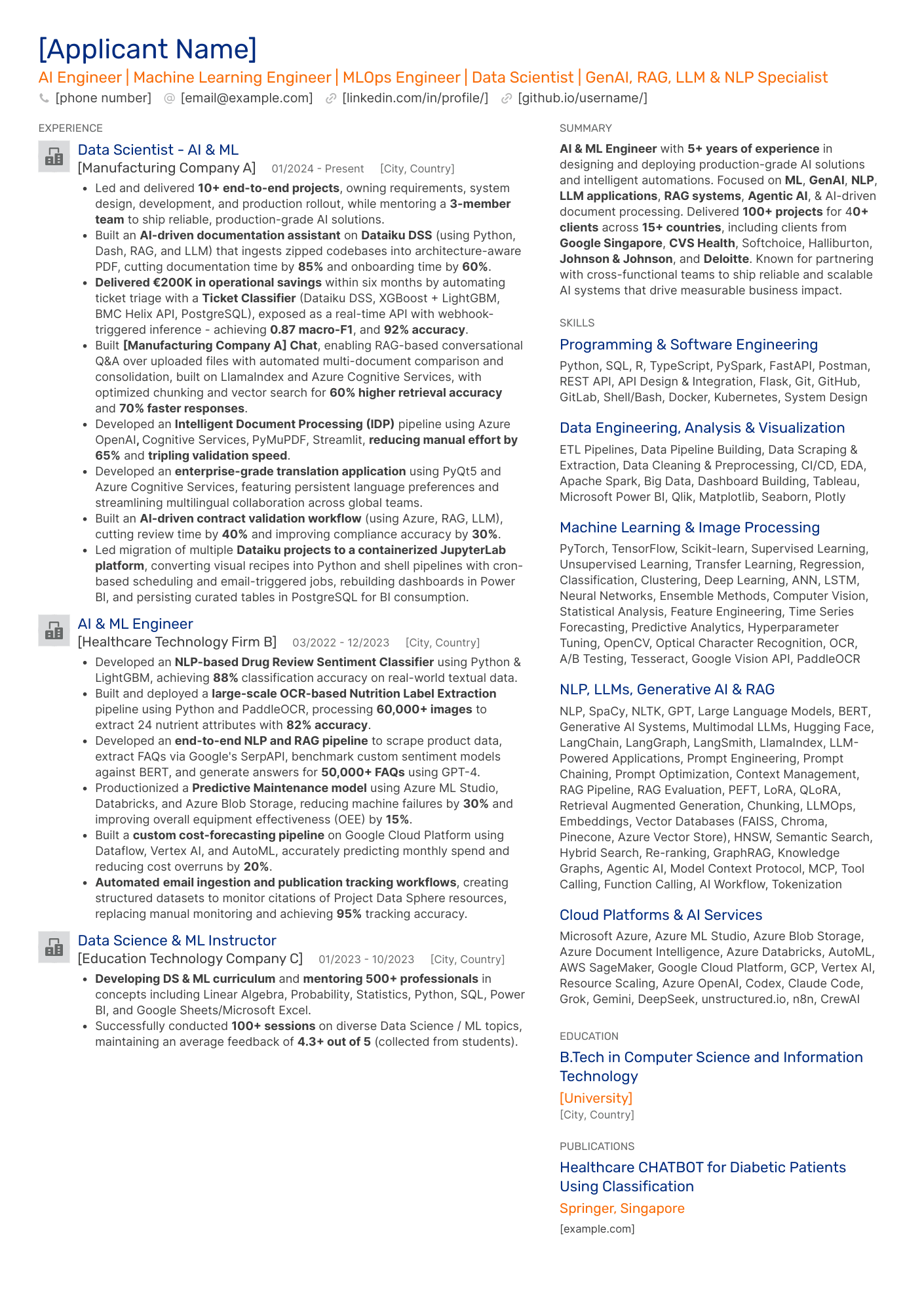
Company: EY
Position: AI/Machine Learning Engineer (GenAI, LLM, NLP)
Template: Modern
Includes: double columns, color accents, logos
Company: HSBC*
Position: Communications Manager (Internal Comms)
Template: Timeline
Includes: single column, color accent
*Confidence caveat, see methods note above.
What patterns do we observe?
With only seven stories, we're not trying to force a pattern. There are still conclusions you can use to your advantage, though, and they confirm what we figured out in the Workday review:
- Column layout doesn't split cleanly by outcome. HCLTech (hired) used double-column, but so did Grainger, Mahindra, and EY (all interview-only).
- Accent colors range from muted to bold across both outcomes, meaning both plain and bold layouts can be successful. Be mindful of whether your field leans towards conservative or complex, though.
- Design elements like logos or custom fonts don’t stand in the way of landing an interview. You can make your resume your own and still fit expectations.
The bottom line
These seven stories aren't proof that any one template beats SuccessFactors' parser. We don't have parsed-output data to make that claim. What they do show is real results: actual candidates applying to existing companies, spread across templates that range from simplistic to eye-catching.