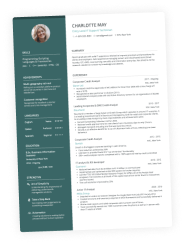
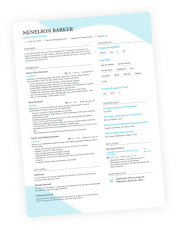
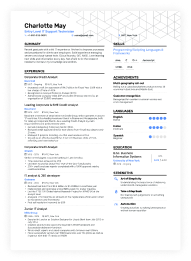
Half of U.S. job seekers were rejected without a single word from a human last year, and most assumed a machine made the call. That silence isn't coming from a two-column layout or a colored header, ATS platforms parse visual formatting just fine. What actually costs you the interview is quieter: a job title the parser doesn't recognize, a date format it can't read, contact info sitting in a header field the system skips without even looking.
Design was never really the issue. The ATS resume formatting mistakes that actually cost you an interview are smaller and easier to miss. Let's get into the most common ones.

Key takeaways
- Two-column layouts, colored headers, and expressive templates don't get resumes rejected by ATS software, modern parsers handle visual formatting just fine.
- Contact info placed in a header or footer field often gets skipped entirely, since many ATS parsers don't read those sections.
- Non-standard section headers like "My Journey" can leave your work experience unmatched to any recognized category.
- Inconsistent date formats can create false employment gaps or misread your timeline entirely.
- Matching the job ad's exact language, both job titles and keywords, matters more than most people realize, near-synonyms often don't count as a match.
- Most ATS platforms don't reject resumes outright, they filter and rank. These formatting mistakes cost you visibility, not an automatic rejection.
What does the ATS really see
Before we continue, we’d like to show you what the ATS actually sees when parsing resumes. Here’s a resume made with the Enhancv AI Resume Builder.
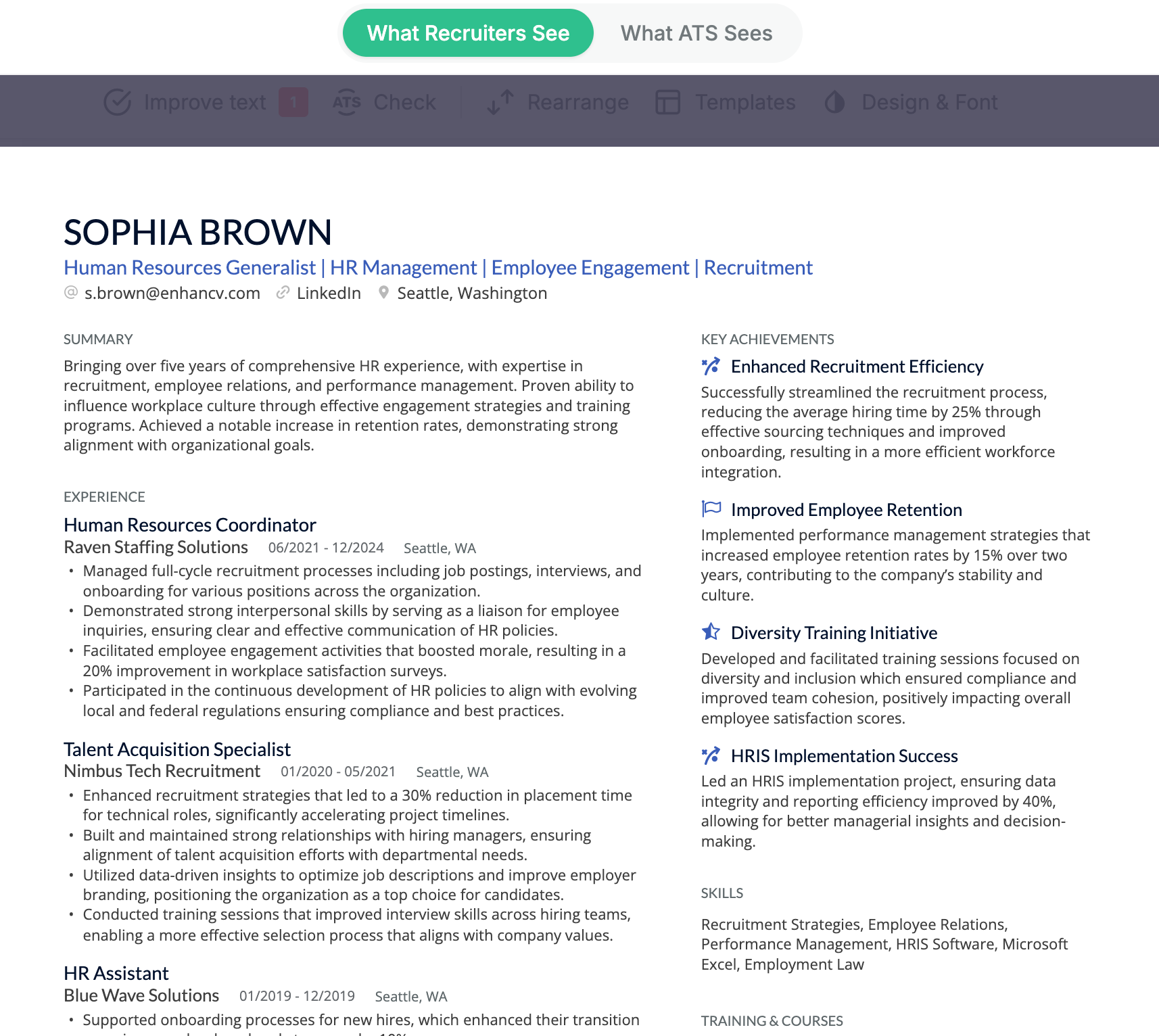
As a PDF file, this document has a pre-set reading order for the machines so they can parse the text correctly. This is what it looks like to the ATS.
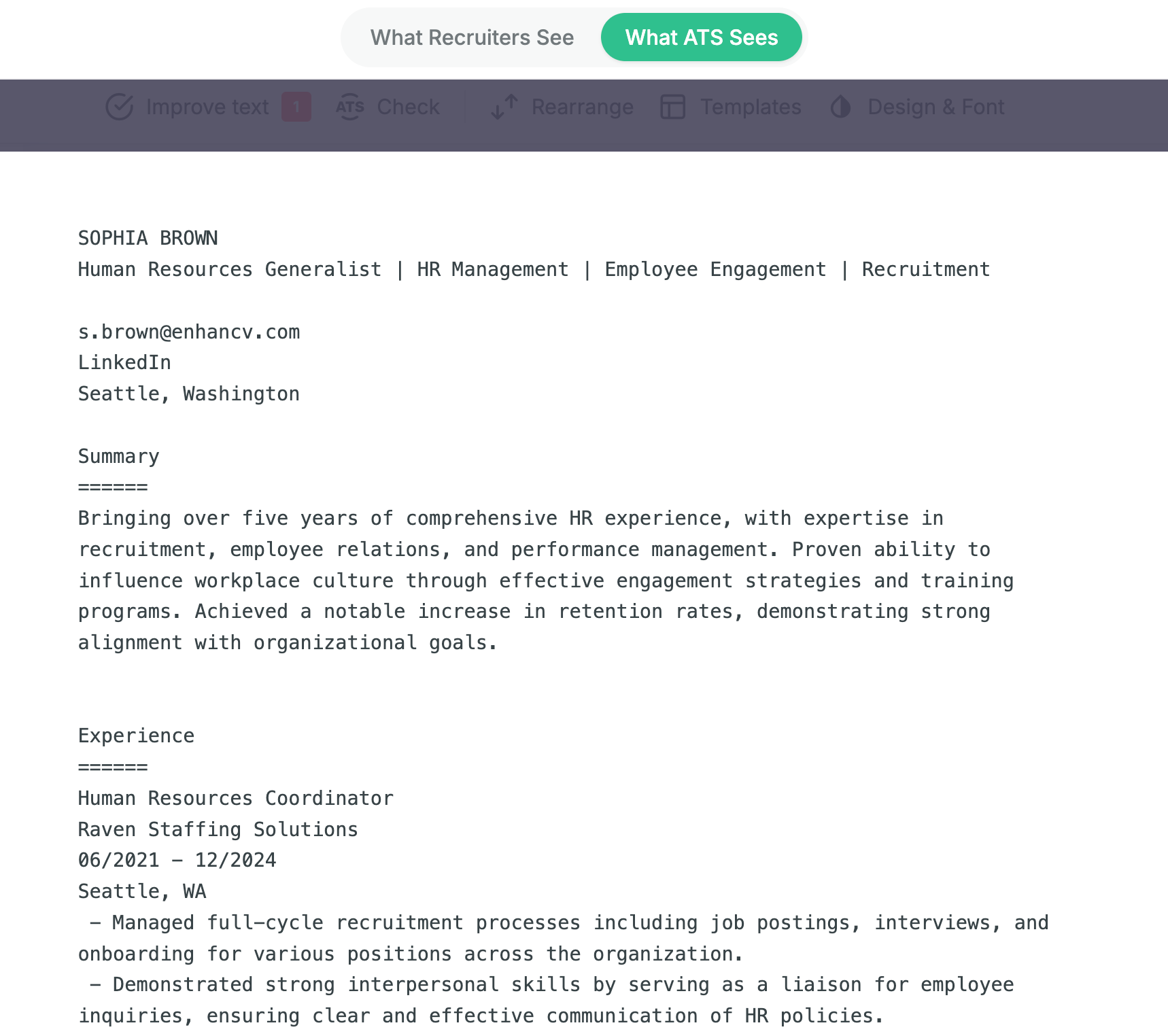
You can see that icons, colors, and two columns don’t impede readability.
Now let’s move on to what actually does.
Mistake #1. Contact info hiding in the header
Your name, phone number, and email look great sitting neatly in a header, until you remember plenty of ATS platforms don't read headers or footers. Word's default resume templates often place contact info in a header field automatically, so you might be making this mistake without knowing. The parser skips straight past that section, and now the recruiter has an application with no name attached to it.

PRO TIP
Your resume header, along with your summary, is the prime real estate of your resume. It contains the info that the recruiter will most likely actually read, rather than skim through, and will either hook them in or discourage them.
Here's a quick way to check: select all the text in your resume (Ctrl+A or Cmd+A depending on whether you’re a Windows or a Mac user). If your name and contact details don't get highlighted along with everything else, they're sitting in a header or footer field, and an ATS will miss them.
Keep your contact block in the main body of the resume, right at the top, not inside a header or footer field. It's a one-line fix, but skipping it means a strong application can get filed as anonymous before a recruiter ever opens it.
Mistake #2. Non-standard section headers
A header like "Where I've Been" or "My Toolkit" might read as more personal than "Experience" or "Skills," but ATS platforms map resume content to fields by recognizing a fixed set of standard labels.
When a section heading falls outside that list, the software doesn't know what to do with everything underneath it. It either drops the content, dumps it into a miscellaneous bucket, or merges it with an unrelated section.
This doesn't mean the rest of your resume has to sound like a checklist. Depending on the job you’re applying for, some personalized sections are fine. But because they might not parse, make sure all your essential information is contained in the main part of your resume. The custom sections will be a nice addition for when the human reader gets to your document.
PRO TIP
A good spot for your personality to shine is the cover letter and the portfolio. The cover letter is exactly the right place to tell a story that doesn’t fit a standard resume bullet, and a portfolio can feature images and even videos that won’t parse on a resume.
Cover letters and portfolios don’t usually go through applicant tracking systems. That’s what makes them safer and more versatile. Keep in mind that your resume is still the main document your application depends on, though.
Drop your resume here or choose a file.
PDF & DOCX only. Max 2MB file size.
The Enhancv Builder doesn’t lock section headings. You can change them if you want or need to. And there are instances where that’s perfectly okay: you might be handing your resume in person or are certain your document will go straight to a human and skip the ATS entirely.
Still, we advise you to stick to the default headings for best results.
Mistake #3. Inconsistent date formats
Mixing "Jan 2022," "01/22," and "2022-present" across the same resume looks like a minor stylistic slip to a human reader, but ATS parsers rely on recognizing a consistent date pattern to calculate employment duration and build a chronological timeline.
When the format changes between entries, the parser can misread a date entirely, miscalculate how long you held a role, or generate a gap in your employment history that doesn't actually exist.
The safest formats for a US resume are "Month Year" (Jan 2022) or "MM/YYYY" (01/2022), used identically across every entry, with "Present" spelled out for a current role rather than left blank or abbreviated.
PRO TIP
Numeric date formats aren't read the same way everywhere. "03/04/2022" means March 4th in the US and 3rd of April in most of Europe, and an ATS parser inherits whatever locale logic it was built with. If you're applying internationally, spell out the month ("March 2022") instead of using numbers only. It removes the ambiguity for both the parser and the recruiter.
Missing end dates cause an issue as well. If a past role has no closing date, some parsers read it as still ongoing, which can make a resume look like it has overlapping jobs or an inflated timeline.
Mistake #4. Not matching the job ad's language
We’ll discuss two related mistakes here. The first one is using an off-standard job title, and not mirroring the job ad's exact keyword phrasing. Both come from the same root cause: writing your resume in your own internal vocabulary instead of the vocabulary the parser is actually searching for.
Irrelevant job title variations
A title like "Growth Ninja" or "Rockstar Developer" might be genuinely how your last company branded the role, but ATS keyword matching is literal. If the job ad is searching for "Marketing Manager" and your resume says "Growth Ninja," the parser has nothing to match, even if the responsibilities are identical. Lead with the industry-standard equivalent and keep the original as a parenthetical if you want it: "Marketing Manager (aka Growth Ninja)."
Missing keywords
Keywords work the same way. If the job ad says "customer service" and your resume says "customer support," that's a near-miss that many parsers won't count as a match, even though a human recruiter would read them as identical. The fix here is to actually read the job ad closely and mirror its specific phrasing in your skills and experience sections, not to guess at a synonym you think sounds more sophisticated.
Devil in the details
This need for precision could get as granular as project managing instead of project management. It’s frustrating, but it’s worth double-checking your resume for such mistakes. A resume checker can catch these discrepancies, so you won’t need to spend your weekend poring over the tiniest of details.
PRO TIP
One caution worth flagging directly: mirroring language isn't the same as keyword stuffing. Repeating "customer service" ten times in a row reads as spam to both the ATS and the recruiter who eventually opens the file. The goal is exact-phrase accuracy in context, not repetition.
Mistake #5. Images the ATS can’t read
A headshot, a background graphic, a skill-level bar chart: these are the visual elements people worry about most. The actual risk is simple: text in a picture. ATS parsers only read the text extraction layer. If a resume includes some of your achievements locked in an actual image file, a photo, a logo, or a design element, they’re simply left invisible to the part of the system that scores you.
Submitting the entire resume as a flattened image or a non-text PDF so that every section, not just the photo, is unreadable is a common mistake. This usually happens by accident, exporting from a design tool that rasterizes the whole page, or scanning a printed resume instead of using a native file. When that happens, the ATS has no name, no experience, no skills, nothing to parse at all.

Hidden by design
A number of major ATS platforms now build de-identification directly into the hiring team's review screen. iCIMS' resume redaction feature can strip a candidate's name, address, education, and dates from the hiring team's first view, specifically to reduce bias in early screening.
Jobvite has a comparable setting, itsBias Blocker feature. On platforms like these, personal identifiers can be actively filtered out by design before a recruiter ever sees them, not because the system failed to read them, but because it was built not to show them.
A quick note on icons
Icons are a different case entirely, worth separating from photos and graphics. Most resume icons aren't image files. They're typically font glyphs or SVG elements, and they render only in the ATS's file preview, not in the text extraction layer.
Since parsing looks exclusively at text, icons don't interfere with it one way or the other, they're neither a parsing risk nor a parsing help. Use them for polish if you like the look, just make sure any information they represent (a phone number, an email) also exists as plain text somewhere on the page, since the icon itself will never carry it to the parser.
Mistake #6. Skills and certifications buried in paragraphs
Including a skill in a tailored bullet reads well to a person, but it's a weak format for both ATS keyword matching and quick recruiter scanning. Parsers are generally better at picking out cleanly listed items from a dedicated skills section, as opposed to extracting individual keywords buried mid-sentence inside a paragraph.
If a recruiter's ATS search is set to look for "PMP" as a discrete qualification, a resume that only mentions it tucked in a bullet is less likely to surface as a match, compared to a resume with "PMP Certification" sitting on its own line under a "Certifications" header.
This doesn’t mean you can’t have a summary or bio with personality. We’re talking specifically about skills, tools, and credentials: anything that functions as a keyword should live in a scannable, dedicated list, not inside a sentence, even a well-written one.
+1. The two-column myth we want to debunk
We wanted to take some time to bust one of the most common myths related to ATS resume formatting.
There’s a lot of fear-mongering going around, but two-column layouts do not get your resume rejected by an ATS. Modern ATS platforms parse visual formatting just fine.
This wasn't always true. Older, legacy parsers genuinely struggled with multi-column content, reading left-to-right and top-to-bottom in a way that could scramble a two-column resume into one long, garbled string.
That reputation stuck around long after the systems improved, and it's part of why so many job seekers still default to the safest, plainest template possible, sometimes at the cost of a resume that actually represents them well.

Does the ATS really reject your resume?
Enhancv's own research, based on interviews with 25 U.S. recruiters across more than 10 ATS platforms, found that the vast majority don't auto-reject resumes for formatting, content, or design at all.
That doesn't mean formatting is irrelevant, "rejection" is just the wrong word for what's happening. Most ATS platforms filter and rank, they don't reject. A buried keyword or contact info stuck in a header won't get your resume deleted, it just drops your visibility right when a recruiter only has time for the top of the pile. The six mistakes above matter because they decide whether you surface near that top. Not because a robot is hunting for reasons to reject you.
Final thoughts: How Enhancv fixes each mistake
You don't have to catch all six of these manually, or remember which myth to ignore. Here's how Enhancv's Builder handles each mistake automatically:
- Contact info hiding in the header: Enhancv's templates place your contact block in the main body by default, never in a locked header or footer field.
- Non-standard section headers: Section labels are standard by default. They use recognized terms from the start, so there's no clever heading to accidentally slip in.
- Inconsistent date formats: The builder applies one consistent date format across every entry automatically, so nothing gets mixed by accident.
- Not matching the job ad's language:Enhancv's AI Resume Tailoring analyzes the job ad and customizes your resume to match it, keywords, skills, and accomplishments included, so you're not guessing at the right phrasing.
- Skills and certifications buried in paragraphs: Skills and certifications get their own structured sections by default, keeping keywords scannable instead of buried in prose.
- Images the ATS can't read: Templates export as clean, text-based PDFs, not flattened images, so every section stays readable.
Got a resume already? Run it through Enhancv’s ATS Checker to see how it scores against a list of 27 criteria.
Is your resume good enough?
Drop your resume here or choose a file. PDF & DOCX only. Max 2MB file size.
Make one that's truly you.