The ATS Resource Hub for Job Seekers in 2026
Everything you need to make your resume readable by the software and convincing to the recruiter who decides next: our ATS tools, features, original research, and a straight answer on how applicant tracking systems really work, so your resume gets you shortlisted.

What ATS really screens for
We stopped guessing how the ATS actually work with resumes and ran the studies. We surveyed 25 U.S. recruiters on how they screen resumes today, then checked our findings against the hiring research most career sites skip. Our latest findings overturn the ATS advice most job seekers still follow.
Formatting is rarely what sinks your job application. Twenty-three of the 25 recruiters we surveyed said their systems don't auto-reject a resume over its layout. What's more, we dug into documentation from the parsers behind most applicant tracking systems, such as Sovren, RChilli, and Textkernel. These parsers nowadays easily detect the column separator and read each column on its own. Textkernel found that reading columns this way raised clean extraction from 62% to 90%, so your resume content ends up in the ATS without trouble.
Reading order in a multi-column document is a genuinely hard problem, and serious people have worked on it for close to two decades. Peer-reviewed research, from the XY-Cut reading-order algorithm in 2005 to Microsoft's LayoutReader in 2021 and the refinements published since, show exactly how and why today's parsers read a two-column resume in the right order. The companies behind these systems solved the column problem on purpose, so you don't have to design around it.
The rejections that feel automatic usually come from knockout questions, the eligibility filters a company sets before anyone reads your resume: work authorization in the country you're applying to, language requirements, location, or whether you tailored your application to the role at all. Apply to a job you aren't eligible for, or send the same generic resume to a hundred postings, and you get filtered fast, on the criteria, not the formatting. Some of it is also plain hiring bias, a real and documented factor in who gets a call. None of that is the parser quietly trashing your resume. The closest thing to “beating” an ATS is the unglamorous part: choose the jobs you actually fit, and tailor your resume to each one instead of mass-applying and getting mass-rejected.
That moves the real work to your job research and your content. Most resumes that get passed over fail on weak, vague writing, not on ATS formatting incompatibility. ATS optimization is really content optimization, and the content that wins is written for the human who reads your resume once the parser routes you through.
of recruiters we surveyed (23 of 25) say their systems don't auto-reject a resume for its formatting. (Does an ATS Reject Resumes?)
of executives admit qualified candidates get screened out on the job's criteria, not their formatting. (HBS “Hidden Workers”)
of organizations using hiring automation say it has screened out qualified applicants. (SHRM)
The ATS claims that aren't true
- The claim that 75% of resumes are auto-rejected by an ATS traces to a 2012 vendor sales pitch, from a company that shut down in 2013, not to any study.
- The “98.4% of Fortune 500 use an ATS” figure that Jobscan quotes is self-referential, repeated from the tool that coined it rather than independently verified.
- “Recruiters spend six seconds per resume” describes a human skim, not a parsing rule, and the software doesn't screen you out on a timer.
- There is no universal ATS score you have to beat. No such number exists across systems. What Enhancv scores is the presence of resume best practices, drawn from our own experience, interviews with recruiters, and hands-on testing of real ATS software.
Build the resume a person wants to read, and you clear the software on your way to the interview.
From the Enhancv Team
Learn about the ATS
The research behind our stance, and the practical guides that follow from it: how parsers actually read a resume, which formatting choices matter, and how to find the keywords a posting is really asking for.

What Is an Applicant Tracking System (ATS)? How It Works in 2026
How hiring software really reads your resume, who builds it, and why a human still decides.
Read Full ArticleTYPES OF ATS
MYTHS & EVIDENCE
ATS & AI
FORMATTING & DESIGN
KEYWORDS & TAILORING
Everything you need to get past ATS screening and in front of a recruiter, in one resume builder
Enhancv is built for both humans and ATS. We make sure your resume parses cleanly so it reaches a person, then we help you write the kind of resume that person wants to read. Here's how each feature does its part.

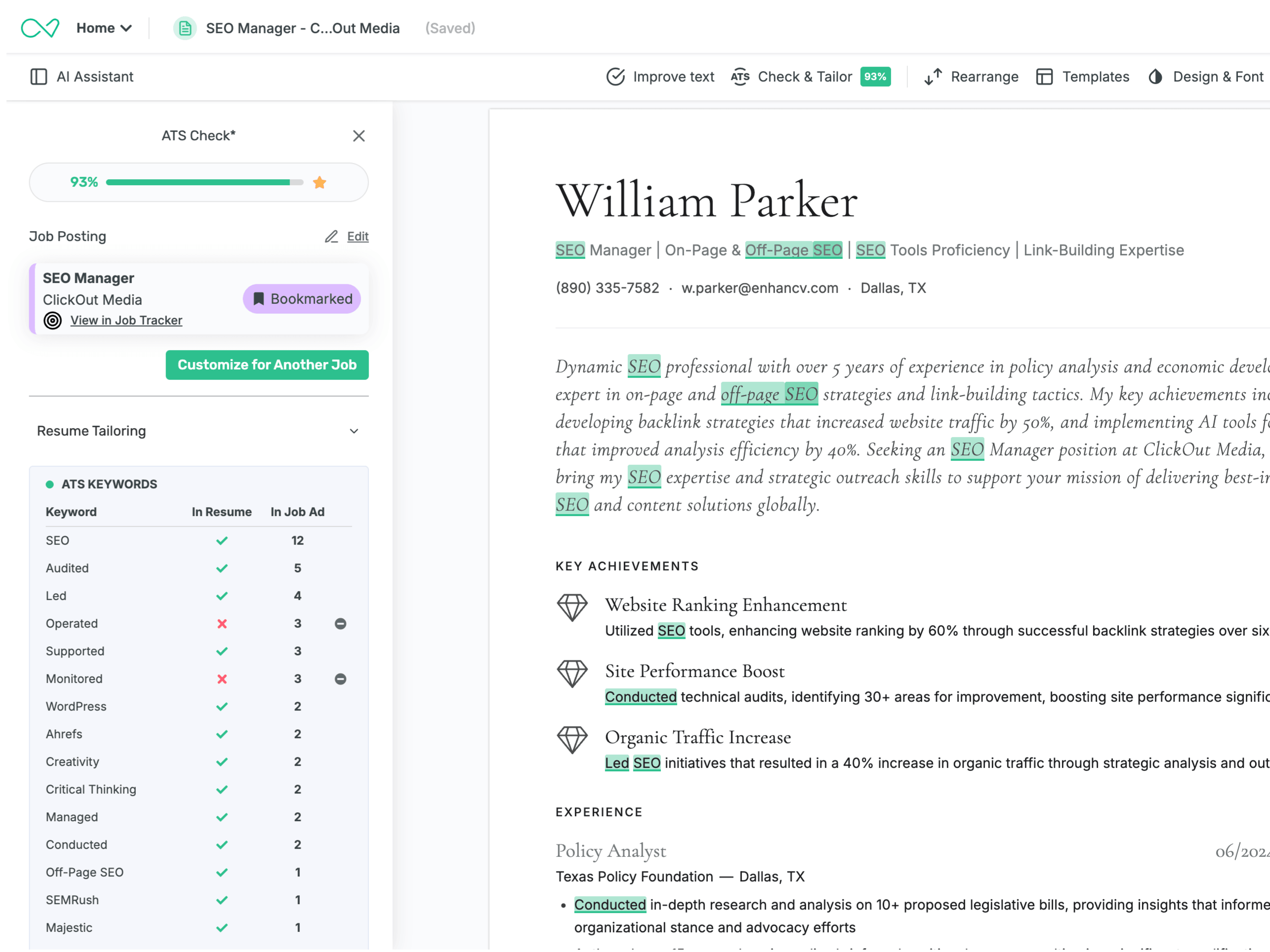
See your ATS score before you apply
Paste the job description, or pull a saved one from the Chrome extension or job tracker, and Enhancv reads your resume the way an applicant tracking system would, then scores it from 0 to 100 against that exact ad. The more checks you clear, the higher the score, and every gap gets highlighted right on your resume with the fix, whether it's a keyword the ad wants, a bullet with no number, or a missing section.
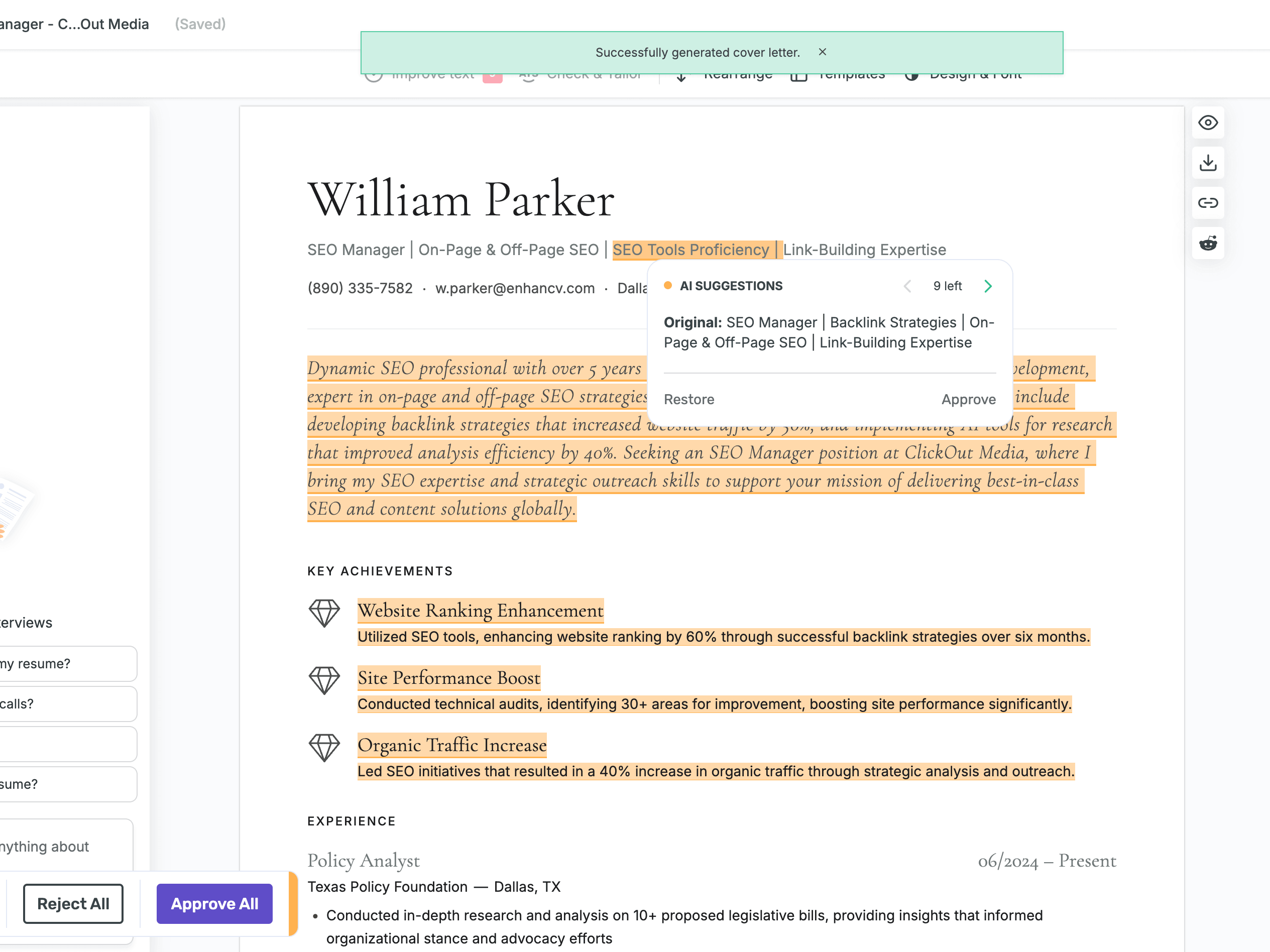
Tailor your resume for the job
Pick one of your resumes and paste the job ad, choose the three to five qualifications that fit the role best, and Enhancv rewrites your resume to match, with every change highlighted but not applied automatically, so you stay in control. It's built from your real experience only, with no AI hallucinations and no invented facts. It works on both readers at once: the top third that wins the recruiter's first seconds, and the bullets and skills an ATS scans for.
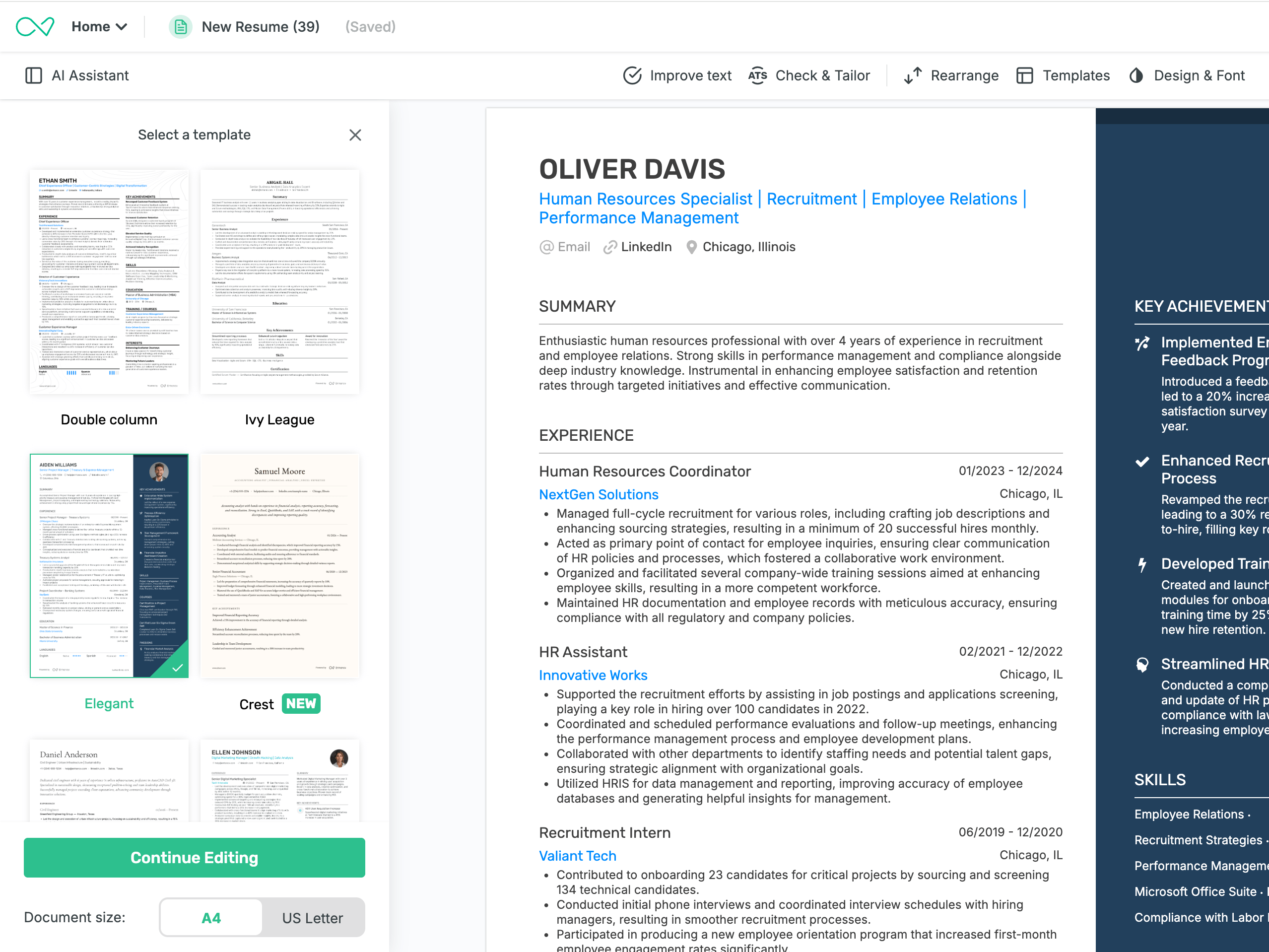
Start from a recruiter-reviewed resume layout
Every Enhancv template is built to be read by the ATS parser and win the human. Choose from 17 ATS-tested templates, each parsed at 90%+ by Sovren and RChilli, the parsers behind most Fortune 500 applicant tracking systems.
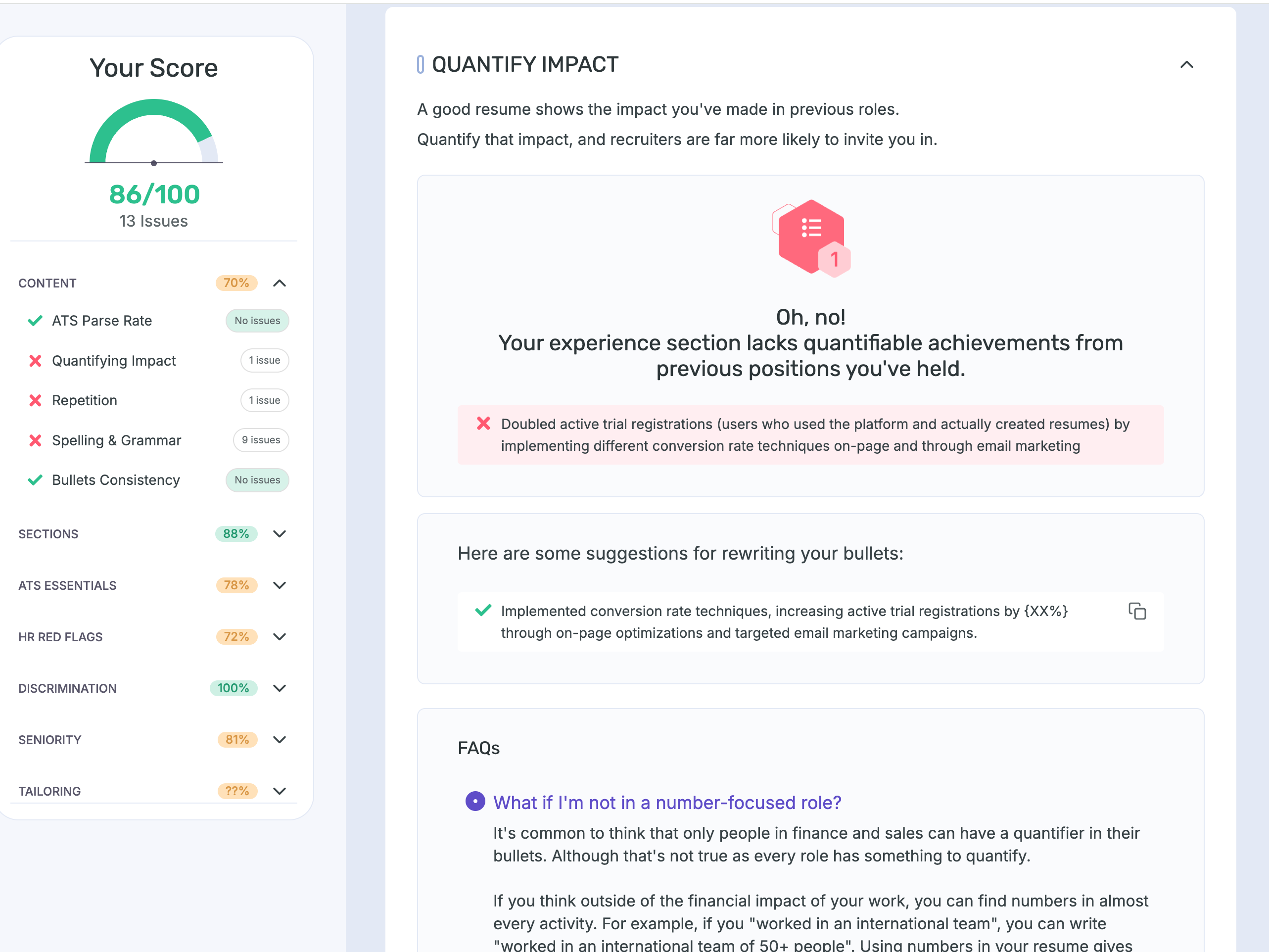
A Resume Checker built for ATS and Humans
Our standalone Resume Checker report runs 27 checks across seven categories on two tiers: first that an ATS can parse and understand your resume, then that a recruiter will want to read it. It scores your ATS essentials and parse rate, then flags recruiter red flags, bias and discrimination risks, and seniority fit, with the reason and the fix on each.
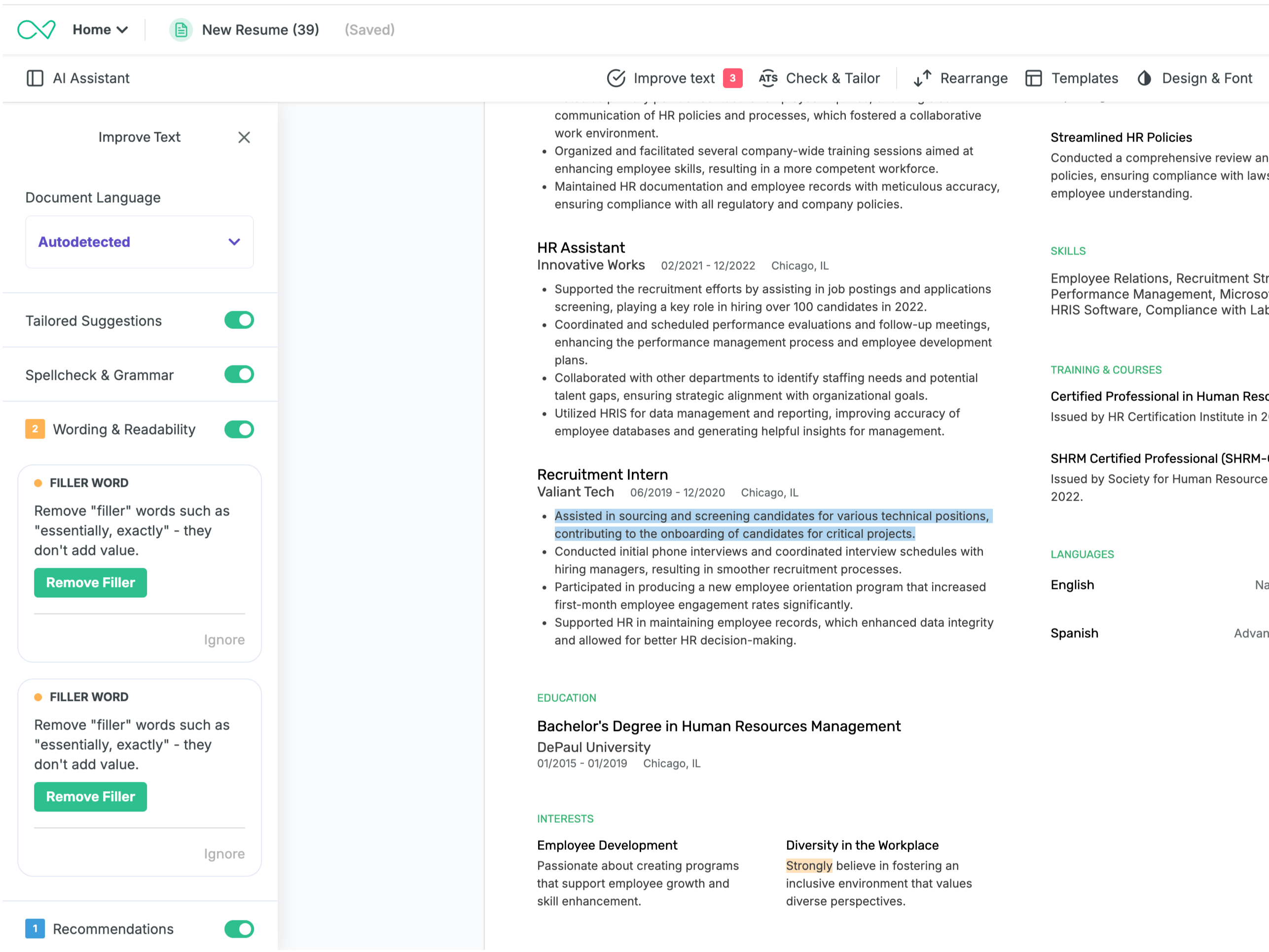
Sharpen your writing as you type
Improve Text suggests stronger wording as you write, in your resume's language, detected automatically. You stay in control: switch any check on or off, and when a line needs a number the tool can't know, it drops in a placeholder instead of inventing the figure.



Why Enhancv is ATS-friendly
Every Enhancv template is checked against the Applicant Tracking Systems (ATS) employers actually use, so compatibility is never in question. Clean layouts, readable fonts, and standard section headings keep every detail legible to the software. And because Certified Professional Résumé Writers review each design, your resume clears the parser and still reads well to the recruiter on the other side.
How Enhancv compares on ATS help
Enhancv is the best overall resume builder, and ATS help is the clearest place to see why. Most tools optimize for the ATS with simple, safe, bland and “just enough” templates. Enhancv covers both the human and the ATS. We pair a job-specific ATS check with a live document you edit in place and formats that are designed to be recruiter-friendly.
We spent 4 months and over $100,000 in tests with over 120 experienced professionals. The majority ultimately chose Enhancv (and overwhelmingly so for some of the tested builders). One deciding factor for always choosing Enhancv as a winner kept coming up: an ATS check that reads your resume against the actual job description and shows which keywords to add. Here's how the field stacks up across the five dimensions that matter most for ATS help.
Swipe to compare all builders →
| Feature | Enhancv | Resume.io | Zety | MyPerfectResume | ResumeGenius | Teal |
|---|---|---|---|---|---|---|
| Job-description ATS check | yes | yes | partial | no | no | partial |
| Actionable, located feedback | yes | partial | partial | partial | partial | yes |
| Job-description tailoring | yes | yes | no | no | no | yes |
| Live in-document editing | yes | no | no | no | no | no |
| Single click one page format | yes | no | no | no | no | no |

A few honest words on each:
- Resume.io has a strong job-match score and side-by-side requirement breakdown, though it confines every edit to side-panel text boxes, and testers wanted to type straight into the document the way Enhancv lets them.
- Zety offers a genuinely approachable step-by-step wizard, yet it has no job-description tailoring, the gap professionals named as the reason they'd pay for Enhancv instead.
- MyPerfectResume is easy to follow for people who want to be guided, though it produces one general resume with no job-description ATS check, so it can't tell you how you stack up against a specific posting.
- ResumeGenius is prescriptive and friendly for first-time builders, though it doesn't meaningfully check your resume against a real job description.
- Teal runs a useful completeness checklist and per-bullet tailoring, though testers kept looking for an integrated resume-versus-job ATS pass in its builder and couldn't find one.
The ATS check gets you cleanly through the software. The job-specific tailoring you apply right in the document is what makes the recruiter on the other side stop and read.
ATS help is one part of the job search
Clearing the parser gets you read. Enhancv covers the rest of the application: the rewrite, the cover letter, the tracking, and the interview prep.
An AI resume builder built by certified resume writers
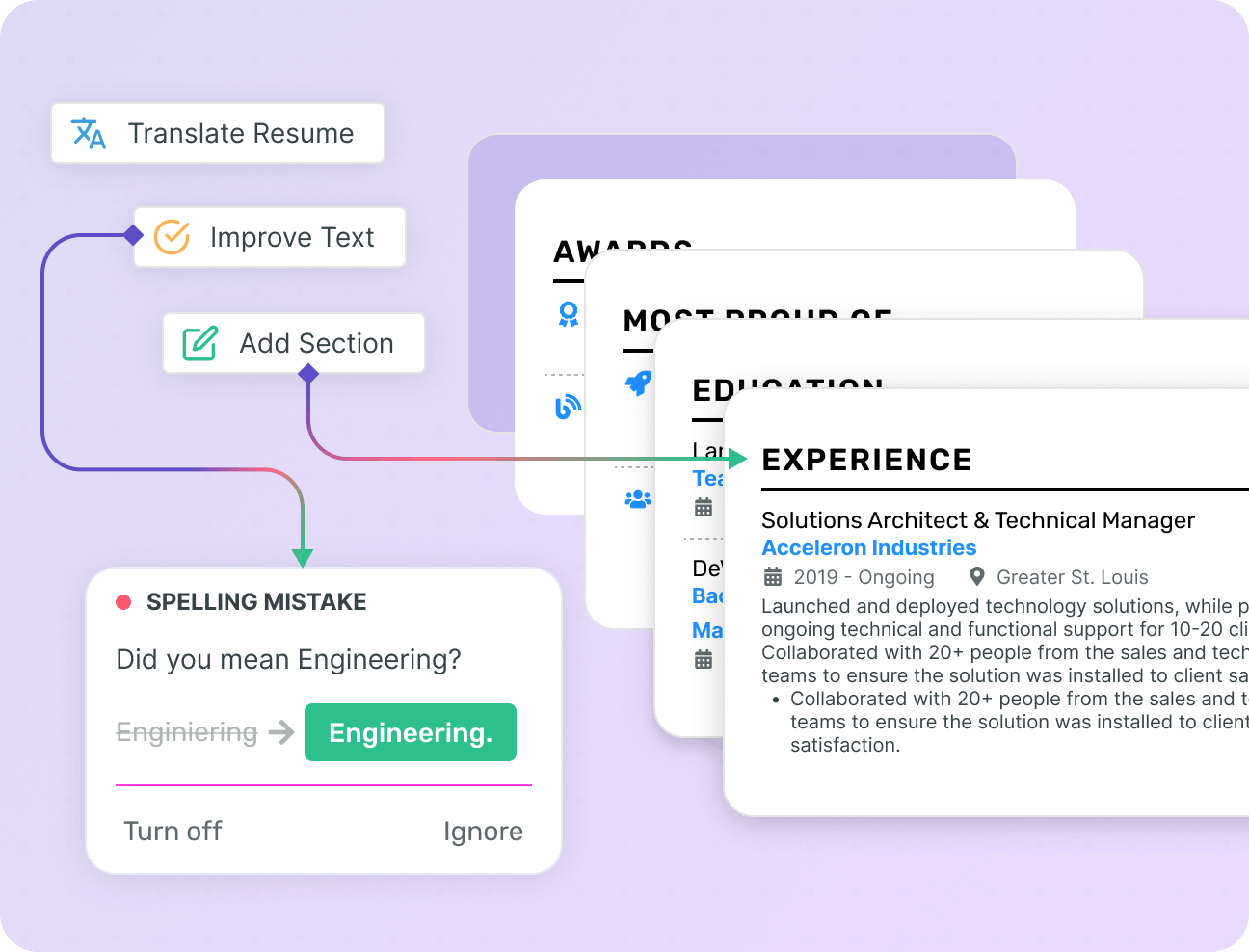
Enhancv’s Resume Builder helps you land more interviews and apply with purpose. Create professional resumes for each job you apply for, in over 20 languages.
Over 20 resume sections, designed and approved by CPRW professionals.
Check your resume for grammatical and punctuation errors, and fix them.
Translate your resume with AI to 30+ languages in one click.
Check every bullet before you apply
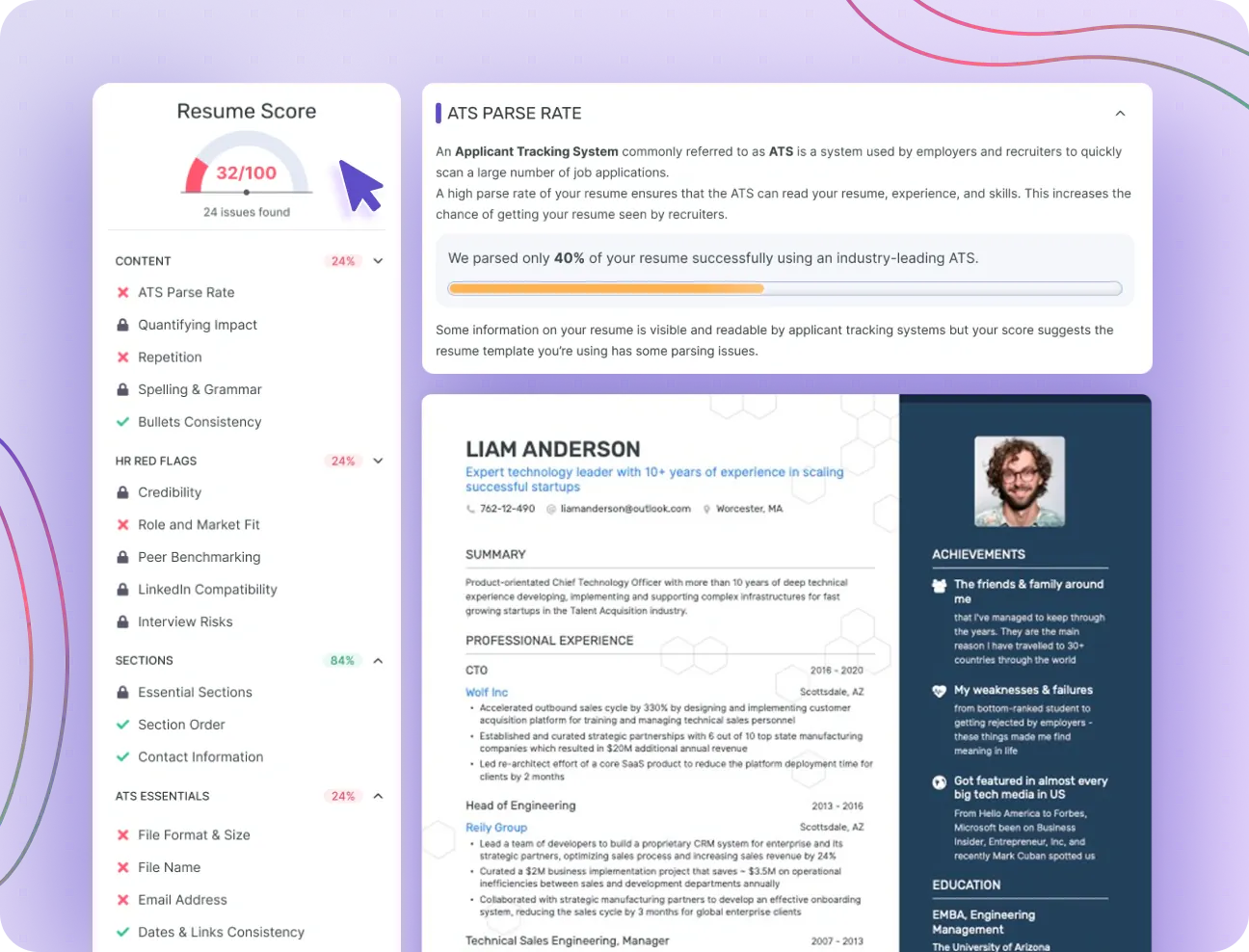
Run your resume through an AI checker that scans content, keywords, and ATS compatibility against the job you're applying to. Get bullet-level suggestions, not just a grade.
27 automated checks on content, grammar, length, formatting, and keyword match against the job description.
AI rewrites vague or weak bullets with suggestions drawn from your actual experience.
Match score against any job posting, with the specific keywords you are missing called out.
AI cover letters matched to each job description
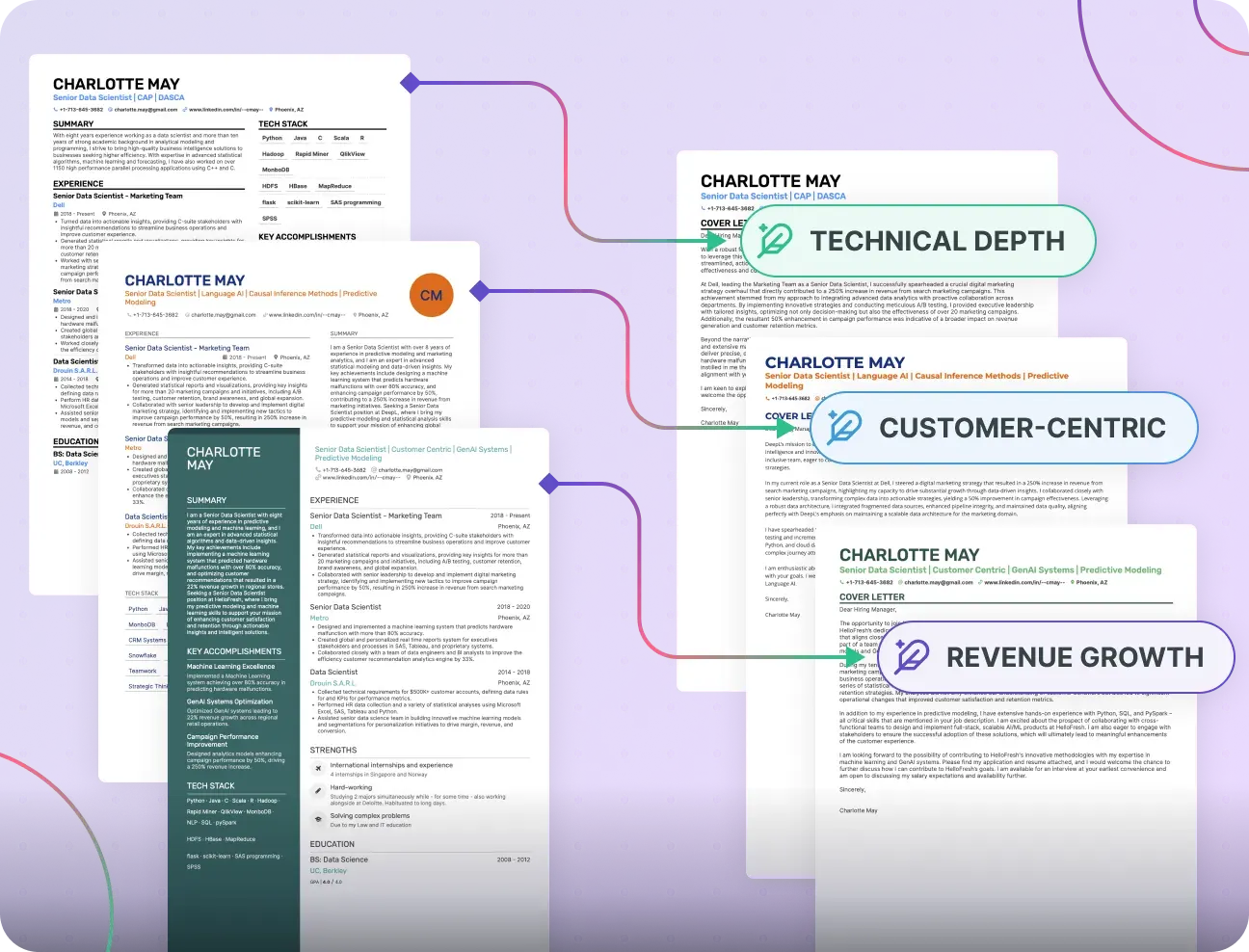
Use the AI Cover Letter Generator to quickly create the perfect cover letter for each job application, based on your experience and tailored to the job description.
AI creates a narrative that supports your resume, rather than just repeating it.
Generate a new cover letter tailored to each job you apply for.
Matching resume designs that show the effort you put into your application.
Import your old resume or LinkedIn profile
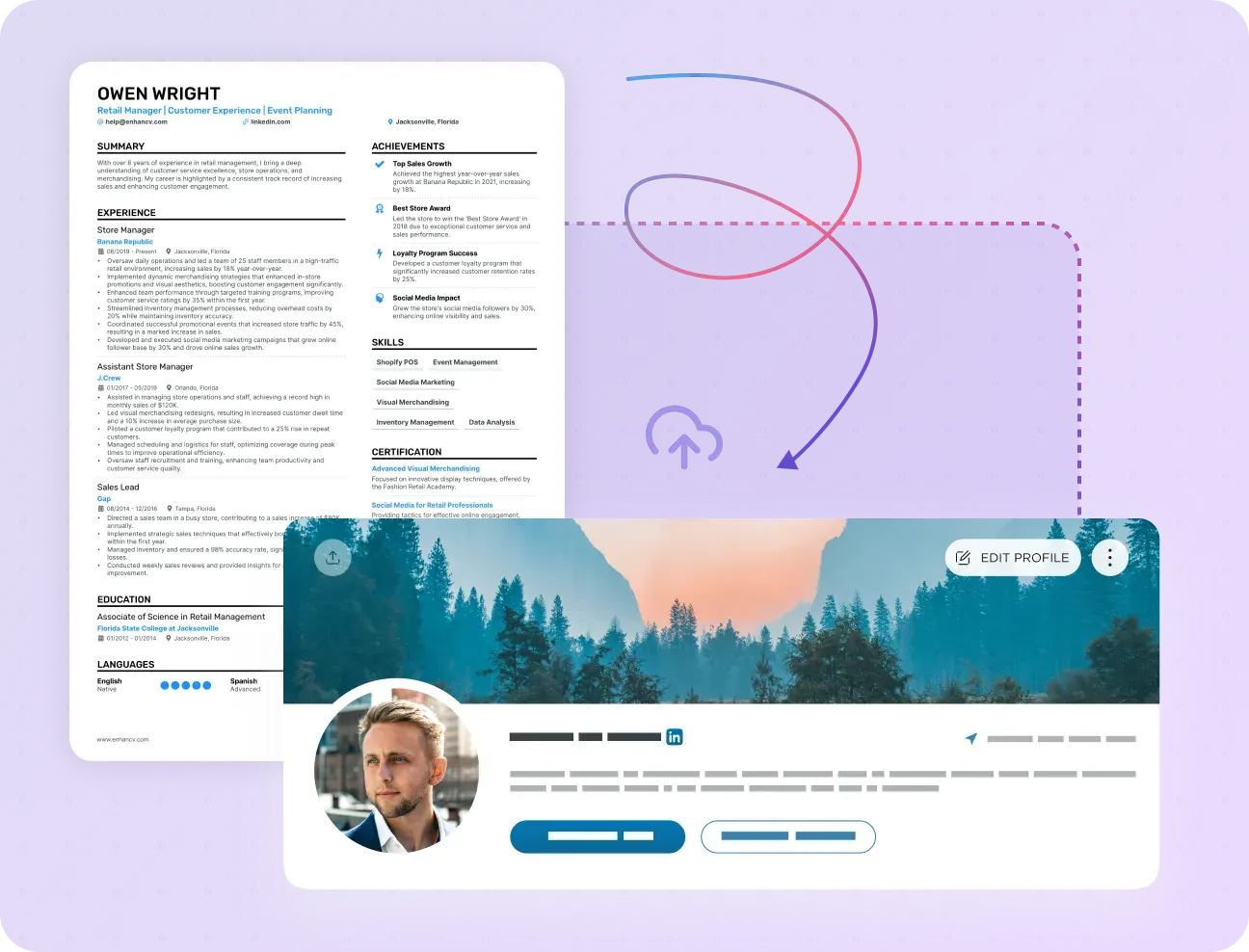
Don't have time to start from scratch? Upload your current resume or share your LinkedIn profile, and our AI Resume Builder will pull out all the essential sections for you.
Our resume builder turns your old resume into a professional Enhancv design.
Your LinkedIn profile becomes your resume by just pasting your profile URL.
Get your work history and experience from LinkedIn wrapped in a resume design.
Keep track of the jobs you applied to
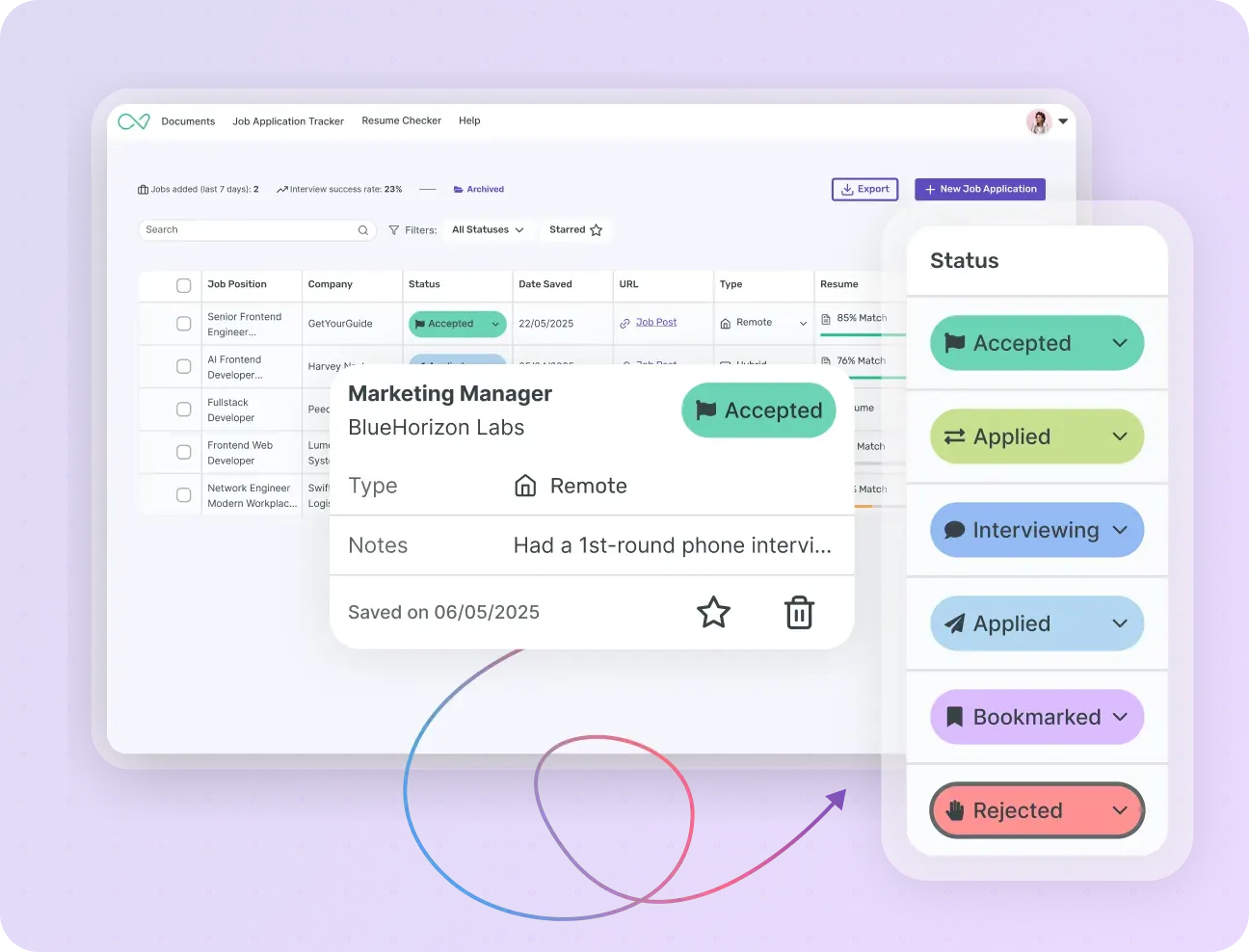
Our job tracker helps you organize your job search process. Link tailored resumes and cover letters, add notes, job-related tasks and get weekly analytics on the progress of your job search.
Quickly create and organize tailored resumes and cover letters.
Easily apply statuses for each application and add custom fields to customize your job tracker.
Import your Sheets / Excel job tracker into Enhancv in less than a minute.
Prepare for your job interview
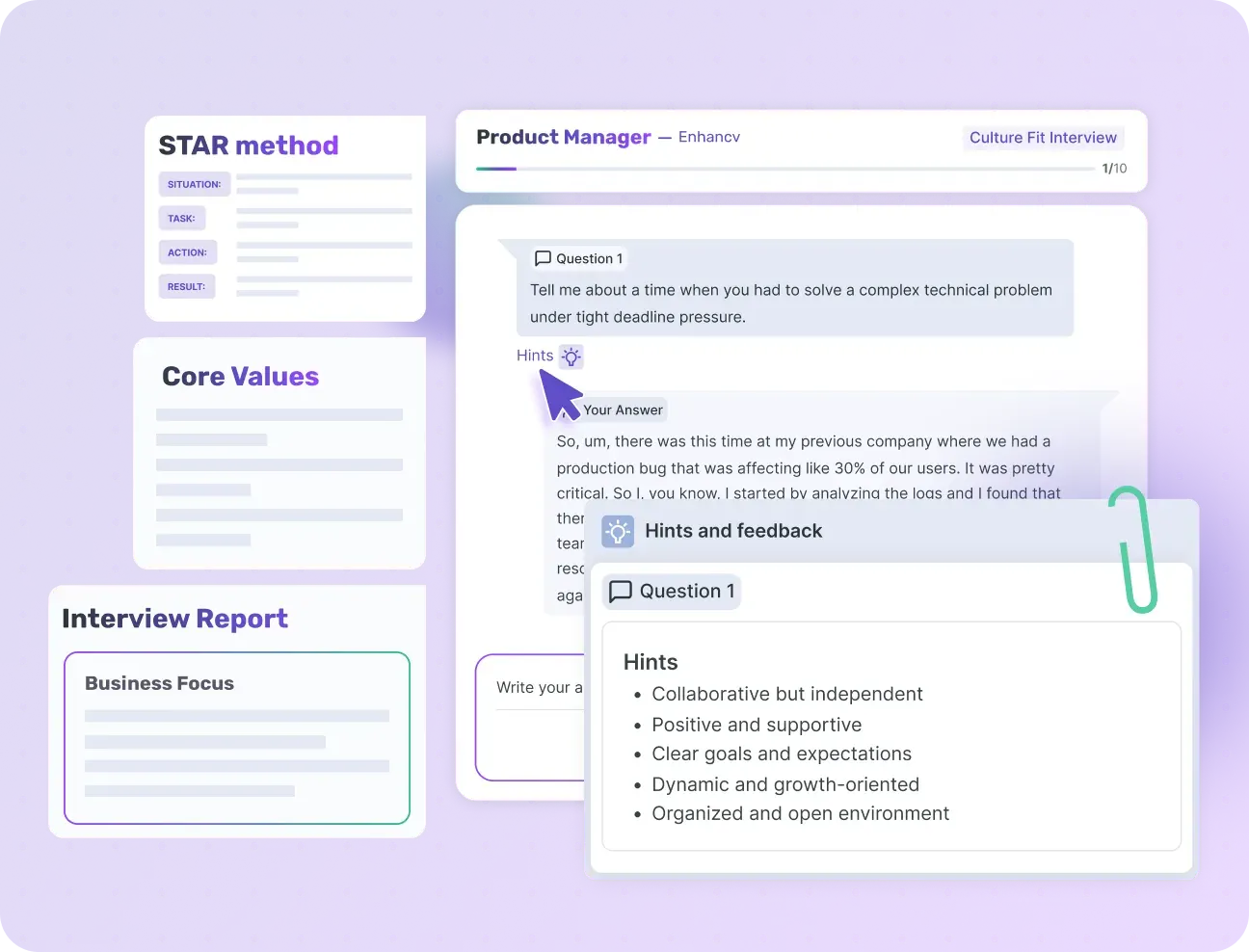
Generate job interview questions or questions that you can ask the interviewer based on the job ad you're applying for and your experience.
Quickly generate interview questions, STAR stories, and personal profile summaries.
Automatically research what the interviewing process is like, based on public online sources.
Do quick company research, including latest news, company values and focus, and industry insights.
Find your next job on Enhancv
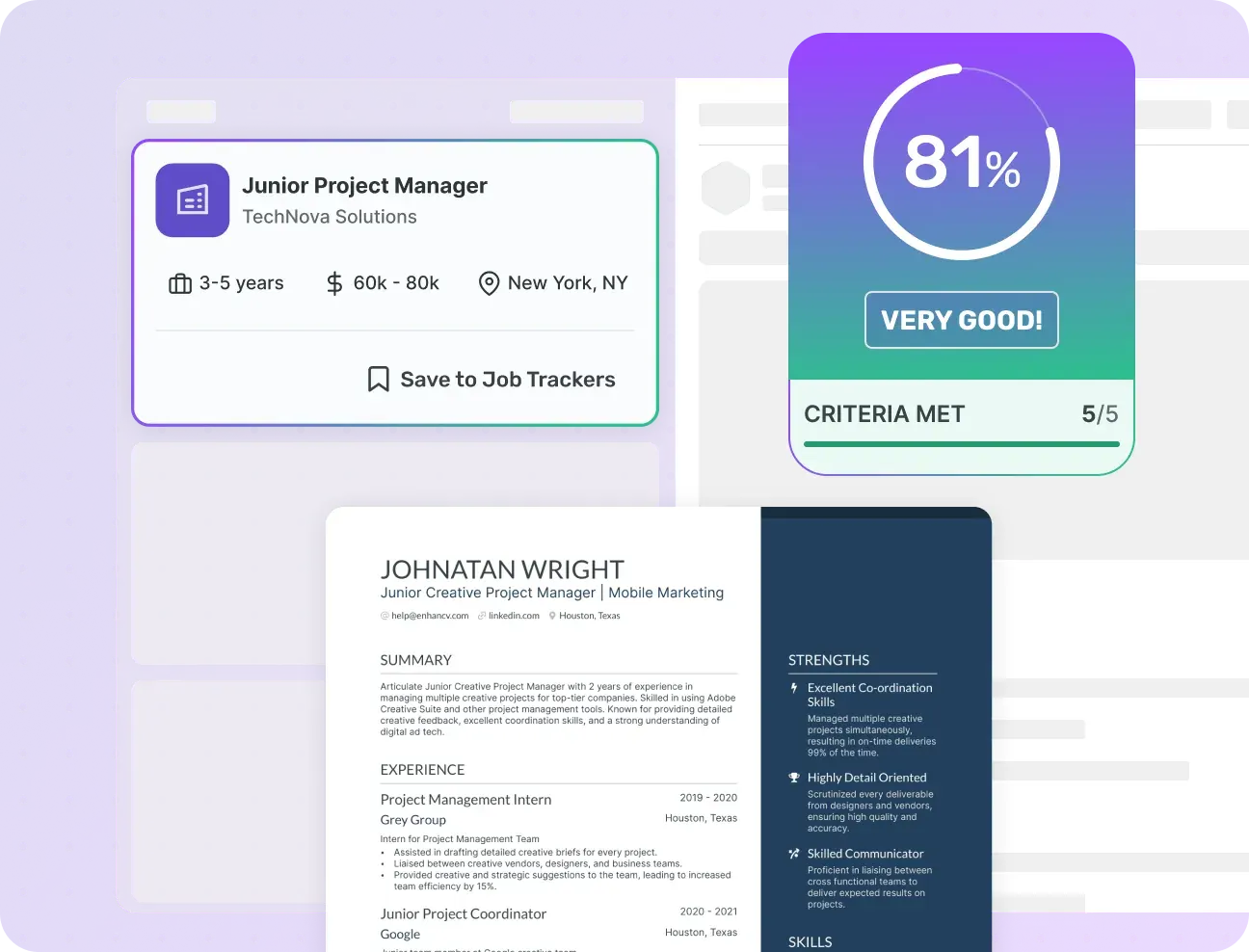
The most advanced AI job search. Describe your dream job in plain text and we'll find the best-matching job ads from a database of 1M+ current jobs.
Enhancv has an internal database of millions of job ads, accessible to PRO users.
Get a resume score match on each job at a glance and quickly see if you're a good fit.
Skip the mass-apply and focus on hyper-tailored applications, that are made exactly for the job.

Trusted by executives &
senior professionals


Enhancv Executive has changed my life: One week & four interviews later, I will be making 150% more doing the job I chose.
