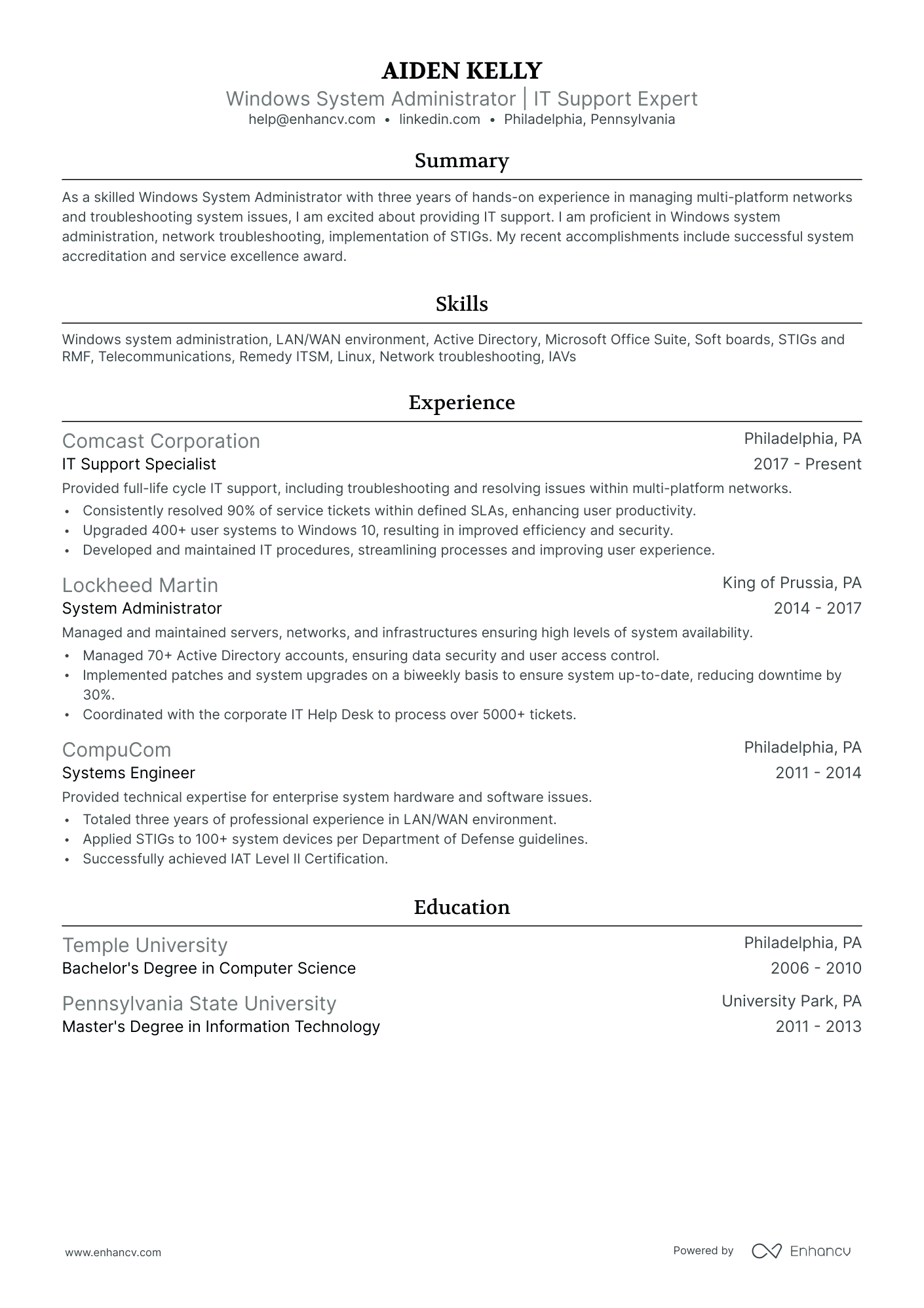
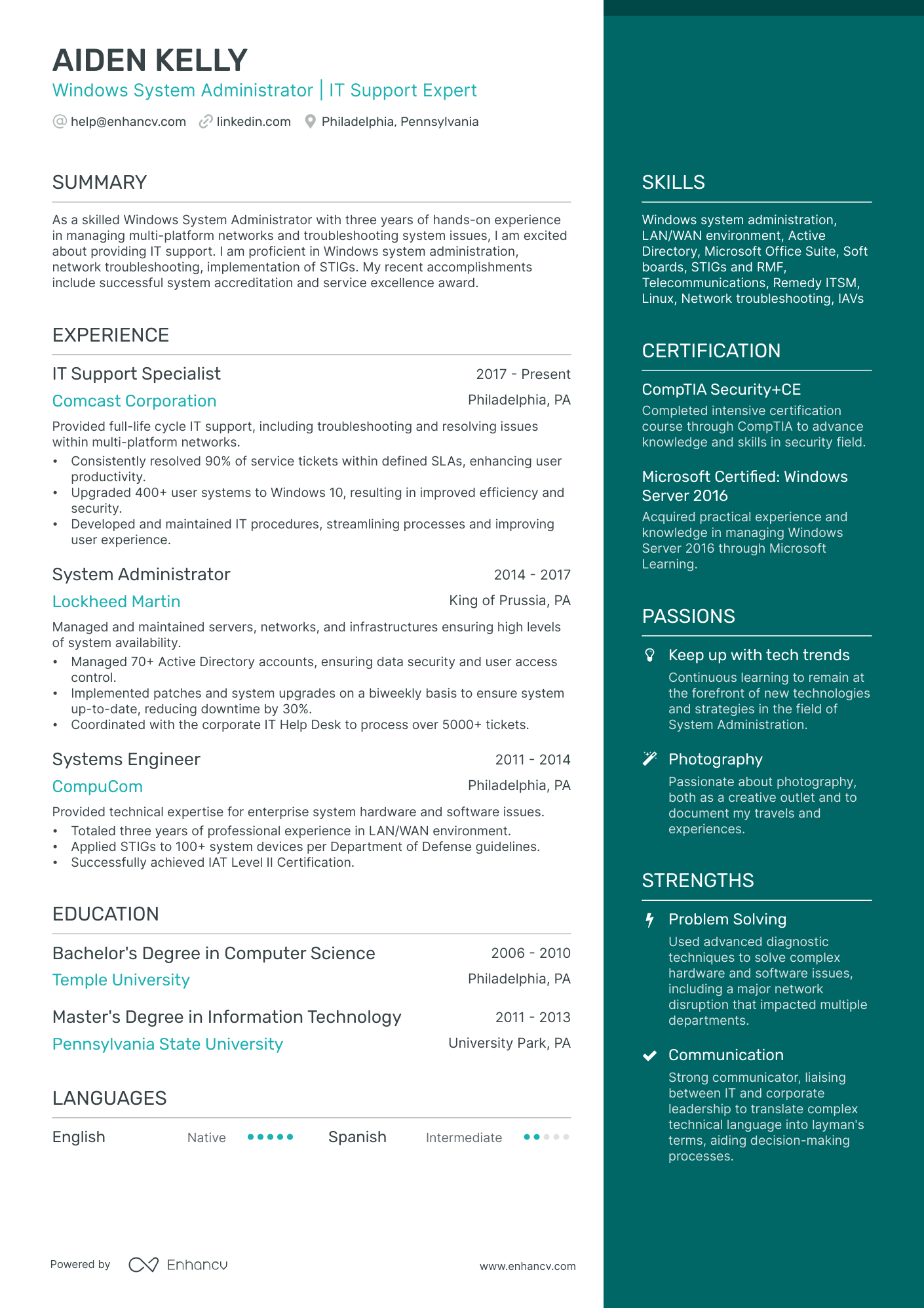
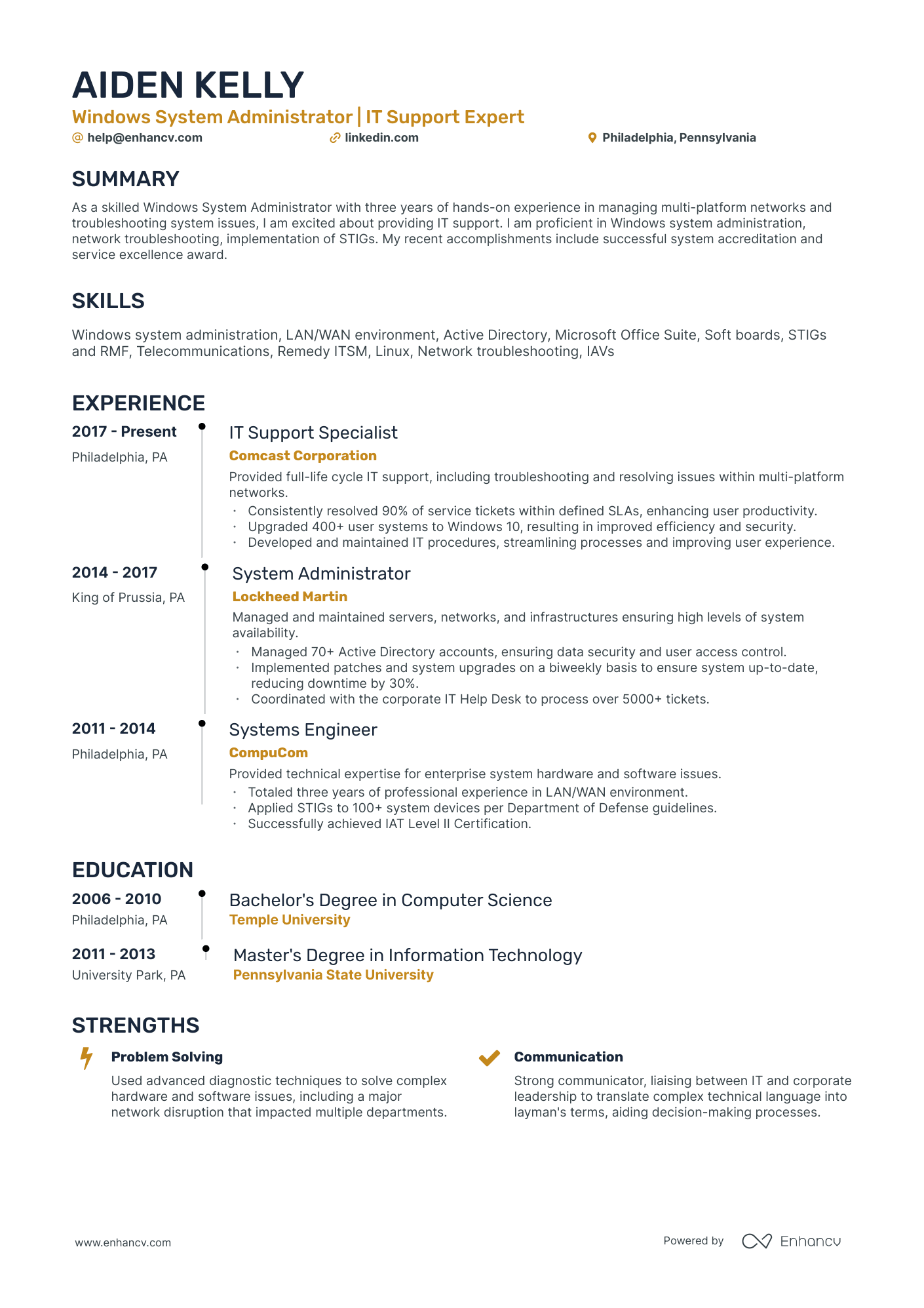
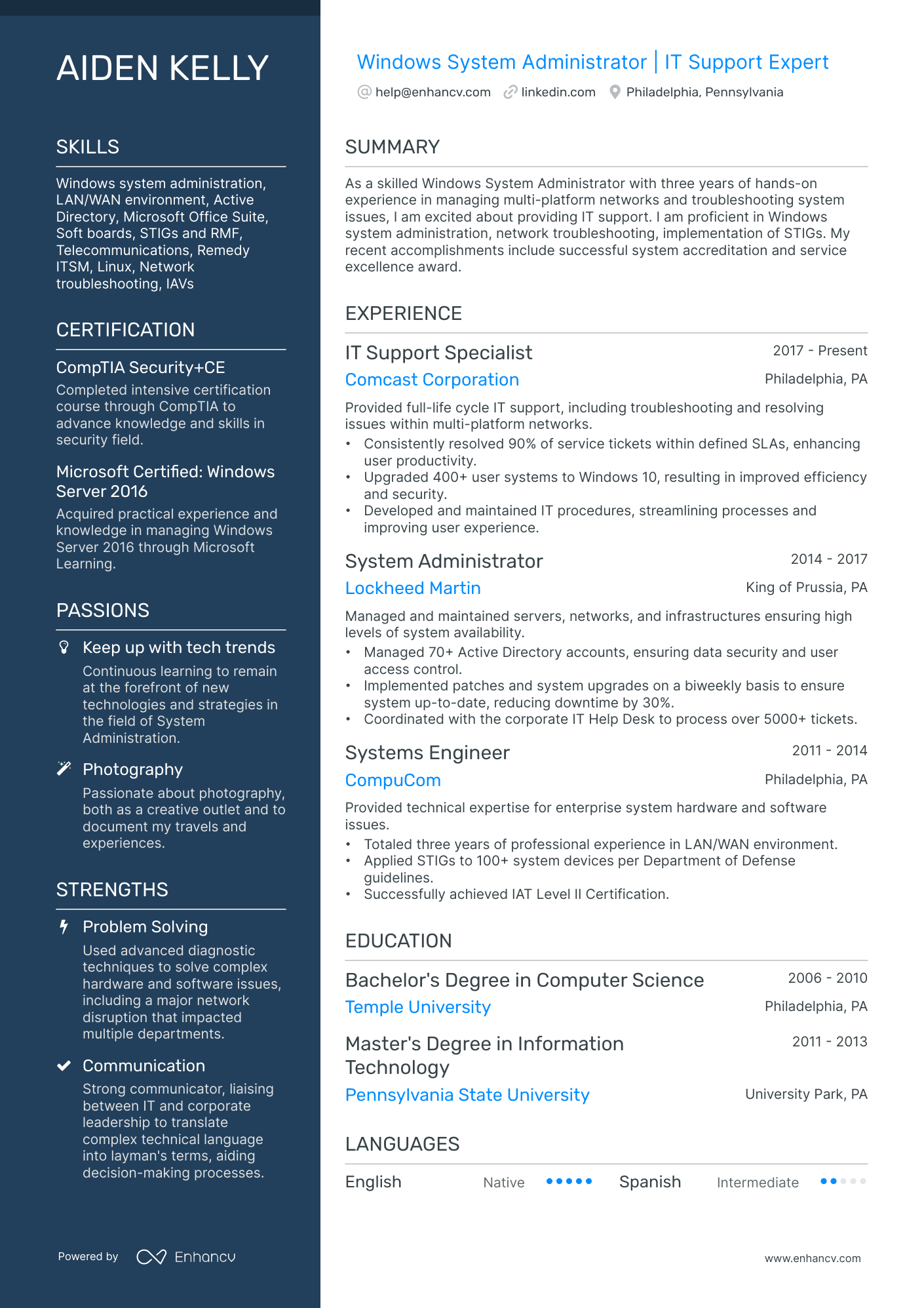
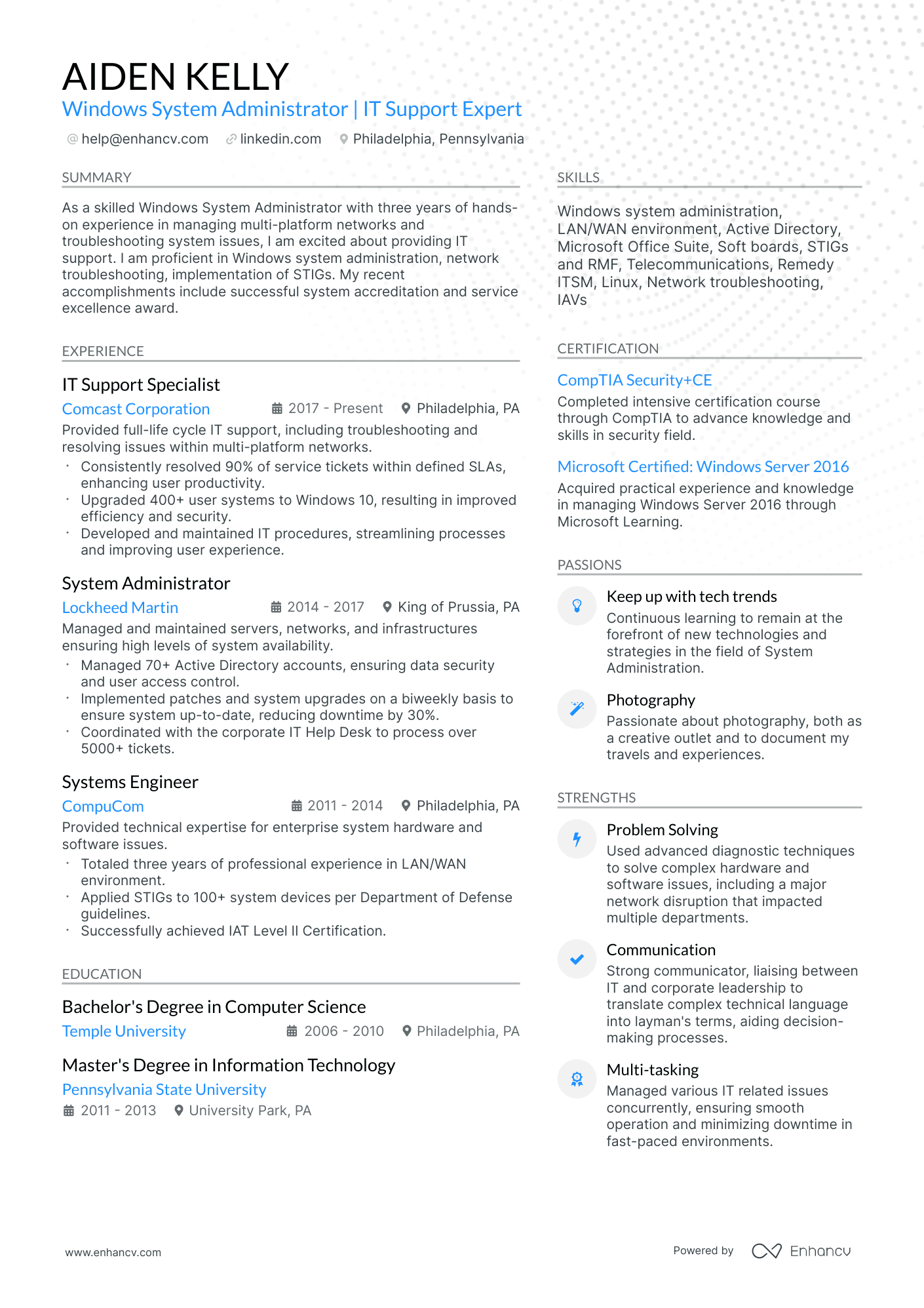
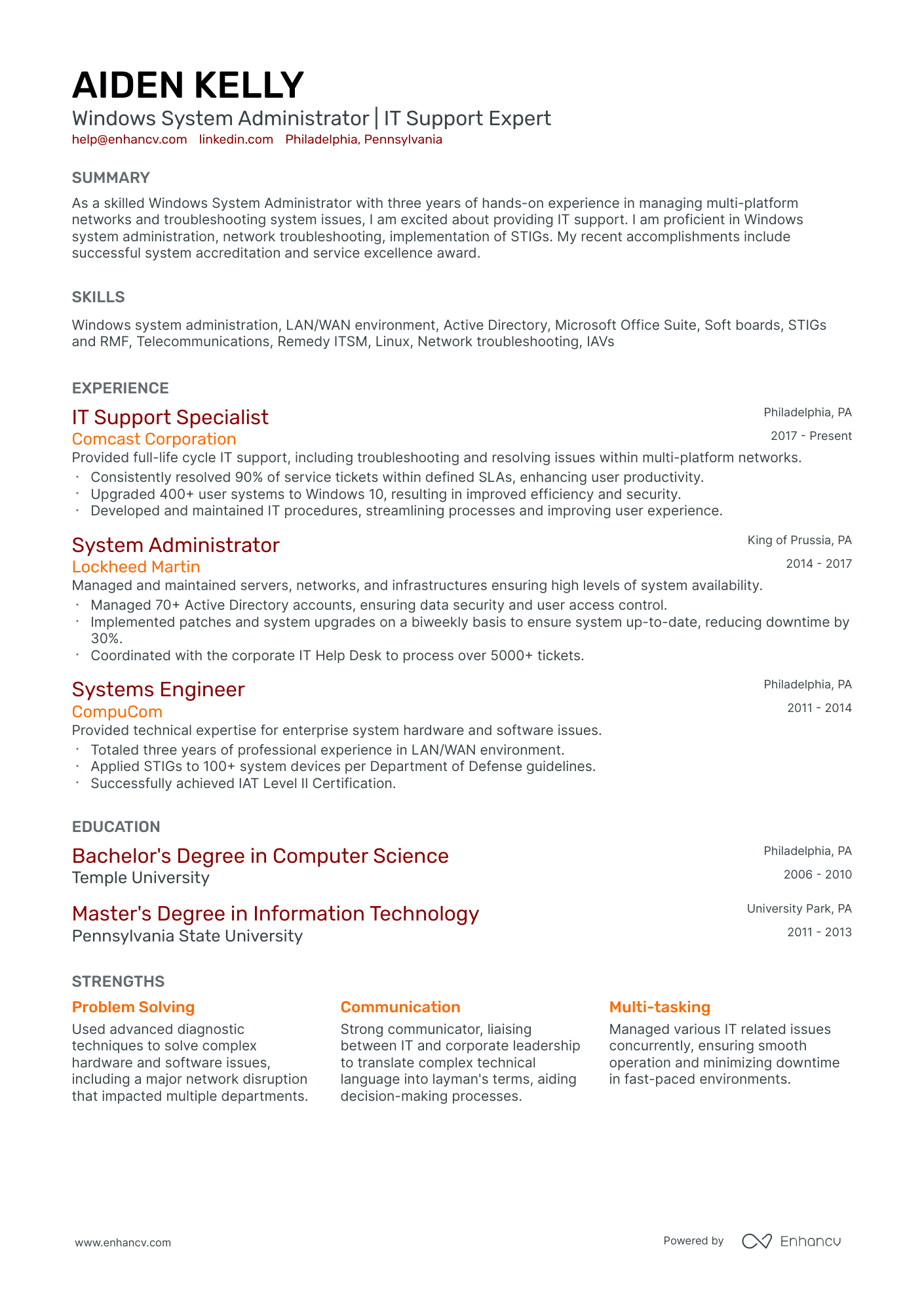
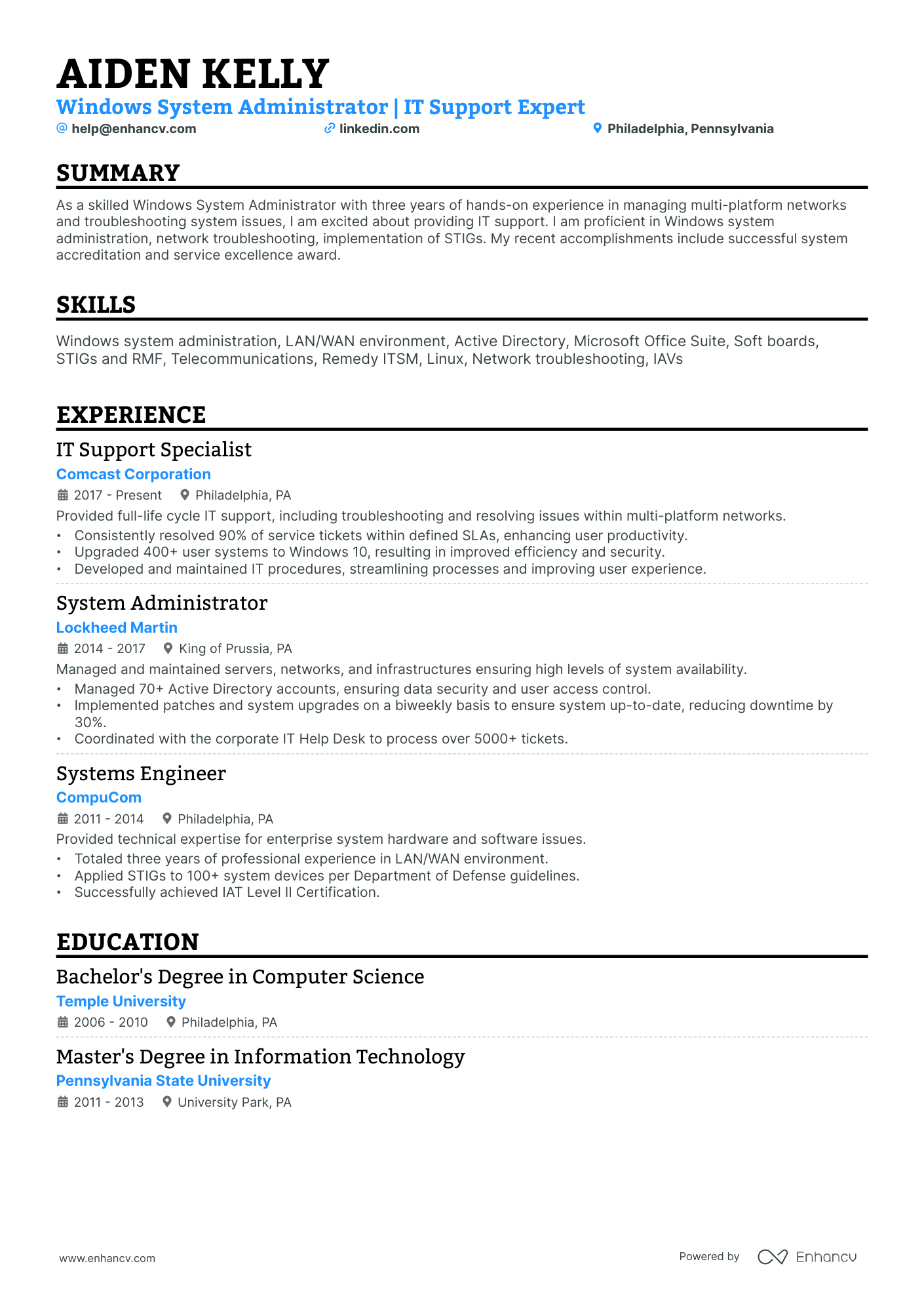
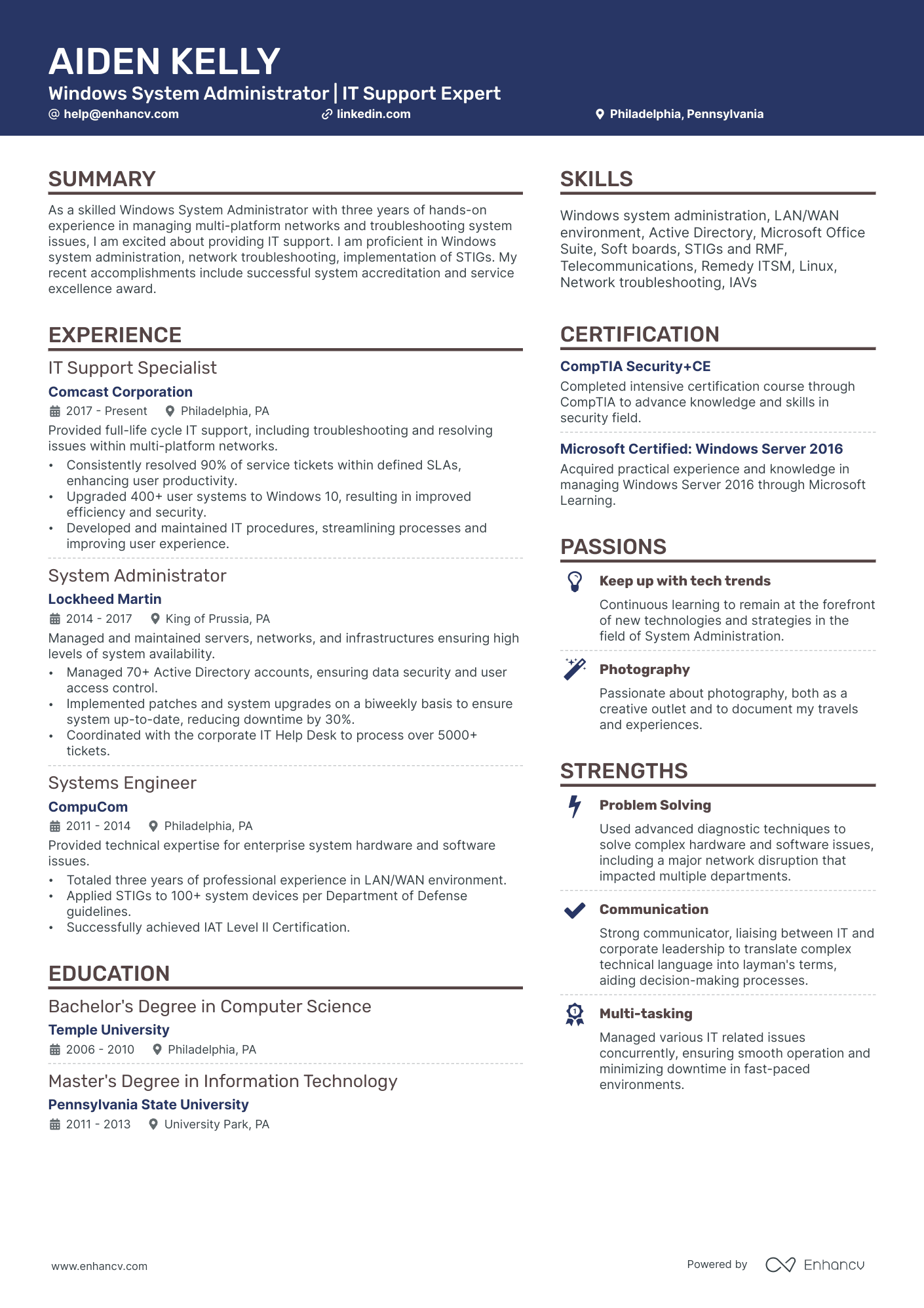
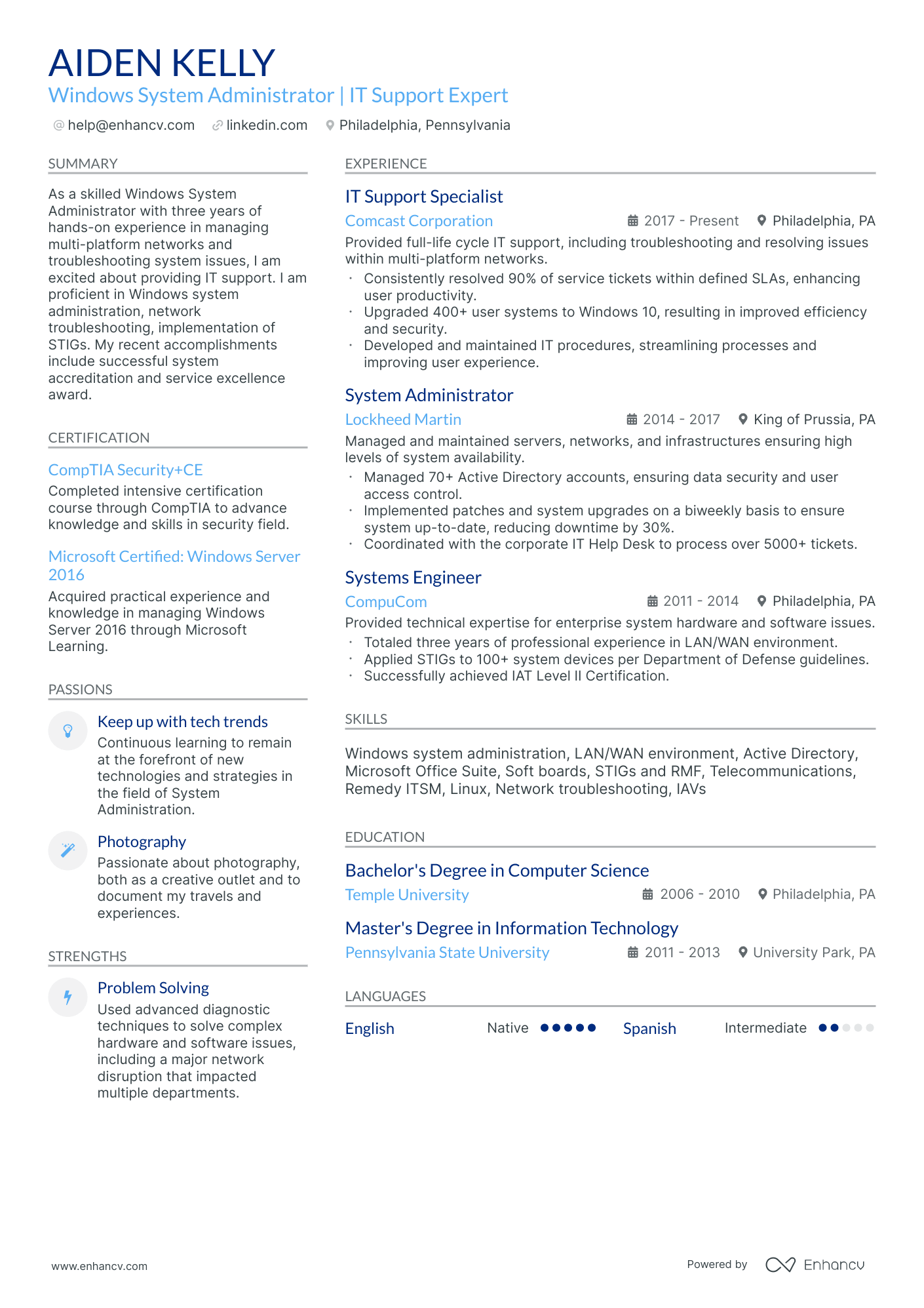
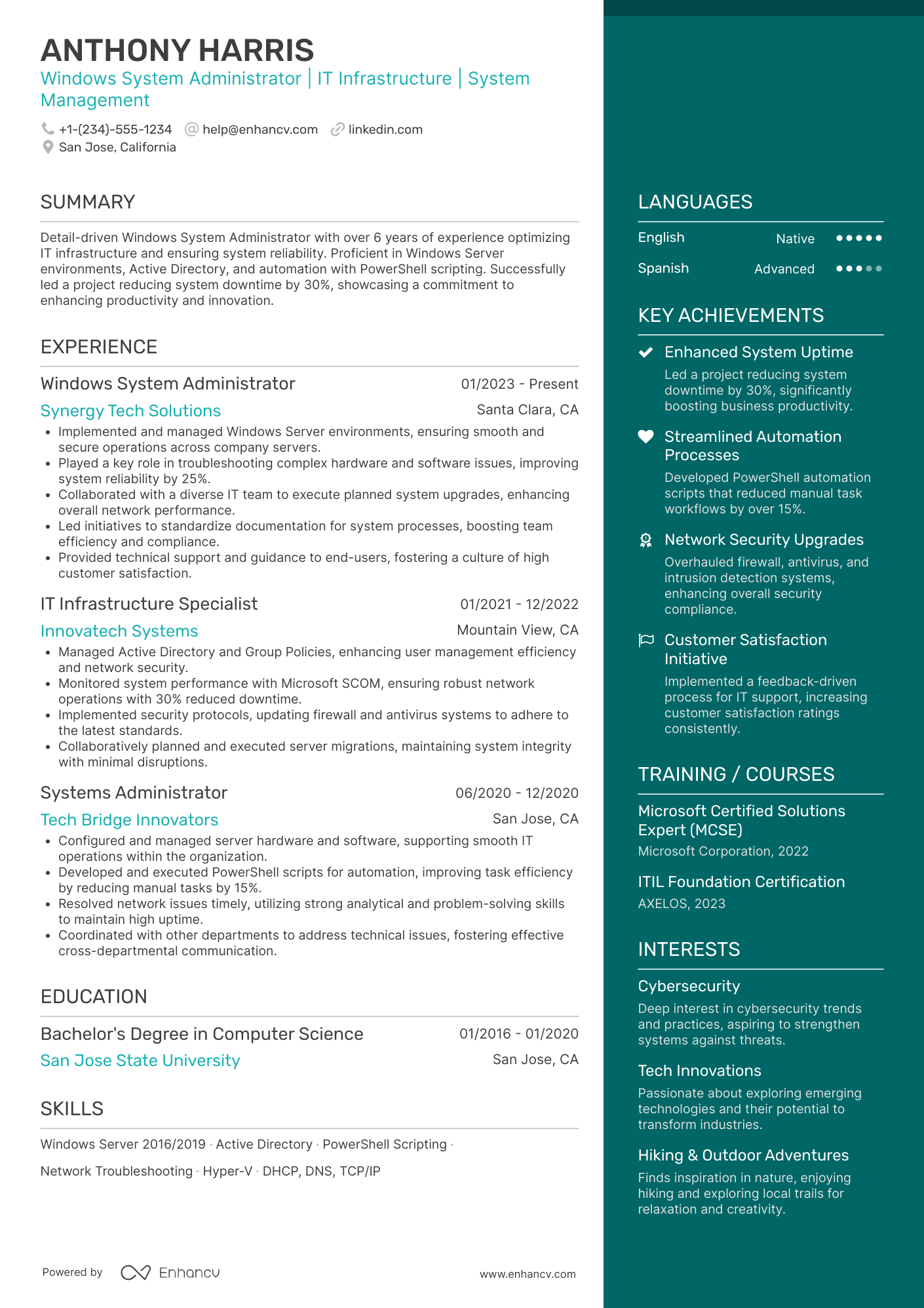
Many Windows system administrator resume submissions fail because they read like a task log and bury impact under tool lists. That hurts during ATS filtering and ten-second recruiter scans, where competition is high and relevance must show fast. Knowing how to make your resume stand out is critical in this competitive field.
A strong resume shows what changed because of your work. You should highlight uptime gains, patch compliance rates, incident reduction, user counts supported, migration delivery, and audit results. Quantify scale, speed, reliability, and cost control.

Key takeaways
- Quantify uptime, patch compliance, incident reduction, and recovery time in every experience bullet.
- Use reverse-chronological format for experienced candidates and hybrid format for career changers.
- Tailor resume language to mirror each job posting's specific tools and compliance frameworks.
- Lead bullets with ownership scope, execution method, and measurable outcome—not daily tasks.
- Place skills above experience when junior, and below experience when senior.
- Tie every listed skill to a real project or result, not just a keyword.
- Use Enhancv to turn routine Windows administration tasks into measurable, recruiter-ready bullet points.
How to format a Windows system administrator resume
Recruiters hiring for Windows system administrator roles prioritize hands-on technical depth across Active Directory, Group Policy, Windows Server, and infrastructure management, along with clear evidence of troubleshooting ability and system uptime improvements. Your resume format determines how quickly a hiring manager can locate these signals, so choosing the right structure ensures your technical skills and operational impact aren't buried. A clean resume layout further improves readability for both human reviewers and applicant tracking systems.

I have significant experience in this role—which format should I use?
Use a reverse-chronological format to present your Windows sysadmin experience in a clear, linear progression that highlights growing technical responsibility. Do:
- Lead each role entry with your scope of ownership—number of servers managed, user base supported, and environments maintained (on-premises, hybrid, or cloud).
- Feature role-specific tools and platforms prominently, including Windows Server (2016/2019/2022), Active Directory, DNS, DHCP, SCCM, PowerShell, and Azure AD.
- Quantify operational outcomes such as uptime percentages, ticket resolution times, migration completions, and cost reductions tied to infrastructure changes.
I'm junior or switching into this role—what format works best?
A hybrid format works best because it lets you lead with a strong technical skills section while still showing relevant experience or project work in chronological order. Do:
- Place a dedicated skills section near the top of your resume, grouping Windows administration competencies (Active Directory, Group Policy, PowerShell scripting, Windows Server) for immediate ATS and recruiter visibility.
- Include lab projects, home lab environments, certifications (MCSA, AZ-800/801, CompTIA Server+), or internship work that demonstrates practical Windows server administration experience.
- Connect every skill or project to a concrete action and a measurable or observable result so hiring managers see applied capability, not just a keyword list.
Why not use a functional resume?
A functional resume strips away the timeline and context that hiring managers need to verify your hands-on Windows administration experience, making it difficult to assess where, when, and how you applied your technical skills.
- A functional format may be acceptable if you're transitioning from a help desk or desktop support role into systems administration, have gaps in your work history, or built your Windows Server skills primarily through certifications and home lab projects—but even then, every listed skill must be tied to a specific project, environment, or outcome rather than presented as a standalone keyword.
Once your layout and formatting choices are in place, the next step is deciding which sections to include so each one reinforces your qualifications.
What sections should go on a Windows system administrator resume
What sections should go on a Windows system administrator resume?
Recruiters expect to quickly find your Windows Server expertise, core infrastructure responsibilities, and measurable operational results. Understanding what to put on a resume helps you prioritize the most impactful information.
Use this structure for maximum clarity:
- Header
- Summary
- Experience
- Skills
- Projects
- Education
- Certifications
- Optional sections: Awards, Leadership, Volunteering
Your experience bullets should emphasize uptime and reliability improvements, automation and hardening outcomes, incident and change scope, and quantifiable results across servers, endpoints, and users.
Is your resume good enough?
Drop your resume here or choose a file. PDF & DOCX only. Max 2MB file size.
Once you’ve organized your resume with the right components in place, the next step is to write the experience section in a way that clearly shows the impact of your Windows system administration work.
How to write your Windows system administrator resume experience
Your work experience section should prove you've built, maintained, and improved Windows-based infrastructure—not just describe daily responsibilities. Hiring managers prioritize demonstrated impact, so every bullet should connect a specific action to a measurable outcome using the tools and methods relevant to Windows system administration.
Each entry should include:
- Job title
- Company and location (or remote)
- Dates of employment (month and year)
Three to five concise bullet points showing what you owned, how you executed, and what outcomes you delivered:
- Ownership scope: the Windows Server environments, Active Directory domains, Group Policy structures, endpoint fleets, or virtualization platforms you were directly accountable for managing and maintaining.
- Execution approach: the tools, technologies, and methods you relied on—such as PowerShell scripting, SCCM/MECM deployments, Azure AD configurations, patch management workflows, or disaster recovery procedures—to diagnose issues and deliver infrastructure improvements.
- Value improved: the specific gains you drove in system uptime, security posture, patch compliance rates, deployment speed, backup reliability, or reduction in help desk escalations across your Windows environment.
- Collaboration context: how you partnered with network engineers, security teams, help desk staff, application developers, or external vendors to align Windows infrastructure with broader organizational requirements and project timelines.
- Impact delivered: the tangible results your work produced—expressed through scale of systems managed, reduction in downtime, faster provisioning cycles, or strengthened compliance—rather than a list of tasks you performed.
Experience bullet formula
A Windows system administrator experience example
✅ Right example - modern, quantified, specific.
Windows System Administrator
NorthBridge Health Systems | Columbus, OH
2021–Present
Regional healthcare network supporting three hospitals and twenty-five clinics with 6,200 users in a hybrid Microsoft environment.
- Hardened Windows Server 2019/2022 baselines using Group Policy and Microsoft Defender for Endpoint, cutting critical security findings by 38% and passing two HIPAA audits with zero high-severity exceptions.
- Automated user provisioning and access changes with PowerShell and Active Directory, reducing onboarding time from two hours to fifteen minutes and eliminating 90% of access-related ticket rework.
- Modernized patch management via Windows Server Update Services and Microsoft Endpoint Configuration Manager, raising patch compliance from 82% to 97% within thirty days across 1,100 endpoints and 180 servers.
- Improved authentication reliability by tuning Azure Active Directory Connect (Azure Active Directory Connect) sync rules and monitoring, reducing password reset tickets by 24% and restoring sync health to 99.9% uptime.
- Partnered with network engineers and application owners to redesign failover for core services using VMware vSphere and Windows Failover Clustering, cutting unplanned downtime from six hours per quarter to under one hour per quarter.
Now that you've seen how a strong experience section comes together, let's look at how to adjust yours to match a specific job posting.
How to tailor your Windows system administrator resume experience
Recruiters evaluate your resume through both manual review and applicant tracking systems, so alignment with the job posting matters. Tailoring your resume to the job description increases your chances of passing both filters.
Ways to tailor your Windows system administrator experience:
- Match Active Directory or Group Policy tools named in the posting.
- Mirror the exact Windows Server versions the employer specifies.
- Use the same terminology for patching and update management processes.
- Reflect compliance frameworks like HIPAA or SOX when listed.
- Highlight PowerShell scripting if automation is a stated priority.
- Include disaster recovery or backup systems the role references.
- Emphasize uptime or SLA metrics that align with stated expectations.
- Reference ITIL or change management workflows the posting mentions.
Tailoring means aligning your real accomplishments with what the role demands, not forcing keywords where they don't belong.
Resume tailoring examples for Windows system administrator
| Job description excerpt | Untailored | Tailored |
|---|---|---|
| Manage and maintain Windows Server 2019/2022 environments, including Active Directory, Group Policy, and DNS/DHCP services across multiple sites. | Responsible for server administration and network services. | Administered Windows Server 2019/2022 infrastructure across 12 sites, managing Active Directory for 3,000+ user accounts and configuring Group Policy Objects to enforce security baselines and standardize DNS/DHCP configurations. |
| Monitor system performance using SCOM and automate routine tasks with PowerShell to reduce manual intervention and improve uptime. | Monitored systems and wrote scripts to help with daily tasks. | Built 40+ PowerShell scripts to automate patch scheduling, account provisioning, and log rotation, reducing manual intervention by 60% while using SCOM to maintain 99.95% uptime across production servers. |
| Support VMware and Hyper-V virtualized environments, perform regular disaster recovery testing, and ensure backup integrity using Veeam Backup & Replication. | Worked with virtual machines and handled backup operations. | Managed 200+ virtual machines across VMware vSphere and Hyper-V clusters, executing quarterly disaster recovery tests and validating backup integrity through Veeam Backup & Replication with a 100% successful restore rate over 18 months. |
Once your experience aligns with the role’s requirements, quantify your Windows system administrator achievements to show the scope and impact of that work.
How to quantify your Windows system administrator achievements
Quantifying your achievements proves you improved reliability, security, and delivery speed. Focus on uptime, patch compliance, incident volume, recovery time, performance, automation hours saved, and user impact across servers, endpoints, and cloud services.
Quantifying examples for Windows system administrator
| Metric | Example |
|---|---|
| Uptime | "Raised domain controller uptime from 99.2% to 99.95% across eight sites by tuning replication, fixing DNS scavenging, and standardizing Group Policy." |
| Patch compliance | "Improved Windows patch compliance from 72% to 97% in ninety days using Microsoft Endpoint Configuration Manager and WSUS maintenance, cutting critical vulnerabilities by 41%." |
| Incident reduction | "Reduced Tier two Windows server incidents by 28% quarter over quarter by hardening baselines, improving monitoring alerts, and eliminating noisy event log sources." |
| Recovery time | "Cut mean time to restore from two hours to thirty-five minutes by scripting failover checks and documenting runbooks for Hyper-V clusters and file services." |
| Cost savings | "Saved $48,000 annually by right-sizing forty virtual machines, reclaiming 18 terabytes of storage, and consolidating backup jobs in Veeam." |
Turn your everyday tasks into measurable, recruiter-ready resume bullets in seconds with Enhancv's Bullet Point Generator.
Once you've crafted strong, results-driven bullet points, the next step is ensuring your resume highlights the right mix of hard and soft skills that hiring managers expect from a Windows system administrator.
How to list your hard and soft skills on a Windows system administrator resume
Your skills section shows recruiters and an ATS (applicant tracking system) you can keep Windows environments secure, reliable, and supportable, so match your top skills to the job post with a typical balance of about two-thirds hard skills and one-third soft skills. Windows system administrator roles require a blend of:
- Product strategy and discovery skills.
- Data, analytics, and experimentation skills.
- Delivery, execution, and go-to-market discipline.
- Soft skills.
Your skills section should be:
- Scannable (bullet-style grouping).
- Relevant to the job post.
- Backed by proof in experience bullets.
- Updated with current tools.
Place your skills section:
- Above experience if you're junior or switching careers.
- Below experience if you're mid/senior with strong achievements.

Hard skills
- Windows Server 2019/2022 administration
- Active Directory, Group Policy
- DNS, DHCP, IP addressing
- PowerShell scripting and automation
- Microsoft Entra ID, hybrid identity
- Microsoft Intune device management
- Microsoft Configuration Manager
- Windows patching, WSUS
- Hyper-V virtualization
- Failover Clustering, high availability
- Microsoft Defender for Endpoint
- Backup and disaster recovery (Veeam)
Soft skills
- Triage incidents under pressure
- Write clear runbooks and SOPs
- Communicate outages and impact
- Prioritize work by risk
- Own changes end to end
- Collaborate with security and networking
- Escalate with concise context
- Document root cause and fixes
- Coordinate maintenance windows
- Manage stakeholder expectations
- Mentor service desk technicians
- Improve processes through feedback
How to show your Windows system administrator skills in context
Skills shouldn't live only in a bulleted list on your resume. Browse examples of how other professionals present their resume skills for inspiration on structuring yours effectively.
They should be demonstrated in:
- Your summary (high-level professional identity)
- Your experience (proof through outcomes)
Here's what that looks like in practice.
Summary example
Senior Windows system administrator with 10 years in healthcare IT. Skilled in Active Directory, Group Policy, SCCM, and PowerShell automation. Reduced critical server downtime by 40% through proactive monitoring and cross-team incident response planning.
- Reflects senior-level experience clearly
- Names role-relevant tools immediately
- Includes a measurable performance outcome
- Signals collaboration and leadership ability
Experience example
Senior Windows System Administrator
Brevian Health Systems | Richmond, VA
March 2019–Present
- Migrated 1,200 endpoints to Windows 11 using SCCM, finishing two weeks ahead of schedule in coordination with the security team.
- Automated Active Directory account provisioning with PowerShell, cutting onboarding setup time by 65% across three regional offices.
- Redesigned Group Policy architecture alongside network engineers, reducing configuration-related support tickets by 30% within six months.
- Every bullet includes measurable proof
- Skills appear naturally through real outcomes
Once you’ve tied your Windows system administration abilities to real tasks and outcomes, the next step is structuring a resume that highlights those same strengths when you don’t have formal experience.
How do I write a Windows system administrator resume with no experience
Even without full-time experience, you can demonstrate readiness through:
- Home lab with Windows Server
- Active Directory users and groups
- Group Policy baseline hardening
- PowerShell automation scripts
- Microsoft certifications and labs
- Ticketing system volunteer support
- Patch and update testing
- Backup and restore drills
If you're building a resume without work experience, focus on:
- Active Directory and Group Policy
- PowerShell automation and scripting
- Patch, backup, and recovery
- Documented lab results and metrics
Resume format tip for entry-level Windows system administrator
Use a hybrid resume format. It puts key Windows system administrator skills and projects above limited work history, so recruiters see proof fast. Do:
- Add a "Windows system administrator projects" section.
- List tools: Active Directory, Group Policy, PowerShell.
- Quantify results: users, devices, time saved.
- Include lab scope, steps, and outcomes.
- Match keywords to the job post.
- Built a home lab Windows system administrator environment with Windows Server, Active Directory, and Group Policy; automated onboarding for 25 test users with PowerShell, cutting setup time 60%.
Once you've shaped your resume around transferable skills and relevant projects, the next step is presenting your education in a way that reinforces your qualifications for the role.
How to list your education on a Windows system administrator resume
Your education section helps hiring teams confirm you have the foundational knowledge needed for a Windows system administrator role. It validates your technical training and academic background quickly.
Include:
- Degree name
- Institution
- Location
- Graduation year
- Relevant coursework (for juniors or entry-level candidates)
- Honors & GPA (if 3.5 or higher)
Avoid listing month or day details—use the graduation year only.
Here's a strong education entry tailored for a Windows system administrator resume.
Example education entry
Bachelor of Science in Information Technology
George Mason University, Fairfax, VA
Graduated 2021
GPA: 3.7/4.0
- Relevant Coursework: Network Administration, Operating Systems, Windows Server Management, Cybersecurity Fundamentals
- Honors: Dean's List, Magna Cum Laude
How to list your certifications on a Windows system administrator resume
Certifications on your resume show your commitment to learning, prove tool proficiency, and confirm industry relevance for a Windows system administrator role.
Include:
- Certificate name
- Issuing organization
- Year
- Optional: credential ID or URL
- Place certifications below education when your degree is recent and closely aligned with Windows system administrator work.
- Place certifications above education when they are recent, role-relevant, or stronger proof of skills than older schooling.
Best certifications for your Windows system administrator resume
Microsoft Certified: Windows Server Hybrid Administrator Associate Microsoft Certified: Azure Administrator Associate CompTIA Server+ CompTIA Security+ Microsoft Certified: Azure Security Engineer Associate VMware Certified Professional - Data Center Virtualization
Once you’ve highlighted the credentials that validate your technical expertise, the next step is writing a Windows system administrator resume summary that ties those qualifications to your impact and fit.
How to write your Windows system administrator resume summary
Your resume summary is the first thing a recruiter reads, so it needs to earn attention fast. A strong opening frames your value and sets the tone for everything that follows.
Keep it to three to four lines, with:
- Your title and total years of experience in Windows system administration.
- The domain or industry you've worked in, such as healthcare, finance, or enterprise IT.
- Core tools and technologies like Active Directory, Group Policy, SCCM, PowerShell, or Azure AD.
- One or two measurable achievements, such as uptime improvements or ticket resolution gains.
- Soft skills tied to real outcomes, like cross-team collaboration that shortened deployment cycles.

PRO TIP
At this level, lead with hands-on skills, certifications, and tools you've actually used in production. Highlight early wins that show reliability and a willingness to learn. Avoid vague statements like "passionate IT professional" or "eager team player." Replace them with specifics—name the systems you supported and the results you delivered.
Example summary for a Windows system administrator
Windows system administrator with two years of experience managing Active Directory and SCCM across 500+ endpoints. Reduced average ticket resolution time by 30% through PowerShell automation and proactive Group Policy updates.
Optimize your resume summary and objective for ATS
Drop your resume here or choose a file.
PDF & DOCX only. Max 2MB file size.
Now that your summary captures your strongest qualifications, make sure your header presents the essential contact and professional details recruiters need to reach you.
What to include in a Windows system administrator resume header
A resume header is the top section with your identity and contact details, and it drives visibility, credibility, and fast recruiter screening for a Windows system administrator role.
Essential resume header elements
- Full name
- Tailored job title and headline
- Location
- Phone number
- Professional email
- GitHub link
- Portfolio link
Including a LinkedIn link lets recruiters verify roles, dates, and endorsements quickly, which supports screening.
Do not include a photo on a Windows system administrator resume unless the role is explicitly front-facing or appearance-dependent.
Use a job-specific headline with core Windows administration keywords, and keep links short and consistent across profiles.
Windows system administrator resume header
Jordan Mitchell
Windows system administrator | Active Directory, Group Policy, Microsoft 365, PowerShell
Austin, TX
(512) 555-01XX
jordan.mitchell@enhancv.com
github.com/jordanmitchell
yourwebsite.com
linkedin.com/in/jordanmitchell
Once your contact details and role-specific identifiers are in place at the top, add the following optional sections to round out your Windows system administrator resume.
Additional sections for Windows system administrator resumes
When core qualifications are similar across candidates, additional sections help you stand out by showcasing unique expertise and credibility.
- Certifications (e.g., MCSA, MCSE, Azure Administrator)
- Technical training and workshops
- Languages
- Professional affiliations and memberships
- Hobbies and interests
- Publications or technical blog contributions
- Volunteer IT experience
Once you've rounded out your resume with the right supplementary sections, it's worth pairing it with a strong cover letter to make an even greater impact.
Do Windows system administrator resumes need a cover letter
A cover letter isn't required for a Windows system administrator, but it helps in competitive roles or when hiring teams expect one. If you're unsure what a cover letter is or when to use one, it can make a difference when your resume needs context, or when you're targeting a specific environment.
Use a cover letter when it adds clarity that your resume can't:
- Explain role or team fit by matching your experience to their stack, such as Active Directory, Group Policy, Microsoft 365, and Windows Server.
- Highlight one or two relevant projects or outcomes, such as reducing incident volume, improving patch compliance, or shortening recovery time.
- Show you understand the product, users, or business context, such as uptime needs, audit requirements, or support for remote and hybrid teams.
- Address career transitions or non-obvious experience by connecting past work to Windows system administrator responsibilities and measurable results.
Drop your resume here or choose a file.
PDF & DOCX only. Max 2MB file size.
Even if you decide a cover letter adds value for your Windows system administrator application, you can use AI to strengthen your Windows system administrator resume so it carries more of the impact on its own.
Using AI to improve your Windows system administrator resume
AI can sharpen your resume's clarity, structure, and impact. It helps tighten language and highlight relevant skills. But overuse strips authenticity. Once your content is clear and role-aligned, step away from AI. If you're wondering which AI is best for writing resumes, focus on tools that enhance rather than replace your own words.
Here are 10 practical prompts to strengthen specific sections of your resume:
Strengthen your summary
Quantify experience bullets
Tailor skills section
Tighten action verbs
Align with job posting
Clarify project descriptions
Improve certification placement
Refine education section
Remove redundant phrasing
Focus bullet impact
Conclusion
A strong Windows system administrator resume proves impact with measurable outcomes, role-specific skills, and a clear structure. Use metrics like uptime, ticket volume, patch compliance, and recovery times. Highlight Active Directory, PowerShell, Group Policy, virtualization, and security hardening.
Keep each section easy to scan, with consistent formatting and direct language. Show you can support hybrid environments, enforce security standards, and automate routine work. This approach positions you well for today’s hiring market and near-future needs.