There’s a prominent name in the resume building space, claiming to bridge the gap between machine readability and human design. Zety has been around for over a decade. But is it worth your time and money?
In this deep dive review, I went under the hood of the platform to uncover what’s marketing hype and where’s the real value for users.

Key takeaways
- Zety excels at ATS-optimized resume creation but requires some manual adjustments.
- The platform offers 18 templates categorized for corporate, tech, and creative roles, all designed for ATS compatibility.
- Beyond simple AI integration, Zety uses over ten years of resume data to guide its OpenAI-integrated suggestions.
- While the builder is "free" to try, professional formats (PDF/Word) require a paid plan starting at a $1.95 trial.
- Users must be proactive, the low-cost trial auto-renews into a $25.95 monthly fee.
Zety’s onboarding UX and template selection
You can use an email sign-in to create an account. This starts the onboarding process in which you create your first resume.
There’s a brief quiz-like walkthrough that the Zety builder uses to pinpoint which of their 18 resume templates would suit you.
The categories are:
- Simple & Classic for standard corporate roles.
- Modern & Subtle for tech, startups, and innovative roles.
- Bold & Striking for design, media, and creative roles.
Based on my input, the builder shortlisted a dozen options.
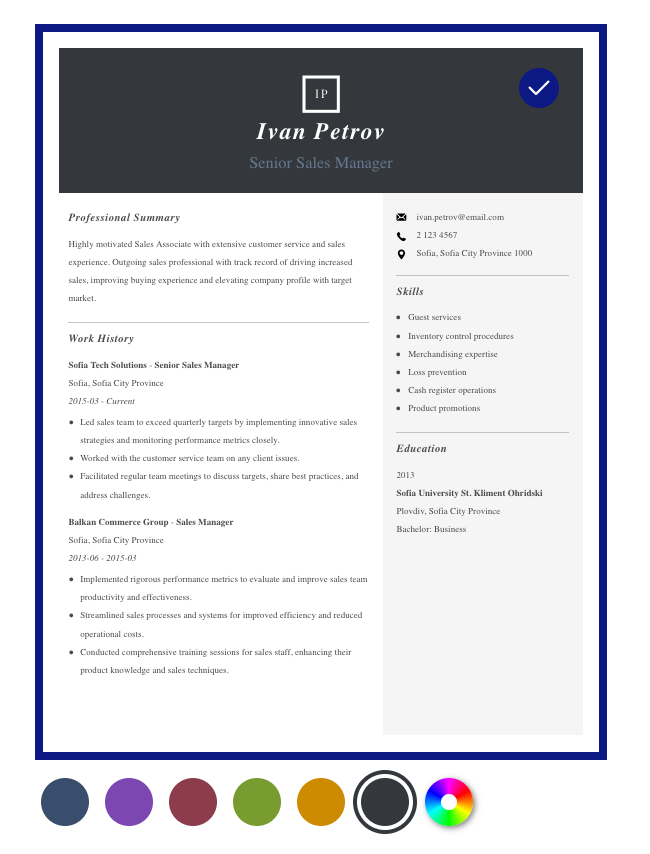
Adjusting the color scheme, I proceeded with this one.
Next, the builder asks you if you’ll be uploading an existing resume or starting from scratch.
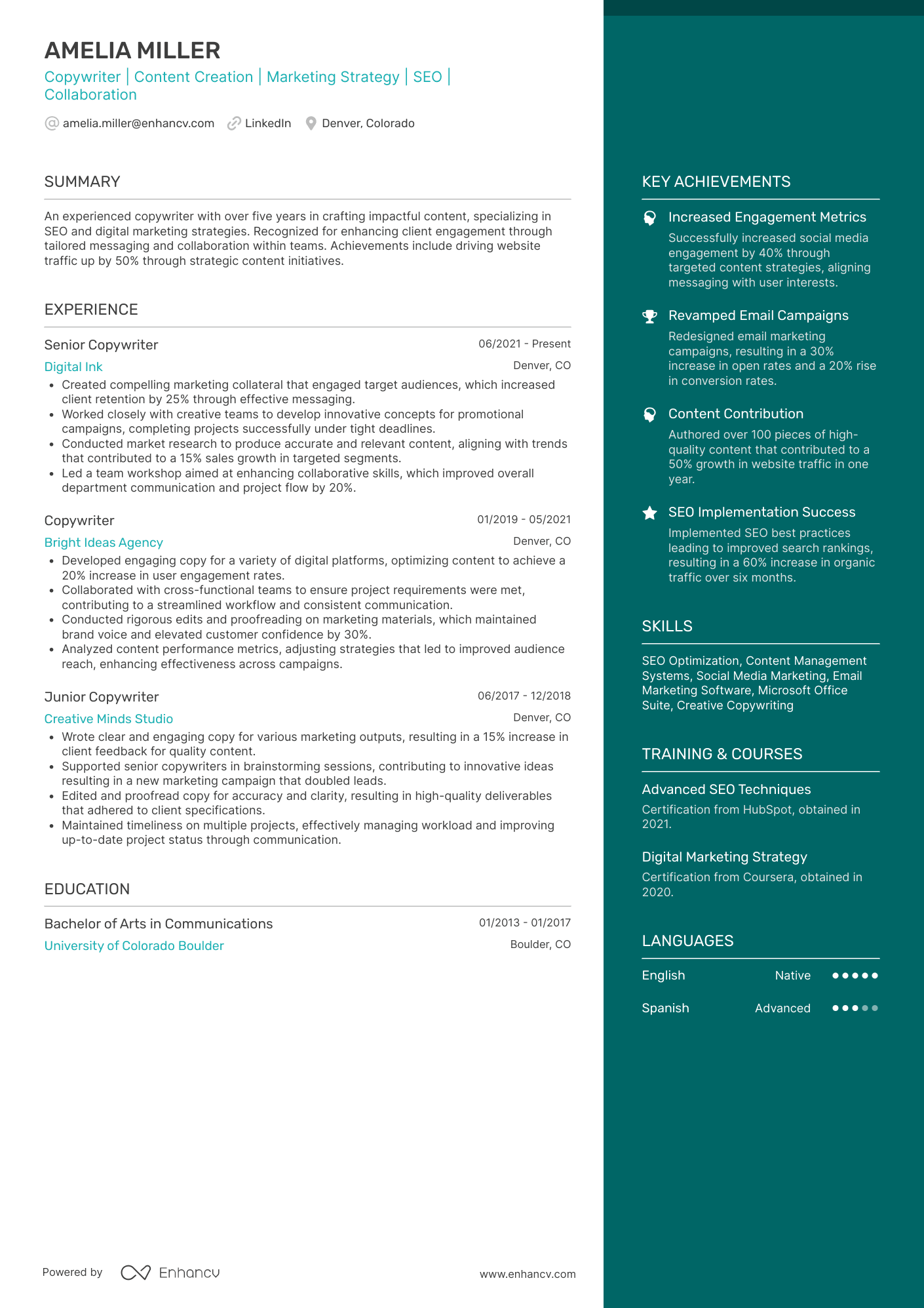
I wanted to test if it’d be able to parse information correctly, so I uploaded a one-page double-column resume in PDF format.
Here it is.
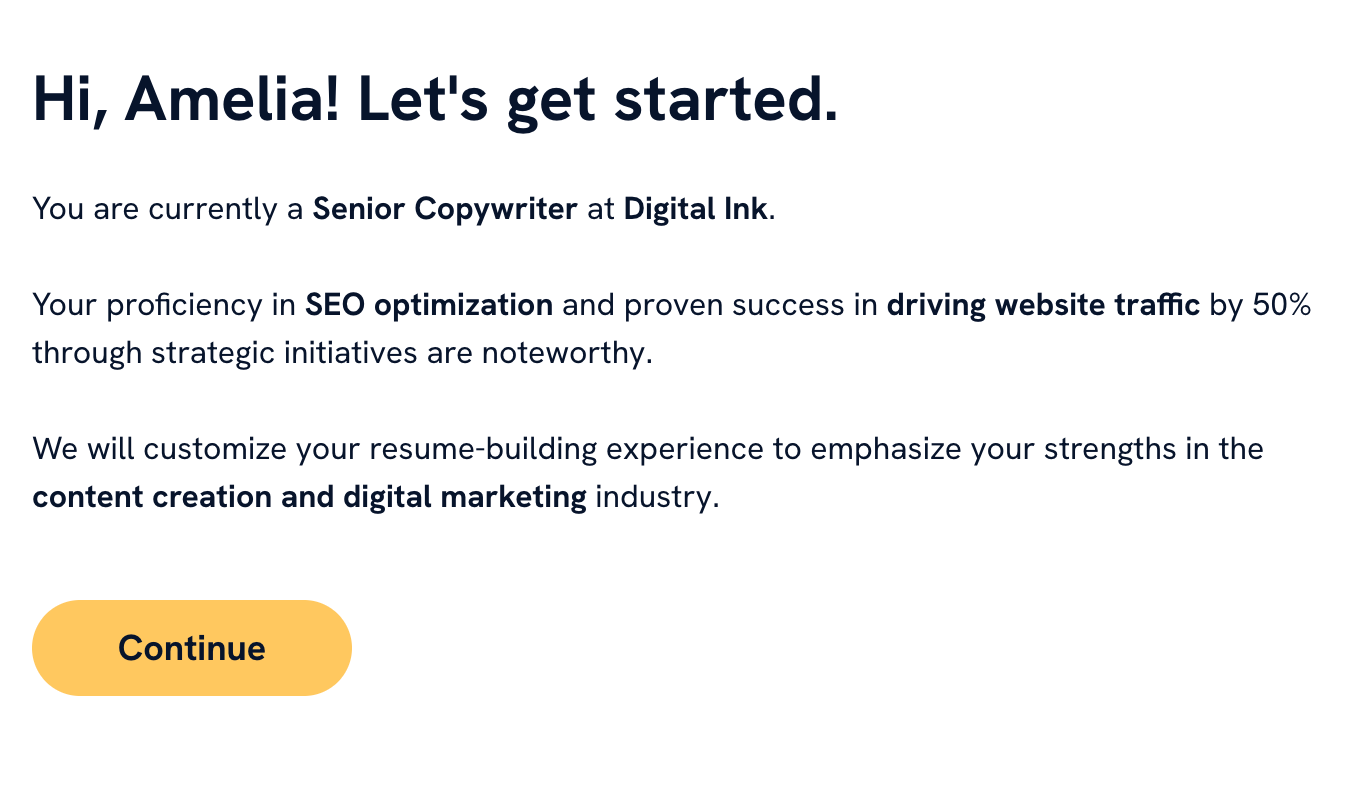
After uploading it, the Zety builder offered some reassurance it was able to process the document’s content.
Next, the builder gave me “evaluative feedback”, listing what’s right in the resume and what needs to be improved.
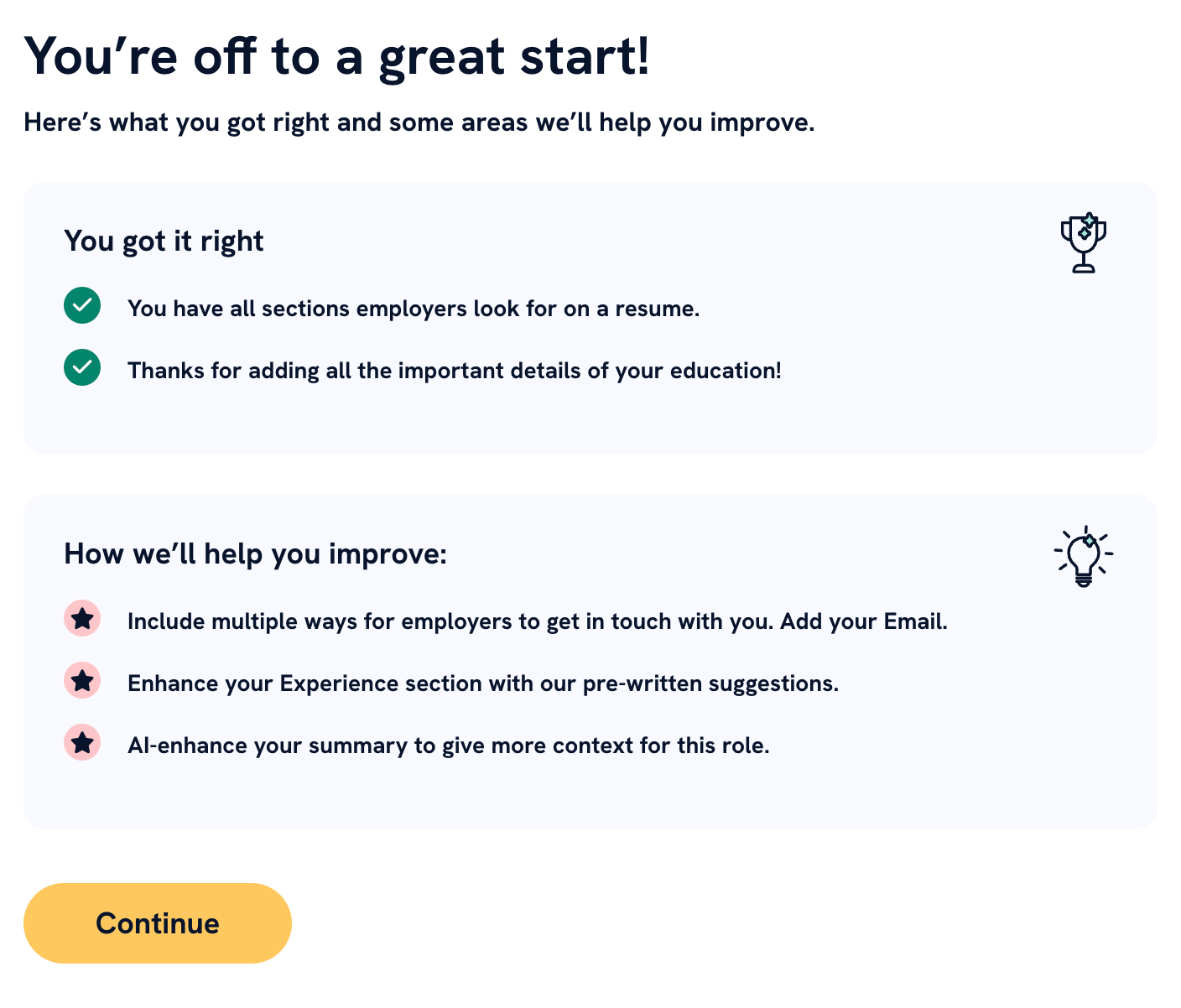
It looks like it wasn’t able to parse some of the information correctly. The resume I uploaded includes an email address and doesn’t have a phone number. The builder seems to think it’s the other way around.
I proceeded to the next step and I finally found myself in what feels like an actual tool rather than an online quiz. There’s a sidebar where you can see what section of the resume you’re editing.
The tool did parse the email correctly after all.
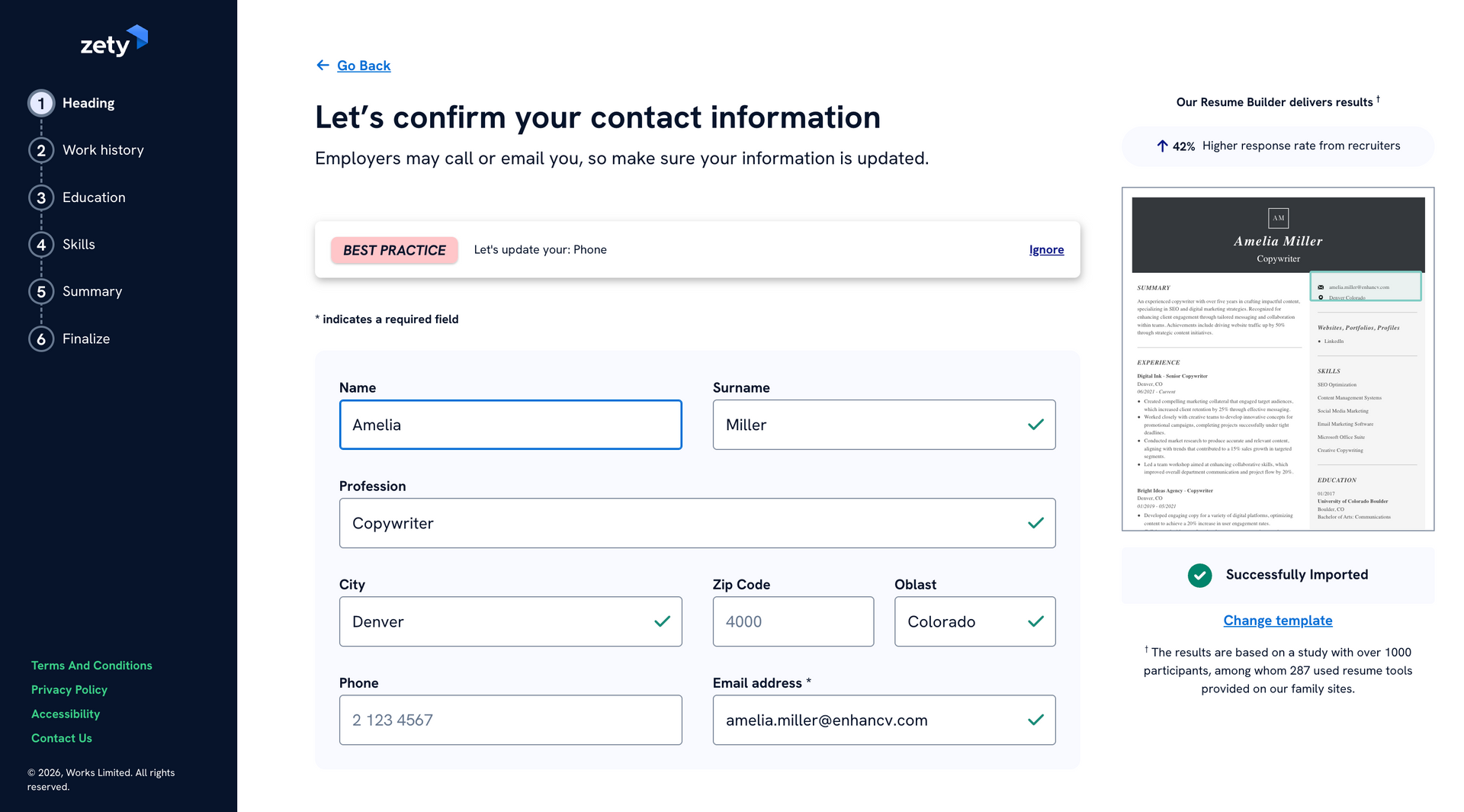
I speedran through the rest of the sections, confirming that Zety was able to parse the resume content correctly. No sections or bullet points were missing. Still, this section-by-section review is rather tedious and time-consuming.
At the final sixth step, I encountered something interesting.
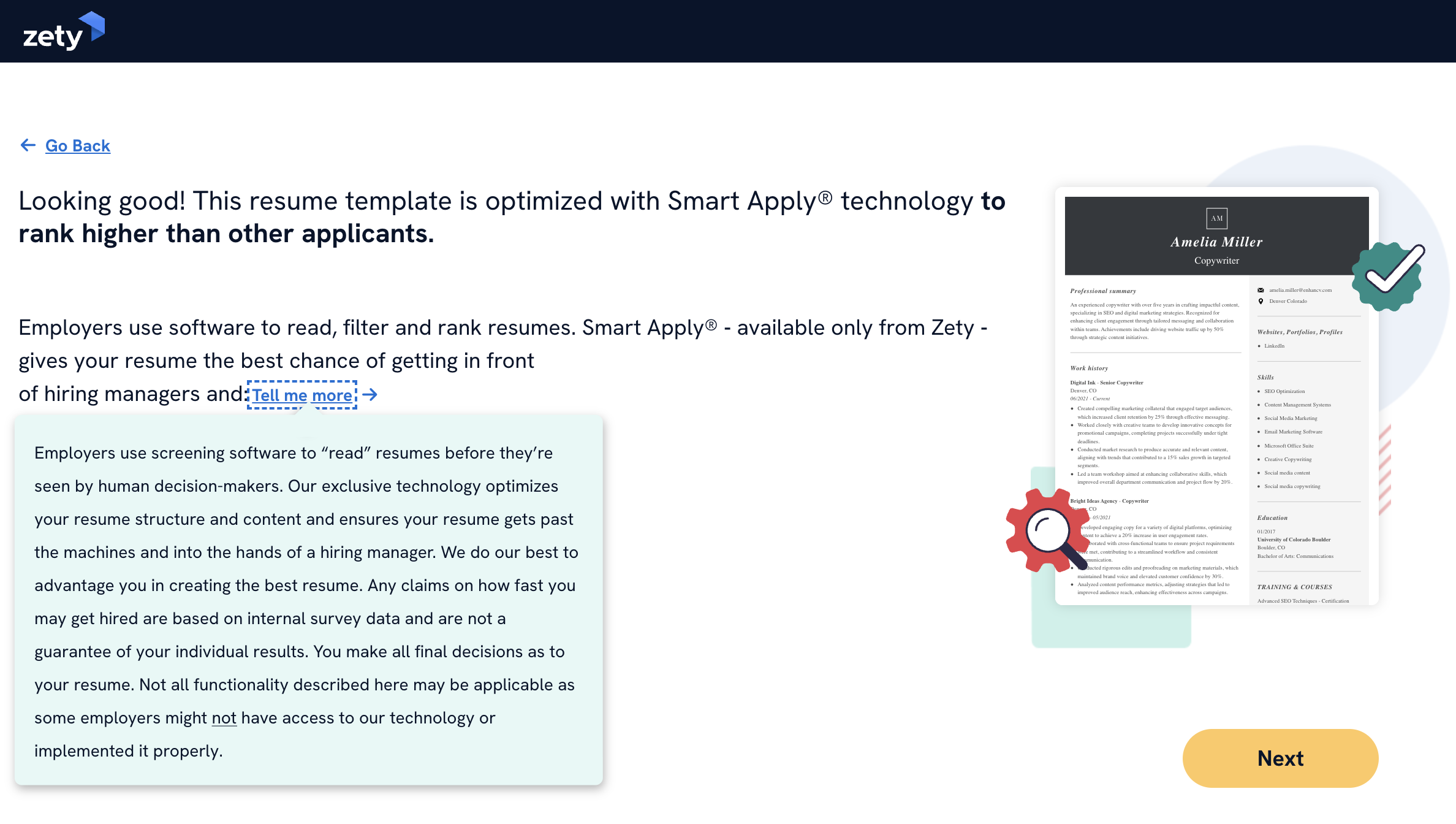
Zety says the resume template I’m using is optimized with something called “Smart Apply technology” and claims it will “rank higher than other applications”.
The tooltip notes that their “exclusive technology” optimizes resume structure and content, ensuring it will get past “the machines” (applicant tracking systems, I assume). However, some of Zety’s functionality may not be applicable to all employers.
At this point, I had to check what this “miracle” tech is.
Zety’s main features and AI usage
As it turns out, the "Smart Apply" technology is more of a marketing term Zety use to hype up their product. This is what they call their suite of integrated resume-building features.
Let’s unpack it.
“Smart Apply” technology breakdown
| Feature | How it works |
|---|---|
| Contextual content suggestions | Database of pre-written, professionally vetted bullet points. When you enter a job title, Zety pulls up specific phrases and achievement-oriented descriptions tailored to the role. |
| ATS optimization | Ensures ATS-friendly formatting, layouts, fonts, and headers. Identifies and suggests job-specific keywords likely to be flagged as “high match” by automated filters. |
| Real-time content scoring | Keeps track of spelling, grammar, and bullet point effectiveness. Checks if essential resume sections are present. |
| Cross-document sync | Links the resumes to their corresponding cover letters. Content changes in the resumes are either automatically reflected in the cover letters or flagged for the user review. |
So what’s "exclusive" about it?
The term "Smart Apply" is trademarked by Zety, so the name is indeed exclusive to this product. However, the functions (AI suggestions, ATS optimization, and content scoring) are common features in the modern resume-builder market.
Speaking of AI implementation, Zety integrates with OpenAI's API. This handles the natural language generation—taking your basic input and expanding it into well-written bullet points.
Meanwhile, the "Smart Apply" logic is proprietary. This is a layer of software developed by their parent company, BOLD LLC, which acts as a filter and director for the AI. Reportedly, it uses natural language processing (NLP) trained on millions resumes in their database to "guide" the LLM toward phrases that are statistically more likely to pass an ATS.
Zety’s real advantage isn't simply using AI but the fact that they have over ten years of resume data. They use it to "fine-tune" or prompt the AI models to be more effective than a generic chatbot would be.
Author’s take
Now that we understand Zety’s “secret sauce”, let’s jump back to resume building.
Zety’s resume editor
As soon as you’re done with the onboarding process, you’ll find yourself in the resume editor.
Here, I can see the finalized resume I built earlier.
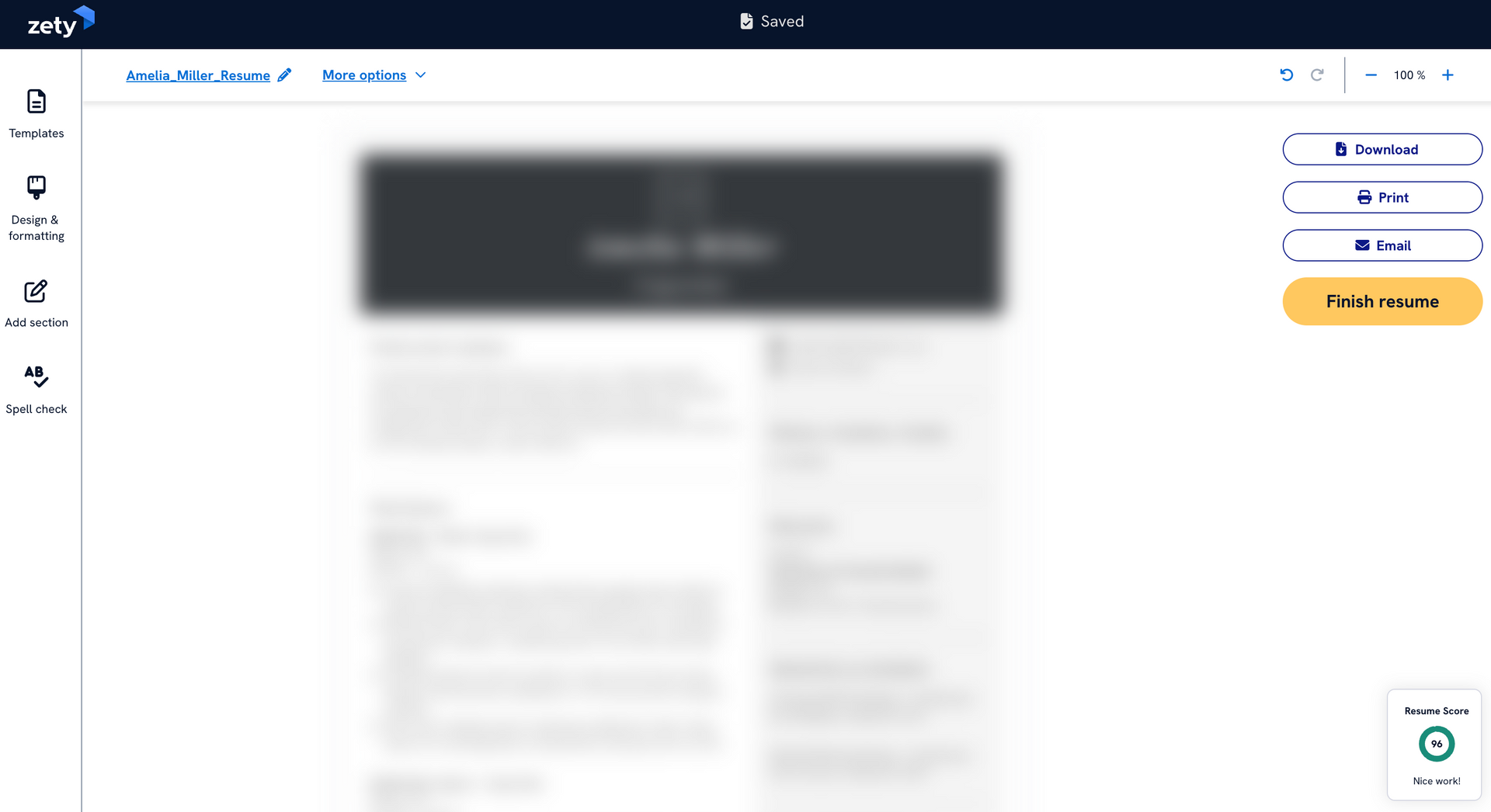
The resume itself is blurred due to screenshot protection. (Some sneaky users won’t be happy with this.)
The sidebar on the left allows you to re-visit the template preferences and adjust basic formatting (colors, font, spacing). Those are straightforward and easy to use, seamlessly applying adjustments to the resume-building interface.
You can also add and rearrange resume sectioning, meaning the template you choose doesn’t lock you into a rigid content structure. This is a major green flag. It gives you lots of tailoring and customization freedom.
However, as I hovered the mouse cursor over a resume section and switched to another, I noticed a usability feature that isn’t to my liking.
Let me show you. (Sorry, I had to take a photo.)
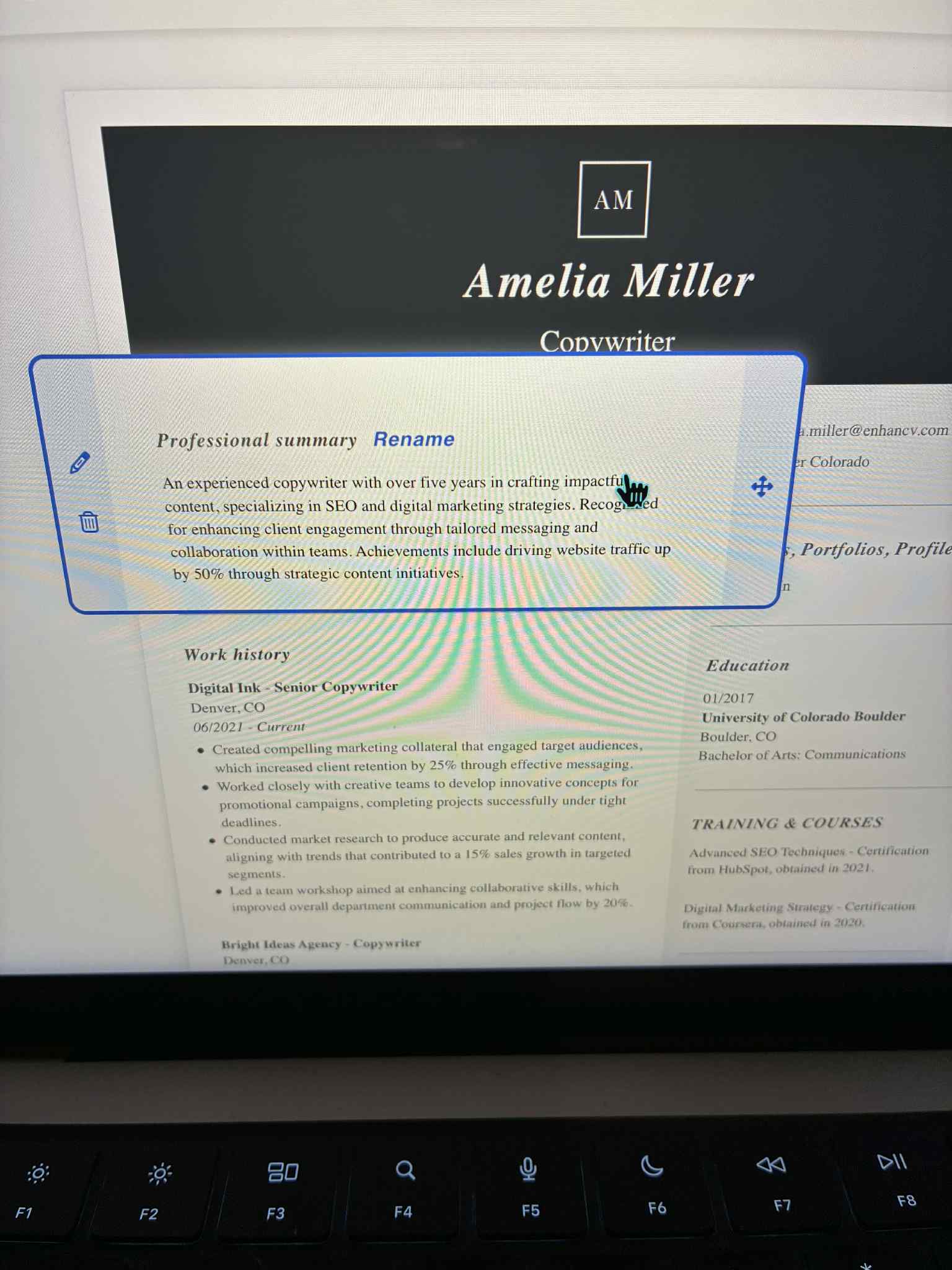
Hovering over a resume section highlights it and expands the fields of the move, edit, and delete options. It causes a rapid pop-out effect which intensifies as you move the mouse cursor over the various sections. This makes Zety’s resume editor feel glitchy and wonky. Some users will find it incredibly distracting and frustrating.
Meanwhile, rearranging the sections is also very awkward. It’s hard to drag-and-drop a section where you want it to be, causing bothersome misplacements.
When you click to edit one of the sections, you can see what Zety offers in terms of writing assistance.
Zety’s resume writing capabilities
| Resume section | Writing assistance |
|---|---|
| Professional Summary | Provides AI-generated summaries based on the role. Additionally, there’s an “Improve with AI” option that tweaks the text you write manually. |
| Work History | Generates a list of experience bullet points, detailing unquantified work achievements that match the role. |
| Skills | Offers a comprehensive list of skills that match the role. Recommends having between 6 and 12 skills included in the resume. |
While these features are indeed helpful, tailoring a resume to a specific job ad will take some time and manual effort. Whereas, other resume building products offer much faster content tailoring.
Of course, a good resume needs one more thing and that’s a matching cover letter.
Zety’s cover letter builder
The cover letter building process is similar to the resume creation onboarding. The builder detected I’ve already created a resume so it gave me the option to import information from that document.
It recommended a selection of cover letter templates based on my years of experience. Then there are several personalization steps.
Zety’s cover letter personalization breakdown
| Step | Required input |
|---|---|
| Desired job | Specify target role and company name, and provide a job description. |
| Hard skills | Choose up to three automatically recommended job-specific skills. |
| Soft skills | Choose up to three personal qualities from a pre-set list of soft skills. |
| Experience level | Set years of experience and previous job title (pulled automatically from the pre-selected resume), and give reasons for any employment gaps. |
| Writing tone | Select one of six pre-set options describing various working styles (artistic, enterprising, investigative, organized, practical, service-oriented). |
| Personal signage | Type, draw, or import your handwritten signature. |
The result is a well-structured cover letter. (Sorry, once again, the content itself is blurred due to Zety’s built-in screenshot protection.)
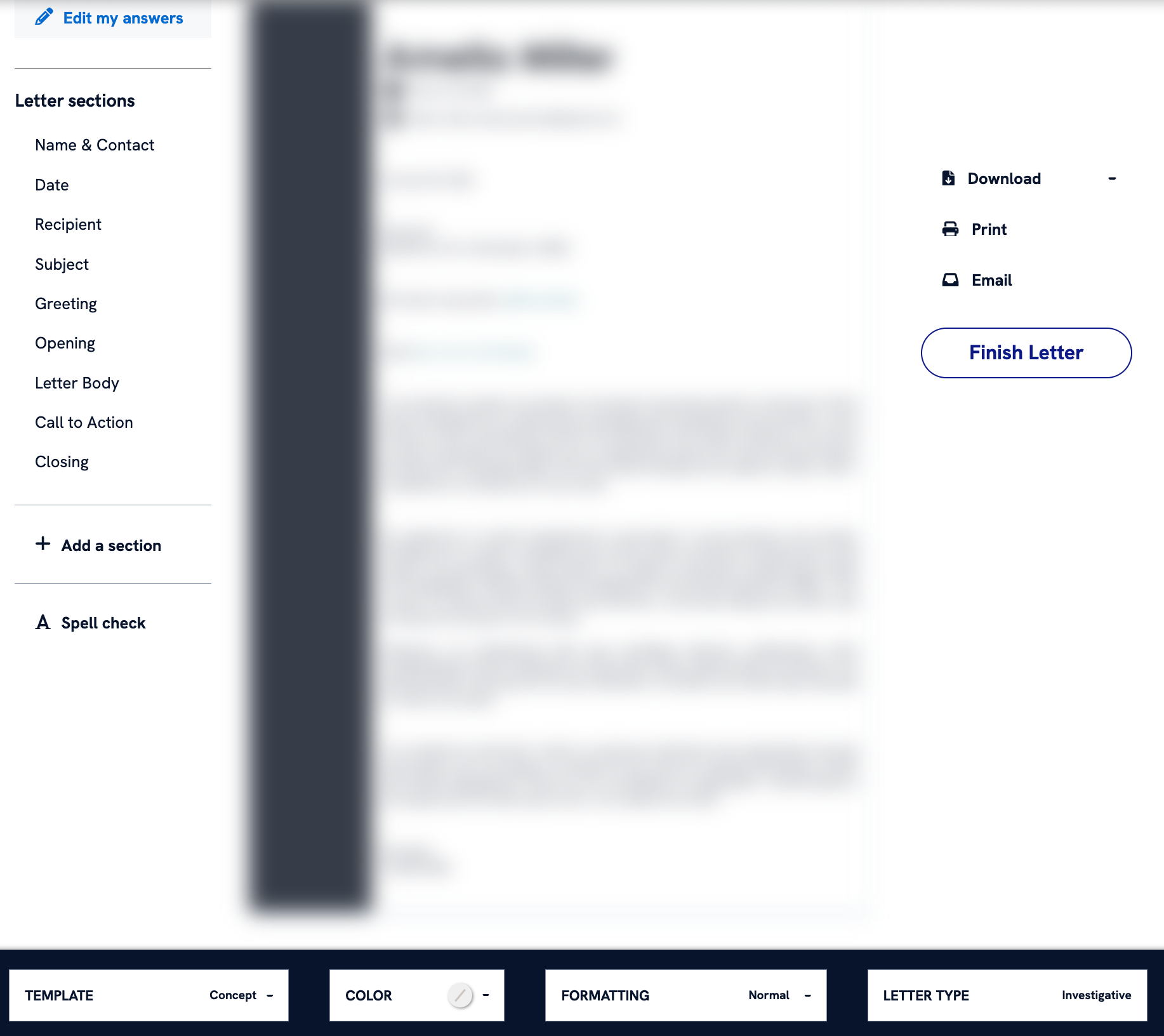
The sidebar presents a neat breakdown of the main cover letter components. You can conveniently revisit and adjust them to your liking, either through manual input or AI writing assistance.
The content itself is well-written but an experienced HR professional will most likely be able to tell it’s AI-generated.
Zety’s pricing
Zety essentially operates on a "try-then-buy" model. The functional utility is gated behind a paywall.
You can use the builder, AI suggestions, and templates for free. However, when you hit "download," you only have two choices:
- Download as .txt: This is truly free, but you lose all formatting, icons, and layout.
- Pay: To get a PDF or Word document, you must choose a paid plan.
As of the writing of this review, here’s a breakdown of their pricing.
Zety’s user plans
| Plan | Best for |
|---|---|
| Basic package (Free) | Experimenting with layouts and downloading as .txt only. |
| 14-day trial ($1.95 – $2.70) | One-time users who need a PDF and remember to cancel. |
| Pro package ($25.95, billed every 4 weeks) | Job seekers who want to tweak their resume often. |
| Annual package ($71.40, equivalent to $5.95/mo) | Long-term career management, multiple resumes and cover letters. |
Be mindful that if you don’t cancel the 14-day trial plan, you will automatically be switched to the Pro package.

PRO TIP
Cancel immediately after downloading their PDF. The full access remains active for the remainder of the 14 days even if you cancel the auto-renewal on day one.
Zety customer reviews, tech support and refund policy
Zety maintains a high aggregate score on major review platforms but a closer look at the comments reveals a recurring pattern of "technical delight" followed by "billing frustration."
As of early 2026, Zety holds a 4.2/5 rating on Trustpilot. Recent five-star reviews praise the resume templates and user-friendly AI suggestions. However, even positive reviews often include a complaint about the unexpected charge.
Reddit communities (like r/Resumes) are significantly more critical, often focusing on the transparency of the 14-day trial. Some users point out that because it bills every four weeks, you are actually charged 13 times a year rather than 12.
Some reports indicate that the cancellation button in the dashboard can feel unresponsive or "glitchy," leading them to believe they have canceled when they haven't.
I can’t help but think Zety is set this way on purpose. An experienced product team understands these interactions very well and are able to resolve them. They’ve made an active decision to not smooth out these user hurdles.
Author’s take
It comes as no surprise that Zety has a live phone line available all week long. While the support team is often called "professional" and "responsive", many users only interact with them to resolve the "subscription trap" created by the auto-renewal.
PRO TIP
If you are charged the full monthly fee because you forgot to cancel the trial, reaching out within 7 days of that charge almost always results in a full refund. Be aware that downloading a new resume after a renewal charge can sometimes complicate your refund eligibility. It is best to stop using the tools immediately if you intend to dispute a charge.
Final thoughts on Zety
I don’t doubt that you can use Zety to create an ATS-friendly resume. But in today’s career service market, this is the norm.
Going through the entire resume and cover letter building process it offers, I’ve reached some conclusions.
Pros of using Zety
- Moderate customization freedom
- User safety guardrails
- Effective writing assistance
- Reliable customer support
Cons of using Zety
- Lengthy onboarding process
- Somewhat chaotic user experience
- Time-consuming content tailoring
- Glitchy resume building interface
- Intentional billing trap
Despite its strengths, our deep dive uncovered that Zety is not a "one-click" solution. A 25-to-30-minute commitment is required for a high-quality result. The AI integration is a powerful starting point, but it requires human revision.
So, who is Zety actually for?
Users who value structural control and want ATS assurance will find Zety meets their needs. However, those who want creative freedom and need quicker content tailoring should seek alternatives.
Make one that's truly you.