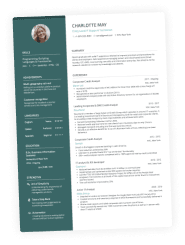
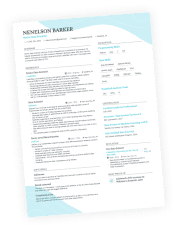
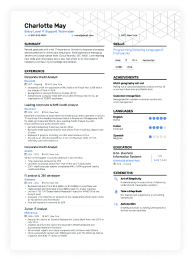
You can build a resume in either of these tools in an afternoon. The difference shows up in what you're holding at the end of it.
BeamJobs moves fast by filling the page for you. Enhancv moves fast by starting from work you've already done.
We built a resume in both, end to end, from the first click to the download button. This comparison covers how you start, who writes the content, what the feedback catches, how much design control you get, and what you pay.
If you want the BeamJobs walkthrough on its own, read our hands-on BeamJobs review. This page is about the choice between the two.

Key takeaways
- BeamJobs provides a pre-filled sample resume. Enhancv starts you off with your own, imported from a PDF, DOCX, or LinkedIn profile.
- BeamJobs gives you nine fixed templates. Enhancv gives you 17, each one adjustable down to columns, colors, and section order.
- Both tools grade your bullet points. Only Enhancv reads the job ad you're targeting.
- BeamJobs has no pricing page in its main flow, so the cost lands at the download step.
- The $0.99 BeamJobs trial renews at $34.99 every four weeks, so you're billed 13 times a year, not 12. A $6.99 monthly plan exists, but the trial is what BeamJobs pre-selects.
- Enhancv shows pricing upfront: a seven-day free plan without a card, then $99 for six months, which works out to $16.50 a month.
Here's everything we tested in one table, from the sign-up screen to what a year of access costs.
Enhancv vs. BeamJobs: side-by-side comparison
| Category | BeamJobs | Enhancv |
|---|---|---|
| Start without an account | Yes, but an email is required at step one | Yes |
| Templates | 9, fixed | 17, fully adjustable, ATS-tested for a 99% parse rate |
| Fonts | 6 | 12 |
| Color control | 18 preset accents, no custom picker, no body-text color | Custom color picker, dual-tone system, 21 background themes |
| How you edit | Five-step wizard, not skippable, even if you import your resume | Drag-and-drop editor, import from PDF, DOCX, or LinkedIn |
| Writing feedback | Per-bullet score with a one-click rewrite | AI Assistant chat, plus inline wording flags with one-click fixes |
| Reads the job ad | No | Yes, paste the posting for tailoring suggestions |
| Resume check | Grades your bullet points | 27 checks across seven categories |
| Switching templates | Applies instantly, no confirmation and no undo | Switch freely, your content stays intact |
| Cover letters | Bundled into Pro subscription | Cover letter generator, free to use |
| Where you see the price | At the download step | Pricing page linked from the homepage |
| Entry price | $0.99 for 14 days, or $6.99 monthly | Seven-day free plan |
| Ongoing price | $34.99 every four weeks, or $6.99 monthly | $99 for six months ($16.50 a month); monthly and quarterly also available |
| A year of access | $83.88 on the monthly plan, or $455.86 on the trial plan | $198 on the six-month plan |
Already built one in BeamJobs? Before you rebuild it anywhere, see how it scores.
Is your resume good enough?
Drop your resume here or choose a file. PDF & DOCX only. Max 2MB file size.
Onboarding: how fast do you get a usable resume?
Both tools let you start building before you sign up, though BeamJobs stops for your email address at step one. What happens after that first click is where the builders start to differentiate.
BeamJobs runs you through five steps either way
You get three ways in: upload an existing resume, import your LinkedIn profile, or start from scratch. All three land in the same five-step form: contact, work experience, education, skills, and a professional summary.
The import screen offers "Or, skip this step," but that skips LinkedIn, not the form. Step 1 won't advance without an email address, and the fine print under the button signs you up for BeamJobs emails.
Then the sample content arrives. Work experience comes filled with three cashier jobs, education with a high-school diploma, and skills with eight entries under a panel headed "Top skills: Cashier." Nothing asked what job you were applying for.
You can click Next through all five steps without changing a word. The summary is optional, so the resume you land on holds exactly one real detail: your email address. The gauge in the editor reads "Lookin' good!"
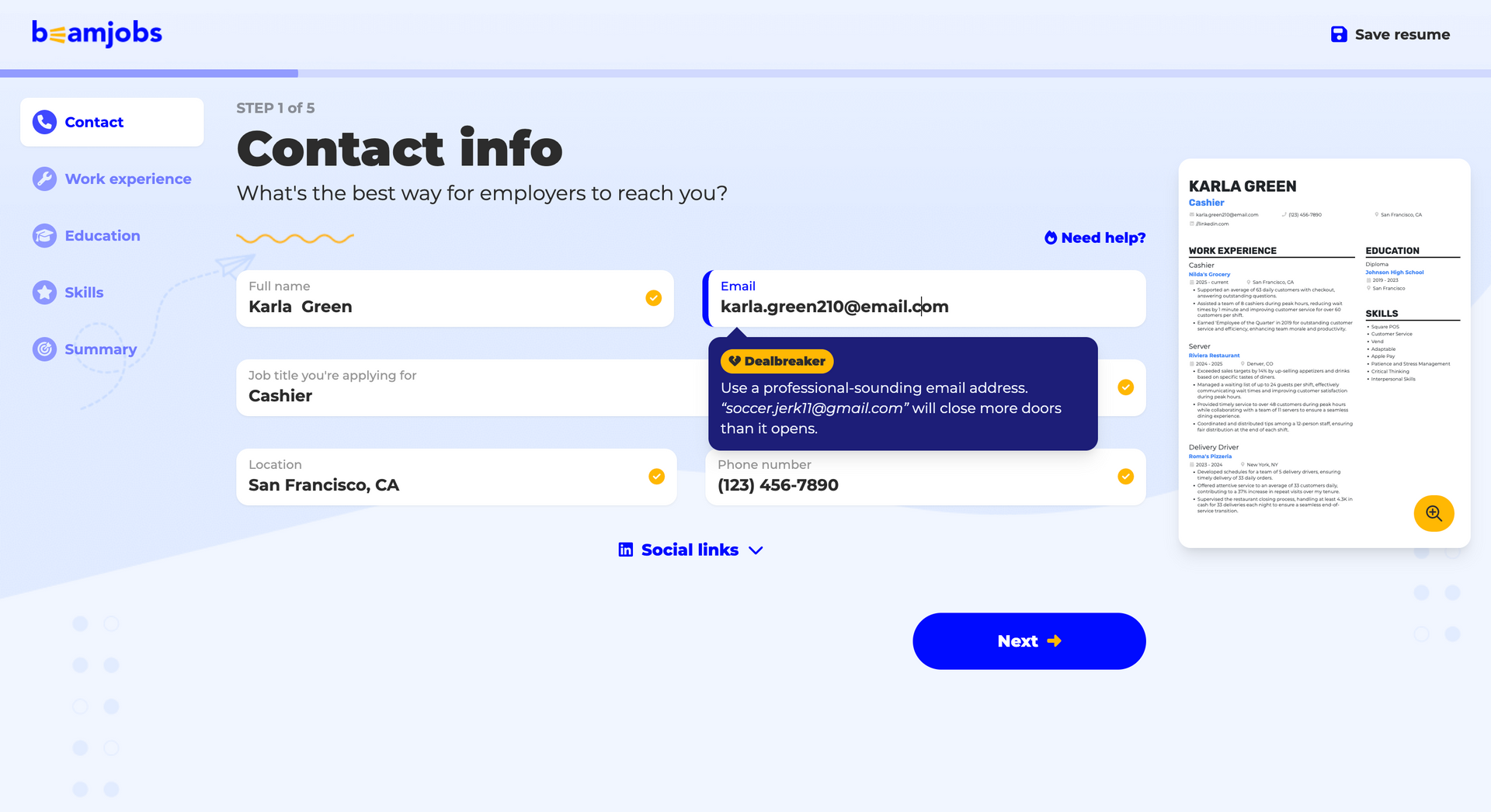
The label on those tooltips is worth noting. BeamJobs tags them “Dealbreaker,” whether the advice is to use a professional email address or to add a LinkedIn URL, and it says outright that LinkedIn isn't necessary for some professions. Two pieces of sensible advice, both filed under the same alarm.
Enhancv starts from what you've already written
Enhancv opens without an account too. The difference is the source material.
You upload a PDF or DOCX, import your LinkedIn profile, or start from scratch. Your resume parses in seconds, and you land straight in the editor.
If a section lands in the wrong spot, you drag it where it belongs. You only create an account when you want to save or download.
So if you already have a resume, none of the content you edit belongs to a stranger.
Onboarding: Enhancv vs. BeamJobs
| Feature | BeamJobs | Enhancv |
|---|---|---|
| Sign-up requirement | Only to save or download | Only to save or download |
| Entry points | Upload, LinkedIn import, or a blank start, then a five-step form | PDF, DOCX, LinkedIn import, or a blank start |
| First screen | A five-step form, with an email gate at step one | Your own content in a live editor |
| What you do first | Give your email, then replace a sample work history | Check the parsing and move sections |
| Learning curve | Low | Medium |
Both tools get you to a document in about a minute. How much of that document you have to rewrite is where they part ways.
How each builder gets you to a first draft you can send
Reaching a draft quickly means little if that draft still reads like a sample.
BeamJobs writes first, you rewrite second
The pre-filled pattern runs through work experience, education, and skills, so every section arrives with content already in it.
Two parts of the flow work well. The Skills rundown suggests skills worth adding, and step five offers a draft summary with a short explanation of why it works.
That's real help for a first resume, since that section stalls beginners hardest and a worked example beats a blank box.
The bullets are the problem. They're written for a generic version of your job title, which makes them accurate but forgettable.
So the work doesn't disappear. It moves to the rewriting stage, where most people run out of patience.
Enhancv builds from your material
Enhancv's AI works on the content you bring. Ask it to improve a bullet, and it rewrites the line you wrote. Ask for a summary, and it builds one from your actual roles.
You're editing your own sentences from the first minute, which is a different kind of task than replacing a stranger's.
It also means the AI has something to work with. Give it your real achievements, and it hands them back sharper.
Here's what stayed with me: I gave BeamJobs an email address and nothing else, clicked Next five times, and it handed me a cashier's resume with a gauge telling me it looked good. Whatever time that saves you at the start, you pay back at the rewrite, and only if you notice one is needed.
Author's take
Editor and feedback: bullet grades or a job-targeted review?
Both tools score your writing and offer a rewrite. They differ in how much they read before they judge.
BeamJobs grades the line
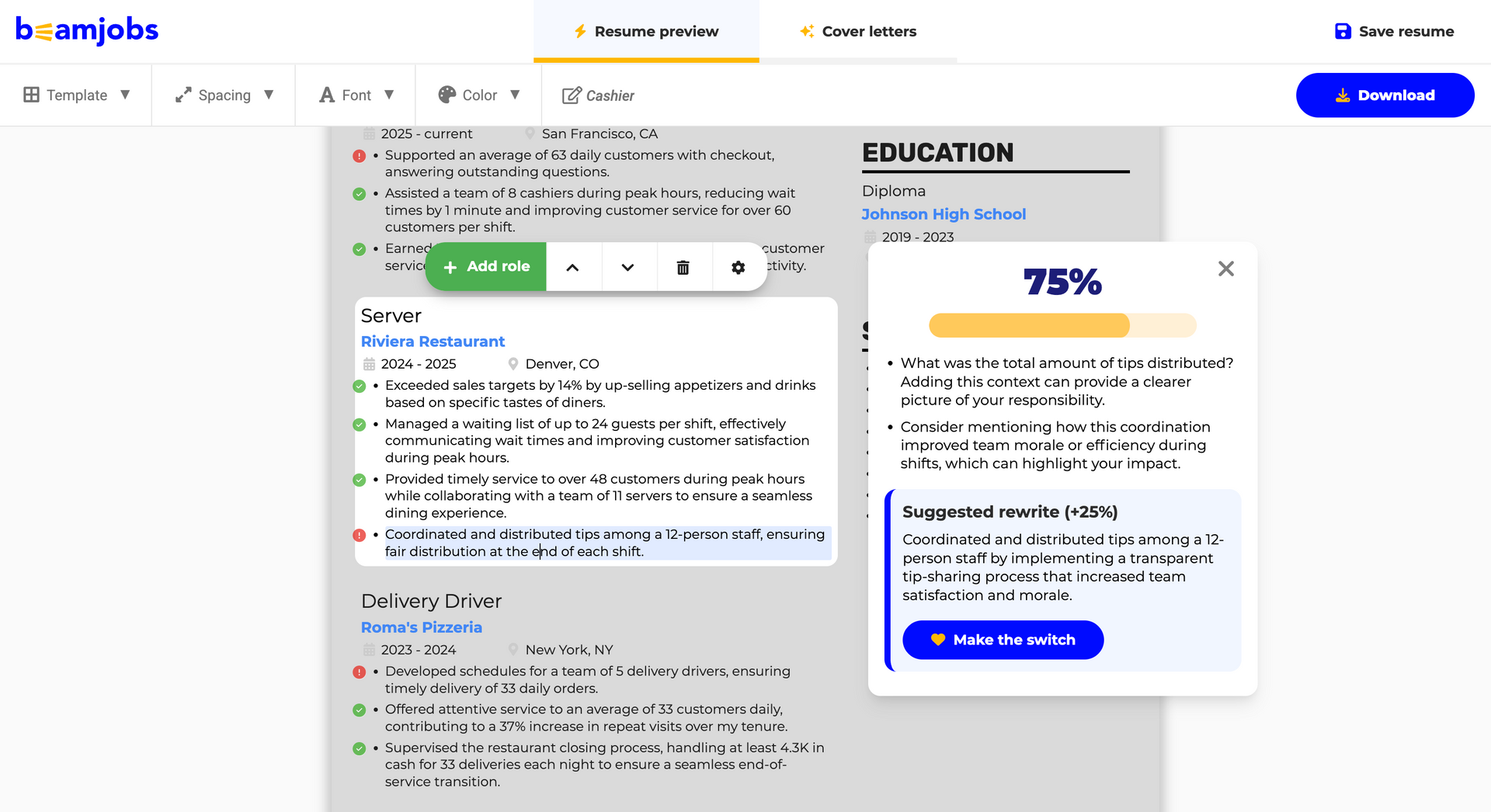
Inside the editor, BeamJobs marks every bullet with a green check or a red exclamation. A small gauge in the corner tells you how many fixes are waiting.
Click a flagged bullet, and you get a percentage. One of our bullets scored 75%, with two specific notes: quantify the tips you distributed and mention how the coordination improved team morale.
Underneath sits a suggested rewrite worth an extra 25% and a button that reads “Make the switch.” One click and the new line replaces yours.
That's better than a bare score. It names the weakness and shows you the fix.
The delivery gets in its own way. The score card opens on top of your skills section, the Add role toolbar covers the bullet above it, and suggestions arrive with animations nobody asked for.
Enhancv reviews the document
Enhancv works at two levels. The AI Assistant is a chat panel beside your resume, with prompts for a recruiter's read, an ATS read, or help tailoring, plus a free-text box for anything else.
Separately, the editor flags issues inside the document across four categories: spellcheck and grammar, wording and readability, quantified impact, and recommendations. Each flag carries a one-click fix, and you can switch any category off.
Then the Resume Checker runs 27 checks across seven categories, including ATS-friendly formatting, resume content, job tailoring, HR red flags, and seniority fit.
Some problems don't live in any single bullet. The report scores employment gaps, career progression, age bias, and how your resume benchmarks against peers at your level. It flags interview risks, whether your leadership signals come through, and whether your skills have evidence behind them.
A per-line score can't see any of that.
Feedback: Enhancv vs. BeamJobs
| Feature | BeamJobs | Enhancv |
|---|---|---|
| What gets scored | Individual bullet points | Bullets plus the whole document |
| Feedback detail | Named weakness and a suggested rewrite | Named weakness, rewrite, and layout notes |
| One-click rewrite | Yes | Yes |
| Layout assessed | No | Yes |
| Uses the target job | No | Yes |
| Where it appears | Pop-up cards over the resume | Side panel and a full report |
| Can you turn it off? | No | Yes, by category |
Feedback tells you what to fix. Whether you can act on it depends on how much of the page the tool lets you change.
Templates and design control: how much can you actually change?
The template count is the number companies usually quote, but what you can change after you pick one matters more.
Nine templates, and the examples run on the same nine
BeamJobs gives you nine templates. That keeps the choice simple, and it also puts the “2,000+ resume examples” claim in perspective.
Those examples run on these same nine designs. The wording changes between them. The design doesn't.
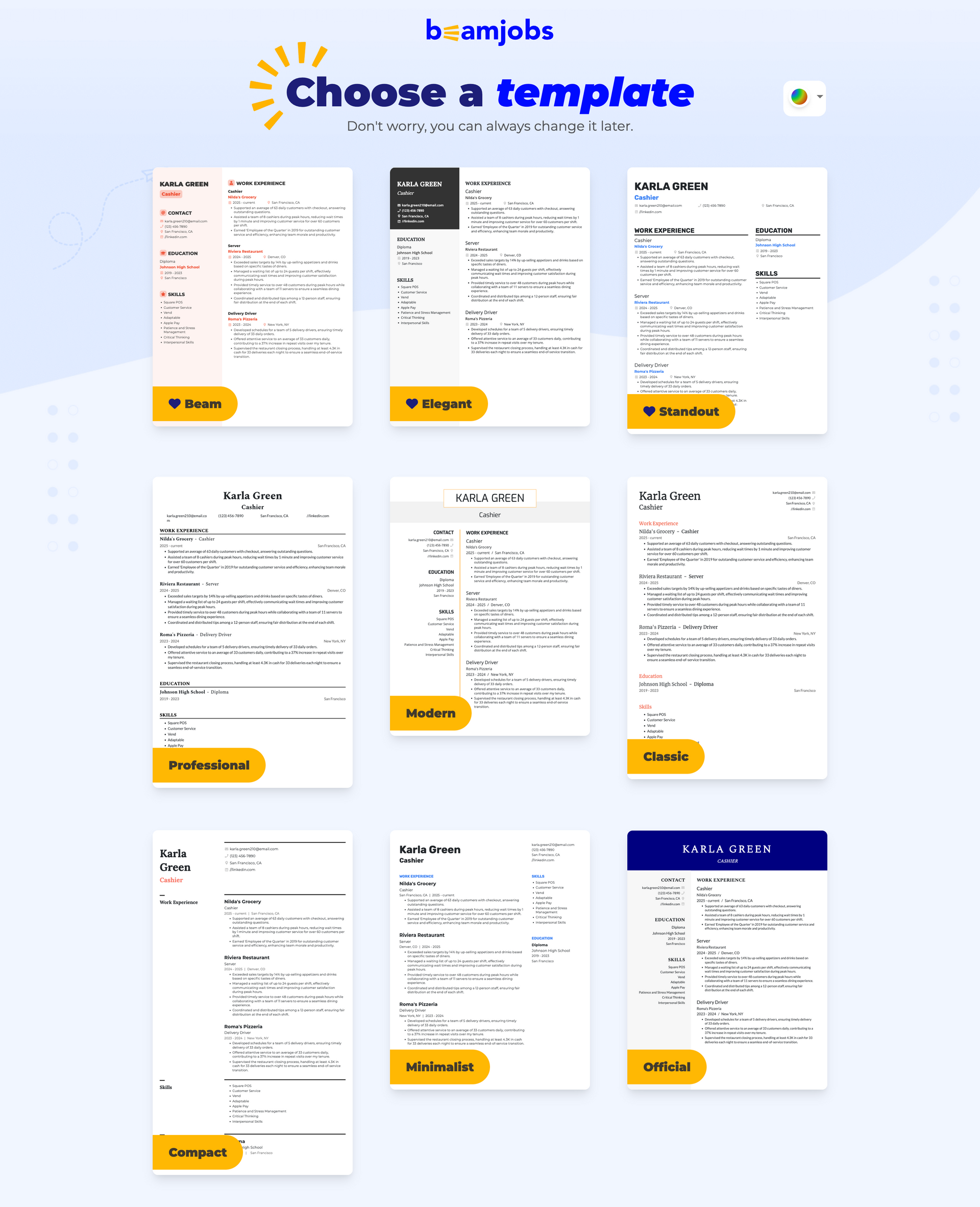
Switching later is harder than picking the first time. The in-editor dropdown shows about four designs at a time, and the template you're currently using isn't marked, so you have to guess which one you're on.
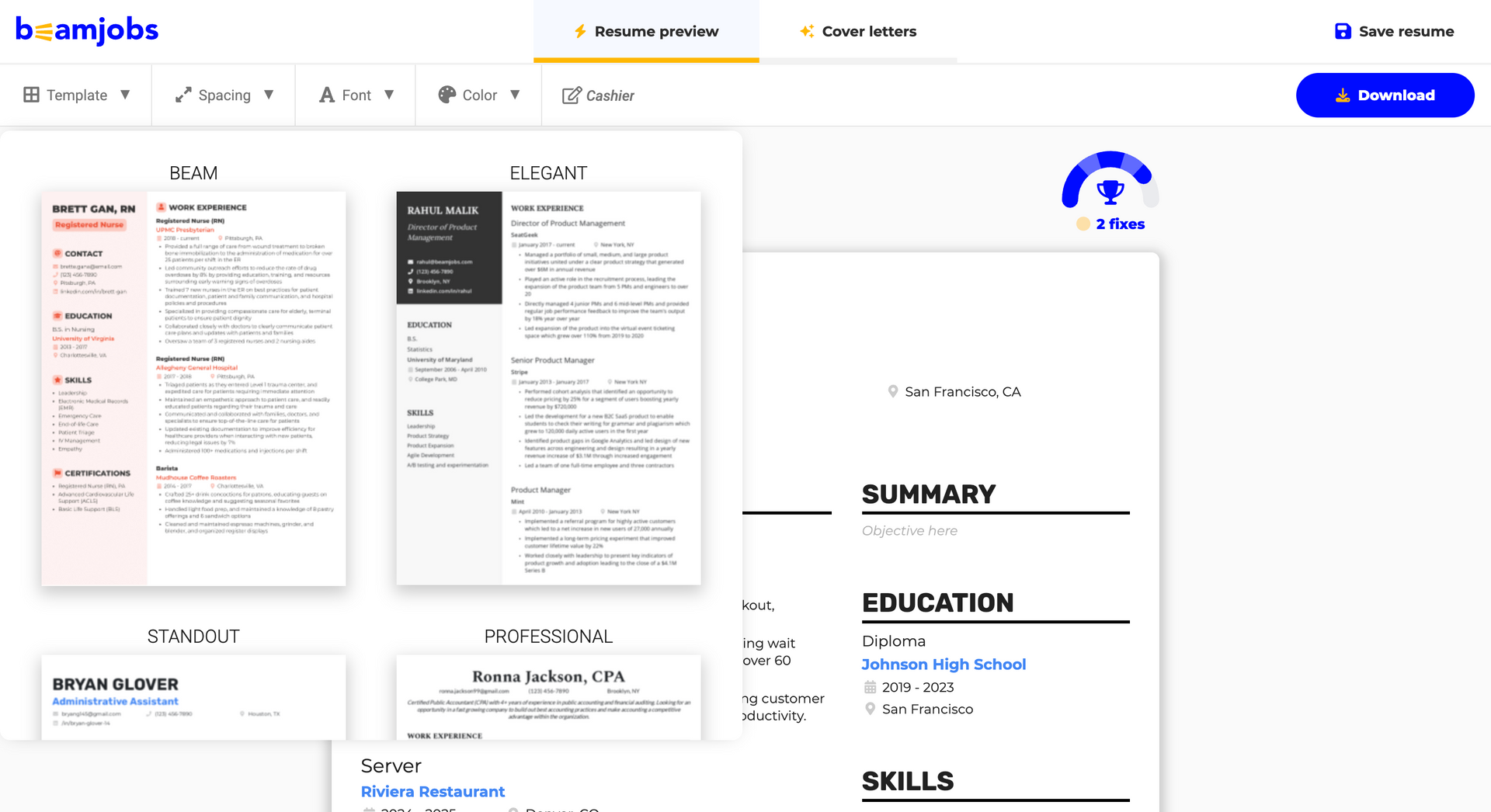
Click another template, and it applies immediately. No confirmation, no undo. With only nine designs to compare, that's the one place experimenting should be effortless.
Styling options run out fast: six fonts, 18 preset accent colors, and basic spacing controls. There's no custom color picker, no body-text color, and no way to change the side column's background.
Enhancv gives you the range and the controls
Enhancv has 17 resume templates, tested with major ATS vendors for a 99% parse rate. That's a smaller library than BeamJobs advertises, but BeamJobs counts finished examples while this counts designs you can change.
Each Enhancv template gives you 12 fonts, 21 background themes, a custom color picker, and one, two, or three columns. The conventional one- and two-page formats are covered, and a resume can run longer when an international application or an academic resume needs the space.
Sections drag where you want them, and switching templates keeps your content intact, so comparing two designs costs you nothing.
Design control: Enhancv vs. BeamJobs
| Feature | BeamJobs | Enhancv |
|---|---|---|
| Templates | 9, fixed per template | 17, each fully adjustable |
| Fonts | 6 | 12 |
| Colors | 18 preset accents | Custom picker, dual-tone, 21 background themes |
| Body-text color | Not adjustable | Adjustable |
| Columns and pages | Fixed per template | One, two, or three columns, multiple pages |
| Section movement | Blocked when a column would empty | Free, apart from the header |
| Switching templates | Instant, with no undo | Free, content preserved |
A resume can look exactly the way you want and still miss the job. That needs a different kind of check.
Which ATS resume check tells you what to change?
An applicant tracking system is a database. It parses your resume into fields, stores it, and lets a recruiter search and filter what's inside. The myths pile up from there: that it scores you, that it bins anything with a two-column layout, that the right keywords game it.
We asked 25 recruiters in September 2025 whether their systems auto-reject resumes. 92% said they don't use the ATS that way. What they do use are knockout questions on the application form, which can filter you out on answers that don't match the job's requirements, never on your formatting or design. More in our research on whether an ATS rejects resumes.
So a resume check isn't about beating a filter. It's about what to change before a person reads it.
Both tools offer a free check. They look at different things, which is why one result is more useful than the other.
BeamJobs grades the quality of your writing. It flags weak bullets, scores them, and offers stronger lines.
What it never asks for is the job you're applying to, so it can't tell you which words that posting cares about. You can score well in BeamJobs and still send a resume that misses the role.
Enhancv asks for the posting. Paste the job ad into “Check & Tailor”, and the checker returns job-specific tailoring suggestions next to the ATS essentials, so you learn which keywords are missing and where they belong.
If you want to see where your own resume stands, the checker takes it directly.
Is your resume good enough?
Drop your resume here or choose a file. PDF & DOCX only. Max 2MB file size.
Everything so far has been about one document. Some applications ask for two.
Cover letters: which one costs extra?
Both tools write cover letters, and both keep them next to the resume instead of in a separate product.
BeamJobs puts a “Cover letters” tab in the top bar of the builder, right next to the resume preview.
The paywall lists them as one of four Pro plan features, beside unlimited downloads and the AI ResumeScore. So they sit behind the same $0.99 trial and $34.99 renewal as the resume.
Enhancv's Cover Letter Generator is free to use. It pulls from your resume, so the letter carries the same content and the same design as the application it's attached to.
Same feature, opposite side of the paywall.
Drop your resume here or choose a file.
PDF & DOCX only. Max 2MB file size.
Pricing and transparency: what does each one really cost?
This is where BeamJobs loses people.
BeamJobs keeps the price out of sight until the end
There's no pricing page in the main flow. Nothing tells you the cost while you pick a template, write your bullets, or work through the feedback.
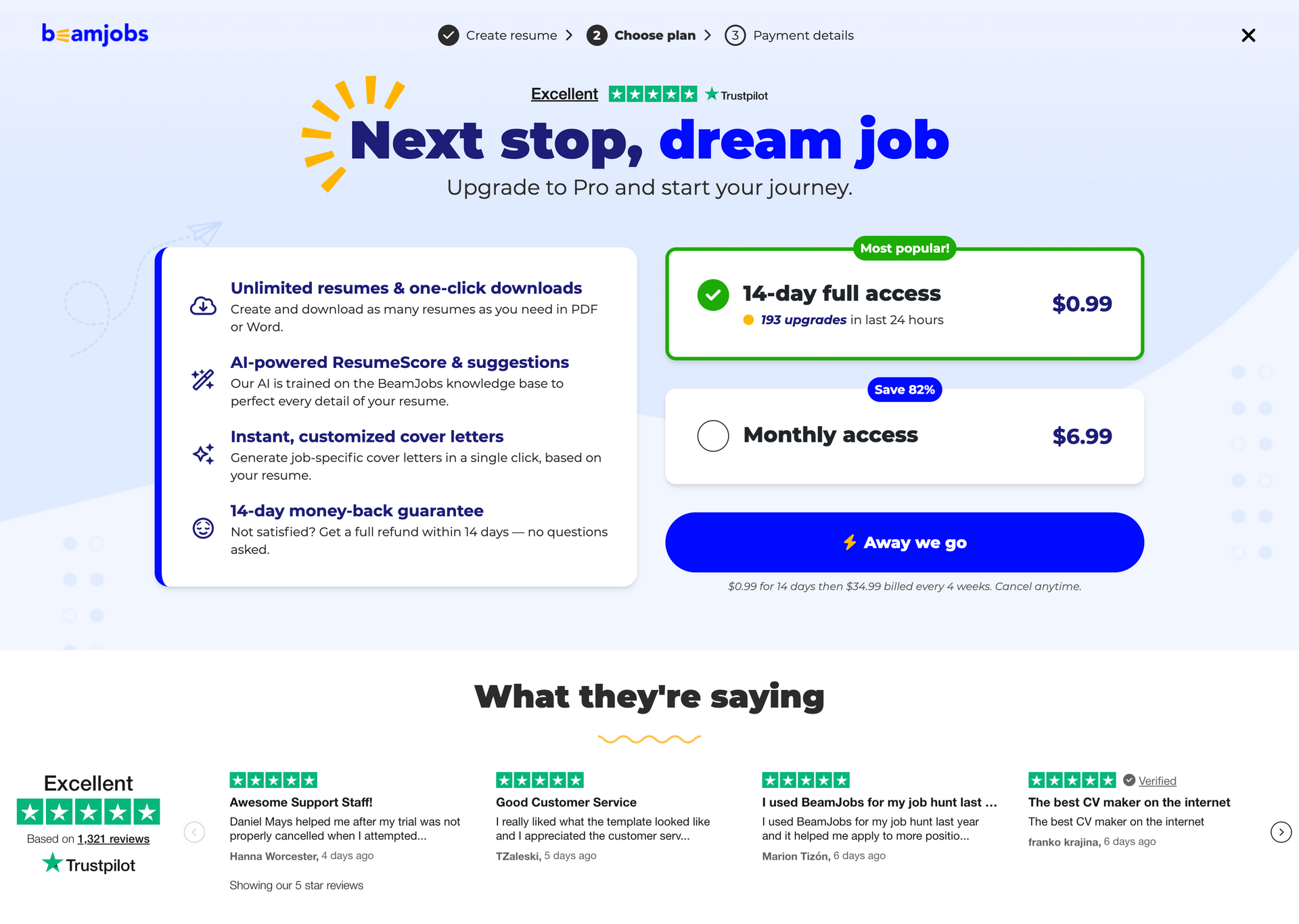
The price appears when you try to do something with the finished resume. Download, Save resume, or Add section all trigger the same screen, which asks you to create an account and then shows the offer.
$0.99 for 14 days, then $34.99 billed every four weeks. Those were the prices when we tested in August 2026.
Four weeks isn't a month. That cycle bills 13 times a year rather than 12, so a year comes to $455.86 including the trial.
Two more things happen on that screen. The $0.99 trial comes pre-selected and tagged "Most popular!" with "193 upgrades in last 24 hours" printed underneath it. The cheaper option, monthly access at $6.99, sits unselected below, and its "Save 82%" badge only works as a comparison against a year of four-week billing.
Credit where it's due: the trial is real, and the same screen promises a full refund within 14 days.
Enhancv shows the price before you start
Enhancv's pricing sits on a page linked from the homepage, so you can check it before you spend an hour writing.
There's a seven-day free plan that doesn't ask for a card. After that, the six-month plan is $99, which works out to $16.50 a month. Monthly and quarterly billing are also available.
Two of those six-month plans cover a year for $198, which is less than half what BeamJobs costs over the same stretch.
BeamJobs is cheap if you cancel inside the 14 days. Keep it through a job search, and it will cost more than twice as much.
Author's take
Pricing: Enhancv vs. BeamJobs
| Feature | BeamJobs | Enhancv |
|---|---|---|
| Entry price | $0.99 for 14 days, or $6.99 monthly | Seven-day free plan |
| Renewal | $34.99 every four weeks after the trial, or $6.99 monthly | $99 for six months ($16.50 a month); monthly and quarterly also available |
| Charges per year | 13 on four-week billing, 12 on monthly | 12, four, or two depending on the plan |
| Cheapest year | About $83.88 on the monthly plan | $198 on the six-month plan |
| Cost on the plan it recommends | $455.86 | $198 on the six-month plan |
| Where pricing appears | At the download step | Pricing page linked from the homepage |
| Refunds | Full refund within 14 days | Pro-rated refund on quarterly and semiannual plans; monthly is non-refundable |
| What you can do before paying | Build a full resume, no download | Seven days, basic sections, downloads carry Enhancv branding |
That covers what each one costs. Finally, let’s review what you get and what you give up on each side.
Enhancv and BeamJobs: pros and cons
Pre-filled content is the clearest example of a feature that reads as a pro or a con depending on who you are: a head start if you're staring at a blank page, a rewriting job if you already have a resume.
Where BeamJobs is strong and where it isn't
BeamJobs is built to get a first-time job seeker to a finished page fast, and it does that well. The costs show up when you want to change what's on the page, or when the bill arrives.
BeamJobs pros
- No sign-up to start, so you can test it before committing anything.
- Pre-filled sections get you to a first draft fast.
- The Skills rundown suggests which skills to add.
- The summary step drafts a summary and explains why it works.
- Bullet feedback names the weakness and offers a rewrite.
- The $0.99 trial is real, with a 14-day refund window.
BeamJobs cons
- Nine templates, with blurry previews and no marker on the one you’re using.
- Switching templates has no confirmation step and no undo.
- Six fonts, 18 preset colors, and no custom picker.
- Pre-filled content means you rewrite rather than write.
- The feedback never accounts for the job you’re targeting.
- The renewal is $34.99 every four weeks, and it’s easy to miss.
Where Enhancv is strong and where it isn't.
Enhancv is built for people who already have material to work with and want control over how it lands. The trade is a slower start and more decisions to make.
Enhancv pros
- Import from PDF, DOCX, or LinkedIn so you start from your own content.
- 17 ATS-tested templates, 12 fonts, and a custom color picker, all adjustable.
- The checker reads the job ad and names the gaps.
- 27 checks across seven categories, not only wording.
- Pricing is visible before you start building.
- Free cover letter generator that matches your resume.
Enhancv cons
- A drag-and-drop editor takes a few more minutes to learn than a wizard.
- The free plan runs seven days, brands your downloads, and includes a limited ATS check.
- Your resume downloads as PDF or TXT, not Word.
- Subscriptions renew automatically unless you cancel.
Which list matters more depends on how many resumes you expect to write and how much career you have to fit on the page. Across five head-to-head studies in 2026, 150 experienced professionals compared Enhancv against rival builders and preferred it every time, including 21 of 30 over ResumeGenius and four to one over TealHQ.
Who should use which?
This is about fit, not quality. BeamJobs can be the right call for a first resume and the wrong one for a senior candidate. Ratings run Limited, Good, Very good, Excellent.
Enhancv vs. BeamJobs: who each tool is for
| If this is you | BeamJobs | Enhancv |
|---|---|---|
| Writing your first resume | Very good | Good |
| Student or entry-level | Very good | Good |
| Career changer | Limited | Very good |
| Mid-level professional | Good | Very good |
| Senior or executive | Limited | Excellent |
| Tailoring for several roles at once | Limited | Excellent |
| You want the cost upfront | Limited | Excellent |
| You need one resume and nothing else | Very good | Good |
One pattern runs through that table: BeamJobs handles a first resume, Enhancv handles the ones after it.
Final verdict
BeamJobs is a reasonable first resume builder. The pre-filled sections, the skill suggestions, and the bullet feedback give a first-time job seeker somewhere to stand, and the no-signup start makes it easy to try.
It gets thin the moment you want control or clarity, and the price arriving at the download step is the part people remember.
Enhancv is built for the opposite priorities, and it's the best overall resume builder for 2026. You get your own content from the first minute, feedback tied to the job you're targeting, templates you can actually reshape, and the pricing before you start. For a wider view, see our roundup of the best resume builders.
Whichever one you pick, spend your time on what the resume says before you worry about how it looks.
Ready to see the difference? Build your resume with Enhancv — import what you have, see the price before you start, and check it against the job you're actually applying for.
Enhancv vs. BeamJobs FAQ
Is Enhancv or BeamJobs better for senior professionals?
Enhancv, by a clear margin. Senior resumes carry more roles, longer histories, and more results to fit on the page, and BeamJobs' nine templates and fixed spacing don't leave much room to manage that. Enhancv's two-column layouts, adjustable spacing, and multiple page support handle dense experience without turning it into a wall of text.
How do I cancel my BeamJobs subscription?
Cancel from your account settings on BeamJobs, and do it before the current cycle ends. Because billing runs every four weeks rather than monthly, the renewal date shifts a few days earlier each cycle. The date that felt safe last month may not be safe this month. The paywall also promises a full refund within 14 days, which is the window to use if the trial renewed before you noticed.
Is BeamJobs cheaper than Enhancv?
For the first two weeks, yes. BeamJobs costs $0.99 for 14 days, and if you cancel inside that window, you've spent a dollar. Its $6.99 monthly plan also beats Enhancv over a year, at roughly $83.88 against $198. The catch is that BeamJobs pre-selects the trial instead, which renews at $34.99 every four weeks and comes to $455.86 a year.
Can I move a BeamJobs resume into Enhancv?
Yes. Download the resume from BeamJobs as a PDF, then upload that file to Enhancv. Your content parses into the editor, and you can drop it onto any template from there, which is usually faster than retyping it.
Does BeamJobs really have 2,000+ resume examples?
It has a large example library, and all of it runs on the same nine templates. An example is a template with someone's content in it, so what matters is how much each one gets adjusted.
In BeamJobs' library the wording changes and the design mostly doesn't, which is why picking a different example won't change how your resume looks. Enhancv's resume examples are adjusted individually, including sections, colors, margins, and fonts, so they differ in design as well as content.
Which one is better for tailoring a resume to a specific job ad?
Enhancv, because it's the only one of the two that asks for the job ad. Paste the posting and the checker names the keywords and skills you're missing. BeamJobs scores your writing without ever seeing the role, so it can tell you a bullet is weak but never that it's off-target.
Make one that's truly you.