

It’s Sunday night, you have 20 browser tabs open, and the same resume is going out to every one of them.
Two weeks later, most of those applications still haven’t moved.
When we analyzed behavior across 260,000 job seekers on Enhancv over the past year, one data point stood out clearly. Candidates who treated their job hunt as a batch task rarely made it to the offer stage.
Candidates who landed offers ran their search as an active pipeline, moving each application through clear stages from the first bookmark to the offer.
Here’s why a pipeline beats batch applying in 2026, and how to set up your search so more applications turn into interviews.

Key takeaways
- The one-and-done trap: About 68% of job seekers in our data tracked a single job and then stopped, and that group rarely progressed to interviews.
- The pipeline sweet spot: Candidates with 6 to 15 roles in active tracking had the highest application-to-interview conversion rate in our data.
- The tracker advantage: Candidates who moved their applications through tracker stages were five times more likely to reach the Offer stage than users who downloaded a resume once and didn’t return.
- The four stages: Moving each application from Bookmarked to Applied to Interviewing to Offer keeps every role, resume version, and follow-up date in one view.
The numbers behind the batch-apply breakdown
What does the data show about batch applying?
In our data, the job seekers who reached interviews kept a small set of applications active and followed up on each one, instead of sending a large batch and waiting:
- Over 178,000 users in our dataset tracked a single job and stopped, yielding minimal interview progression.
- Candidates with 6 to 15 roles in active tracking at once had the highest application-to-interview conversion rate in our data. That number counts live applications, not a weekly quota.
- The median time from application to interview invite was 10 days. That’s long enough to forget which version of your resume went to which company, and a recruiter’s first call is a bad time to find out.
Sending one generic resume to dozens of jobs leaves you without a record of the posting, the resume version you sent, the date you applied, or when to follow up.
The wider market doesn’t reward volume either. In August 2026, BLS JOLTS counted 7.1 million job openings and 5.2 million hires, so openings outnumber the people hired in a given month. Job seekers in our ghost jobs research estimate the market they can realistically compete in is about a quarter smaller than official openings suggest.
How do you run a four-stage job search pipeline?
The four stages below match the columns in Enhancv’s Job Application Tracker, and they follow the pattern we saw among candidates who logged offers.
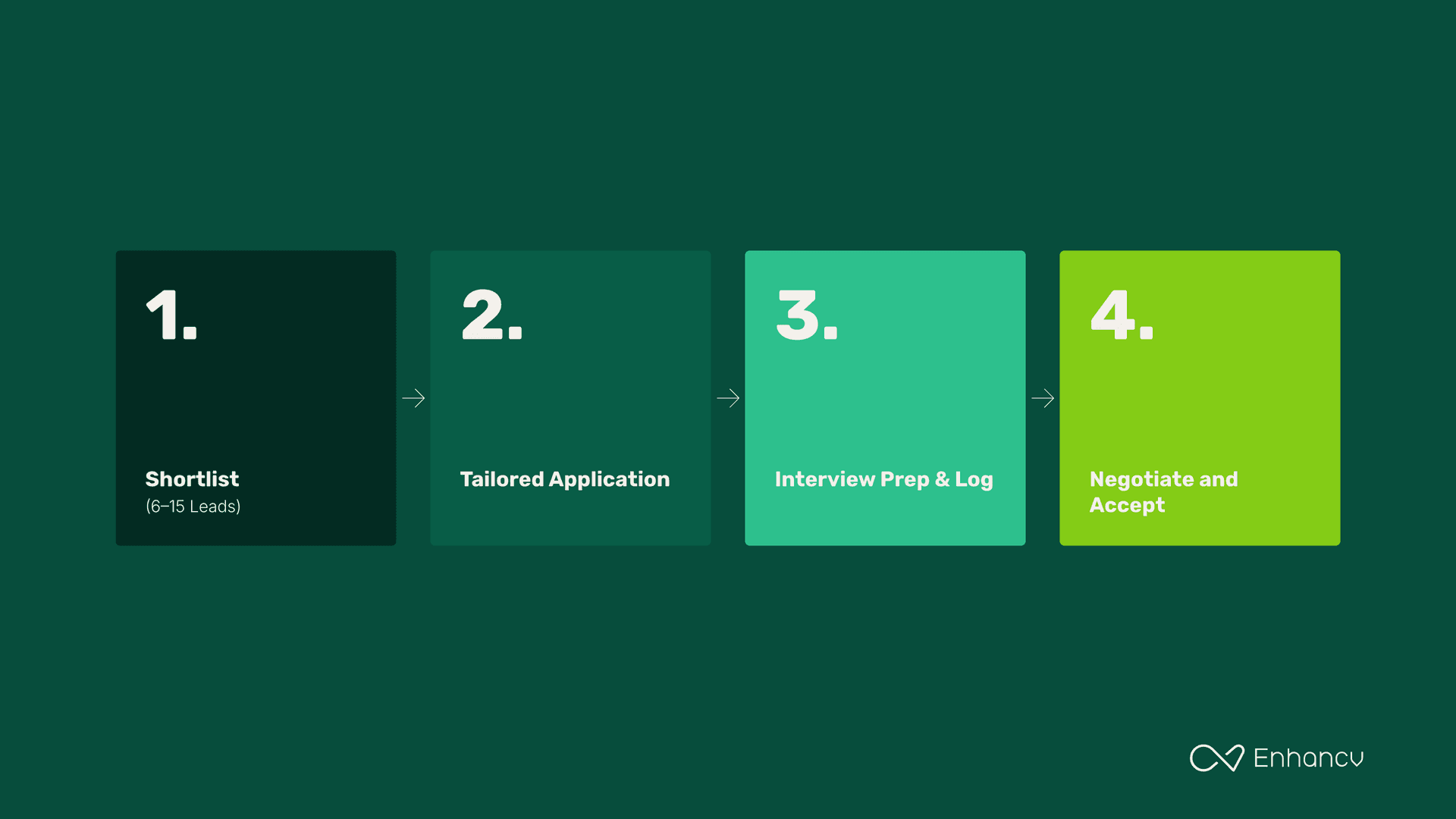
Stage 1: Build a rolling shortlist (6 to 15 roles)
Instead of applying the second, you spot an opening and save it to a central board first.
- Why it works: Saving a role first gives you time to read the requirements and pull out the keywords that matter. It also keeps the original posting on file if the company takes it down later.
- How to run it with Enhancv: Use Enhancv’s Chrome extension to save openings from LinkedIn, Indeed, or Glassdoor in one click, or paste a link from any careers page. Each one lands in the Bookmarked column of your Job Application Tracker.
Enhancv’s Job Search also scores open roles against your resume, so you can fill the shortlist with roles where you have a real shot.
Stage 2: Tailor each application before you send it
Once a role makes your shortlist, spend 10 to 15 minutes adjusting your resume for that specific posting.
- Why it works: Recruiters search their applicant tracking system for the skills a posting asks for, so align your resume with the job description, and both the ATS and the recruiter see what they’re looking for.
Our ATS testing found modern systems parse common layouts and PDFs well, which means your time is better spent on content than formatting. Rewriting three or four bullets to match the posting is usually enough.
- How to run it with Enhancv: Use Enhancv’s AI Resume Tailoring to match your resume to the job ad and check the match score on the job card. Before exporting, run Enhancv’s Resume Checker for its 27 checks on content and formatting. Then attach that exact version to the card and move it to Applied.
Stage 3: Use the 10-day callback window, then prep for interviews
In our data, the median wait from application to interview invite was 10 days.
- Why it works: Use the wait to research the hiring team, log any recruiter contacts, and plan a follow-up for applications that go quiet. When the recruiter calls, the posting and the resume you sent are one click away..
- How to run it with Enhancv: Set a follow-up reminder on each Applied card. Once an invite comes in, move the card to Interviewing, add notes on the team and salary range, and use AI Interview Help to generate Vpractice interview questions and answer drafts from the job ad.
Stage 4: Track final rounds through to the offer
Final rounds and negotiations took a median of 27 days in our study.
- Why it works: When you’re in final rounds at more than one company, you have more room to negotiate, especially once you can honestly say you’re interviewing with other companies. Tracking those conversations side by side lets you line up decision deadlines and ask for more money with a BLS wage benchmark for your occupation behind you.
- How to run it with Enhancv: Move the card to Offer when one arrives, and log the salary, benefits, and response deadline on it. If you’re weighing two offers, both sit side by side on your board instead of in separate email threads.
How can you switch to pipeline tracking this week?
You can set up the whole system in one sitting:
- Start with a clean base: Clear out stale browser bookmarks and build a master resume in Enhancv’s resume builder. Every tailored version will start from this one.
- Set up your board: Open Enhancv’s Job Application Tracker and add six to eight roles with strong match scores to the Bookmarked column. That’s enough to start, and you can build toward the 6 to 15 range from there.
- Tailor and submit: Pick your top two roles and tailor your resume to each, checking the resume keywords against the posting. Submit both and move the cards to Applied.
- Set a review rhythm: Check your board twice a week to update statuses and prep for any interviews. Once a week, look for cards that haven’t moved in two weeks and decide whether to follow up or archive them.
A smaller set of applications you can follow up on beats a large batch you can’t keep track of. Enhancv’s Job Application Tracker is free, with no limit on how many jobs you add, so you can start building your pipeline today.
Make one that's truly you.