Job Application Tracker: Every Application in One Place
Save every job, see which CV you sent and plan each follow-up from one dashboard.
- Jobs saved from LinkedIn in one click
- A due date for every follow-up
- The right CV linked to each job
job application tracker · noun
What is a job application tracker?
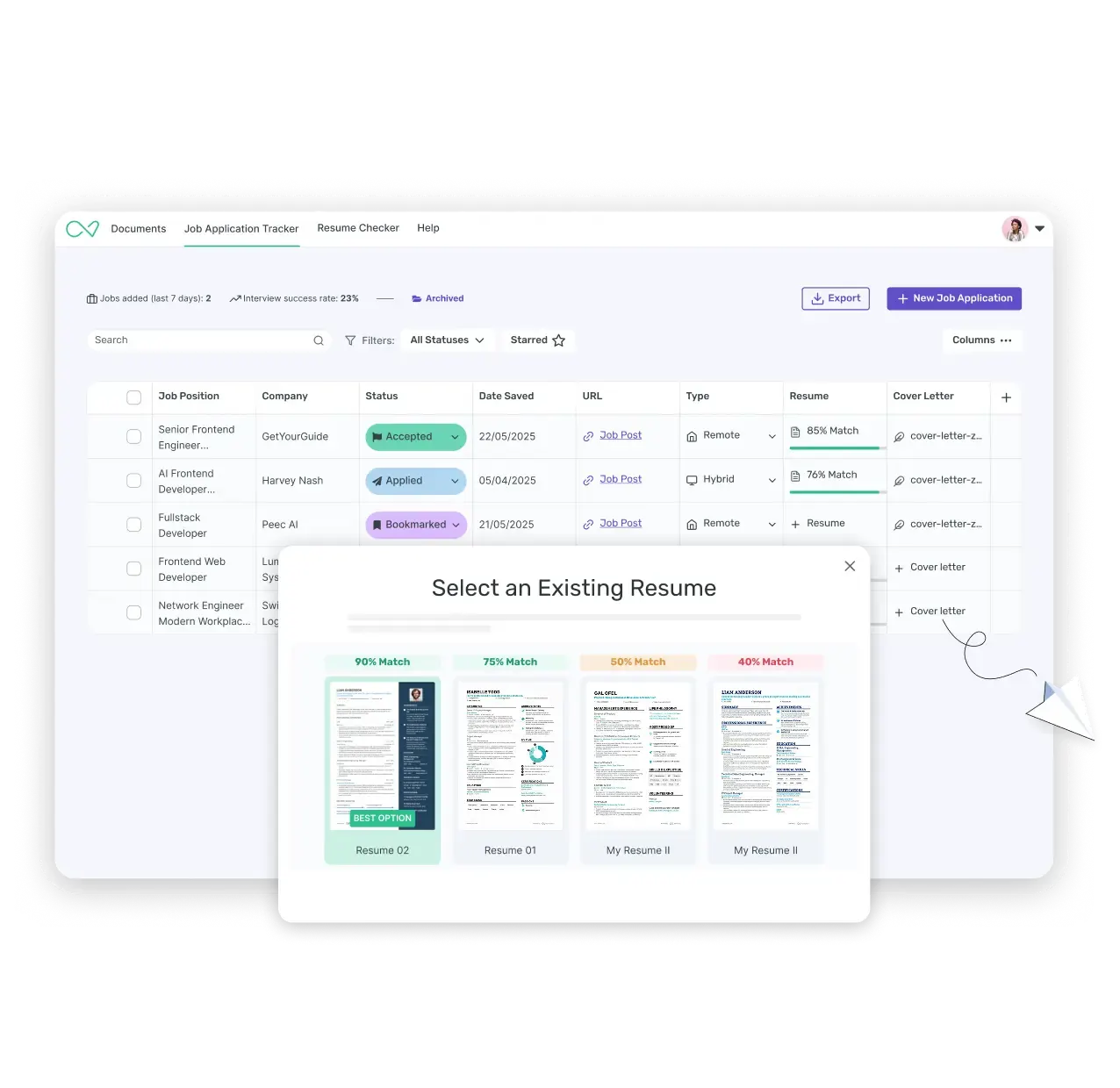
A job application tracker keeps every job you apply for in one place, from the first application to the job offer. You no longer juggle spreadsheets, browser tabs and email threads. For each job, you see the status, the CV version you sent and your next step, all on one dashboard.
Five applications are easy to keep in your head. By 30, company names blur, application dates get buried in your inbox and last week’s tailored CV sits in a folder you can’t find. Enhancv’s tracker follows the real shape of a job search, with a status for each stage and a due date for every follow-up.
Save jobs in one click
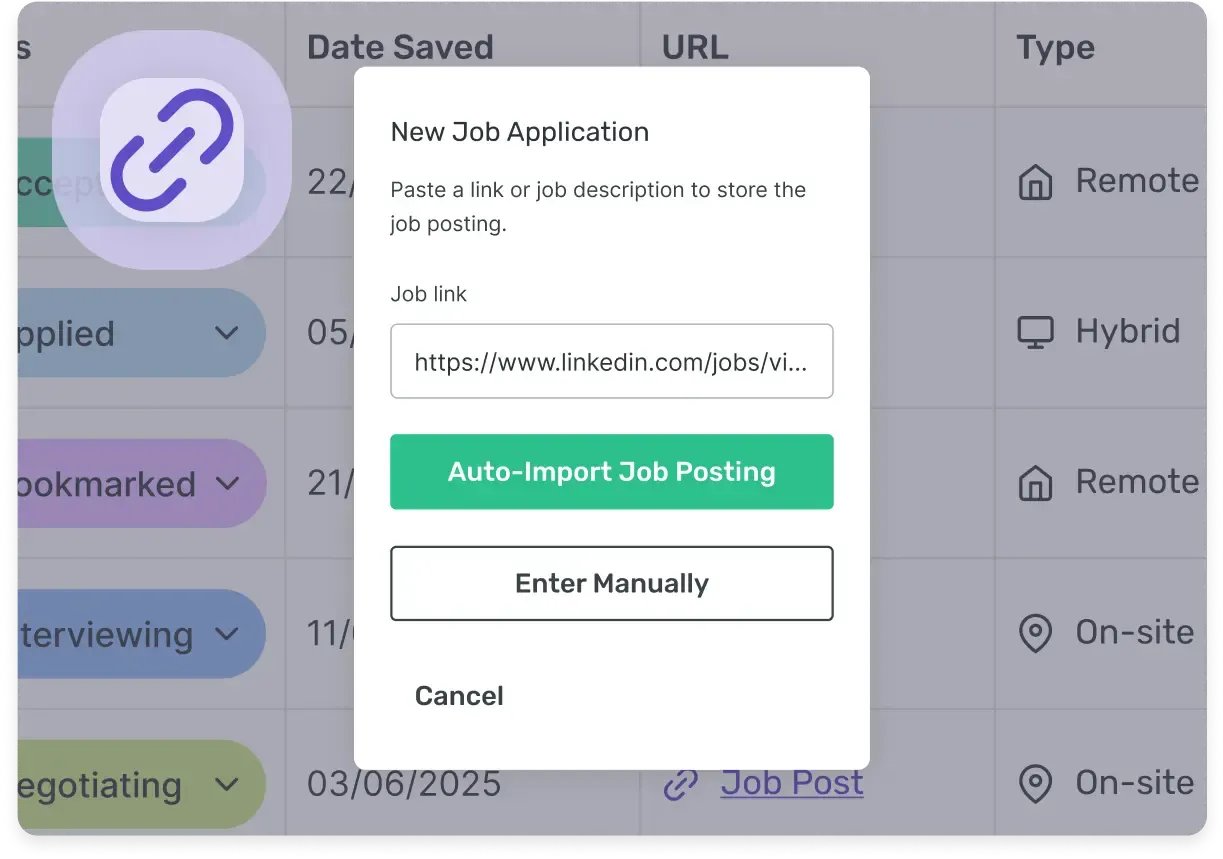
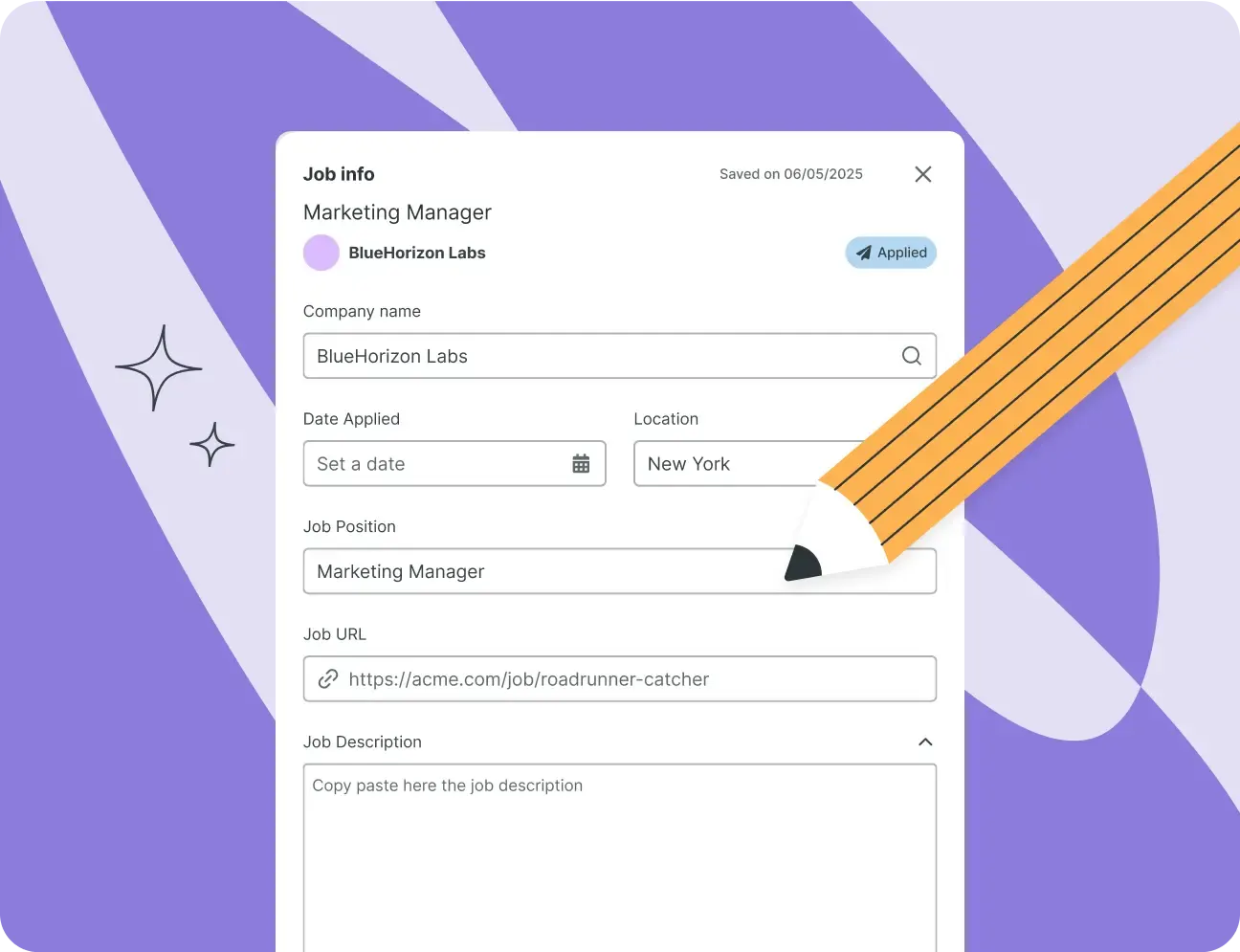
With Enhancv’s Chrome extension, a job you find on LinkedIn, Indeed or Glassdoor lands in your tracker already filled in. Job title, company, location and description are all there. Updating a spreadsheet by hand soon feels like a second job, and here there’s nothing to copy across.
No more copying the job title or retyping the company name into another tab. Click the extension icon on the advert and the job saves to your tracker with its details in place.
For a role on Reed, Totaljobs, NHS Jobs or a company careers page, paste the link if the extension doesn’t pick up the advert. Enhancv pulls in what it can and leaves the rest for you to fill in.
Know which CV you sent to each employer
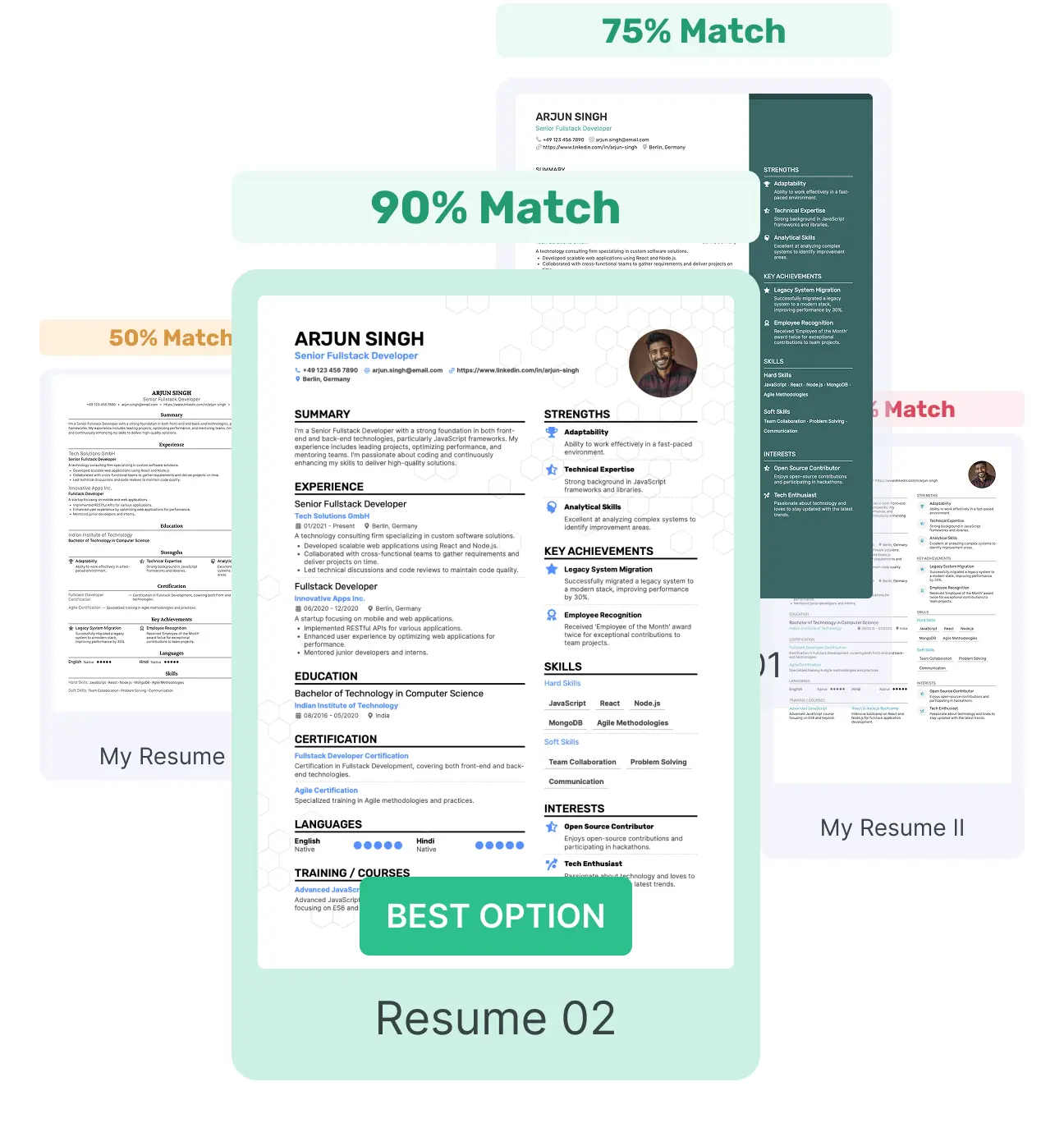
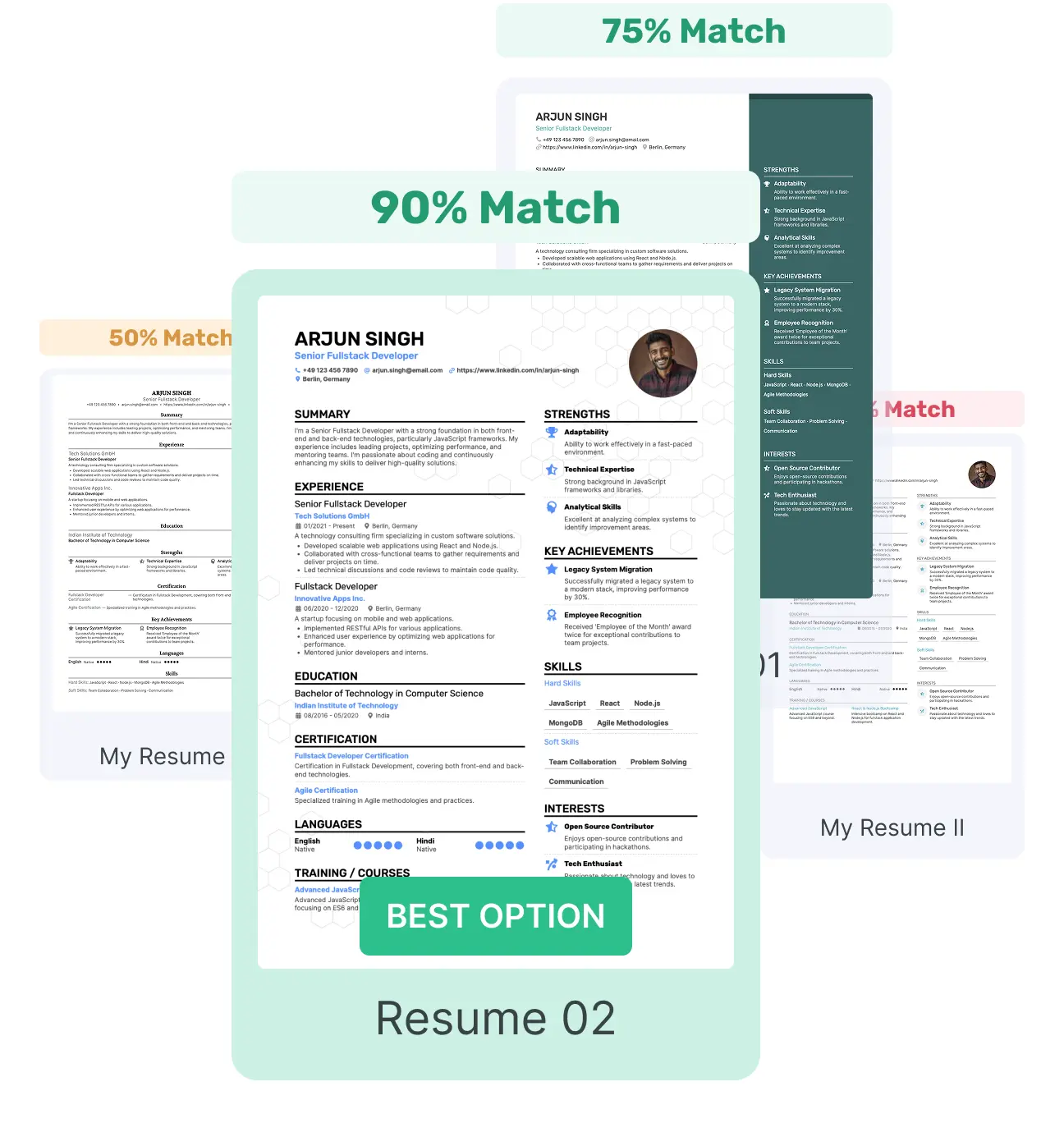
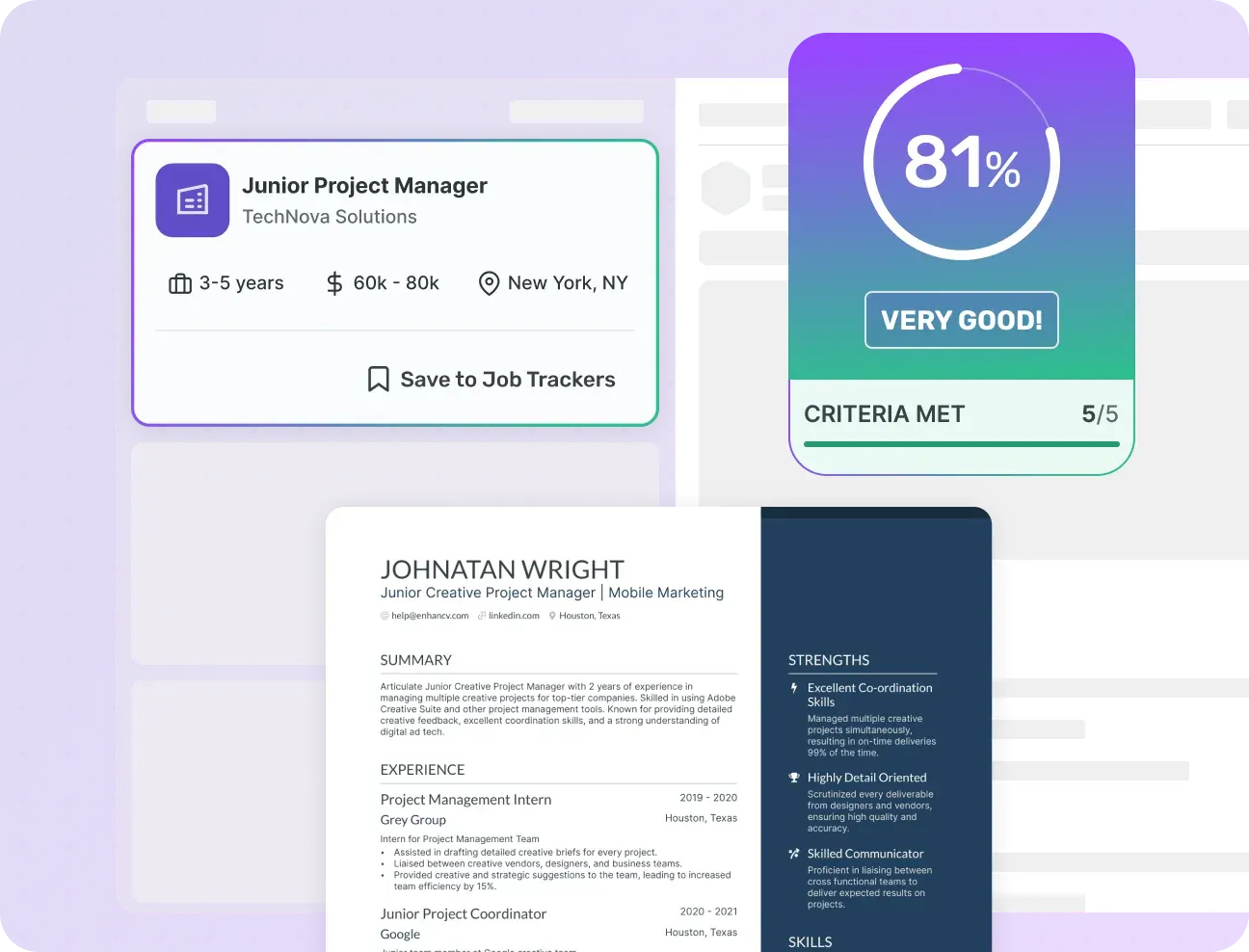
Link the CV you’re sending to each job, and the tracker shows how well the two match. If the score is low, you’ll see it before you apply and can tailor your CV to the advert. The aim is the right CV for each role, not the same one sent out 50 times.
Most job seekers end up with more than one CV: one for specialist roles, one for management and another for a career change. Once you apply for different types of role, remembering which version went where gets complicated fast.
The CV stays linked to the job in your tracker. Open any application later and you’ll find the version you sent that employer.
Stay on top of every follow-up
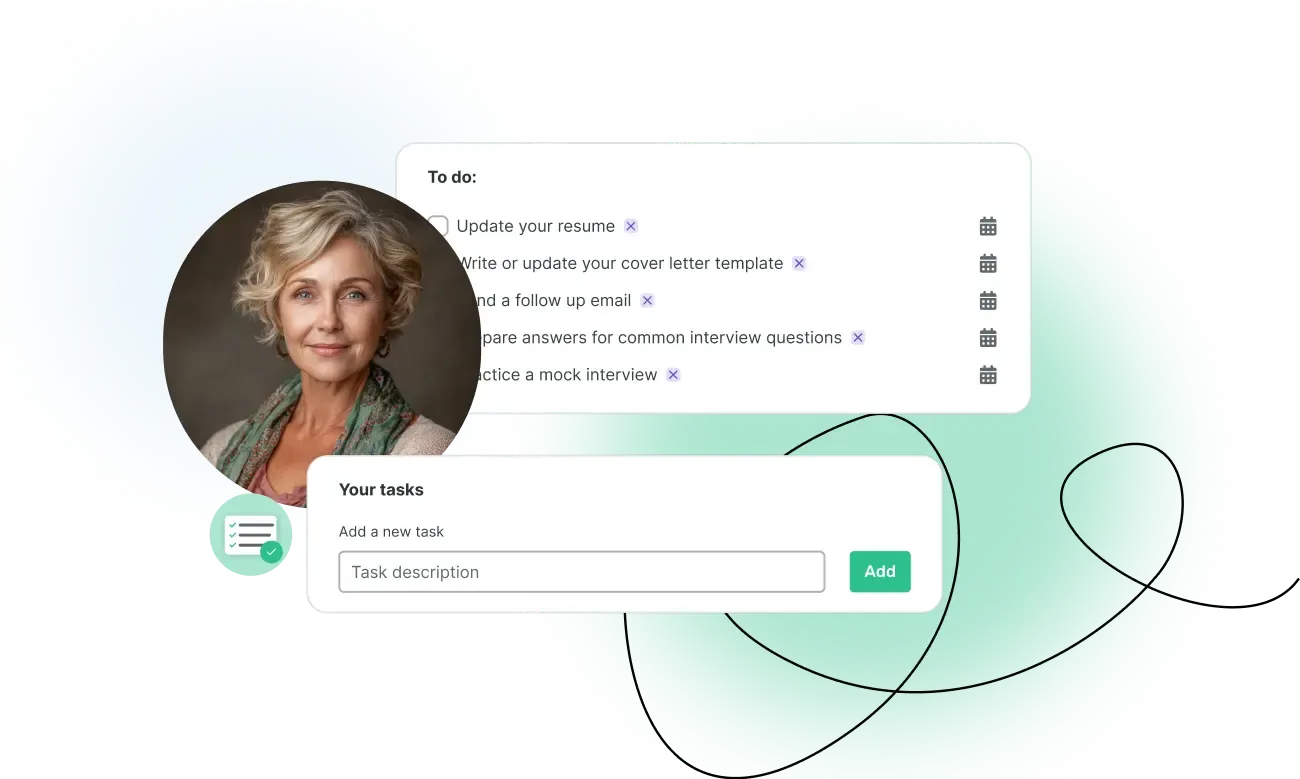
Add a task with a due date for each step: a thank-you email after the interview, a follow-up a week after you apply. Tasks stay with the job, and overdue ones are flagged. Your interview notes live in the same place, so there’s no separate document to keep.
A follow-up email is one of the simplest ways to stay on a recruiter’s radar. It’s also one of the easiest things to forget when several applications are moving at once. With a due date on the job, you follow up on time, not whenever you happen to remember.
For each job, note who you’re dealing with, whether that’s a recruiter or the hiring manager. Add their email, their phone number and a line on what you last discussed.
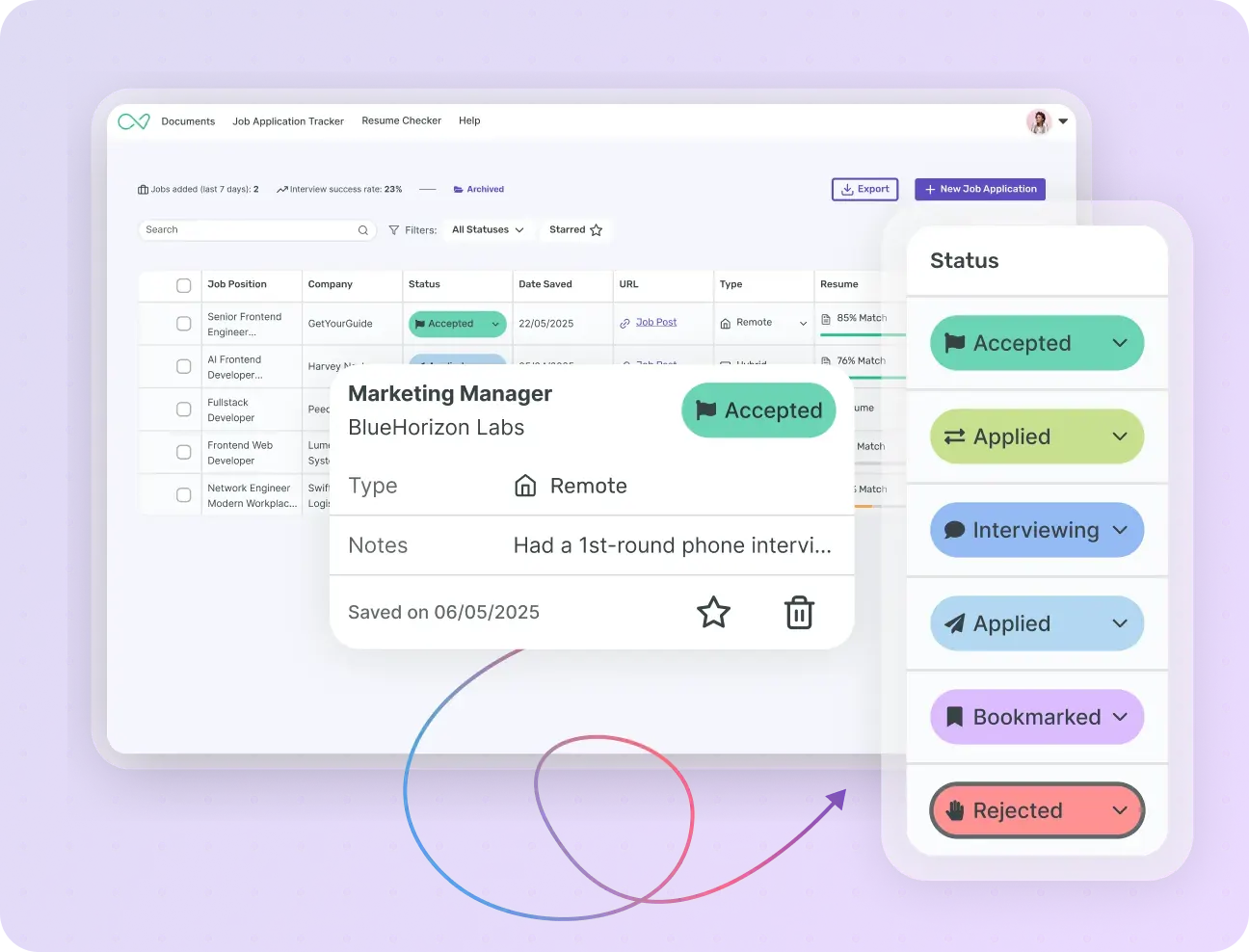
Archive rejections and keep a clear head
Rejections are part of the process. Staring at a red ‘Rejected’ label all day is another matter. Archive a job in one click and it leaves your main list without leaving your records.
A rejection is still useful information, so Enhancv keeps archived jobs in a separate view, away from the list you check every day. There you can look back at what you applied for, what you sent and how far each process went.
If the role reopens, or the same company gets in touch about another job, your history is still there, CV included. For an application that never got a reply, the ‘No Answer’ status keeps a record too.
Much more than a spreadsheet
Every job tracker says it beats a spreadsheet. Here’s exactly where, so you can judge for yourself.
| Spreadsheet | Enhancv’s Job Application Tracker | |
|---|---|---|
| Adding a job | Typed in by hand every time | One click with the Chrome extension, or paste the link |
| Follow-ups | Up to you to remember | Tasks with due dates on each job, overdue ones flagged |
| CV tracking | No link between the job and the CV | The CV linked to each job, with its match score |
| Keeping it current | Falls behind fast | Job details filled in for you, status changed from a dropdown |
| Archiving rejections | Delete the row and lose the record | Archive in one click, history kept |
| Finding new roles | A separate search on every job site | Jobs ranked against your CV, saved to your tracker in one click |
A spreadsheet works, right up until it doesn’t. It does what you tell it and nothing more, so every follow-up and every CV link depends on your memory.
Free job application tracker templates
Prefer a spreadsheet? Start with one of Enhancv’s if you’re not ready to create an account. Switch to the Job Application Tracker when keeping it updated starts to feel like a chore.
- Google Sheets
Google Sheets template
A ready-made spreadsheet with columns for company, role, status, date applied and next step. Make a copy and it’s yours.
- Excel
Excel template
An Excel file with columns for company, role, status, CV version and follow-up date. It works offline, with no account needed.
Handy if your work laptop blocks browser extensions, or if you prefer a spreadsheet you can open without an internet connection.
How to keep track of job applications in four steps
A job tracker earns its keep once more than one hiring process is under way. Four habits keep everything in order, and Enhancv makes most of them easier, so the habit sticks.
Save every job before you apply
Use the Chrome extension, or paste the link yourself. Do it before you send your application, not after, so the original advert and its exact wording are still there if it’s taken down.
Log the CV version you sent
Link it to the job so you don’t have to guess later. If you tailored your CV for this role, save that version rather than your master CV, because it’s the one the recruiter read.
Set a follow-up date
Add a follow-up task with a due date. A week to 10 days after applying is a good default, or a week after the closing date if the advert has one. A small company that hires fast is worth chasing sooner, while a large organisation or public-sector employer often takes longer to reply.
Review your applications every week
Five minutes a week is enough to spot stalled applications before they go cold. Look for anything that hasn’t moved in two weeks and decide whether to chase it or let it go. Either is fine, as long as it’s a decision and not something you forgot.
Your job tracker, connected to your CV
Your tracker sits right next to your CV in Enhancv. Every job you save is scored against the CV you plan to send, not a generic average.
Your whole job search at a glance
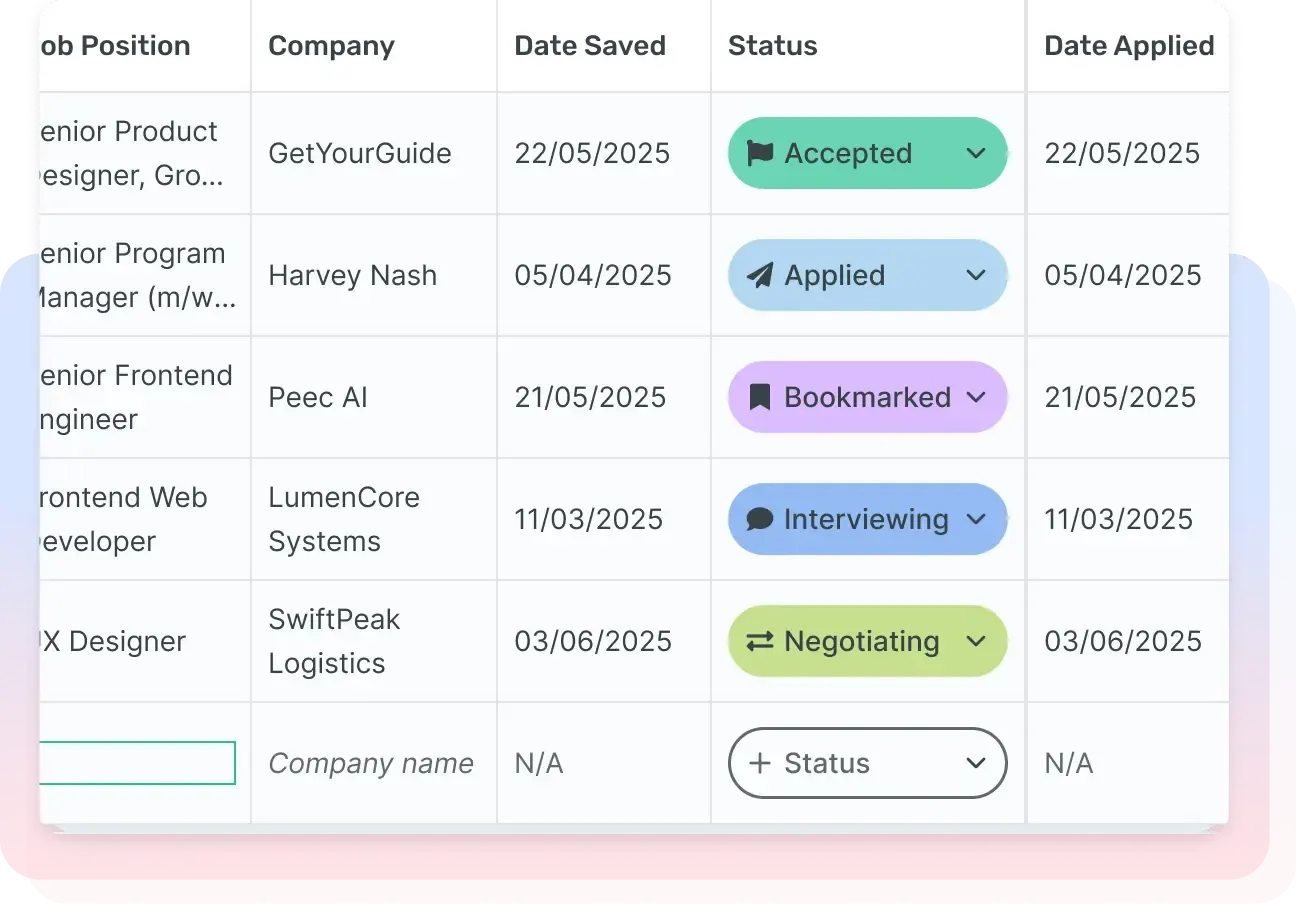
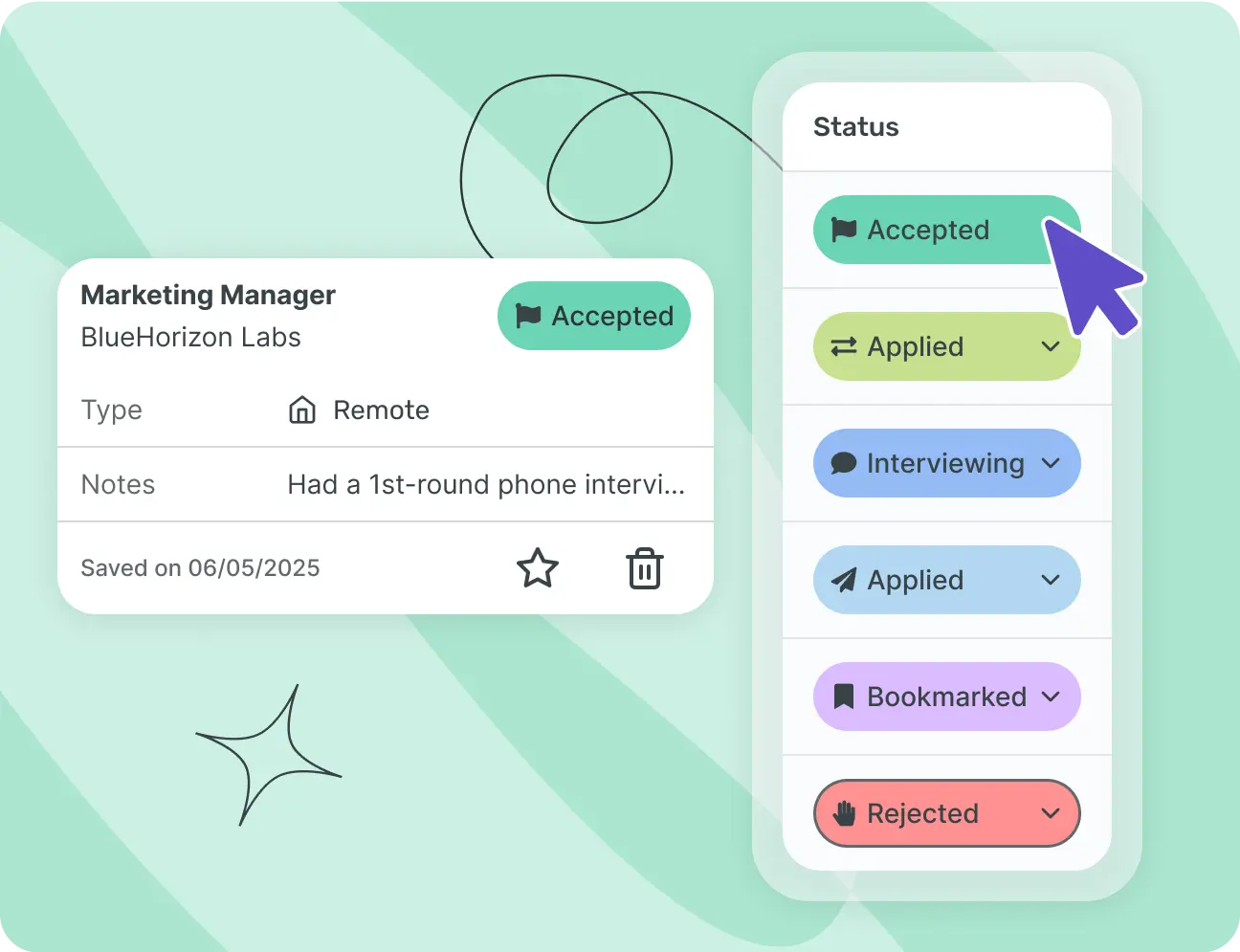
Each job has a status, from ‘Bookmarked’ to ‘Accepted’, via ‘Applied’, ‘Interviewing’ and ‘Negotiating’. Colour coding, sorting and filters show where every application stands.
Change the status from the dropdown as soon as something moves, like an interview booked or an offer received. Your tracker shows your search as it is today, not as it was last week.
One-click saving from LinkedIn or Indeed
Click the extension on the advert you’re viewing and the job lands in your tracker, already filled in.
You can switch it off at any time from your browser’s extensions menu. Jobs you’ve already saved stay where they are.
Spot the applications that need work
Once the job description is saved, the job shows the match percentage of the linked CV in green, amber or red. You can see at a glance which applications to rework before you send them.
For the detail, open the CV’s applicant tracking system (ATS) check from the job. It shows which keywords and requirements from the advert are missing from your CV, so you know what to add before you apply.
Who you spoke to, and what’s next
Keep your contact’s details, your interview notes and your tasks with due dates together on the same job.
Give any task a due date, from ‘send a thank-you email’ to ‘prepare for the technical interview’. It stays visible on the job until it’s done.
Jobs matched to your CV, straight into your tracker
Enhancv’s job search suggests roles near you, ranked by how well they match your CV. Save one you like and it goes straight into your tracker.
Jobs you haven’t applied for yet sit alongside the ones already in your tracker. Your search and your applications live in one place, not in two separate tabs.
 Overview
The Job Application Tracker is free
- Unlimited applications
- No credit card
- Works with your current CV, uploaded as a PDF or DOCX
- Your data isn’t sold to third parties
- On desktop and mobile
No cap on applications, and no credit card needed to start.
Tracking applications is the bare minimum for a job search tool. Charging for it, or capping your applications, would defeat the point: it’s there to remove friction, not to add a bill. So the tracker is included in every plan, the free one too, however many jobs you save.
If you upgrade to a paid plan later, it’s for premium CV templates or more AI credits, not for the tracker.
Features and tools that help you build a
CV that lands interviews

AI CV Builder and assistant
Enhancv’s AI runs through the whole CV builder: an assistant in the editor, one-click CV tailoring and a cover letter generator.

Free and premium CV templates
ATS-tested templates with sections for your experience, skills and measurable achievements.

Share your CV for feedback
Need a second pair of eyes? Share your CV and get comments from friends and family on specific sections.

Export in several formats
Export your CV as a PDF, the most widely accepted format, or as a plain TXT file.

Mobile CV builder
On the move? Edit your CV in the mobile editor: just sign in on your phone.

Translate your CV with AI
Applying abroad? Enhancv’s CV translator tool adapts your CV to another language in seconds.

One-click CV tailoring
Paste a job advert and Enhancv’s AI tailors your CV: skills, a tailored personal statement, action verbs and even a cover letter.

CV Checker
A fast, free CV checker that runs 27 essential checks, so your CV is ready to win interviews.

AI CV feedback
The AI feedback tool reviews your CV and gives you instant, personalised advice to improve it.

Personal statement generator
The AI personal statement generator writes the short profile at the top of your CV.

Cover Letter Generator
Enhancv’s AI cover letter generator writes a tailored cover letter from your CV and the job advert.

Cover letter templates
Choose from 12 cover letter templates designed to get you shortlisted. Pick one, edit it and download it.



Enhancv Executive changed my life: one week and four interviews later, I’m set to earn 150% more in the job I chose.

Frequently asked questions about tracking job applications
What’s the best way to track job applications?
Save every job before you apply, note the CV version you sent, set a follow-up date and review your applications once a week. A job application tracker like Enhancv’s makes most of these steps easier, which is what keeps the habit going.
Consistency matters more than the method. A spreadsheet you update every day beats a polished tool you drop after a week. A dedicated tracker simply removes the friction that usually breaks the habit.
What’s the best free job application tracker?
Enhancv’s Job Application Tracker is free, with no limit on the number of jobs you save. A Notion template or a well-kept spreadsheet also works, if you’re happy to update everything by hand.
The real differences are in the details: how much typing each tool needs and whether the free version caps your saved jobs. Check that second point before you commit, as that’s where some free tools set their limits.
How do I keep track of the status of my job applications?
Give each application a status, such as ‘Bookmarked’, ‘Applied’, ‘Interviewing’ or ‘Negotiating’, and update it as things change. Add a task with a due date for each follow-up, so you can see what’s due on every job.
Update the status when something happens, not at the end of the week when the details are already hazy. If the employer’s timeline has passed, take that as your cue to follow up.
What is a job tracker?
A job tracker is a tool that keeps every job you’re applying for in one place, instead of across spreadsheets, browser tabs and email. It shows each job’s status, the CV you sent and what to do next.
Think of it as one record per job that changes as your search moves on, so nothing depends on memory alone.
Is Enhancv’s Job Application Tracker really free?
Yes. You can track unlimited applications without a credit card. The tracker is included in every plan, while other Enhancv tools, such as premium CV templates, are part of the paid plans.
The detail matters because some trackers sold as free limit how many jobs you can save before they ask for a card. The Job Application Tracker has no such limit.
Do I need the Chrome extension, and what can it see?
No, you can add a job by pasting its link. The extension scans the pages you open to spot job adverts, skipping social networks, email and shopping sites. When it detects an advert and you’re signed in, it sends the advert’s link and content to Enhancv.
Your data isn’t sold to third parties, and you can switch the extension off at any time.
Can I use my own CV, or do I have to build one with Enhancv?
You can start from the CV you already have. Upload it as a PDF or DOCX (up to 2MB) and Enhancv turns it into an editable CV, then scores it against the job.
The score reads the content, not the layout. A CV made elsewhere is scored the same way as one built in Enhancv.
How do I make a job application tracker in Excel or Google Sheets?
Create a sheet with columns for company, role, status, CV version and follow-up date, then fill it in each time you apply. Or download Enhancv’s free template for Google Sheets or Excel, with the columns already set up.
For the status, use a fixed list (Bookmarked, Applied, Interviewing, Negotiating, Accepted, Rejected) instead of typing a slightly different word each time. Consistent statuses make the sheet easy to filter and sort, which is the whole point of tracking in a spreadsheet.
Is a job tracker better than a spreadsheet?
A spreadsheet does the job if you keep it up to date by hand. A tracker like Enhancv’s handles what people tend to let slide in a spreadsheet. It saves jobs in one click, links each CV to its job and keeps your tasks and due dates with the job.
It comes down to how disciplined you are. If you’ve kept a spreadsheet current through a whole job search without missing a follow-up, a tracker mostly saves you time. If you haven’t, it does part of the work for you.
How many applications do I need before a tracker is worth it?
As soon as several hiring processes are running at once. Enhancv data on 260,000 job seekers over one year shows that people tracking 6 to 15 active applications had the best application-to-interview rate.
If you’re only applying for two or three roles you really want, a tracker is overkill. It pays off once you’re running several processes side by side and need to keep every detail straight.
Does the tracker work with UK and Irish job sites?
Yes. It works wherever you apply, whatever the country or job site.
The Chrome extension recognises adverts on LinkedIn, Indeed and Glassdoor. For a role on Reed, Totaljobs, NHS Jobs or IrishJobs.ie, paste the link if the extension doesn’t pick up the advert.
Can I track interviews and job offers too?
Yes. ‘Interviewing’, ‘Negotiating’ and ‘Accepted’ are all statuses in your tracker. You add interview notes and the salary directly on the job.
For the deadline to reply to an offer, add a task with a due date. If you’re weighing up two offers, everything you need sits in two entries side by side, not scattered across separate emails.
What should I track for every job application?
At least five things: the company and role, the date you applied, the CV version you sent, the status and your next step. Add your contact’s name and the link to the original advert when you have them.
How long should I wait before chasing an application?
A week to 10 days after you apply is a good rule of thumb, unless the advert gives a response time. In Enhancv data, the median wait from application to interview invitation is 10 days.
If the advert has a closing date, count from that instead, as many employers only start shortlisting once applications close. One follow-up per stage looks organised. Two or three in the same week send a different message.
What does a good weekly job search review look like?
Five minutes a week catches most of what slips through the cracks in a job search:
- Go through every ‘Applied’ job. If there’s been no reply for more than two weeks, decide whether to follow up, change the status to ‘No Answer’ or archive it.
- Check that upcoming interviews have their notes and prep tasks.
- Update any status that has changed in real life but not yet in your tracker.
- Compare how many jobs you saved this week with how many you applied for, and adjust your pace if the gap is growing.