
AI Interview Preparation Built on Your CV
Get likely questions, STAR stories and answers drafted from your CV, ready in about 15 seconds.
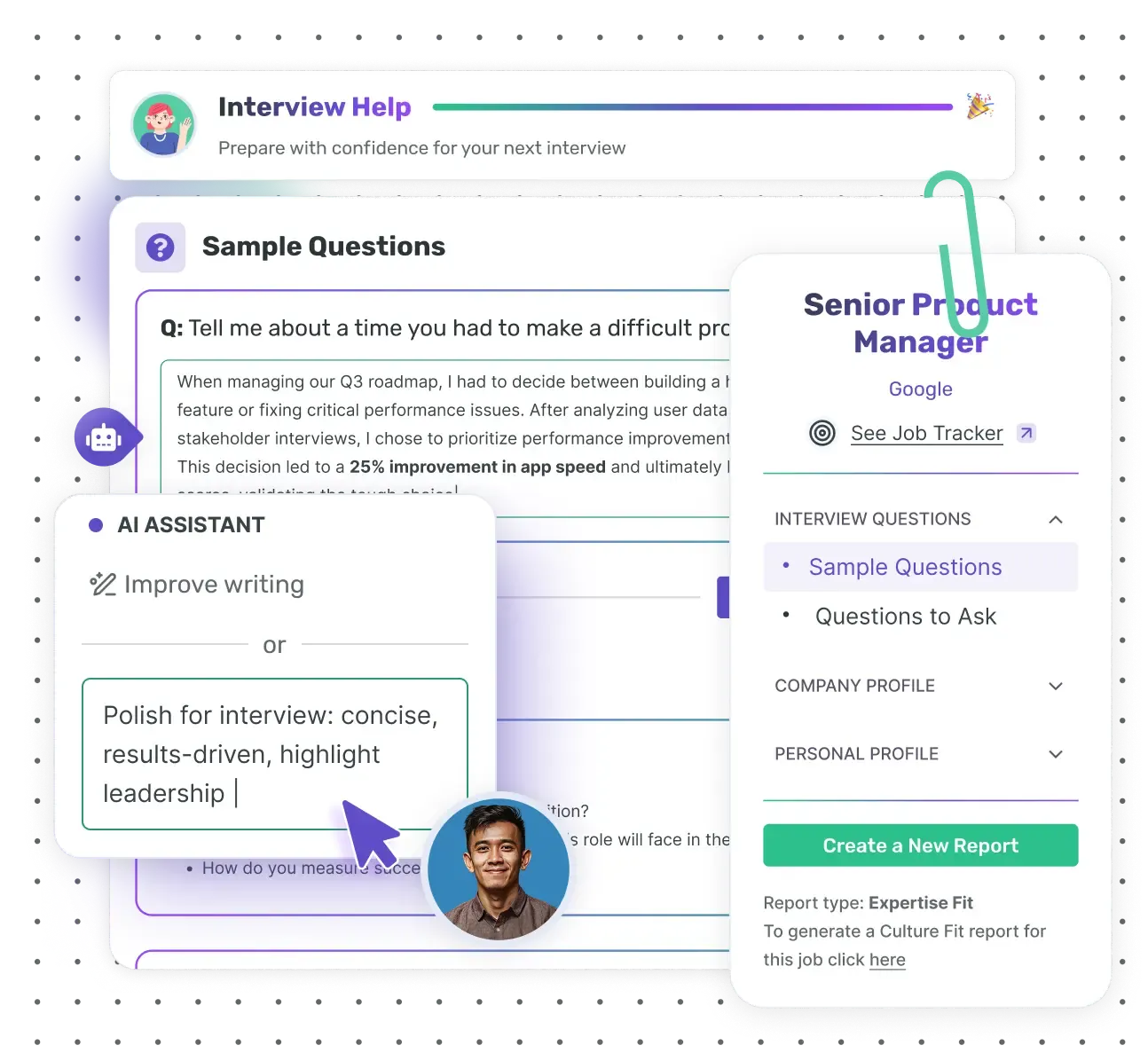
Interview Help · AI interview preparation
What is Enhancv Interview Help?
Enhancv Interview Help is an AI interview preparation tool. It reads your CV and the role you’re applying for, then builds an interview prep report. Inside are likely interview questions with answers drafted from your experience, STAR stories and questions to ask the interviewer.
You rewrite each answer in your own words and get feedback on your version. Create the report from a job saved in your Job Application Tracker and it adds a company profile. That covers what the company does, its values and how it hires.
How Interview Help works
Get ready for your next job interview in three steps.
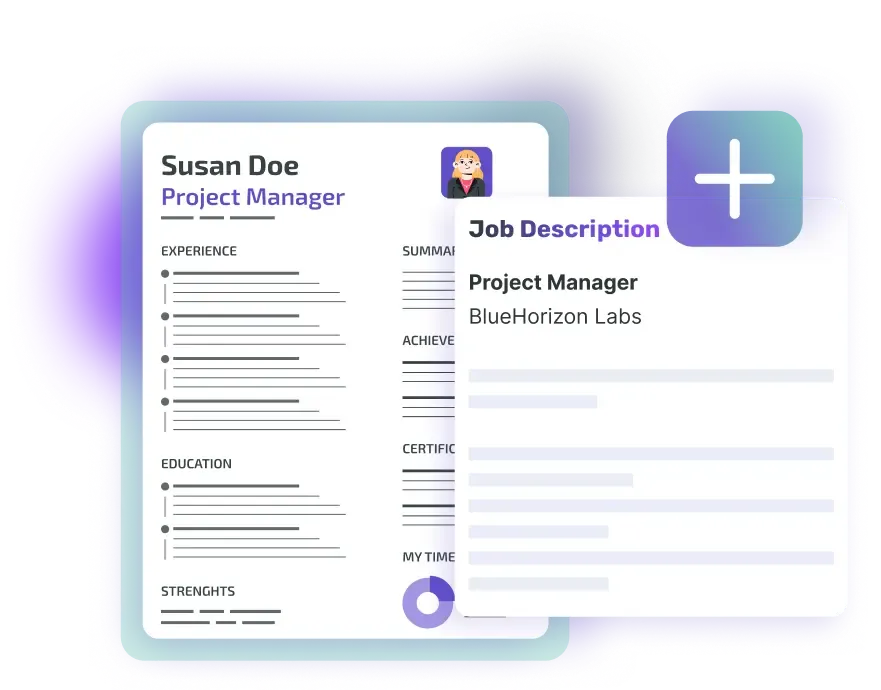
Pick your CV and the job
Choose your Enhancv CV and enter the job title. Pick a job saved in your Job Application Tracker and the report also uses its company and job details.

Choose the interview type
Culture Fit prepares you for motivation and team-fit questions. Expertise Fit covers your skills, your experience and the role itself.
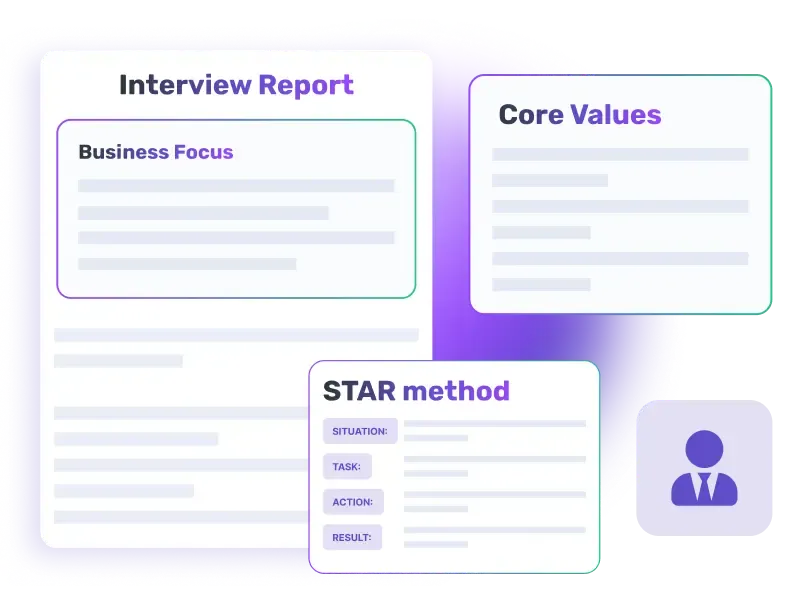
Get your interview report
In about 15 seconds, you get likely questions with drafted answers, a personal profile, STAR stories and questions to ask.
Everything in your interview report
Tailored questions and answers
Feedback on your answers
Personal profile
STAR stories
Company profile
Questions to ask
Two report types for two kinds of interview

Culture Fit
Prepare for questions on your personality, motivation and team fit from HR and your future line manager.

Expertise Fit
Prepare for questions on your technical skills, your experience and the role itself from the hiring manager.
Which report do you need?
Most hiring processes include both kinds of interview, often at separate stages. The invitation email usually tells you which one is next. A screening call with HR points to Culture Fit, and a technical interview with the hiring manager points to Expertise Fit.
| Culture Fit | Expertise Fit | |
|---|---|---|
| Who usually asks | HR, a recruiter or your future line manager | The hiring manager or a senior member of the team |
| What they want to know | Why you want the job and how you work with others | Whether you can do the work, and how well |
| Typical question | ‘Give me an example of a time you disagreed with a colleague.’ | ‘Talk me through a project you led from start to finish.’ |
| What the report gives you | Answers on motivation, teamwork and values | Answers built on your skills, tools and results |
If you’re not sure, create both. Each saved job can have one report of each type, and you can switch between them from the report.
Answer competency-based questions with the STAR method
- Situation: the context, in a sentence or two
- Task: what you were responsible for
- Action: what you did yourself, step by step
- Result: what changed, with a number if you have one
Competency-based questions ask for a real example: ‘Tell me about a time when…’. They’re common in UK and Irish interviews, and public-sector interviews often rely on them. The STAR method puts your answer in a clear order, so you don’t ramble or forget the outcome.
Your report turns the experience on your CV into STAR stories. Edit each part, or type an achievement you want to talk about and Interview Help structures it for you.
From job advert to interview day
Interview Help works best with a job you’ve saved. Here’s the full route in Enhancv, from the advert to the moment you walk in.
Save the job
Add the advert to your Job Application Tracker with its link or the text of the advert. The company and job details then sit in one place.
Create the report from the job
Open the job in your tracker and go to its ‘Interview Help’ tab. Click ‘1-Click Guide’ in the Culture Fit or Expertise Fit row to create that report.
Make the answers yours
Rewrite the drafted answers in your own words and read the feedback on each one. Add a STAR story for the achievement you most want to mention.
Say your answers out loud
Read each answer aloud a few times, until it sounds like you talking rather than a script.
Reread your CV
Interviewers ask about what’s on your CV. Enhancv’s CV Checker flags points that could raise questions in an interview, such as gaps in your employment history.
Prepare your own questions
Pick two or three questions from ‘Questions to Ask’ and read the company profile again before you go in.



Enhancv Executive changed my life: one week and four interviews later, I’m set to earn 150% more in the job I chose.



Better prepared, calmer on the day.
Walk into your next interview knowing what you want to say. Your interview report is ready in about 15 seconds.
Create Your Interview ReportFrequently asked questions about Interview Help
How is my interview report tailored to the role?
Interview Help starts from your Enhancv CV and the job title. When you create the report from a job saved in your Job Application Tracker, it also uses that job’s company and details.
The questions, drafted answers and STAR stories then draw on your own roles and results, not on a generic list.
What do I need to create a report?
- An Enhancv CV with your work experience, skills and education
- The job title
- Your choice of interview type: Culture Fit or Expertise Fit
Optional: a job saved in your Job Application Tracker, which adds the company profile.
Can I paste a job description?
Not into Interview Help itself. Save the job in your tracker first, with its link or the text of the advert. Then pick that job when you create the report.
What’s the difference between Culture Fit and Expertise Fit?
Culture Fit prepares you for questions on personality, motivation and team fit, usually from HR or your future line manager. Expertise Fit prepares you for questions on your skills, experience and the role, usually from the hiring manager.
You can create both for the same saved job.
Can I edit the answers?
Yes. You can rewrite every drafted answer, your personal profile, your key skills and each part of a STAR story. The AI Assistant can improve your wording, follow your own instruction or suggest a new version.
How does the answer feedback work?
Feedback appears under an answer once you’ve rewritten it. Drafted answers you haven’t changed get no feedback. Make an answer yours first, then read what the feedback says about it.
What is the STAR method?
STAR stands for Situation, Task, Action and Result, a simple structure for competency-based interview questions. You set the scene, say what you were responsible for, explain what you did and finish with the outcome.
Does the report suggest questions to ask the interviewer?
Yes. Each report has a ‘Questions to Ask’ section, grouped into the role, the team and culture, and the company.
Which language is my report in?
Interview Help works in the language you use Enhancv in. To prepare in another language, for a job abroad for example, change the app language before you create the report.
Can I use Interview Help for free?
Yes, during Enhancv’s 7-day free plan, with up to 10 questions in each report. Pro lets you add more questions to each report.
Can I download my report?
No, the report stays in your Enhancv account. Open it again from Interview Help or from the job in your Job Application Tracker.
Where do I find Interview Help in Enhancv?
In the main menu, under ‘Prepare for Interview’. You’ll also find it on your dashboard and in the ‘Interview Help’ tab of each job in your Job Application Tracker.
If you save jobs with Enhancv’s Chrome extension, it offers to prepare you for the interview right after you save one.