Write and Tailor Your CV with ChatGPT or Claude
Connect Enhancv to your AI assistant once, then ask for what you need.
- Tailor a copy of your CV to every job advert
- Find jobs and track applications from the chat
- See every change in the Enhancv editor
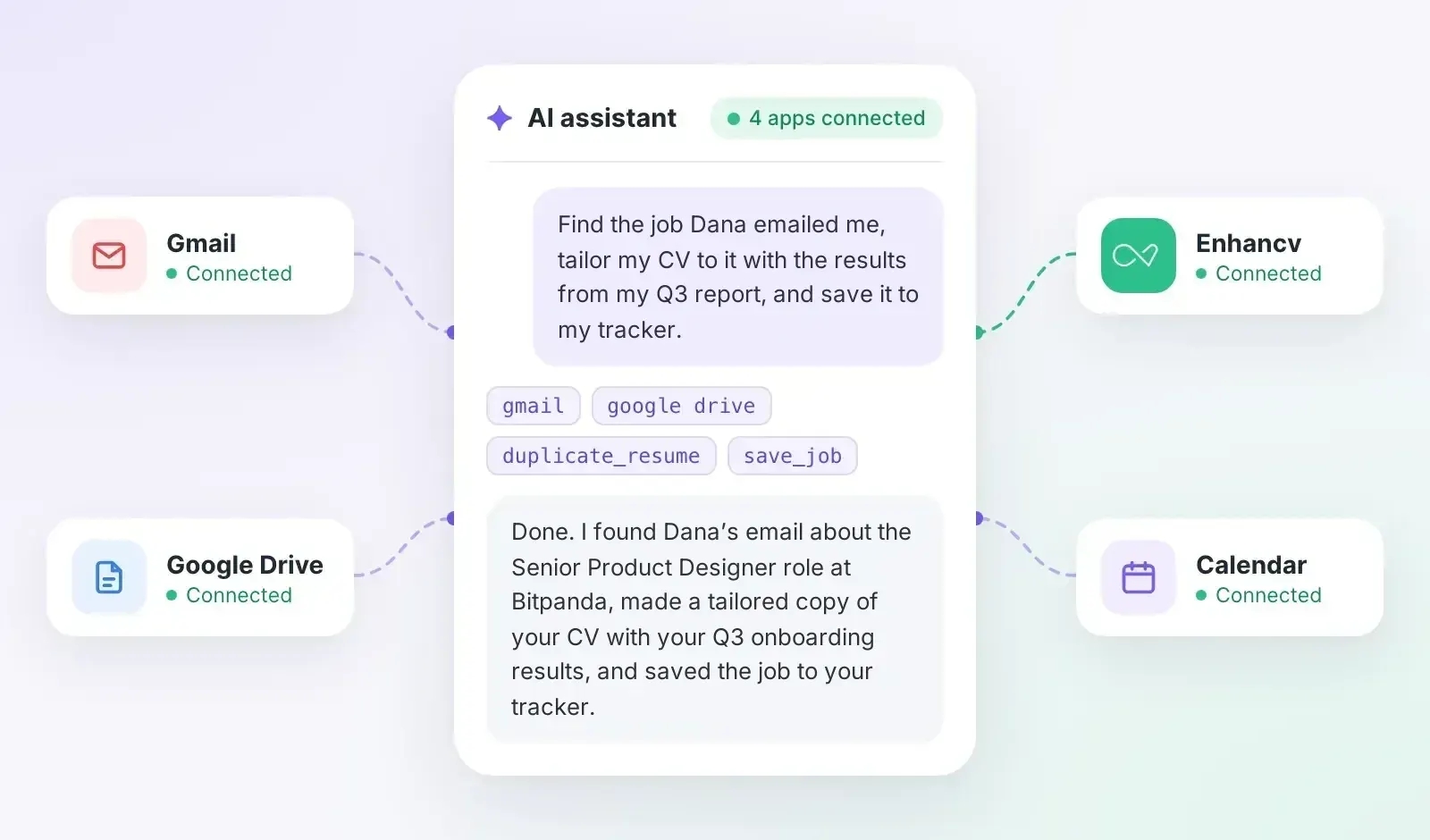
Six ways to work on your CV with ChatGPT or Claude
Tailor a copy of your CV to every job
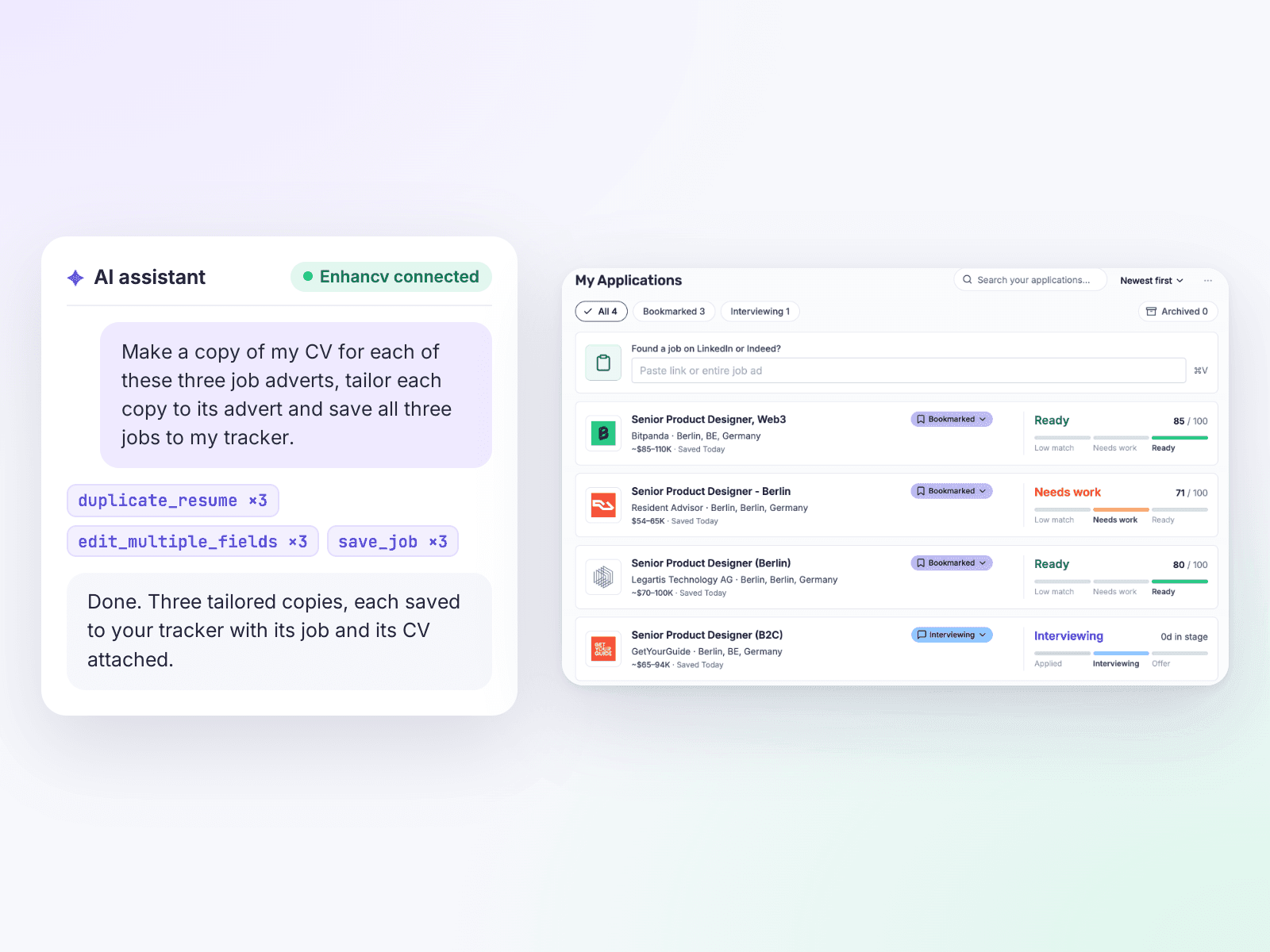
For each job advert, your assistant makes a copy of your CV and tailors it to the job description. It then saves the job to your Enhancv tracker with that copy attached, so you can see which CV went with which application.
- Try: Copy my CV for each of these three job adverts, tailor each copy to its advert and save all three jobs to my tracker.
Find jobs and save them to your tracker
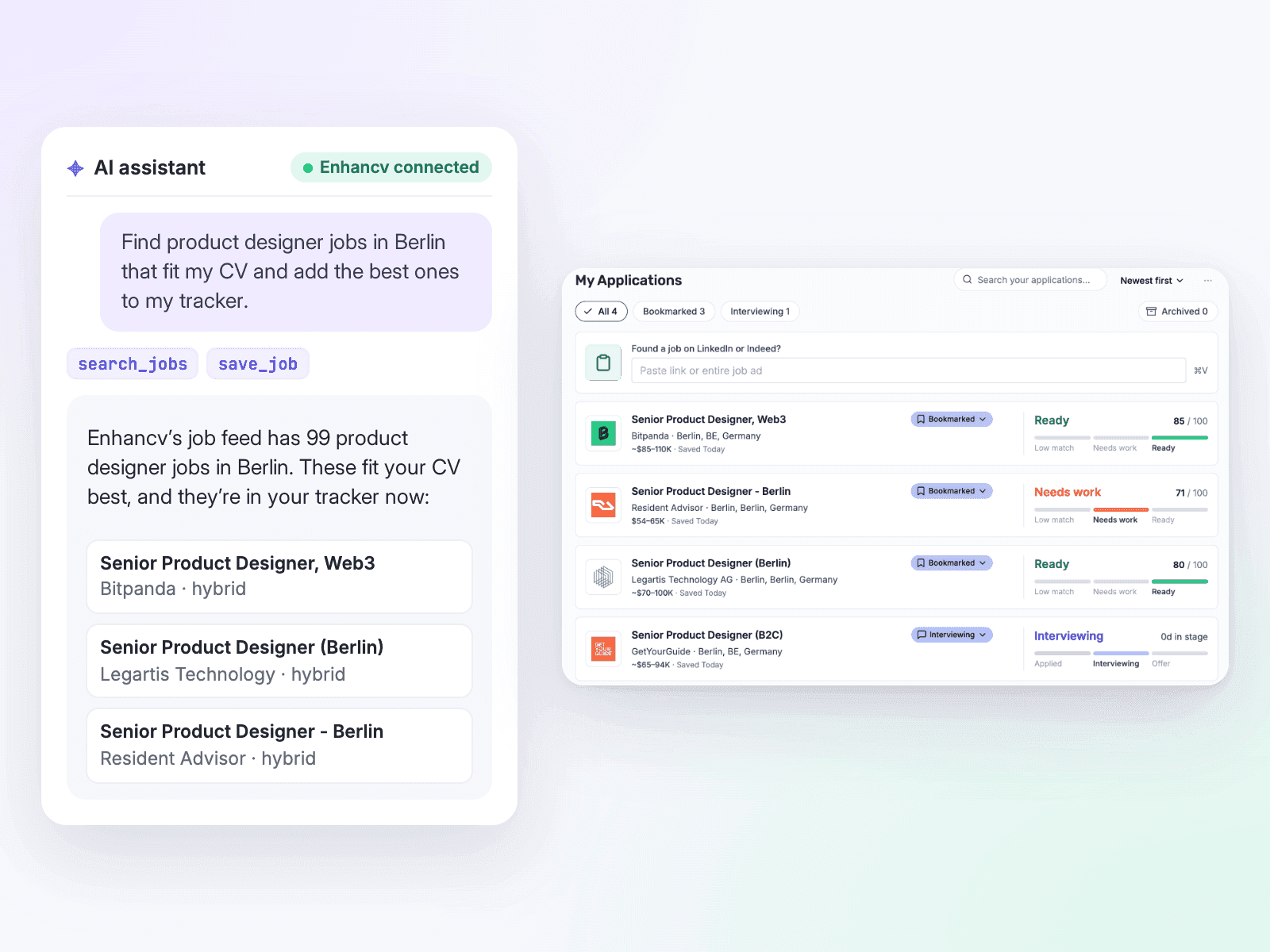
Your assistant searches Enhancv’s job feed for the role and place you name. It picks the adverts that fit your CV and saves them to your tracker. If you don’t name a place, it searches near the location on your CV.
- Try: Find UX designer jobs in Manchester that fit my CV and add the three best to my tracker.
Turn meeting notes into achievements
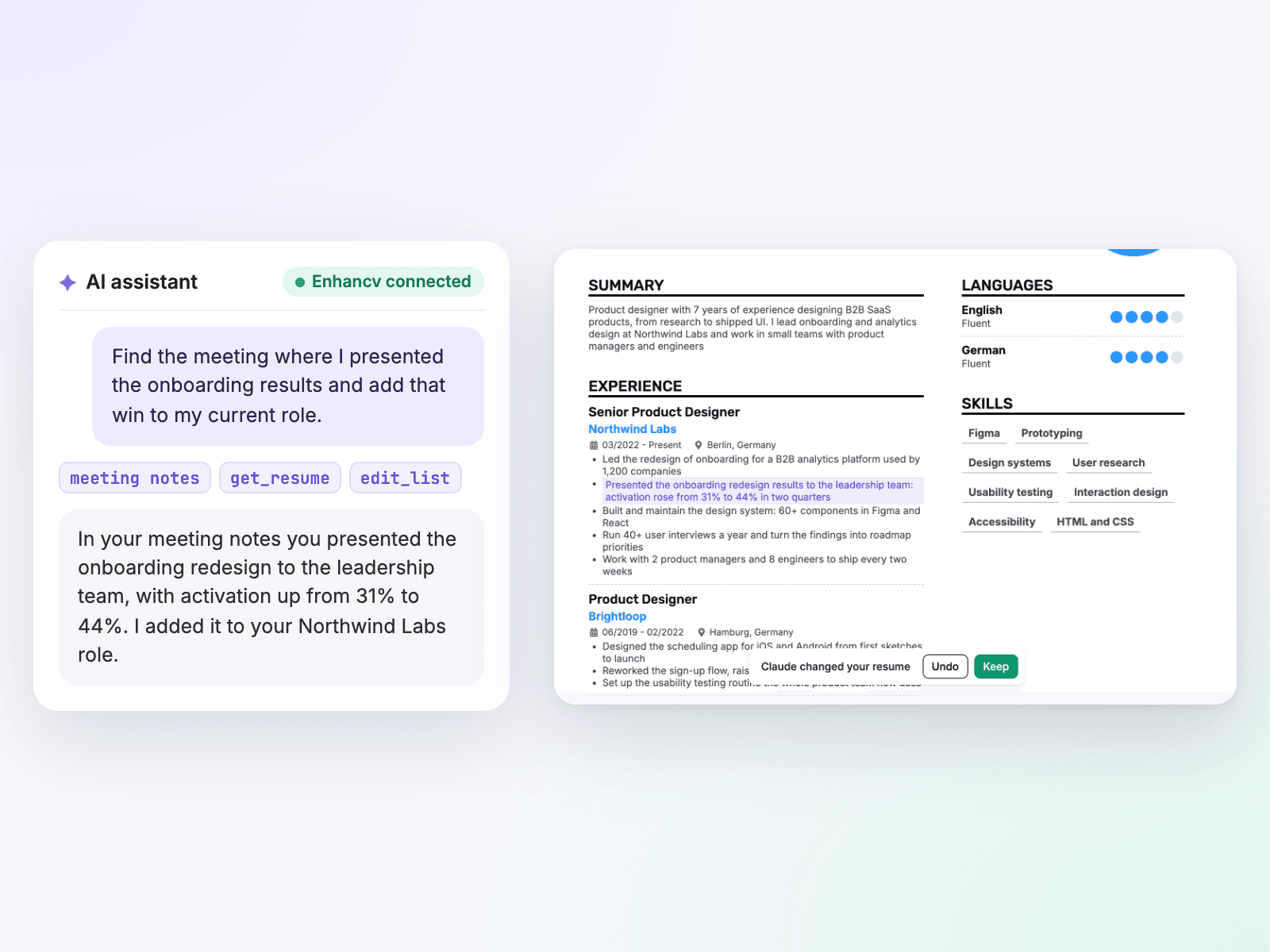
Connect Granola, Otter.ai or Fathom to your assistant alongside Enhancv. It finds the wins you’ve already talked about in meetings and adds them to the right role.
- Try: Find this year’s meetings where I presented results or got credit for a project, and add the three biggest wins to my current role.
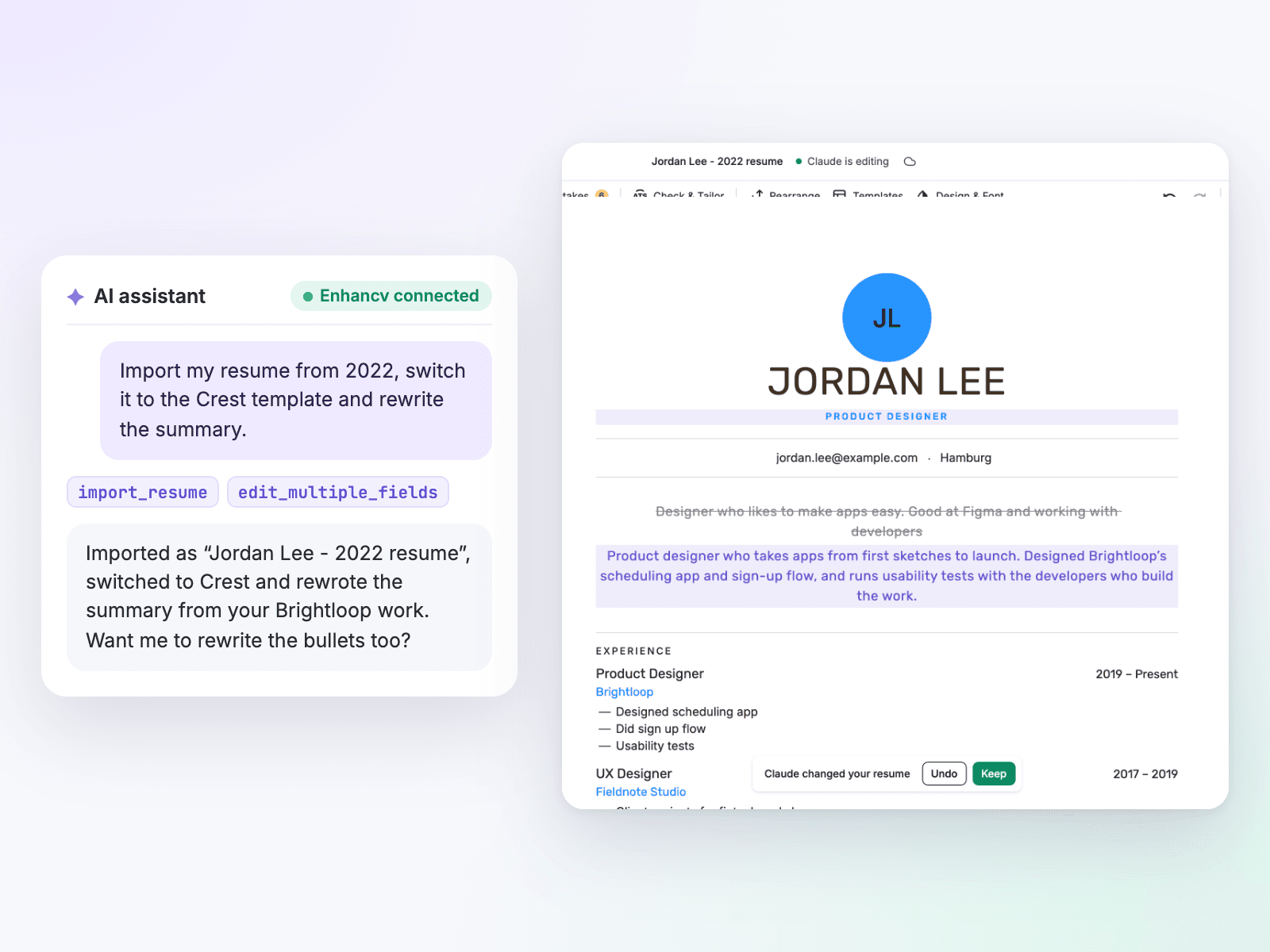
Rebuild an old CV in one conversation
Share your old CV and your assistant imports it into Enhancv, then fixes what the import missed. It also rewrites weak bullet points and switches the template, so the CV reads and looks current.
- Try: Import my CV from 2022, switch it to the Crest template and rewrite the personal statement for senior product manager roles.
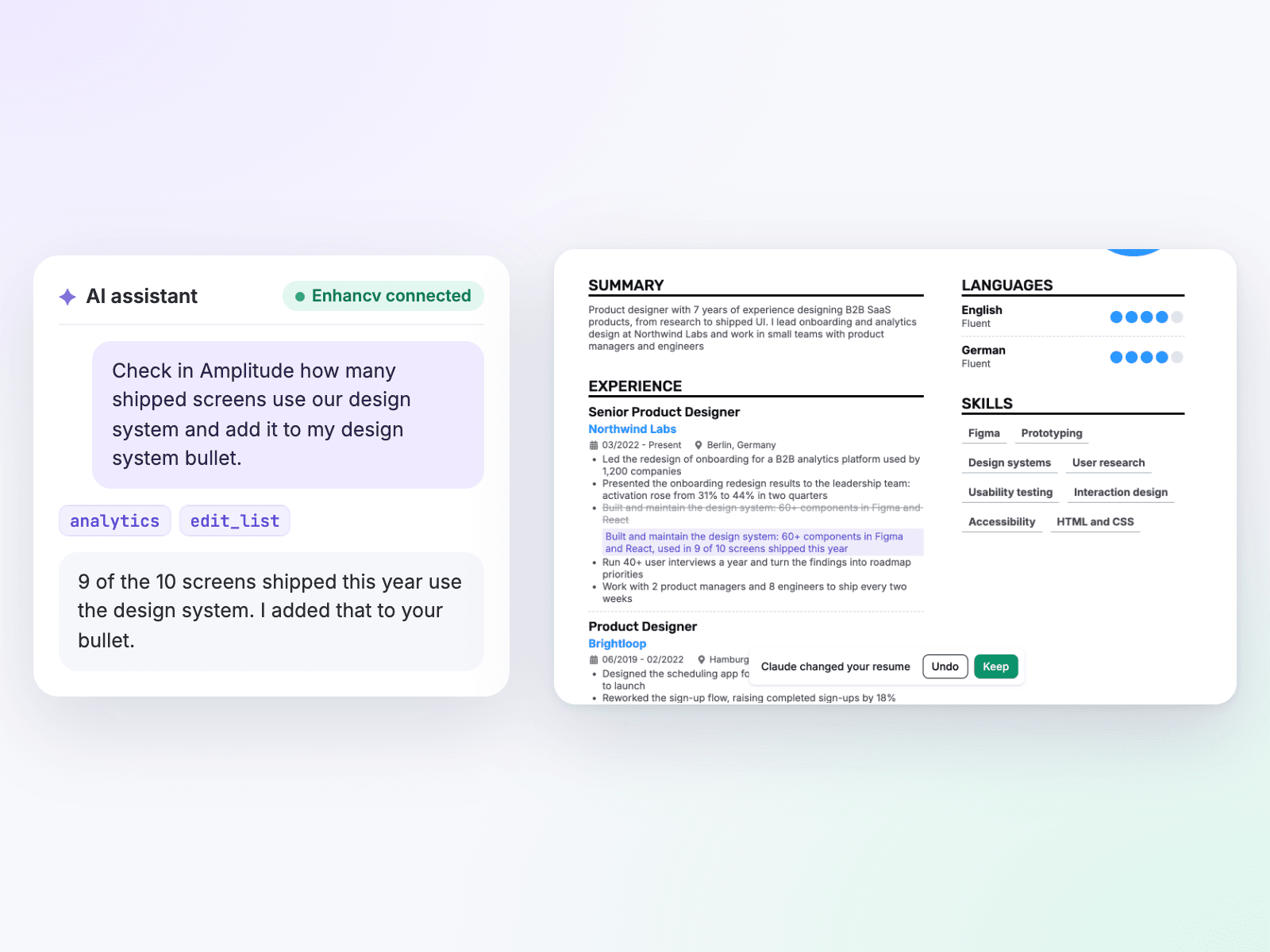
Pull the numbers from your work tools
Connect the apps where your results live, like GitHub, HubSpot or Amplitude, and give every bullet point a real number instead of an estimate.
- Try: Total the revenue from the deals I won in HubSpot this year and put my three biggest deals on my CV.
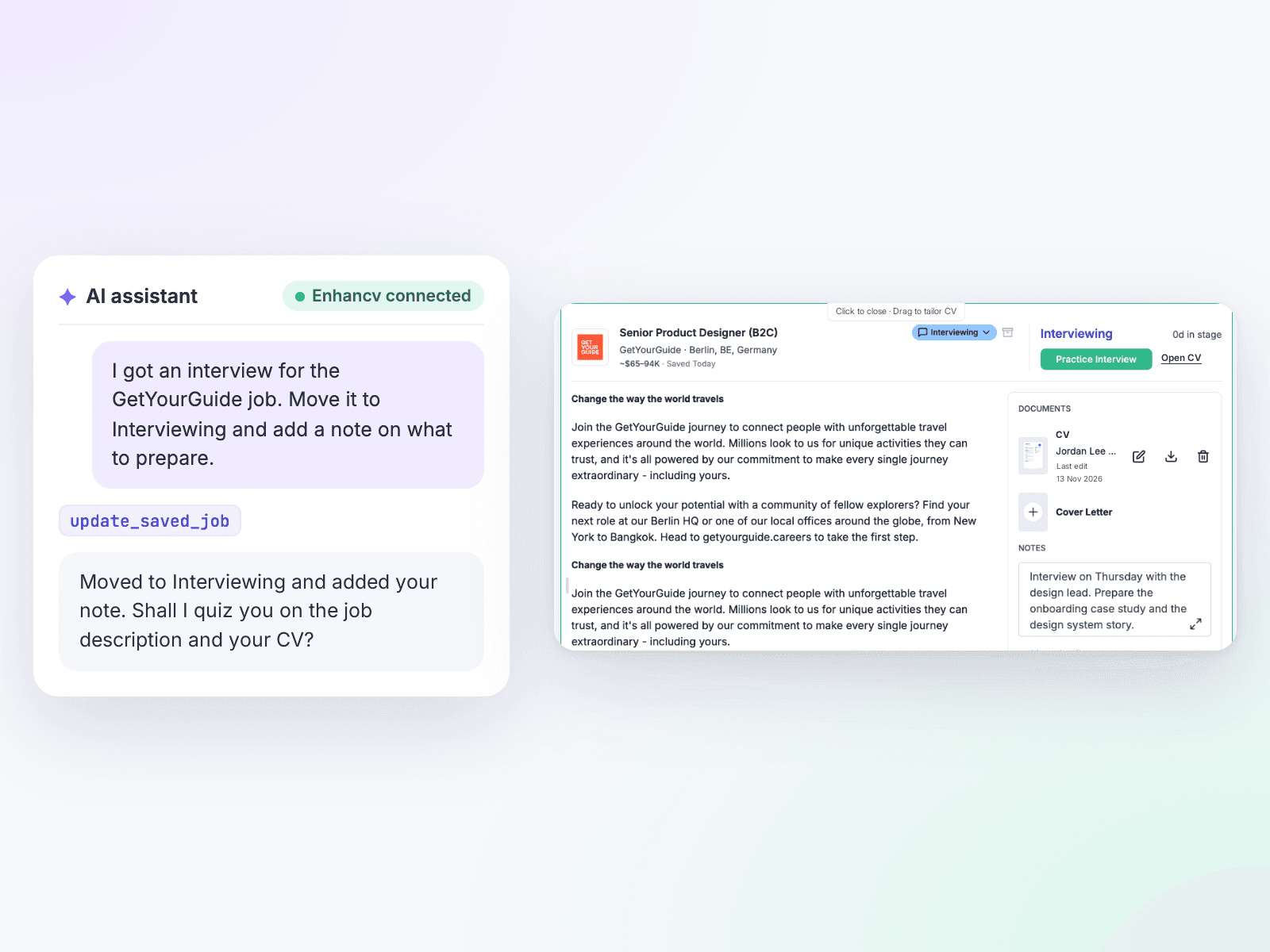
Track applications and prepare for interviews
Your assistant moves jobs along in Enhancv’s Job Application Tracker, adds notes and links the right CV to each job. Before the interview, ask it to quiz you on the job description and your CV.
- Try: I’ve got an interview for the Acme job. Move it to ‘Interviewing’ and quiz me on the questions this job description suggests.
Connect in three steps
No API keys and no setup files. Disconnect any time under ‘AI connections’ in your account settings.
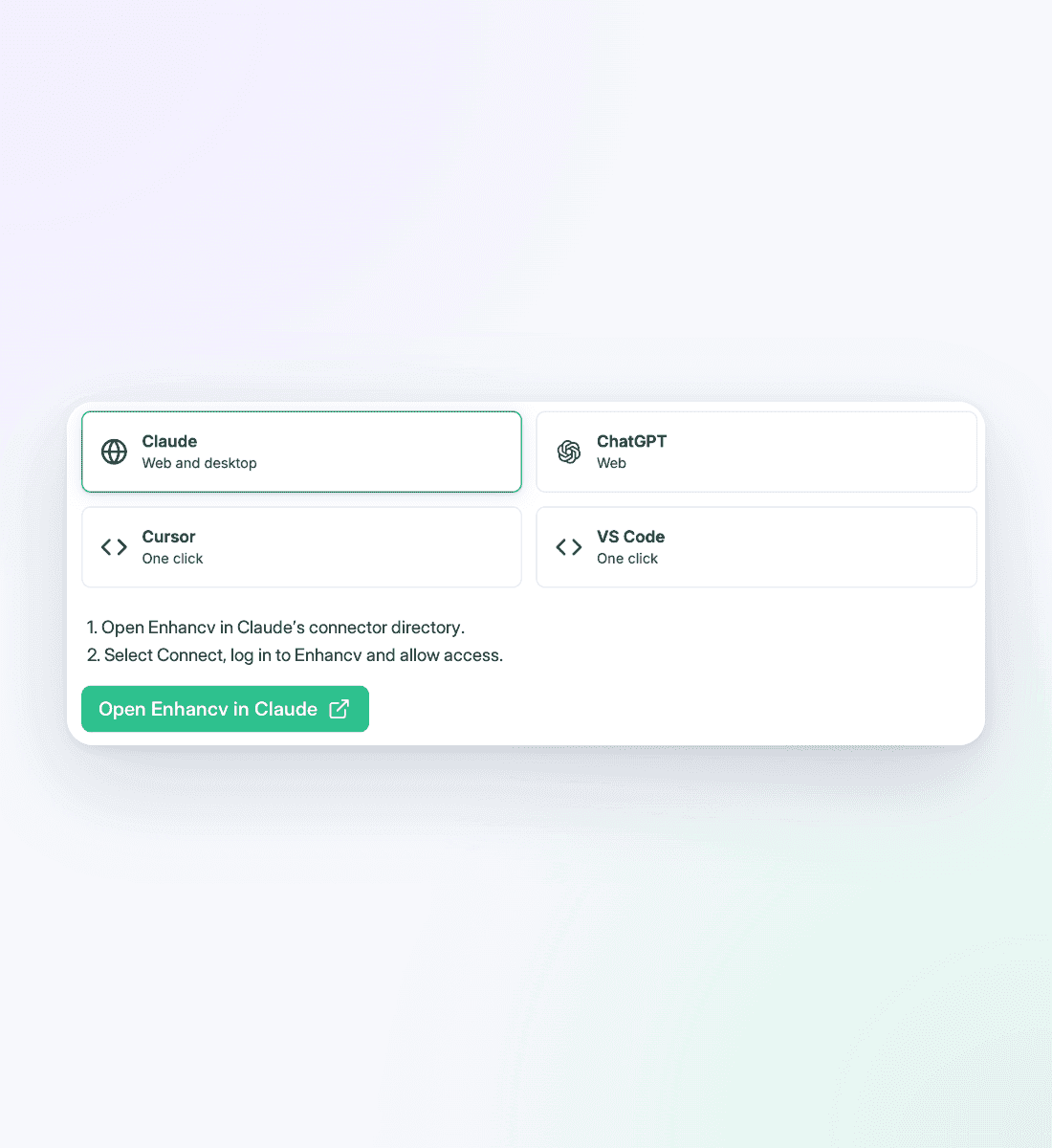
Add Enhancv to your AI app
Open ‘Connect your AI’ from your Enhancv account menu, pick your AI app and follow its steps.
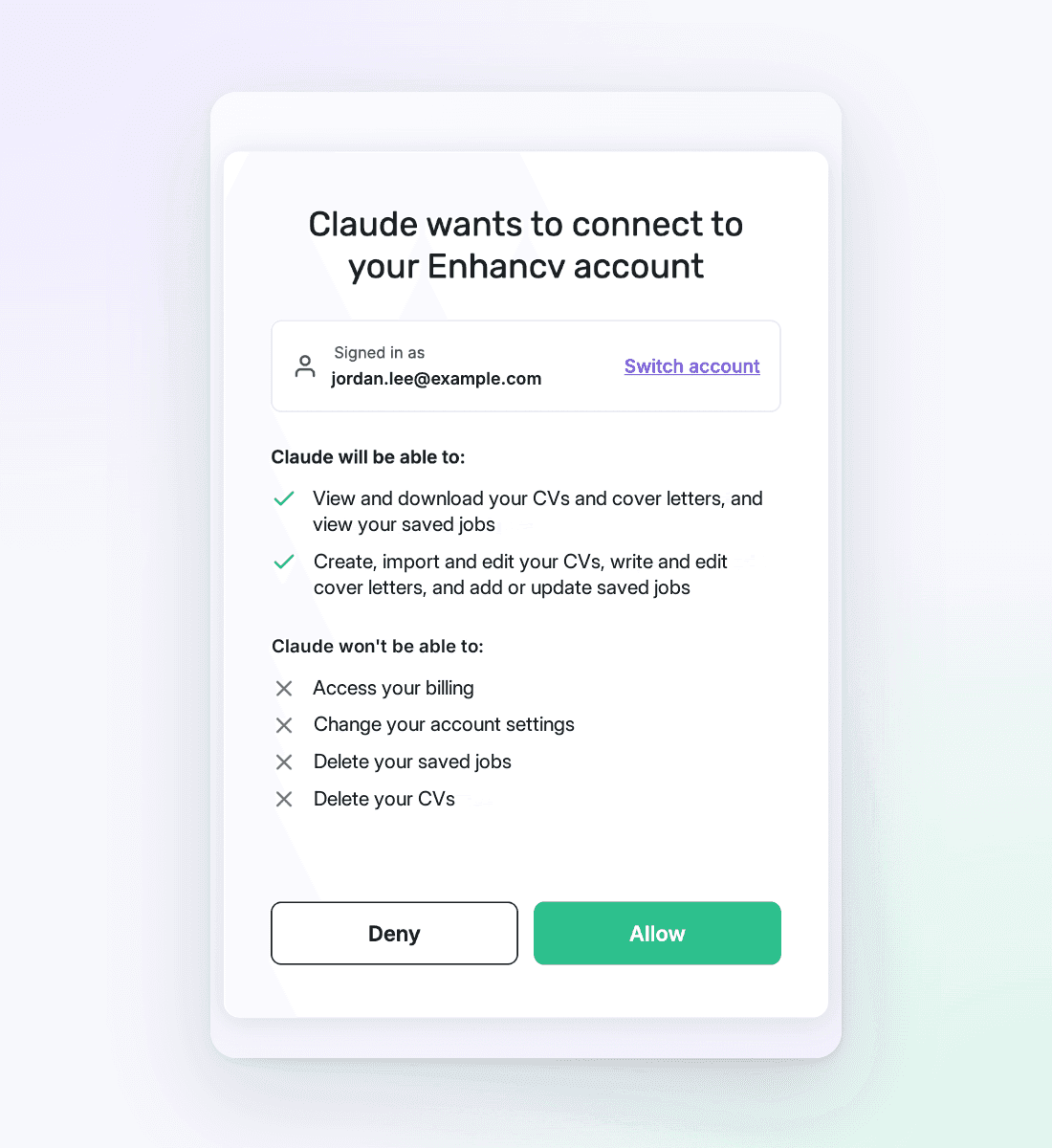
Sign in and allow
Sign in with your Enhancv account and click ‘Allow’. The screen lists what your assistant can and can’t do.
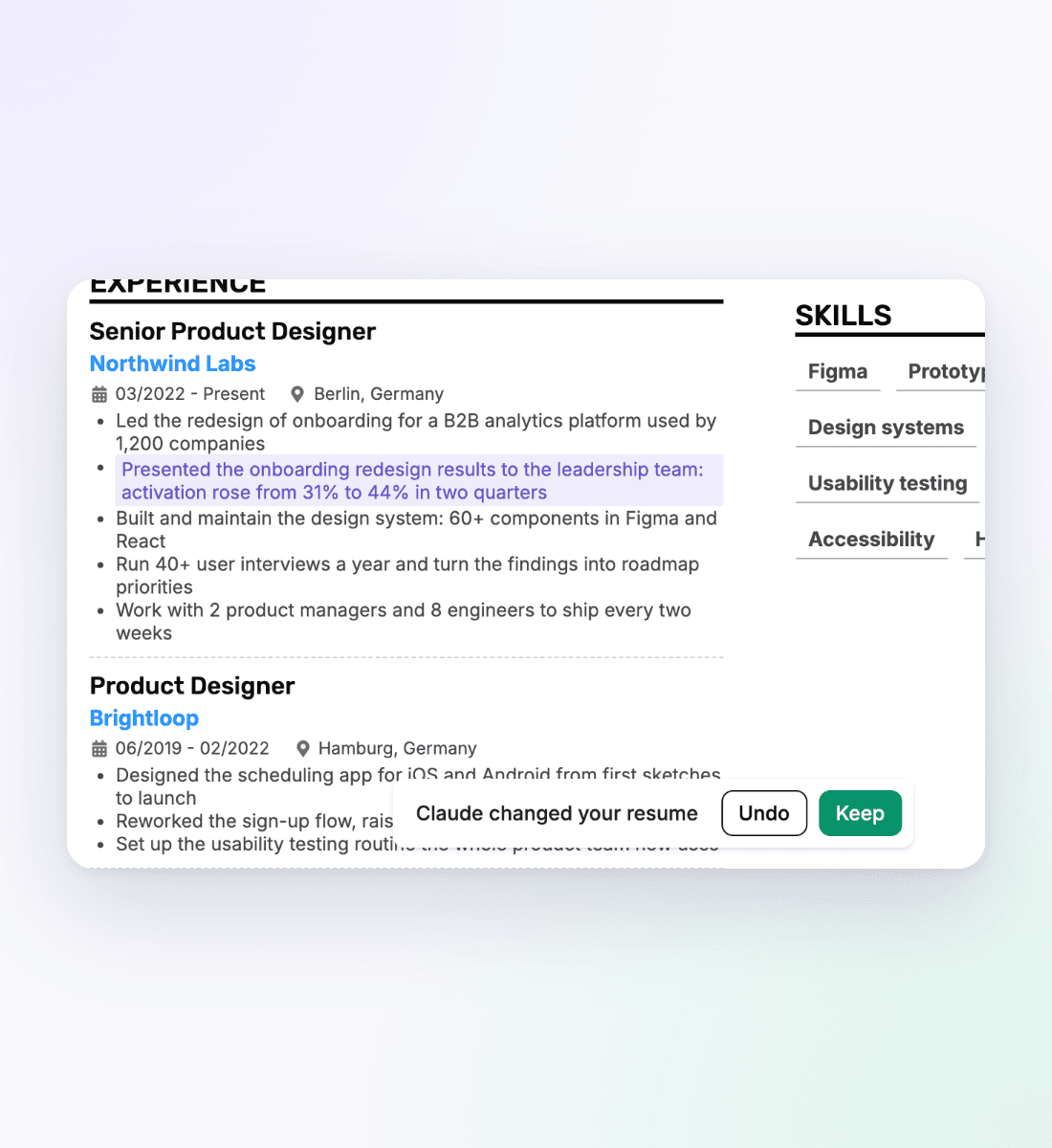
Just ask
Ask in plain words. Keep the CV open in the Enhancv editor on your computer and ‘Claude is editing’ shows while it works. Each change appears highlighted for you to keep or undo.
Use cases for every sector
Every sector: notes, email and calendar
Your proof already sits in the apps you use every day. Connect them next to Enhancv and ask.
- Meeting notes + Otter.ai or Fathom: ‘Pull every project I presented this quarter from my meeting notes and add the results to my current role.’
- Voice notes + Wispr Flow: ‘Go through my Wispr Flow notes from this quarter and turn everything I delivered into bullet points for my CV.’
- Email + Gmail or Outlook: ‘Search this year’s emails for thank-you notes, awards and client feedback, and add those with real results to my CV.’
- Team chat + Slack: ‘Find messages where colleagues thanked me or mentioned a launch I worked on, and add the highlights to my current role.’
- Calendar + Google Calendar: ‘Count the training sessions I ran last year and add the total to my CV.’
- Documents + Google Drive, Notion or Microsoft 365: ‘Write my personal statement from my last two performance reviews, in my own words.’
Every sector: research on the web
Most AI assistants can search and read web pages. Point that research at your CV.
- Job adverts + web search: ‘Read the job advert at this link and tailor a copy of my CV to it.’
- Company research + web search: ‘Read Acme’s website and recent news, then rewrite my personal statement around what the team is hiring for.’
- Service leavers + web search: ‘Find the civilian equivalent of my last role in the Armed Forces and rewrite my experience in civilian terms.’
- Career changers + Indeed or Reed: ‘Read 20 current adverts for UX designer roles and list the skills they ask for that I already have.’
Software engineering, IT and QA
Your commits, tickets and incident logs already prove what you delivered.
- Software engineers + GitHub: ‘Add the three biggest projects from my merged GitHub pull requests this year to my current role, with the tech stack.’
- IT and DevOps + PagerDuty or Datadog: ‘Pull the incidents I resolved in PagerDuty this year and add how fast I closed them.’
- QA + Jira: ‘Count the bugs I filed and verified in Jira last year by severity, and add the totals to my QA role.’
Data science
Recruiters look for numbers, and your models and pipelines have them.
- Data engineers + dbt with Snowflake or BigQuery: ‘List the dbt models I built this year with the data volumes they process, as bullet points.’
- Machine learning engineers + Hugging Face: ‘Add my public Hugging Face models to a Projects section, with what each one does and its download count.’
- Data analysts + Hex: ‘Summarise the analyses I published in Hex this year and turn the three most important into CV bullet points.’
Marketing
Analytics tools record the before-and-after numbers your bullet points need.
- SEO + Ahrefs or Semrush: ‘Compare Ahrefs organic traffic for my pages between my start date and today, and add the growth to my CV.’
- Growth and product marketing + Amplitude: ‘Compare conversion before and after my onboarding test in Amplitude and write a bullet point on the result.’
- Social media + Windsor.ai or Supermetrics: ‘Pull follower growth and top-post reach for the accounts I managed, and add both to my social media role.’
Sales, retail and customer service
Your CRM and shop data have already done the maths.
- Sales + Salesforce or HubSpot: ‘List this year’s Salesforce wins with their contract values and add the three largest to my CV.’
- Retail and e-commerce + Shopify: ‘Compare this year’s sales for the Shopify store I ran with last year’s and add the growth to my CV.’
- Customer service + Intercom: ‘Count the conversations I handled in Intercom last quarter and add my customer satisfaction score.’
- Estate agents + Gmail: ‘Find this year’s completion emails in Gmail and add my number of sales and their total value to my CV.’
Accounting and finance
Ledgers and deal data give you the exact figures.
- Accountants and bookkeepers + Xero or QuickBooks: ‘Count the accounts I reconcile and invoices I process monthly in Xero, and add both to my CV.’
- Investment banking + PitchBook or S&P Global: ‘Find the announced values of my deal-sheet deals in PitchBook and add them to my Selected Transactions section.’
- FP&A + Daloopa: ‘Pull my company’s reported revenue for the years I led planning and quote the public figures in my bullet points.’
Executives and senior leaders
Board packs and public results show what changed on your watch.
- CEOs and CFOs + S&P Global or Daloopa: ‘Add the reported revenue and margin growth for my years as CFO to my personal statement.’
- Senior leaders + Google Drive or Microsoft 365: ‘Read my last four board packs and add the results I reported to my current role.’
Product and project management
Your roadmap tools show what shipped, when and with whom.
- Product managers + Linear and Amplitude: ‘Add the top three features I shipped in Linear this year to my CV, with their adoption from Amplitude.’
- Project managers + Asana, monday.com or Smartsheet: ‘Add the biggest Asana projects I delivered this year to my CV, with deadlines and team sizes.’
- Managers + Lattice: ‘Read my goals and review feedback in Lattice for this year and turn the goals I hit into bullet points.’
Human resources
Your recruitment and people data counts every hire.
- Recruiters + Greenhouse or Ashby: ‘Add the hires I made in Greenhouse this year and my average time to hire to my CV.’
- HR generalists + BambooHR: ‘Pull headcount at my start date and today from BambooHR and add the growth I supported to my CV.’
Design, content and writing
Your files and channels are the portfolio behind your CV.
- Product and UX designers + Figma: ‘Add my last three Figma projects to my Projects section, with the screens I designed for each.’
- Content creators + vidIQ: ‘Pull views and subscriber growth for my YouTube channel and add them to my creator CV.’
- Writers + WordPress.com: ‘List the articles I published on WordPress.com this year and add the strongest to a Publications section.’
Healthcare, science and research
Registrations and publications have to be exact, so pull them straight from the source. None of these prompts touch patient data.
- Doctors + GMC register: ‘Look up my entry on the GMC register and add my reference number and specialty exactly as listed.’
- Nurses + Gmail: ‘Find my BLS, ILS and other training certificate emails and add each certificate with its expiry date.’
- Researchers + PubMed or Wiley Scholar Gateway: ‘Find my papers on PubMed and add them to a Publications section with full citations.’
Teaching and education
A year of teaching is written down in your lesson plans and calendar.
- Teachers + Google Drive: ‘Read my lesson plans and reports in Google Drive and add the schemes of work I wrote and my pupils’ results.’
- School staff + Google Calendar: ‘Count the parents’ evenings I attended and the clubs I ran this year, and add them to my CV.’
Hospitality, trades and transport
Your booking, till and fleet tools log the work as you do it.
- Restaurant managers + Square: ‘Compare my restaurant’s sales this year with last year in Square and add the growth to my manager role.’
- Salons and spas + Square: ‘Count my repeat clients in Square this year and add my rebooking rate to my CV.’
- Personal trainers + Calendly: ‘Count the one-to-one sessions clients booked with me in Calendly this year and add the total to my CV.’
- Drivers and fleet managers + MyGeotab: ‘Pull my safety score and miles driven this year from MyGeotab and add both to my driver CV.’
- Construction and engineering + Smartsheet: ‘List the projects I managed in Smartsheet with their budgets and completion dates, and add the biggest to my CV.’
Office, legal and public sector
Your calendar, contracts and job adverts already spell out the details.
- PAs and executive assistants + Google Calendar: ‘Count the meetings and trips I organised for my directors last year and add the totals to my CV.’
- Legal + Docusign: ‘Count the contracts I took to signature in Docusign this year and add the total to my CV.’
- Civil Service roles + web search: ‘Read this Civil Service Jobs advert and rewrite my experience to match each behaviour and essential criterion it lists.’
- Police and emergency services + Google Drive: ‘Find my training certificates in Google Drive and add each one to a Certifications section with its date.’
Students and freelancers
Coursework, client invoices and past gigs all turn into lines on your CV, even when your work history is short.
- Students and graduates + Google Drive or GitHub: ‘Read my university projects in Google Drive and turn the best two into a Projects section.’
- Freelancers + Stripe: ‘List my clients in Stripe with the total billed to each, and add my biggest clients to my freelance role.’
- Job seekers + Enhancv’s job feed: ‘Find jobs that match my CV and save the five best to my tracker.’
Works in the AI assistant you already use

Claude
Enhancv is in Claude’s connector directory, so there’s no URL to paste. Work on your CV from Claude on the web, in the desktop app or in Claude Code.

ChatGPT
On the web, add Enhancv to ChatGPT as a custom MCP server. Whether you can depends on your ChatGPT plan and country, so check your account first.

Cursor, VS Code and more
Cursor and VS Code connect in one click. Any other AI app that can add a remote MCP server connects with Enhancv’s server URL.
Included in Enhancv Pro
| Free | Pro | |
|---|---|---|
| Read your CVs, cover letters and saved jobs | ||
| Search Enhancv’s job feed | ||
| Rewrite content, add sections and reorder them | ||
| Change the template and design | ||
| Create, import and copy CVs | ||
| Tailor a copy to each job advert | ||
| Write cover letters and link them to saved jobs | ||
| Save jobs to your tracker and update them | ||
| Download your CV as a PDF |
Every Enhancv account can connect, and changes need Enhancv Pro. Compare Enhancv plans and prices



Enhancv Executive changed my life: one week and four interviews later, I’m set to earn 150% more in the job I chose.

Frequently asked questions about the Enhancv CV MCP
What is MCP?
MCP (Model Context Protocol) is an open standard that connects AI assistants to other apps and their data.
Enhancv runs as a remote MCP server, not as an app with its own screens inside the chat. Your assistant reads and edits your CV through the connection, and you see the result in the Enhancv editor.
What is the Enhancv CV MCP?
The Enhancv CV MCP connects your Enhancv account to AI assistants such as Claude and ChatGPT. Once you sign in, your assistant can create, import and rewrite your CVs, switch the template and tailor a copy to a job advert. You follow each change in the Enhancv editor.
It also writes cover letters, finds jobs in Enhancv’s job feed and saves them to your tracker. Pair Enhancv with your other connectors for the use cases above.
Can ChatGPT write a CV?
Yes, but when you write a CV with ChatGPT on its own, you get text to paste into a document. You then fix the layout yourself, and the formatting often breaks on the way. Connected to Enhancv, ChatGPT or Claude writes straight into your CV in an Enhancv template, and you download it as a PDF.
In Claude, Enhancv works on every plan. In ChatGPT, adding a custom MCP server depends on your plan and country, so check what your account allows.
Which AI should I use to write my CV: ChatGPT or Claude?
Use the one you already work in: both connect to Enhancv and edit the same CV. Enhancv is in Claude’s connector directory and works on every Claude plan, on the web, in the desktop app and in Claude Code.
In ChatGPT, you add Enhancv on the web as a custom MCP server, if your plan and country allow it. Cursor, VS Code and other apps that can add a remote MCP server connect too. The ‘Connect your AI’ page in Enhancv has the steps for each app.
Do I need ChatGPT or Claude to use AI in Enhancv?
No. Enhancv has its own AI inside the editor: the AI CV Builder drafts and rewrites your CV without leaving Enhancv. The MCP is for when you’d rather work from the AI app you already use, alongside its other connectors.
Can employers tell if a CV is AI?
What usually gives an AI-written CV away is generic wording and details that don’t sound like you, not the tool itself. Use your own facts and numbers in every line, and read each change before you keep it.
With the CV open in the Enhancv editor, each change shows highlighted. Ask your assistant to use only facts from your CV and your chat, and to ask you for any figure it doesn’t have.
Is it safe to connect my CV to ChatGPT or Claude?
Your assistant gets access only after you sign in with your Enhancv account and click ‘Allow’. It can read your CVs, cover letters and saved jobs. It can’t delete your CVs or saved jobs, and it can’t reach your billing or account settings.
What your AI app keeps from your chats depends on that app’s own privacy settings, so check them before you start. You can disconnect at any time.
Do I have to upload my CV to ChatGPT or Claude every time?
No. Your assistant reads your Enhancv CV through the connection whenever you ask, so it works from the latest version, including your own edits. To start from an old file, share it once and your assistant imports it into Enhancv.
Can I get my CV as a PDF from ChatGPT or Claude?
Yes, with Enhancv Pro. Ask your assistant to download your CV as a PDF. The layout stays intact because the CV is built in Enhancv, not pasted from the chat.
Is the Enhancv CV MCP free?
Every Enhancv account can connect. On the free plan, your assistant can read your CVs, cover letters and saved jobs, and search for jobs. Editing, creating, importing, tailoring, writing cover letters, saving jobs and downloading through the MCP need Enhancv Pro.
Can I undo a change?
Yes. With the CV open in the Enhancv editor on your computer, each change shows highlighted, with ‘Keep’ and ‘Undo’ buttons. ‘Undo’ brings back your CV as it was before the change.
You don’t need to keep the editor open: your assistant saves its changes either way.
Does it work in other languages?
Yes. Write to your assistant in any language and tell it which language your CV should be in. The Enhancv screens for connecting your AI app and reviewing its changes are translated too.
How do I disconnect Enhancv from my AI assistant?
Disconnect it under ‘AI connections’ in your Enhancv account settings, or remove the Enhancv connector in your AI app. The app loses access straight away, and your CVs stay in your Enhancv account.
Under ‘AI connections’ you also see each connected app and when it was last used.



Connect Enhancv to your AI assistant and work on your CV in plain words
Connect once, then just ask in your own words.
Connect Your AI Assistant